
See Laksana in action — pick a workflow
No form, no sales call. Pick the workflow you actually run and click through it screen by screen — these are the real screens your team would use on day one.
Product screens are captured from a live Laksana workspace. WhatsApp threads are recreated from the exact messages Laksana sends.
Lebih suka berbual? Tempah demo langsung →Work Updates
From a quick WhatsApp photo to a verified work record — no app, no paperwork.
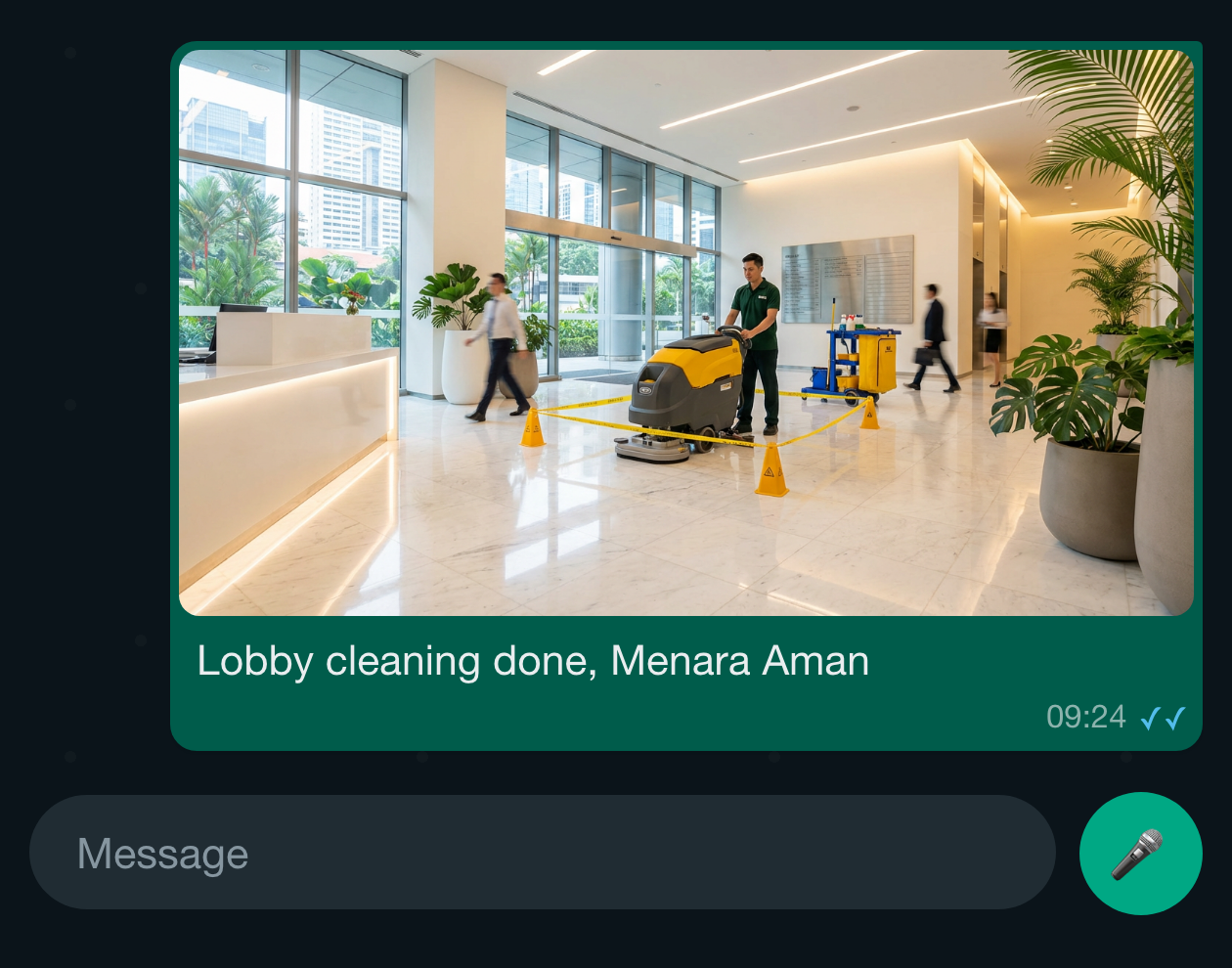
A field worker photographs the finished work and sends it to Laksana on WhatsApp — no app to install, no form to fill. Location is captured with the photo.
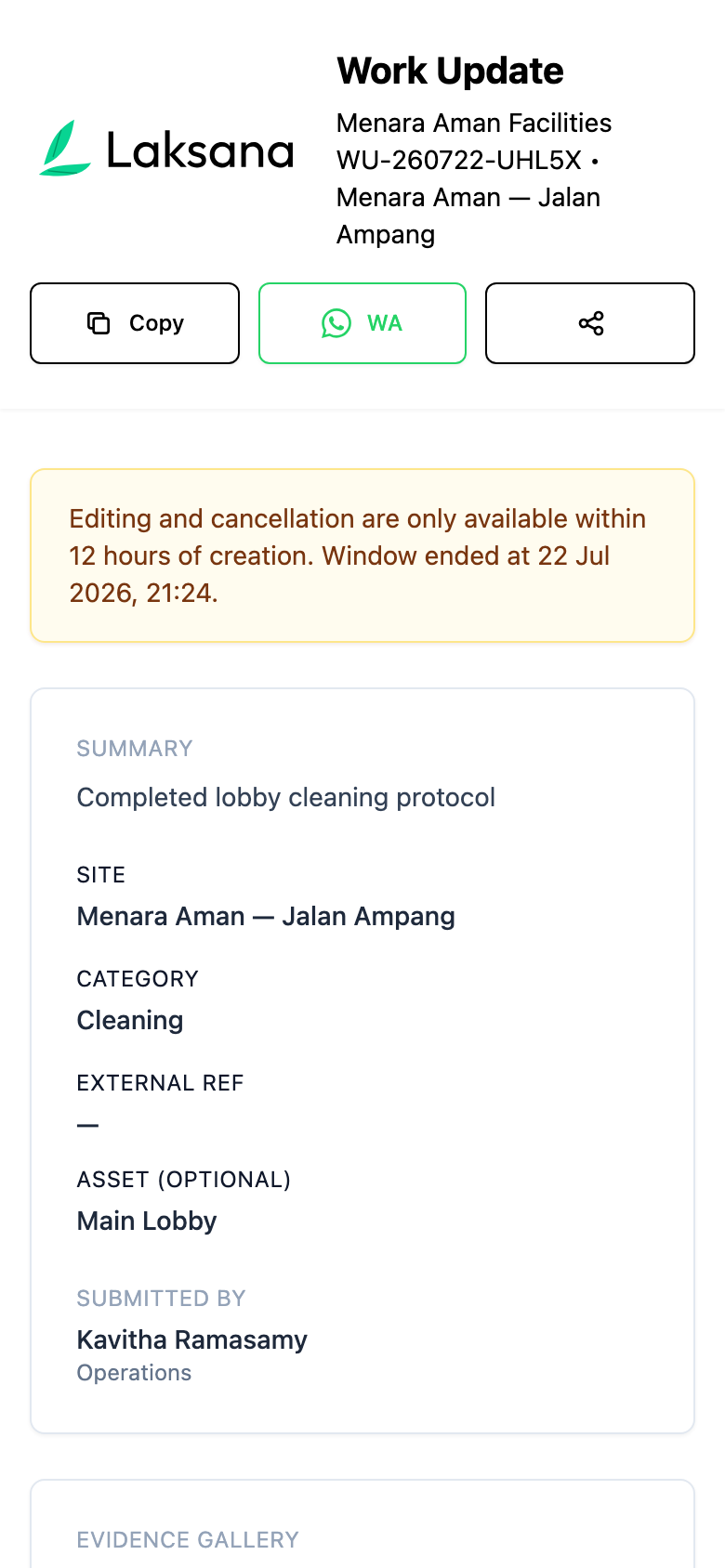
Wrong photo or wrong site? The worker fixes it from the same link — no call to the office, no re-submission.
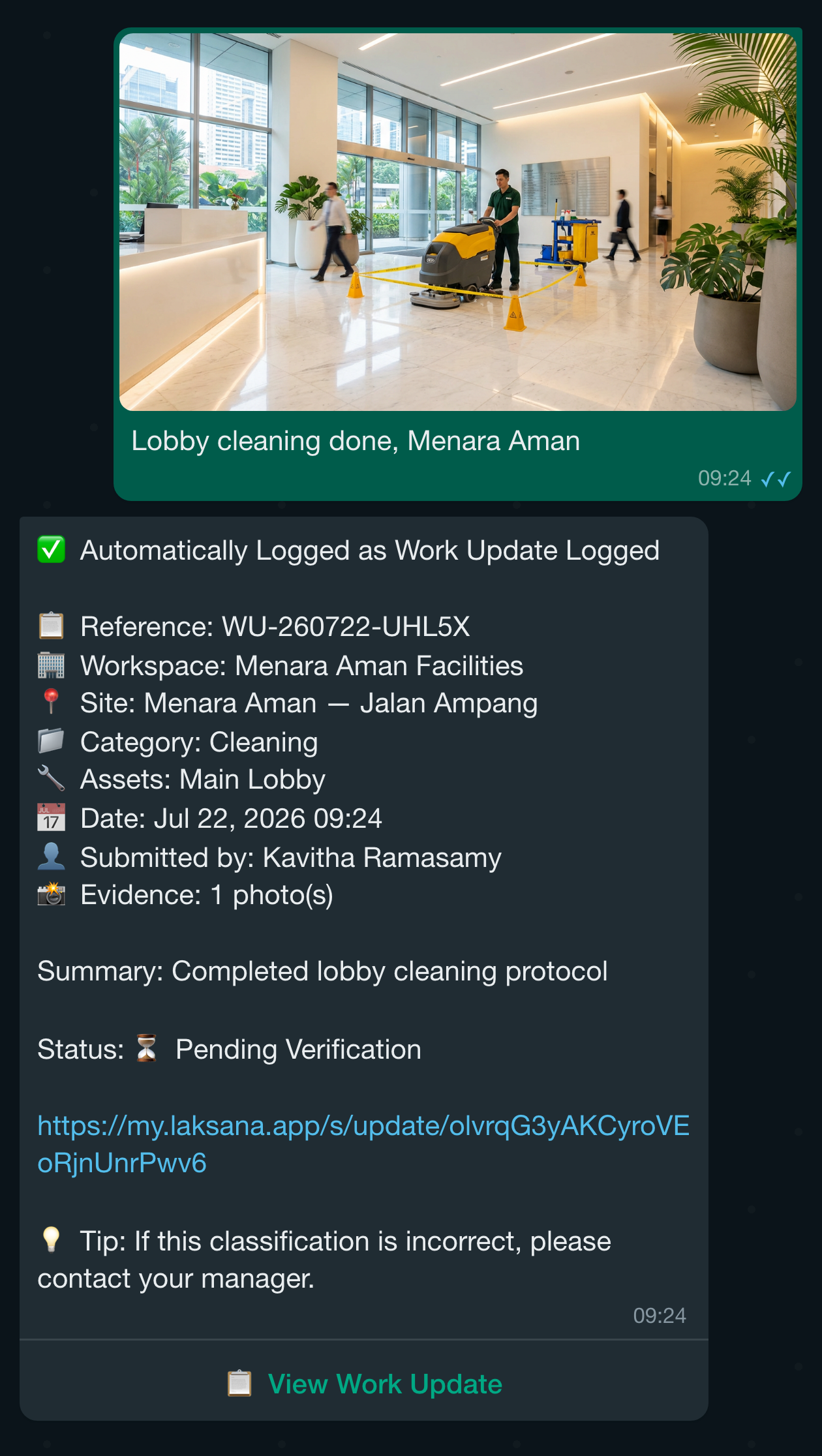
The supervisor is notified the moment an update lands — on WhatsApp, by email and by push notification.
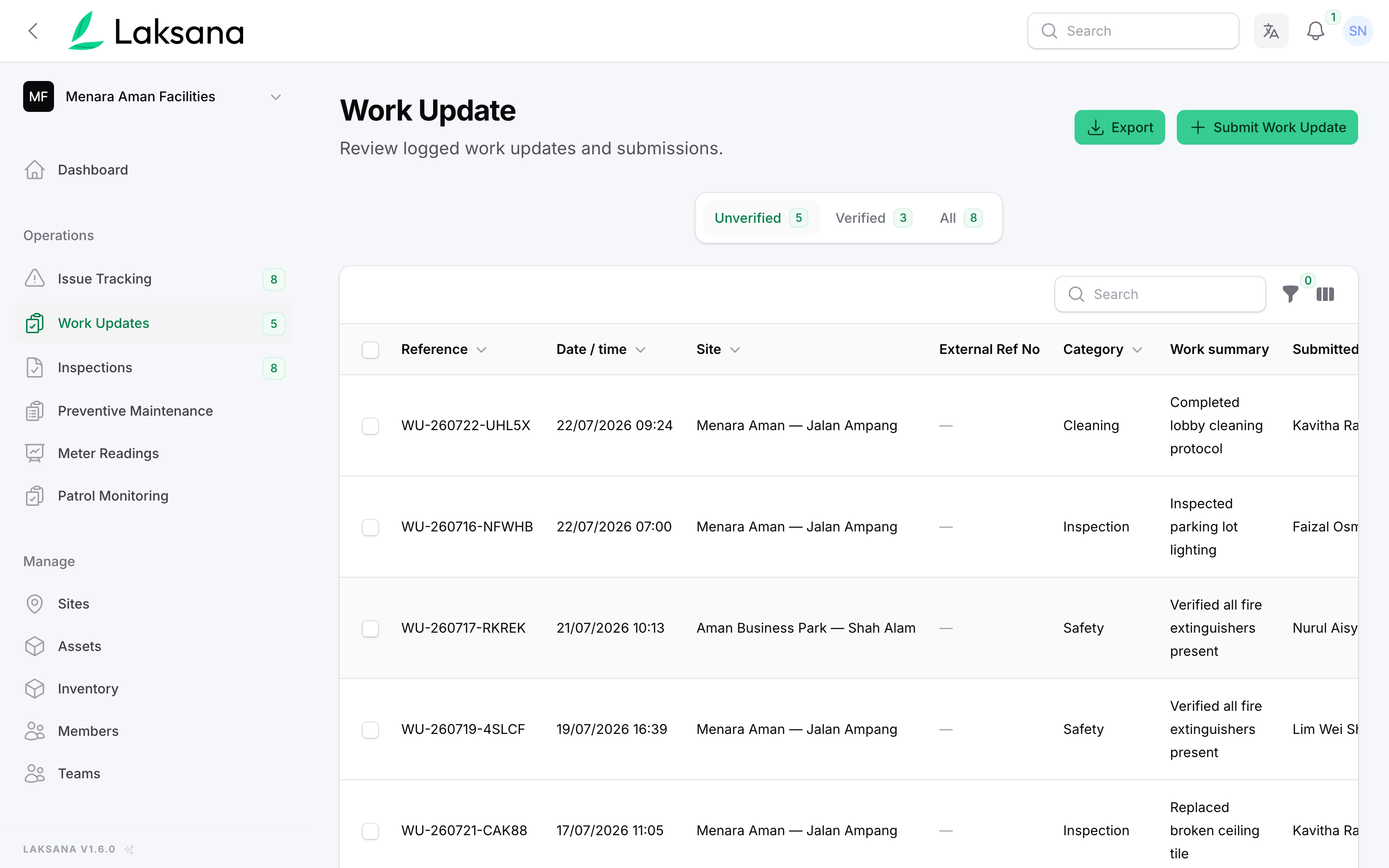
Every work update flows into a live dashboard — no manual logging, no chasing.
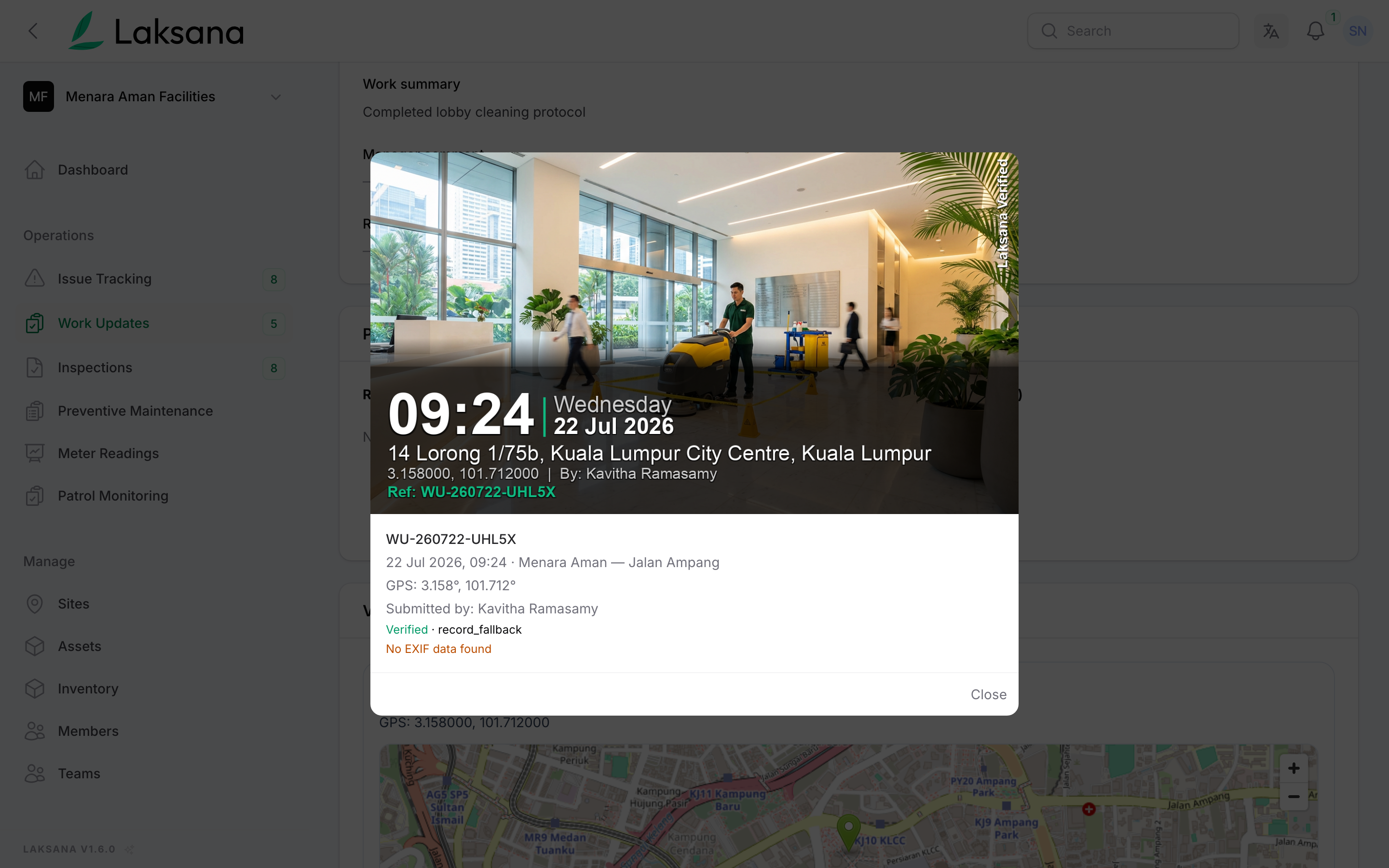
Open any update to view timestamped, watermarked photo evidence — ready for client reporting.
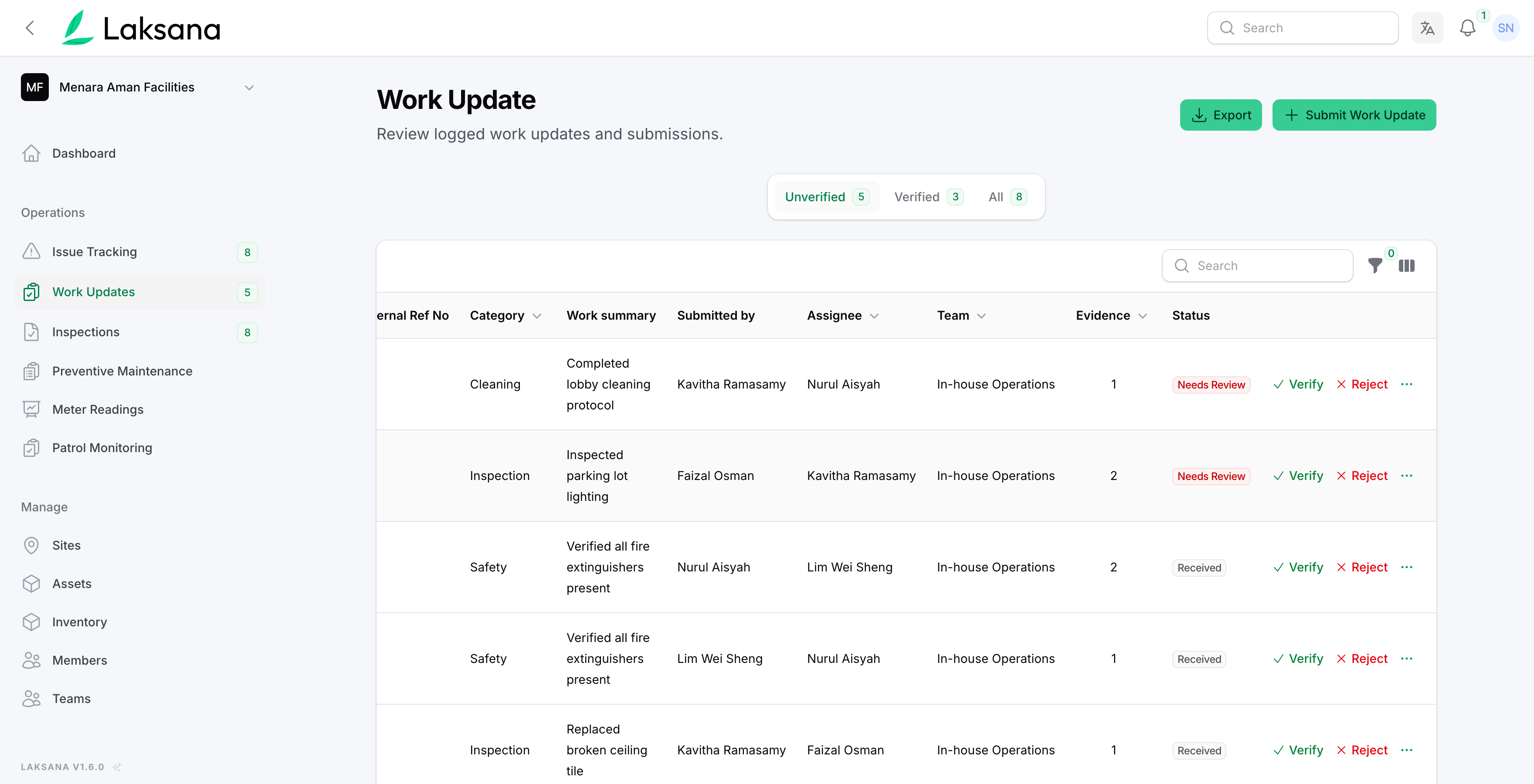
A supervisor verifies the work in one click — the record is now audit-ready.
Report an Issue
Every issue tracked from report to resolution — with response and resolution times measured automatically.
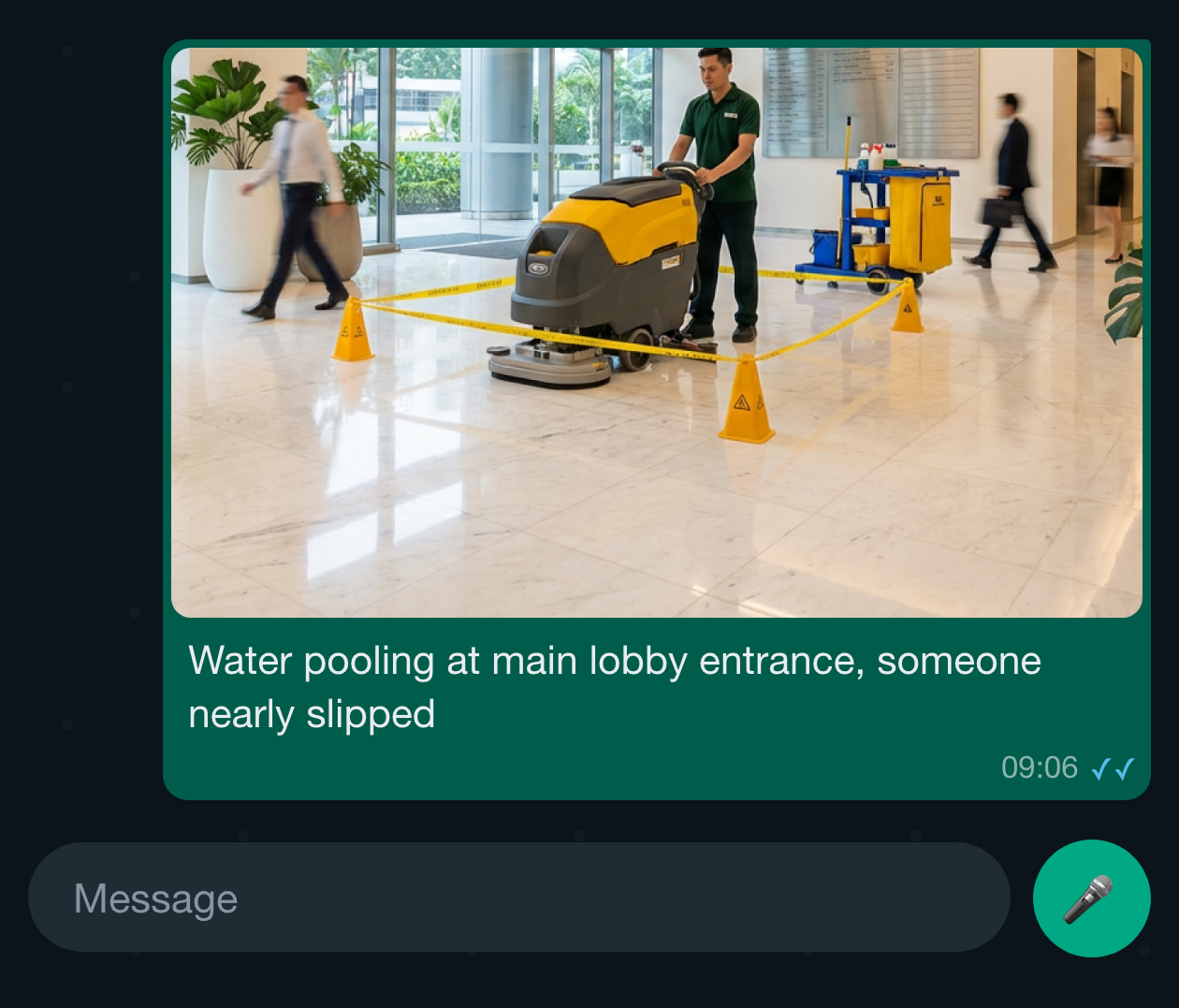
A worker photographs the problem and sends it on WhatsApp. Laksana classifies it, sets the severity and opens a tracked issue.
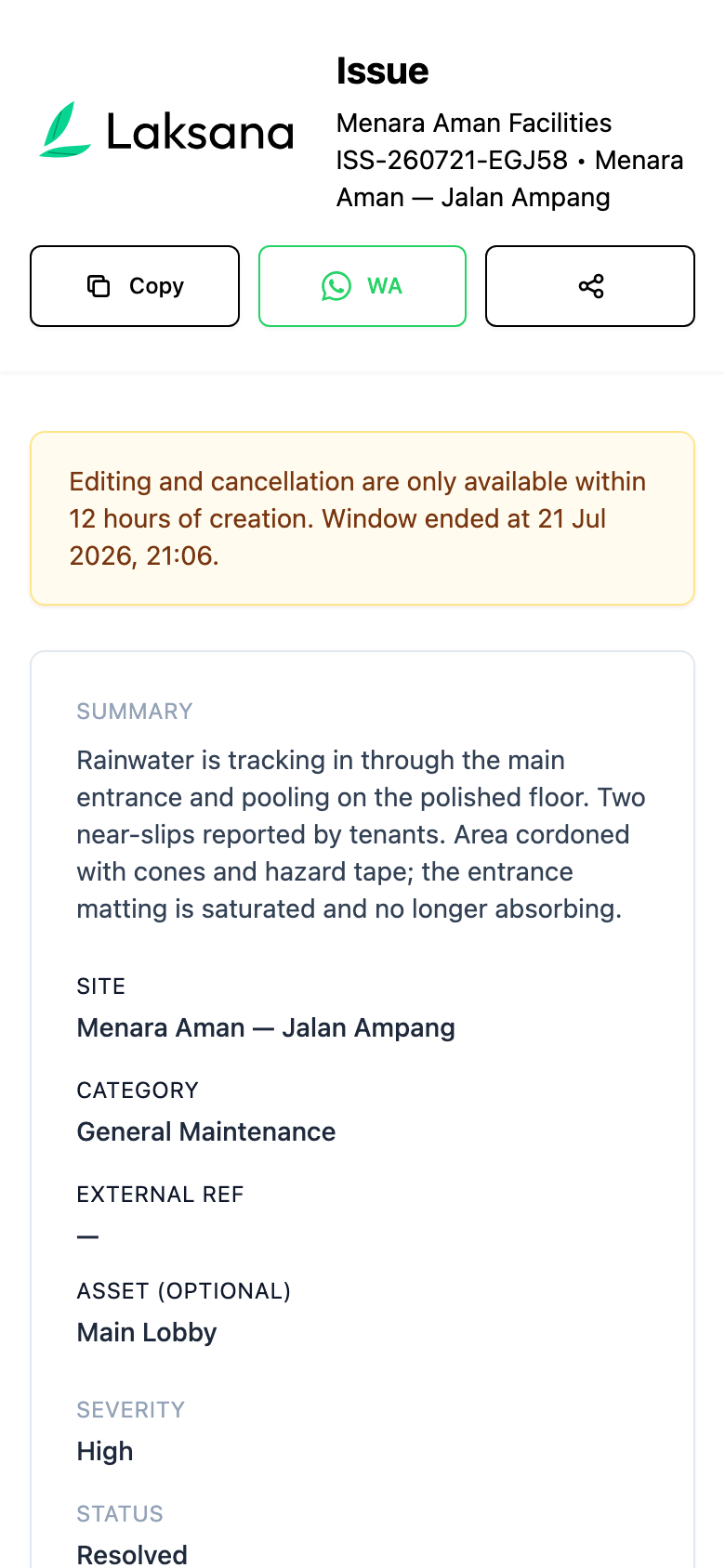
The reporter can refine details or add context before the issue is logged.
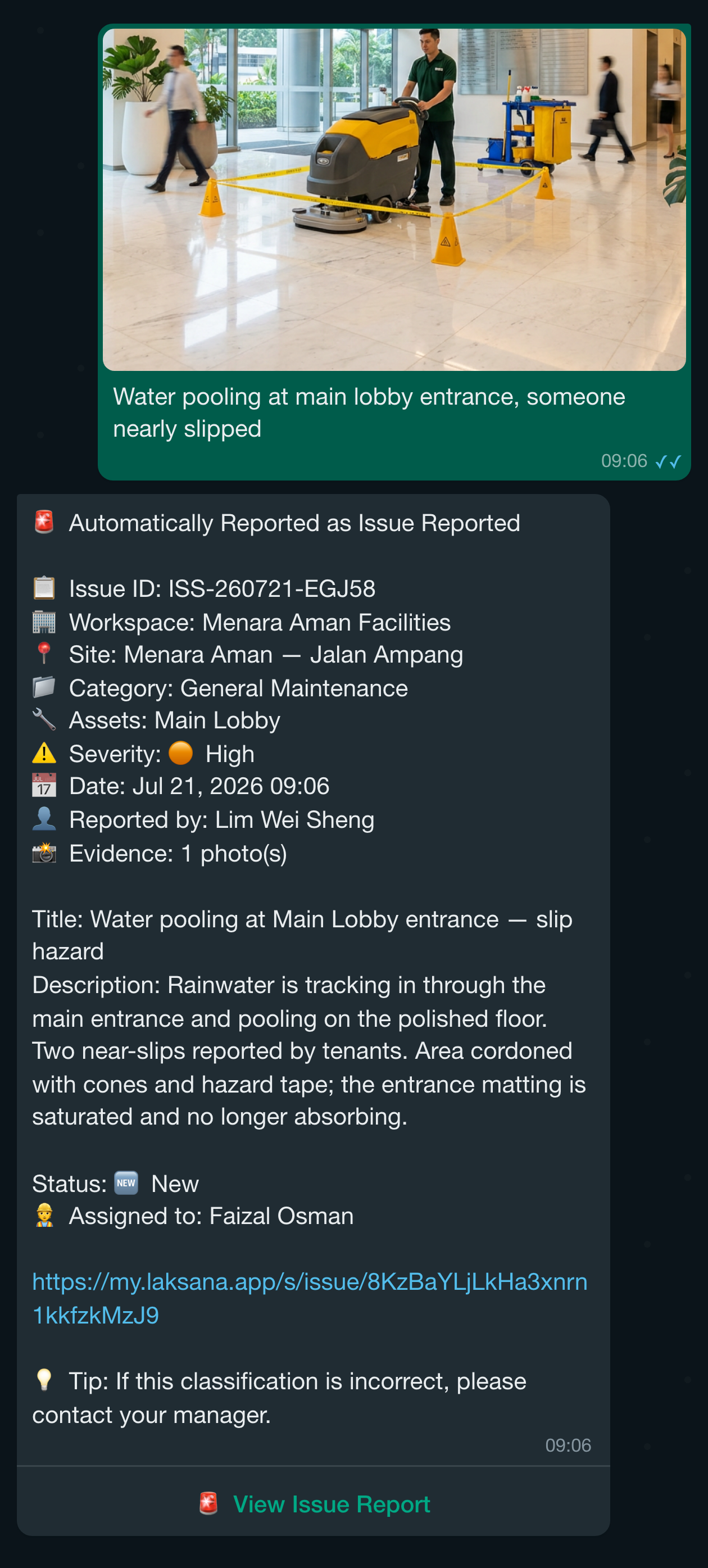
The issue is logged and routed automatically — the assignee is notified on WhatsApp, email and push.
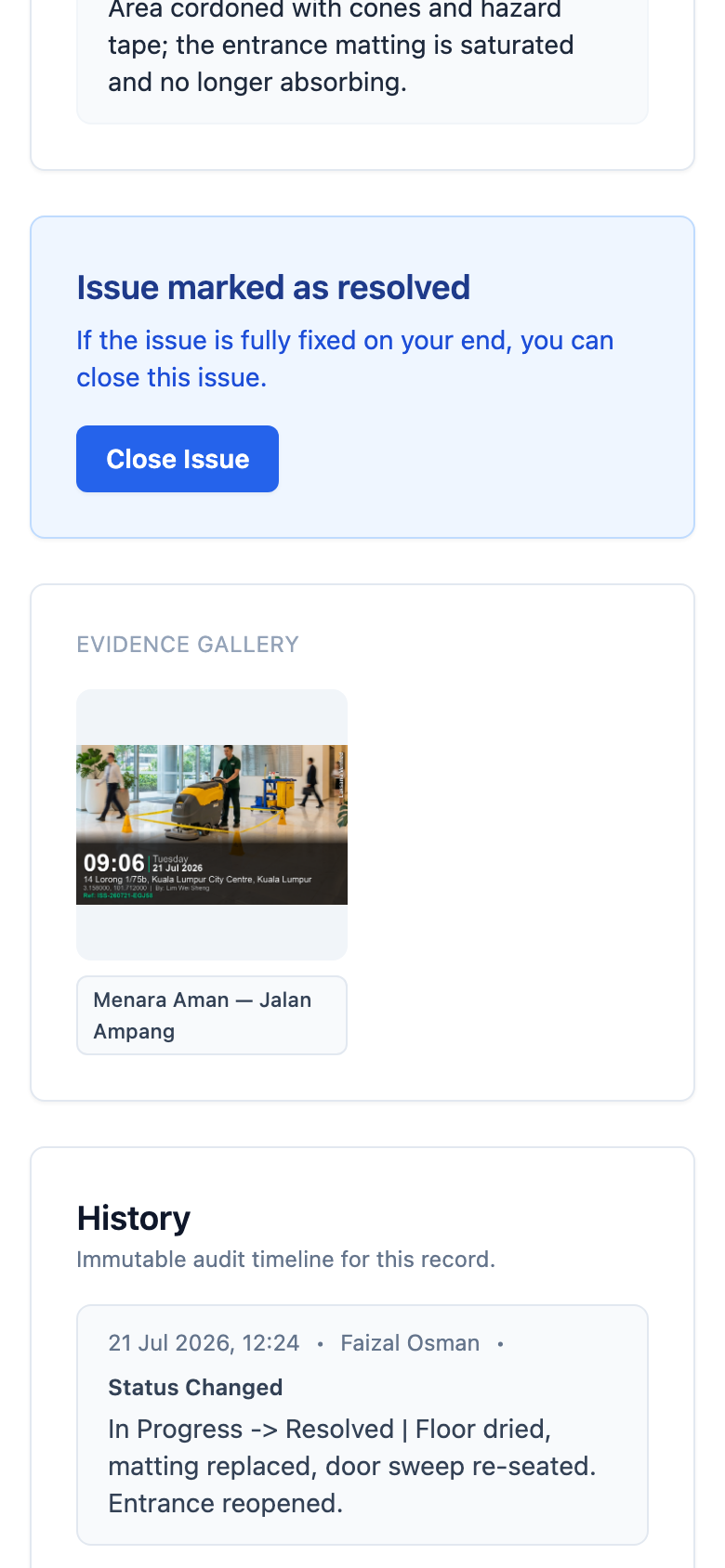
The assignee opens the link, marks it In Progress and adds a note. No app to install, no password to remember.
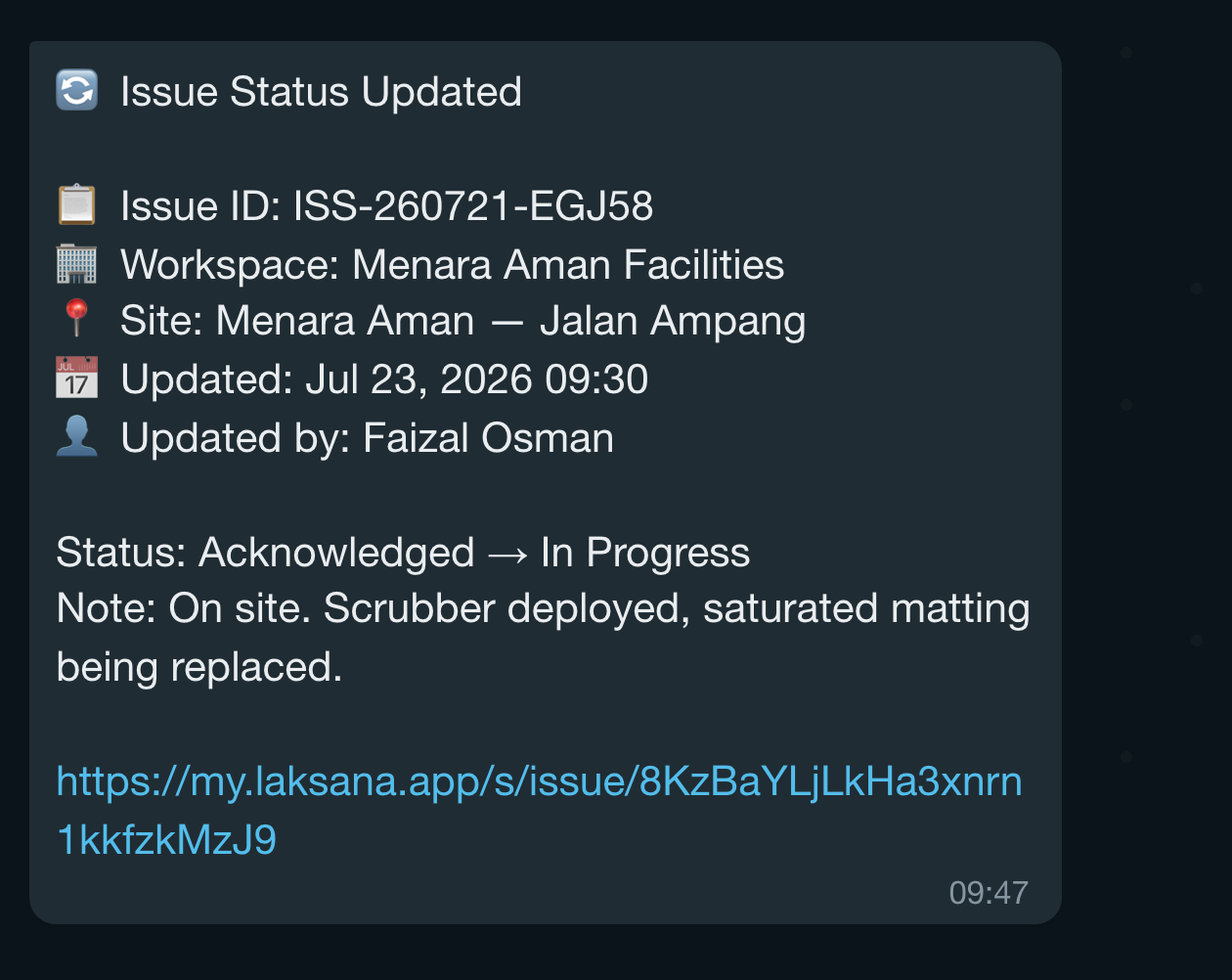
Everyone following the issue is notified when the status changes.
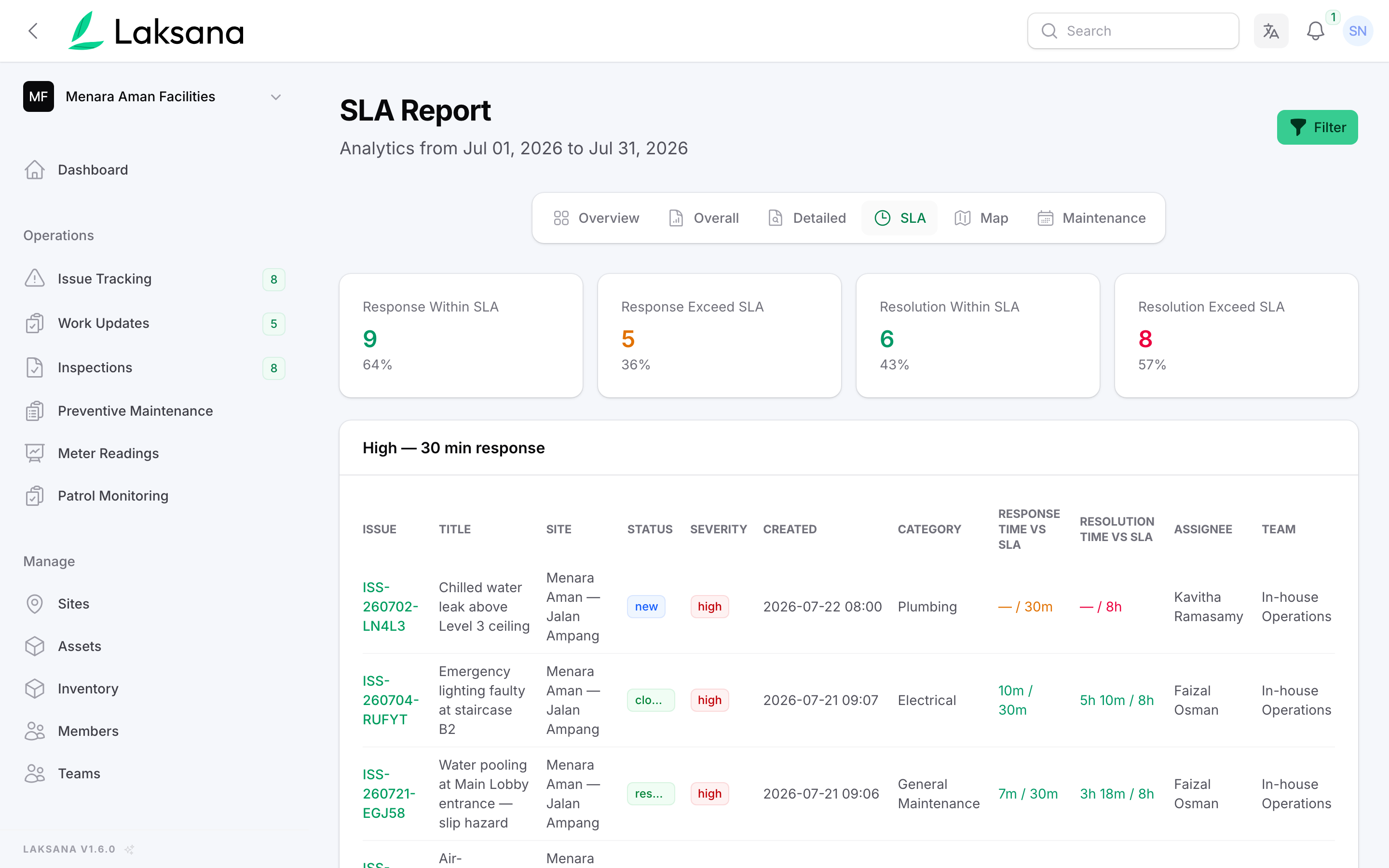
The SLA report tracks response and resolution against the target for every issue — the clock started the moment it was raised.
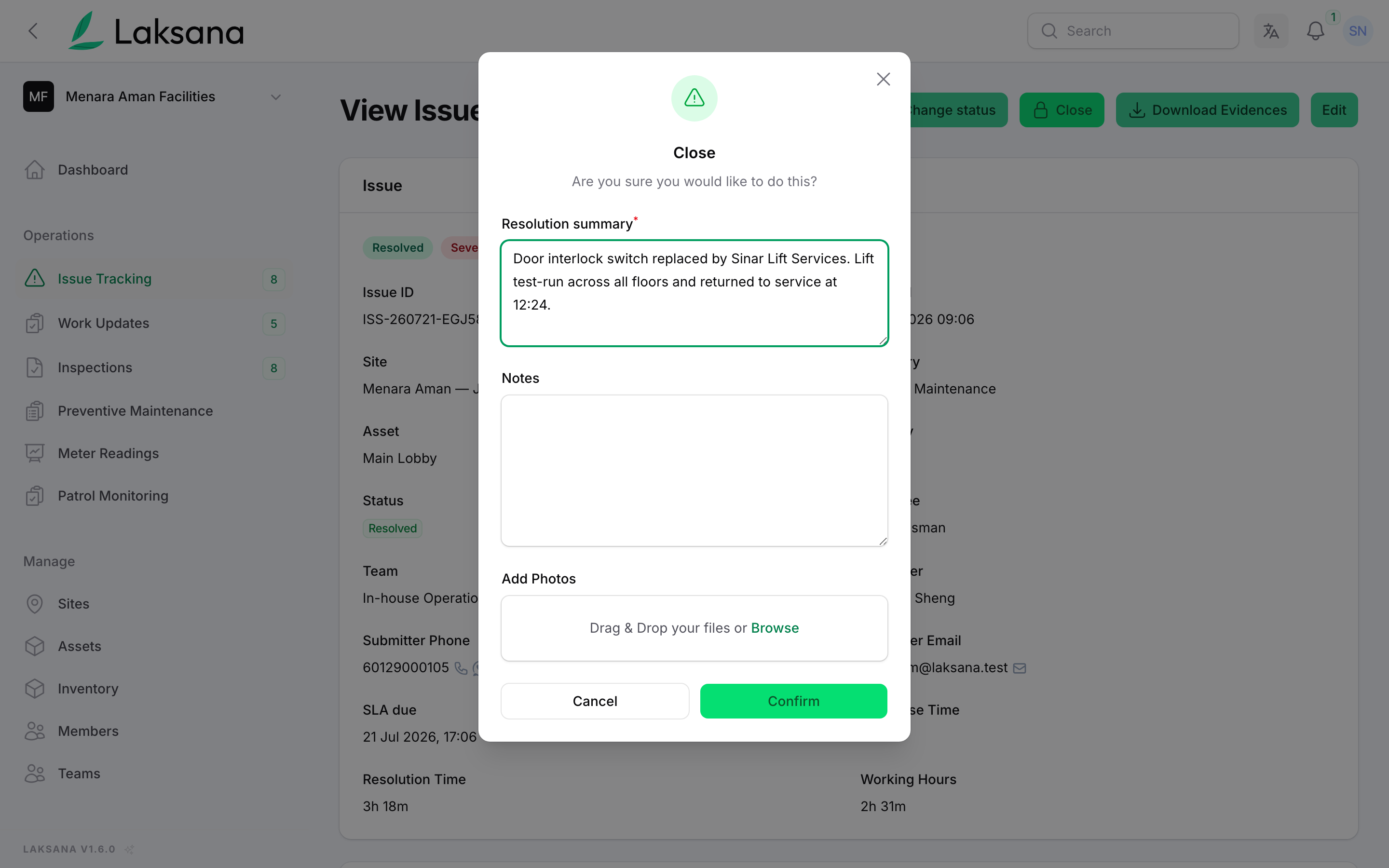
The assignee resolves the issue and confirms with photo evidence.
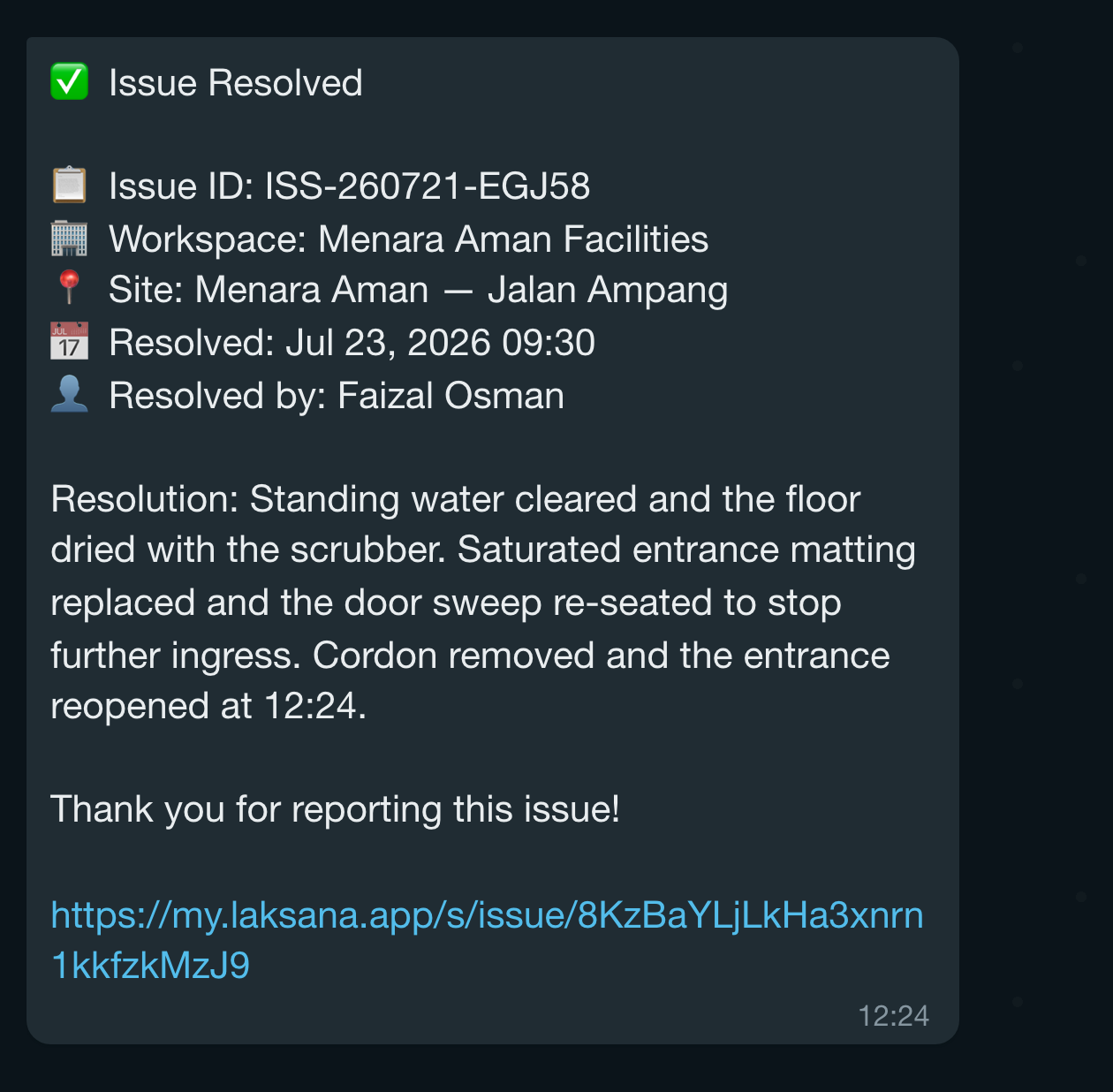
A resolution notification goes out automatically.
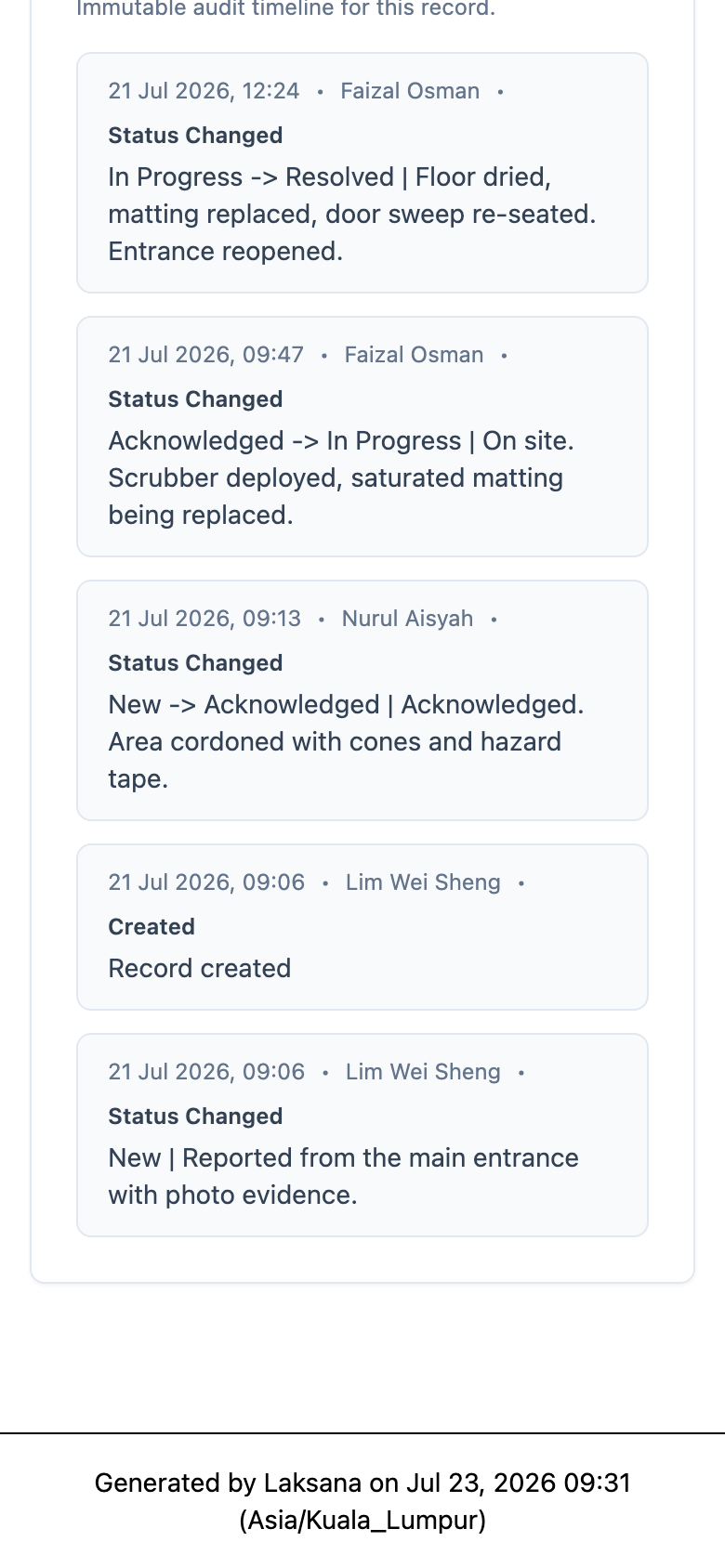
Open the full issue history — every status change, comment, and photo in one timeline.
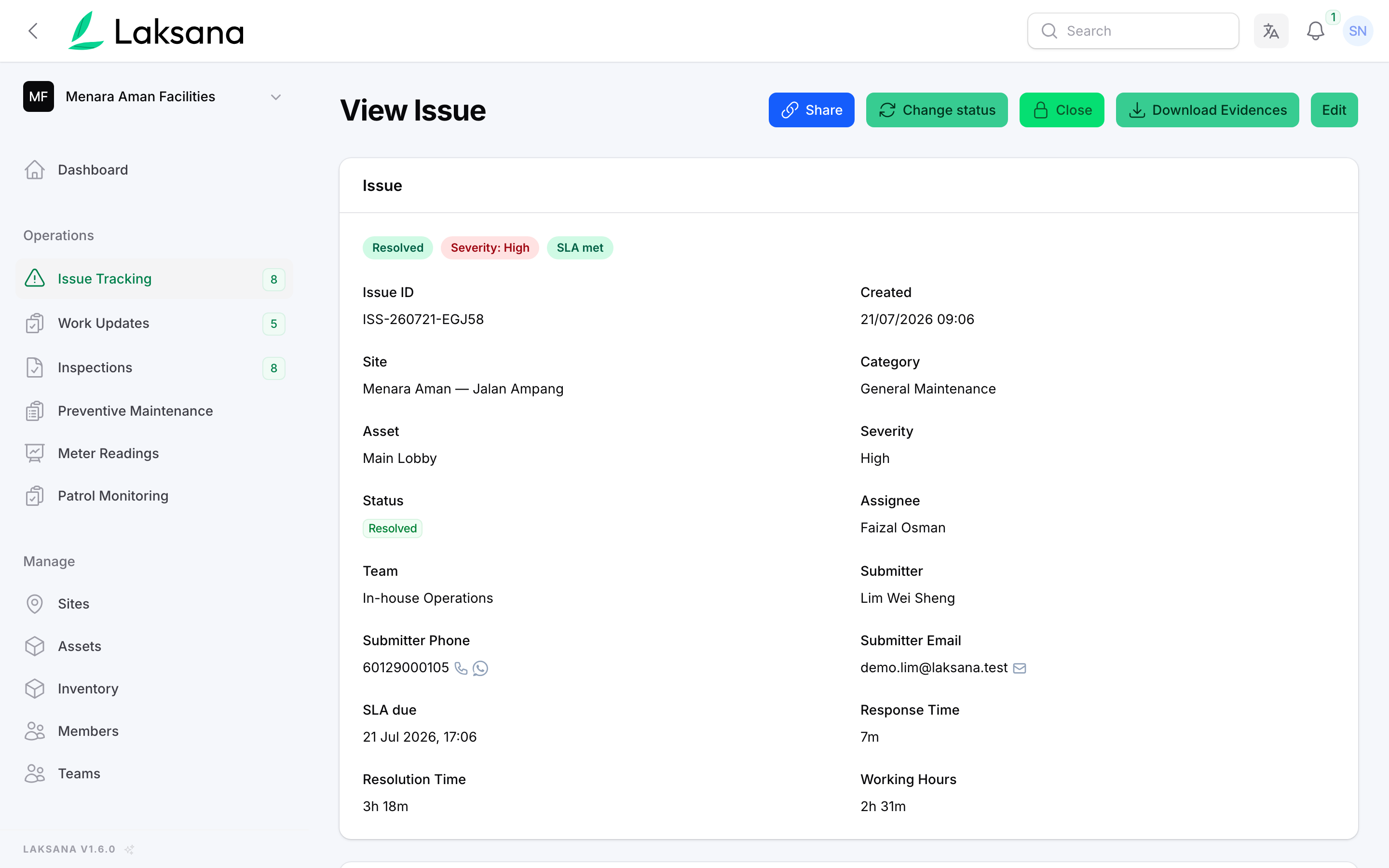
A supervisor or manager reviews and formally closes the issue.
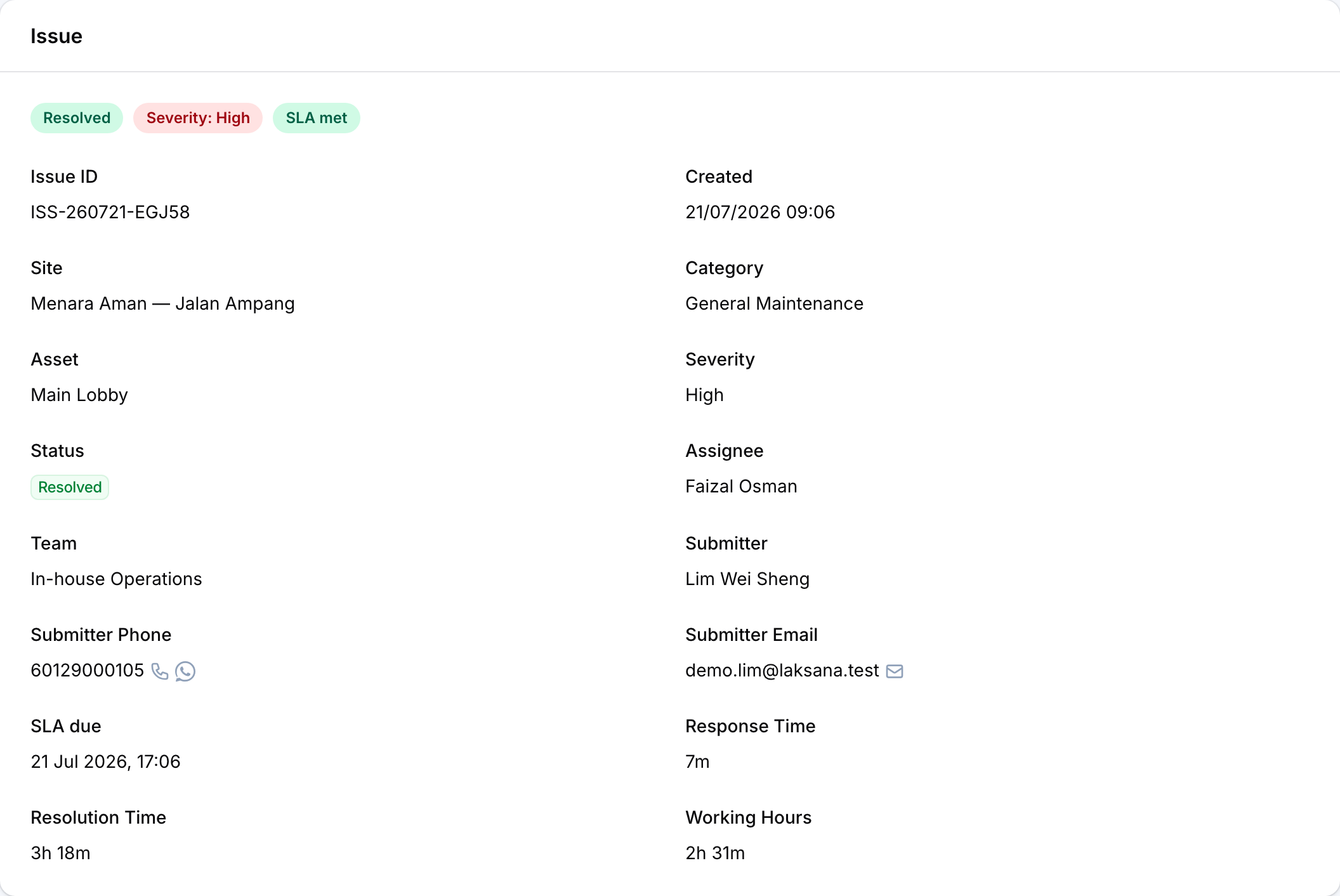
Response time, resolution time and working hours are recorded on the issue itself — accountability without spreadsheets.
Asset & Area QR Tagging
Every asset and area carries its own QR — scan to report, inspect, or view history on the spot.
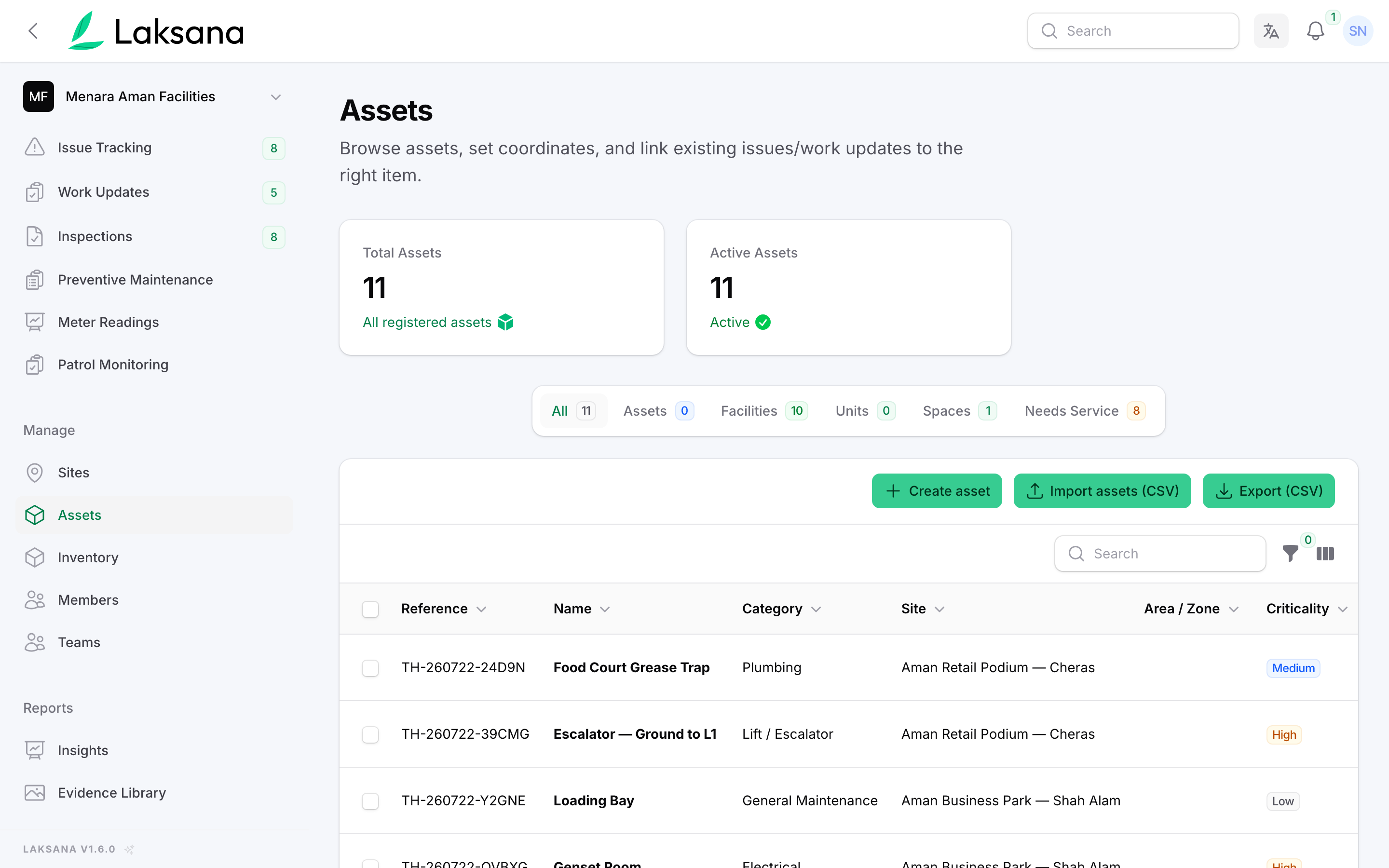
Open the asset register and view assets grouped by type.
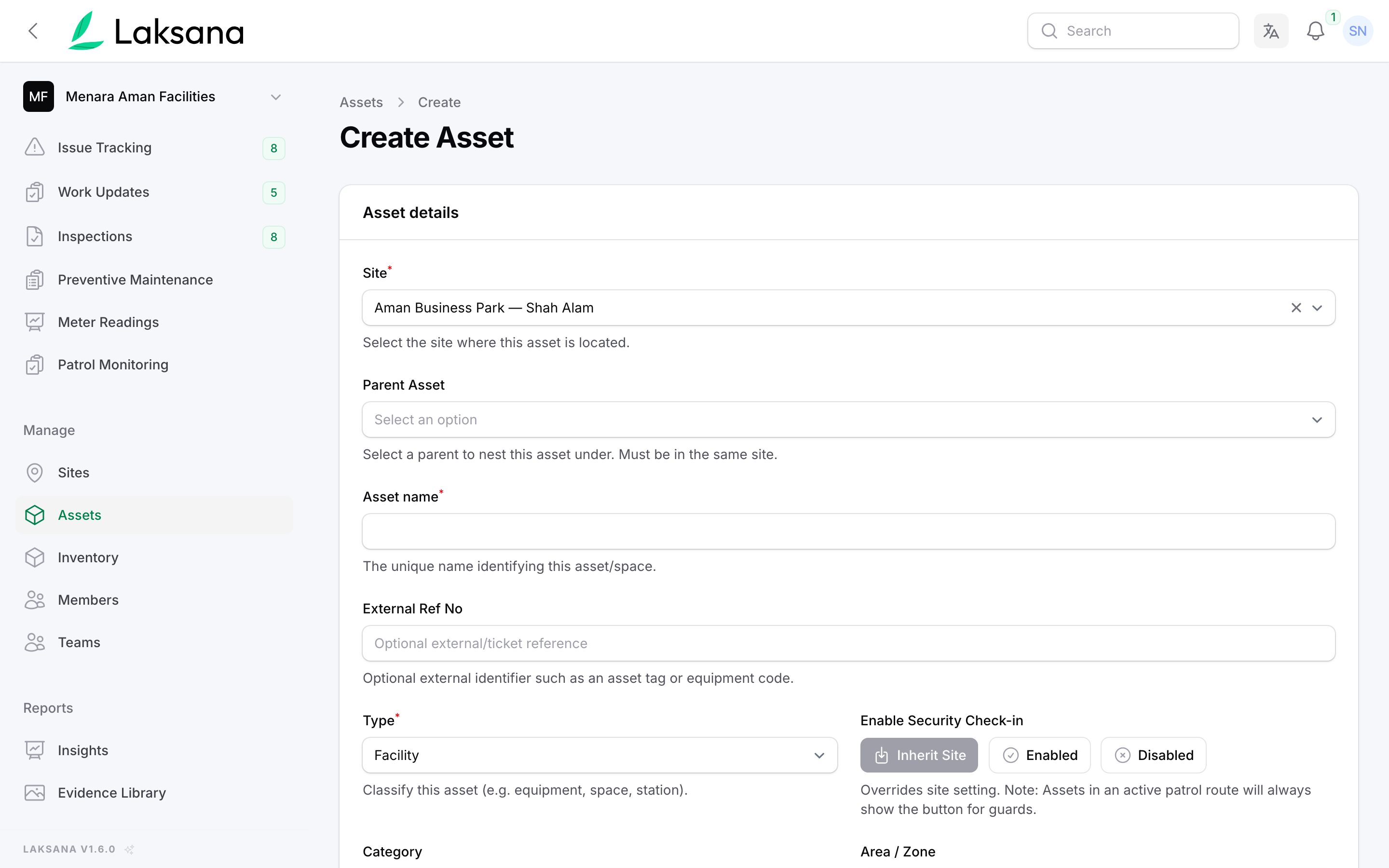
Add a new asset with its details, location, and category.
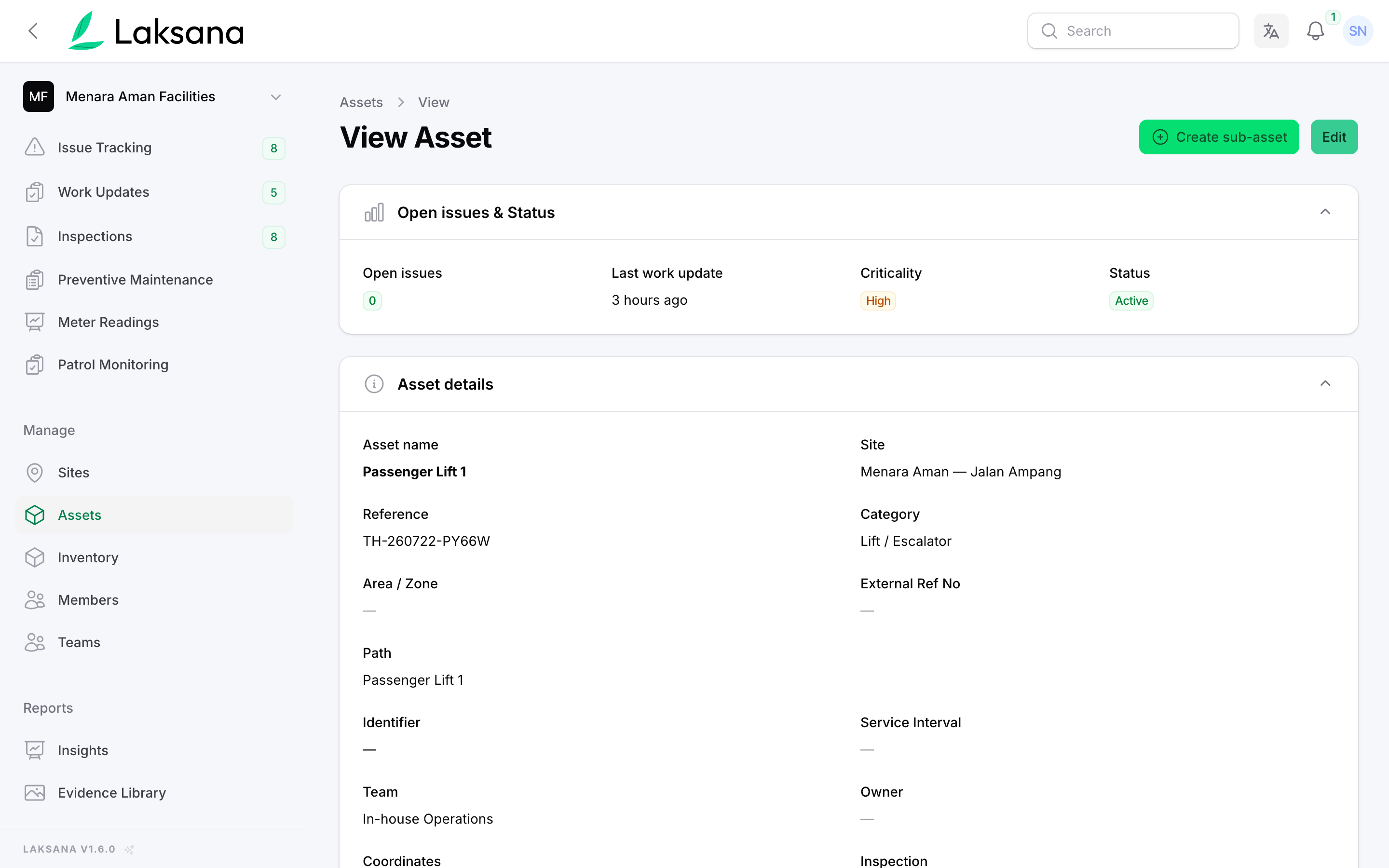
Each asset has its own page — details, history, and linked activity.
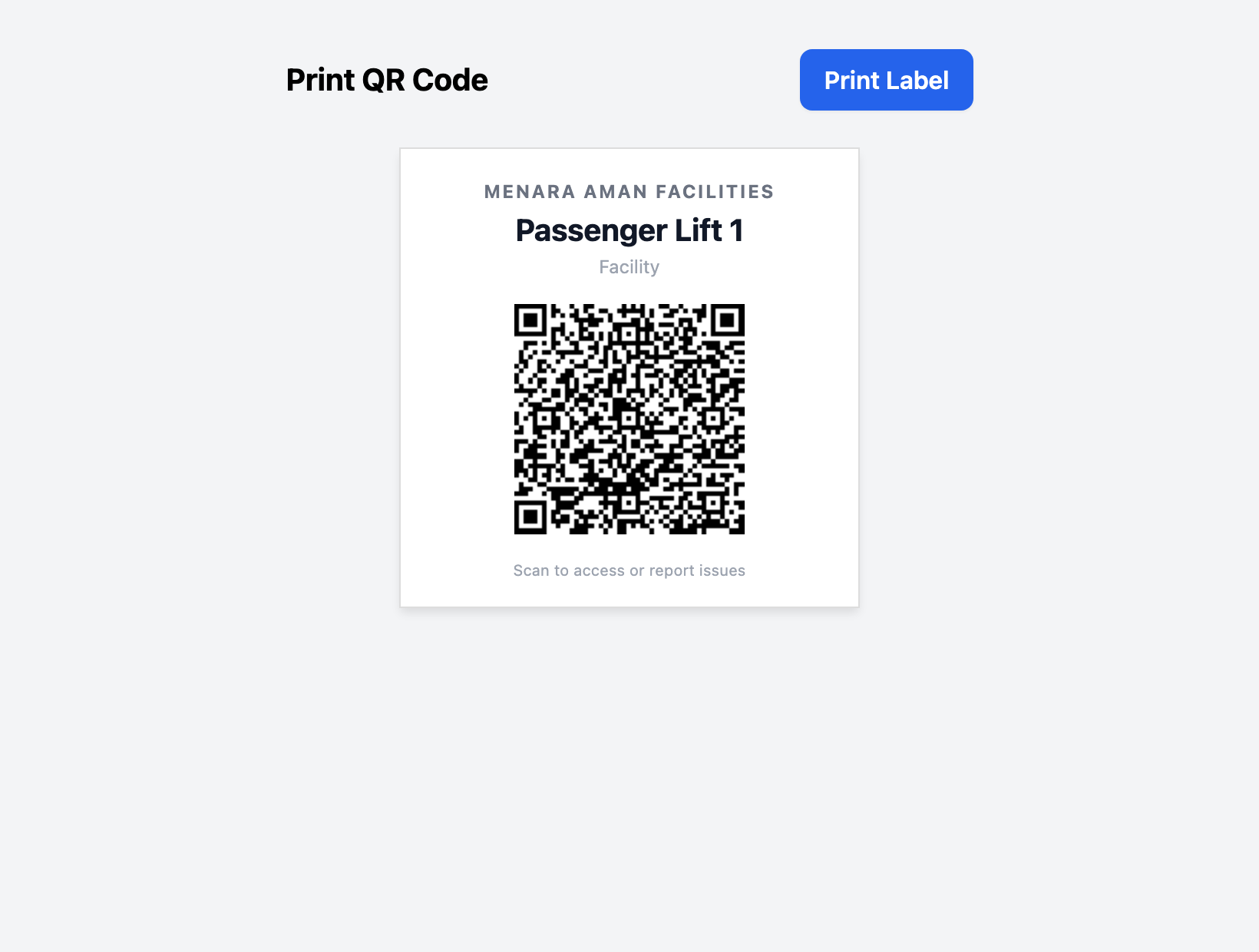
Generate a unique QR code for the asset in one click.
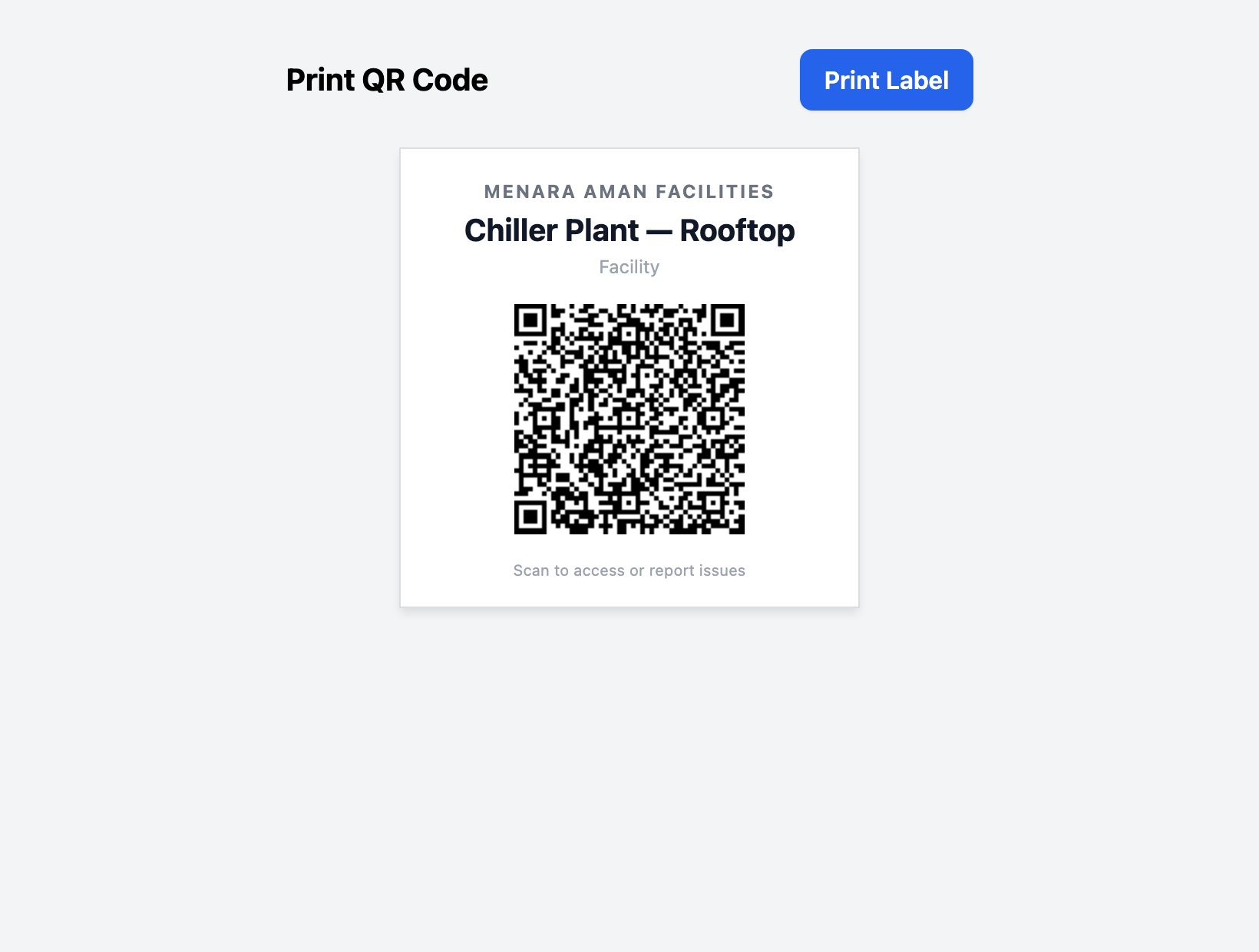
Print the label and mount it on the asset or at the area entrance. One sticker replaces the clipboard.
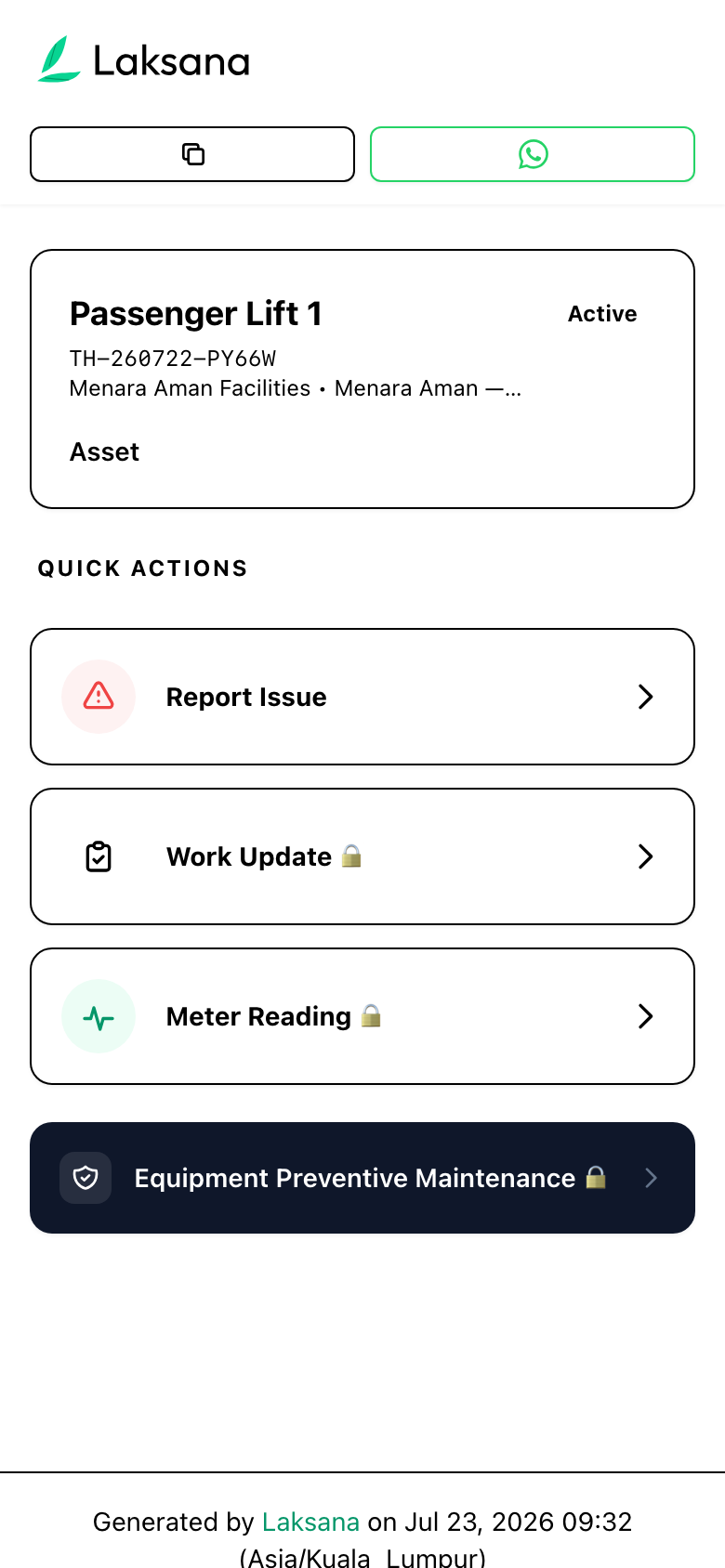
Anyone scans the QR to instantly pull up that asset — no searching, no logins.
Preventive Maintenance
Recurring maintenance runs on autopilot — templated, scheduled, reminded, and verified.
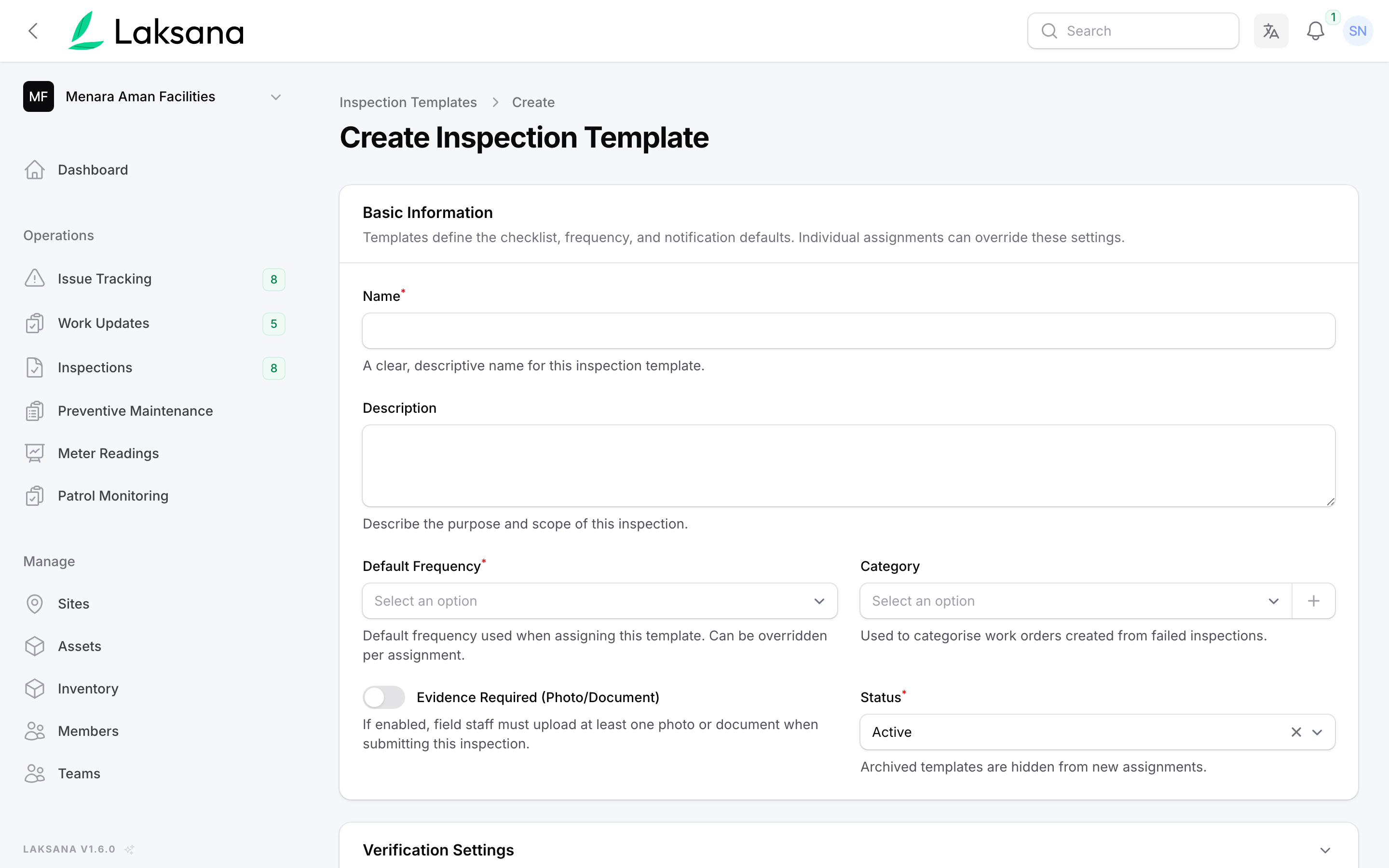
Create a reusable checklist for a machine or asset type.
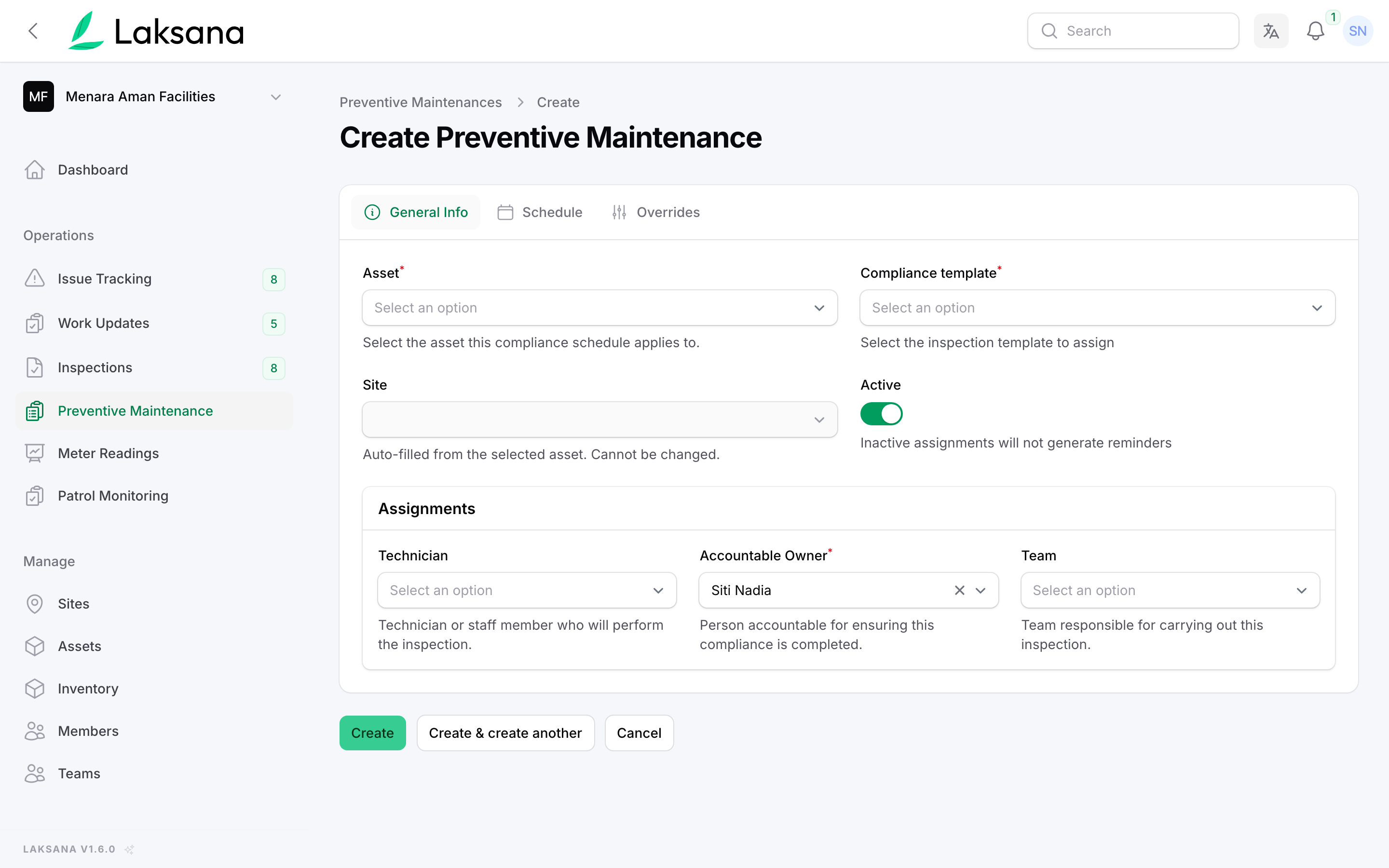
Set the recurrence — daily, weekly, monthly — and assign it.
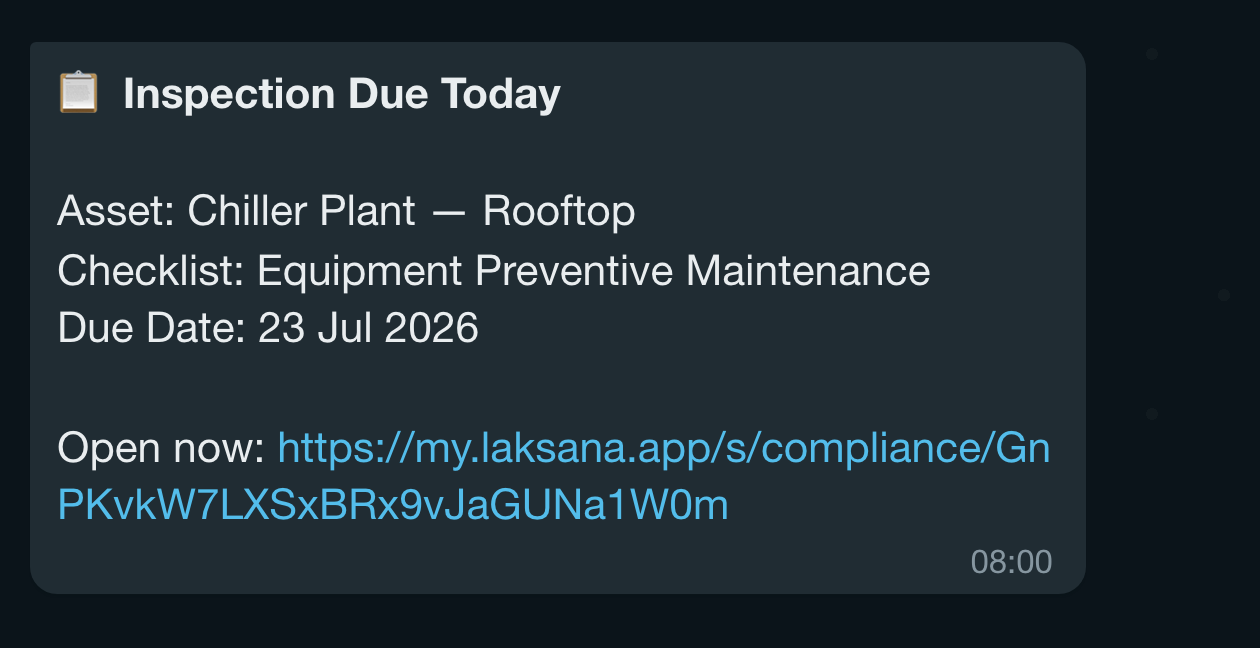
The assignee gets a reminder when an inspection is due — WhatsApp and email.
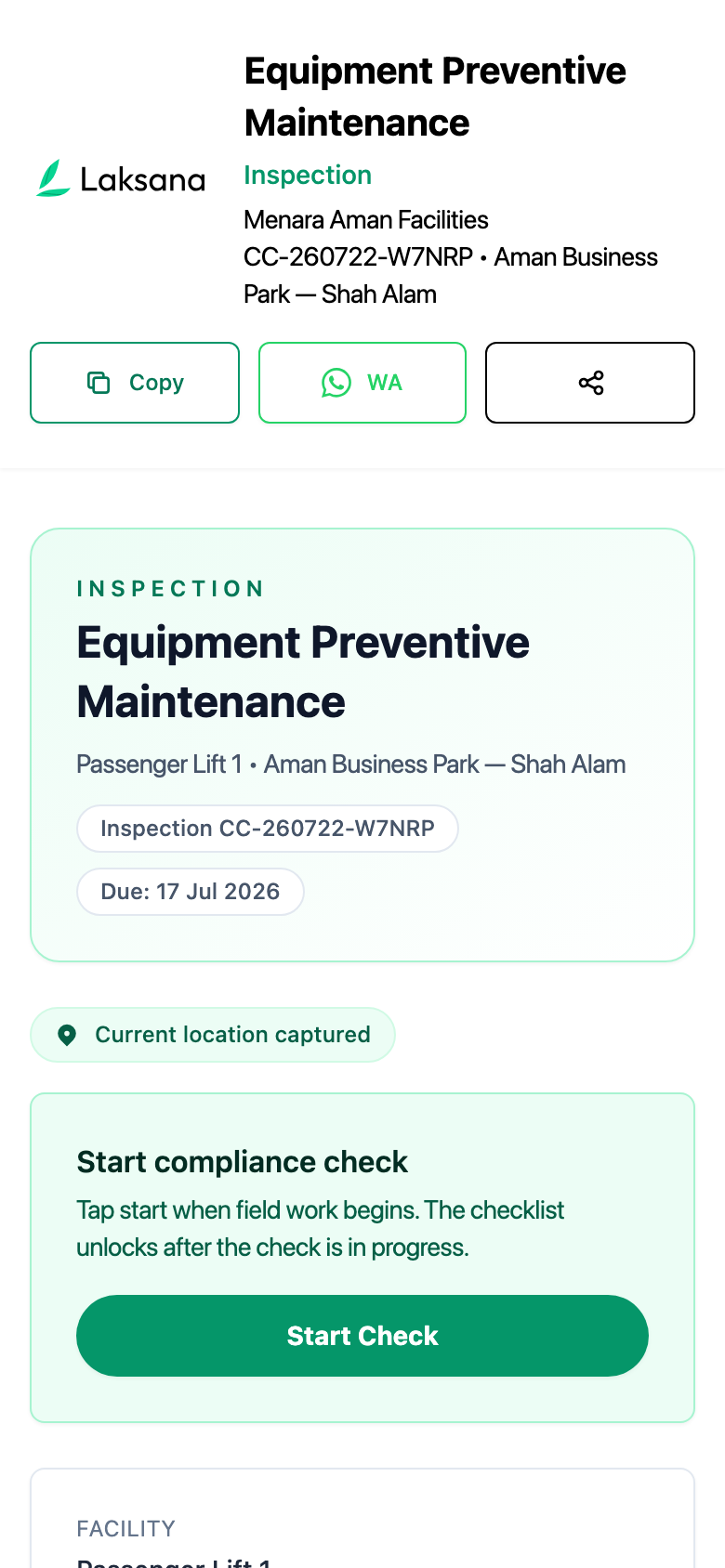
Tap the link to open the checklist on the shop floor.
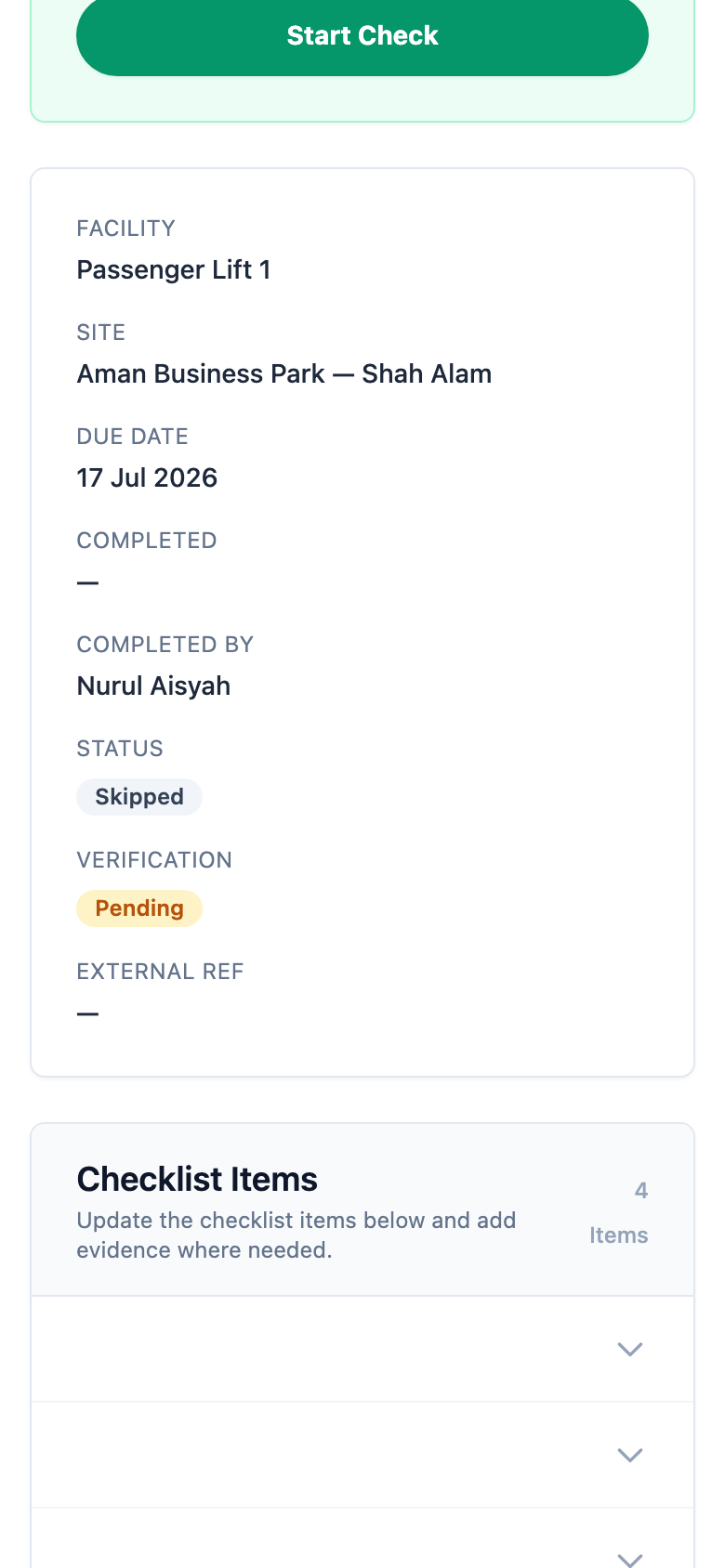
Work through the items and capture photo evidence as you go.
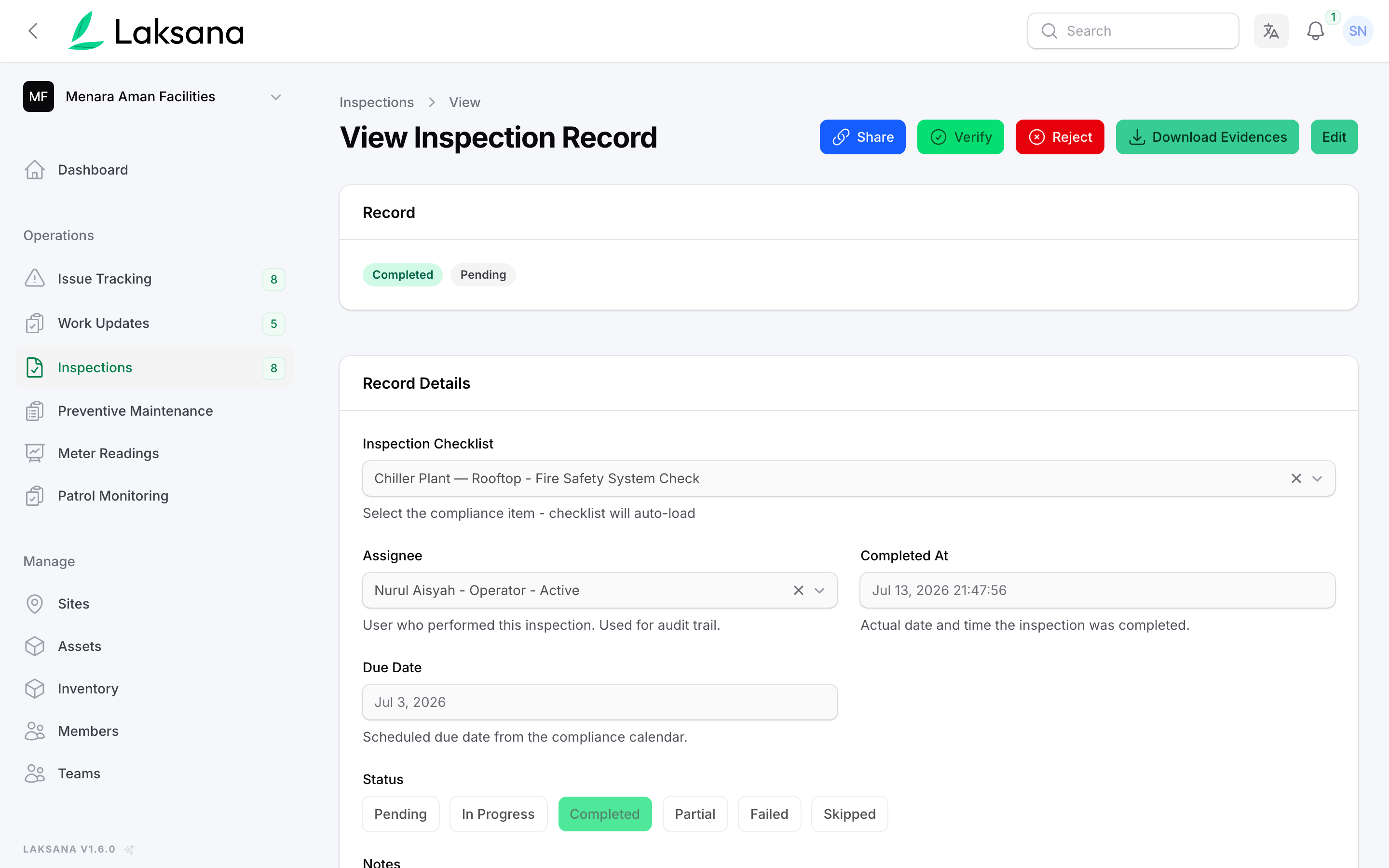
Open the completed inspection with all responses and evidence.
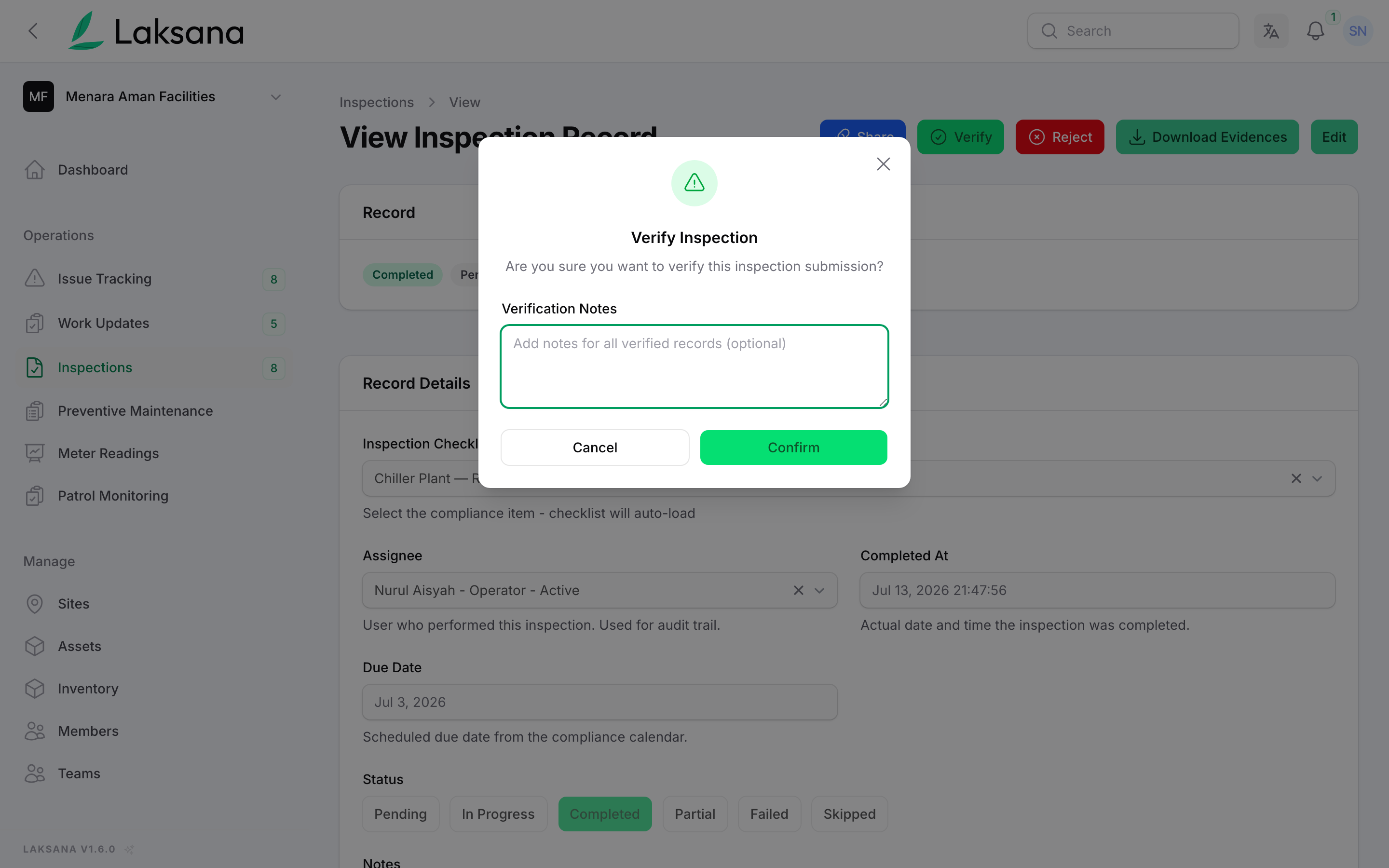
A supervisor verifies completion — the maintenance record is closed and audit-ready.
Compliance Checklist
Area-based compliance checks, scheduled and evidenced — ready for any audit.
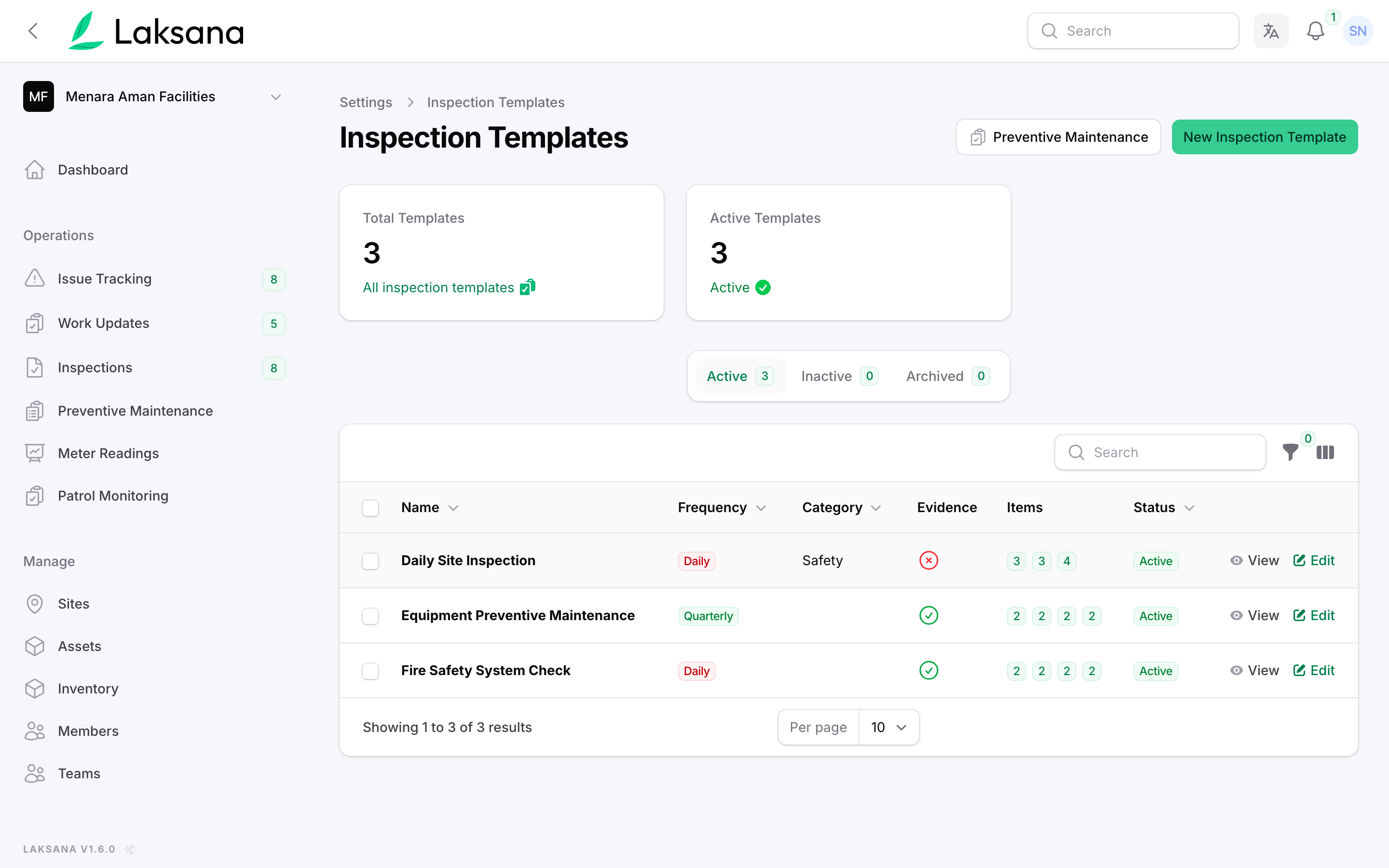
Build a compliance checklist for an area — restrooms, kitchens, common areas.
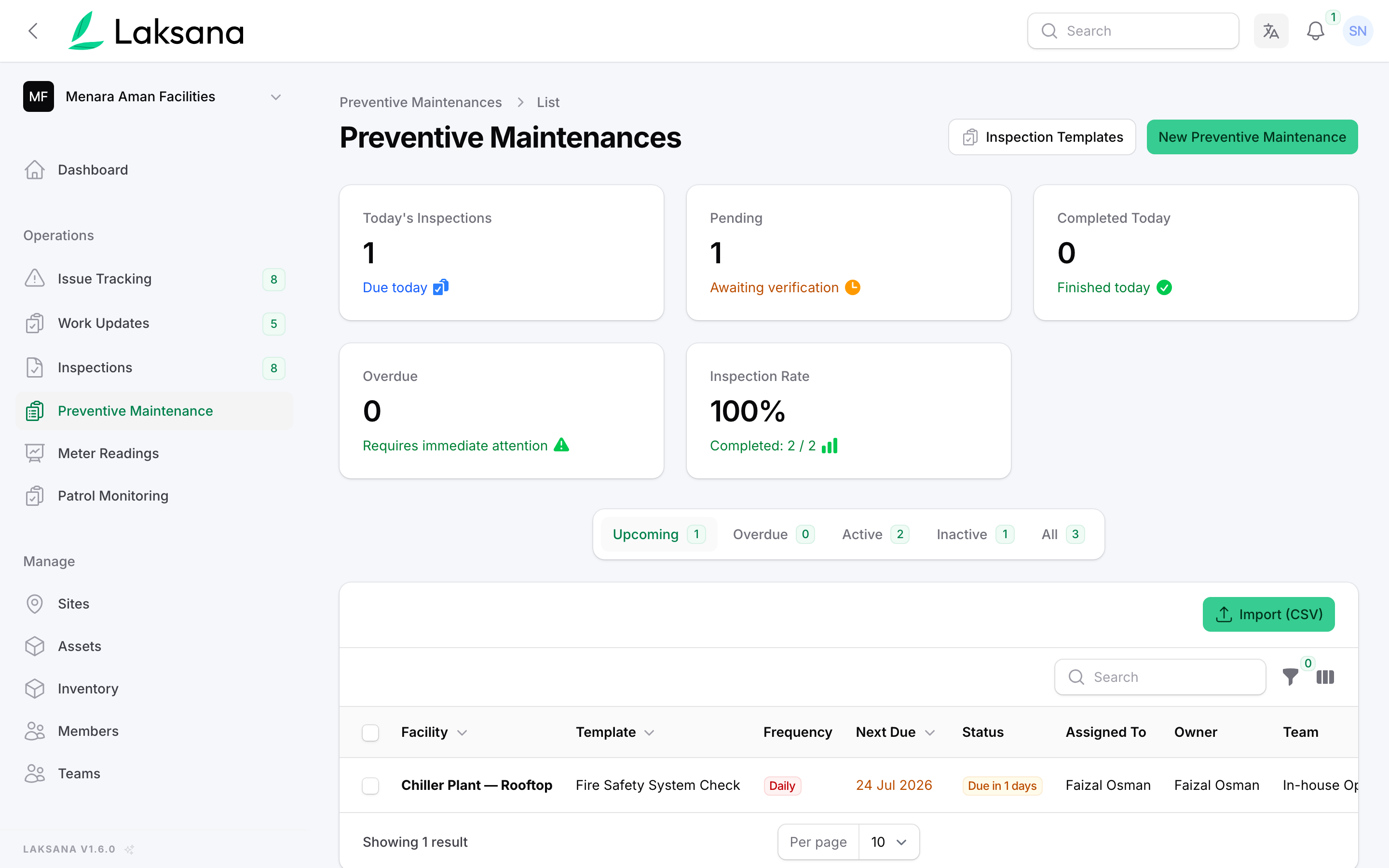
Set how often each area must be checked, and by whom.
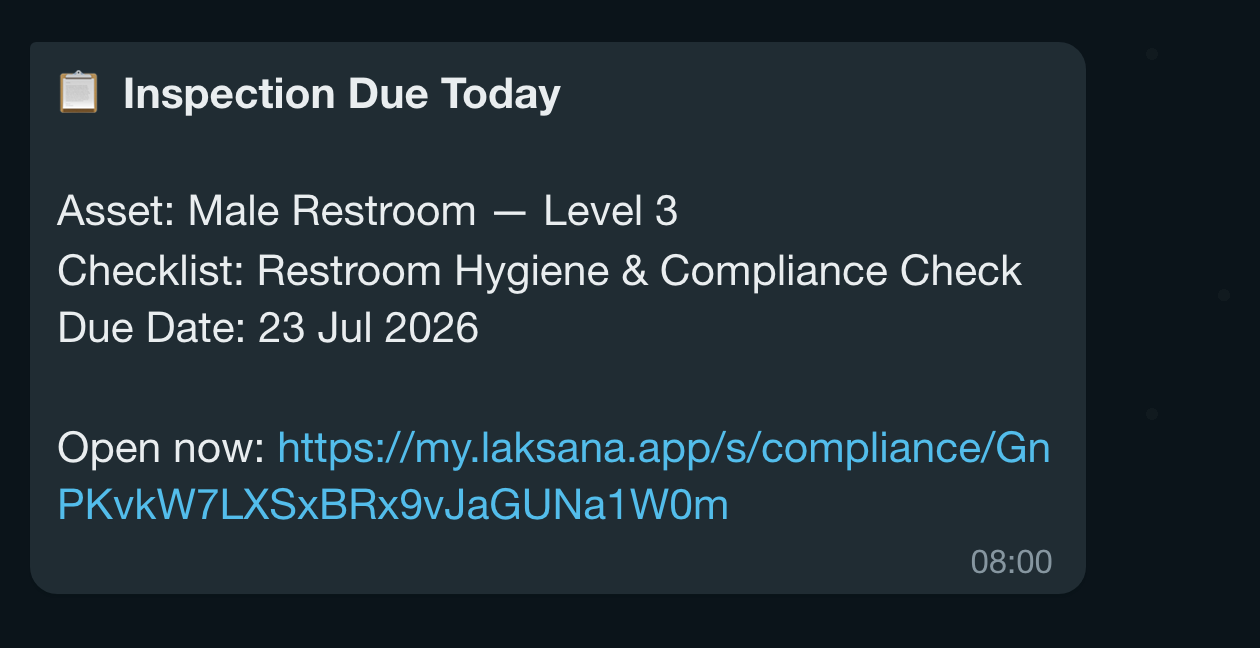
Assignees are reminded when a check is due — WhatsApp and email.
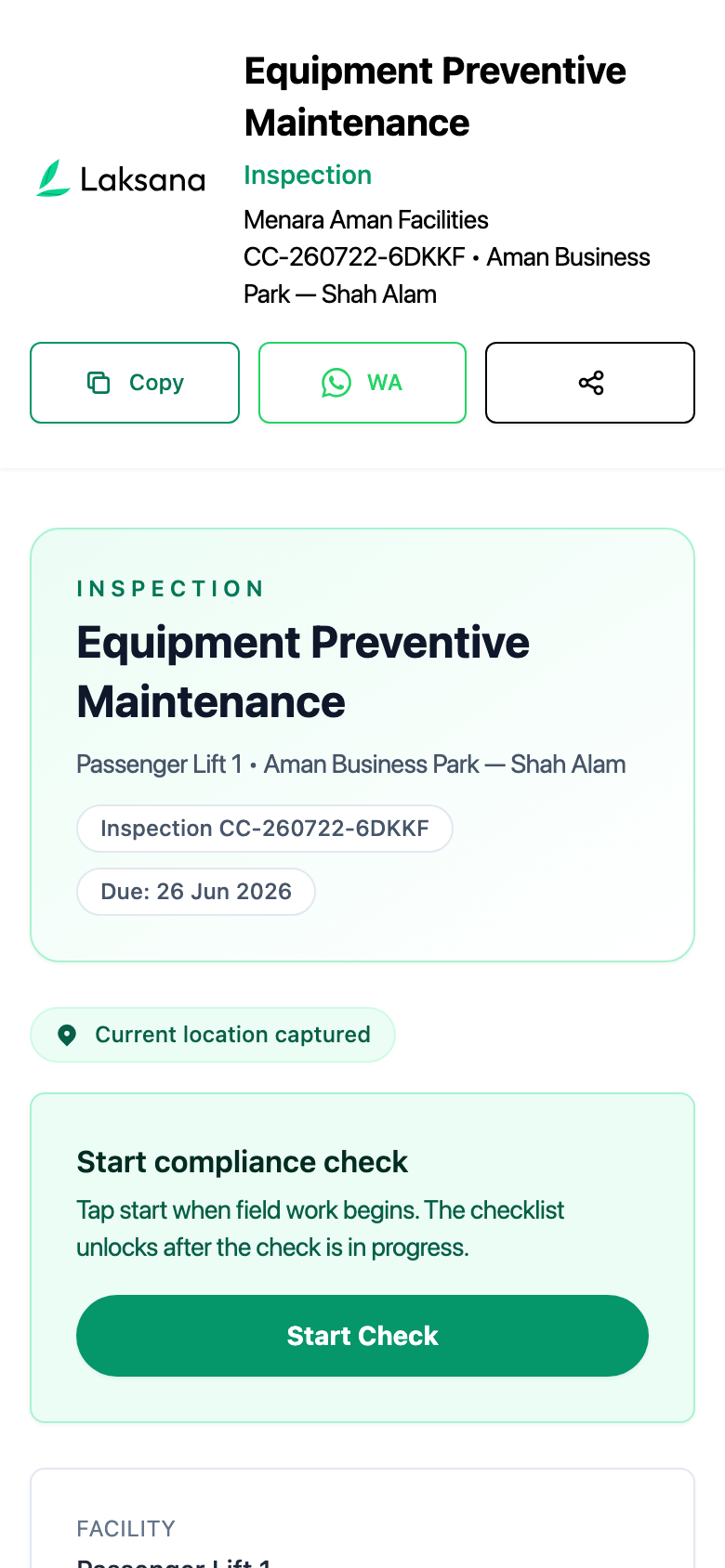
Open the checklist on mobile — no app install.
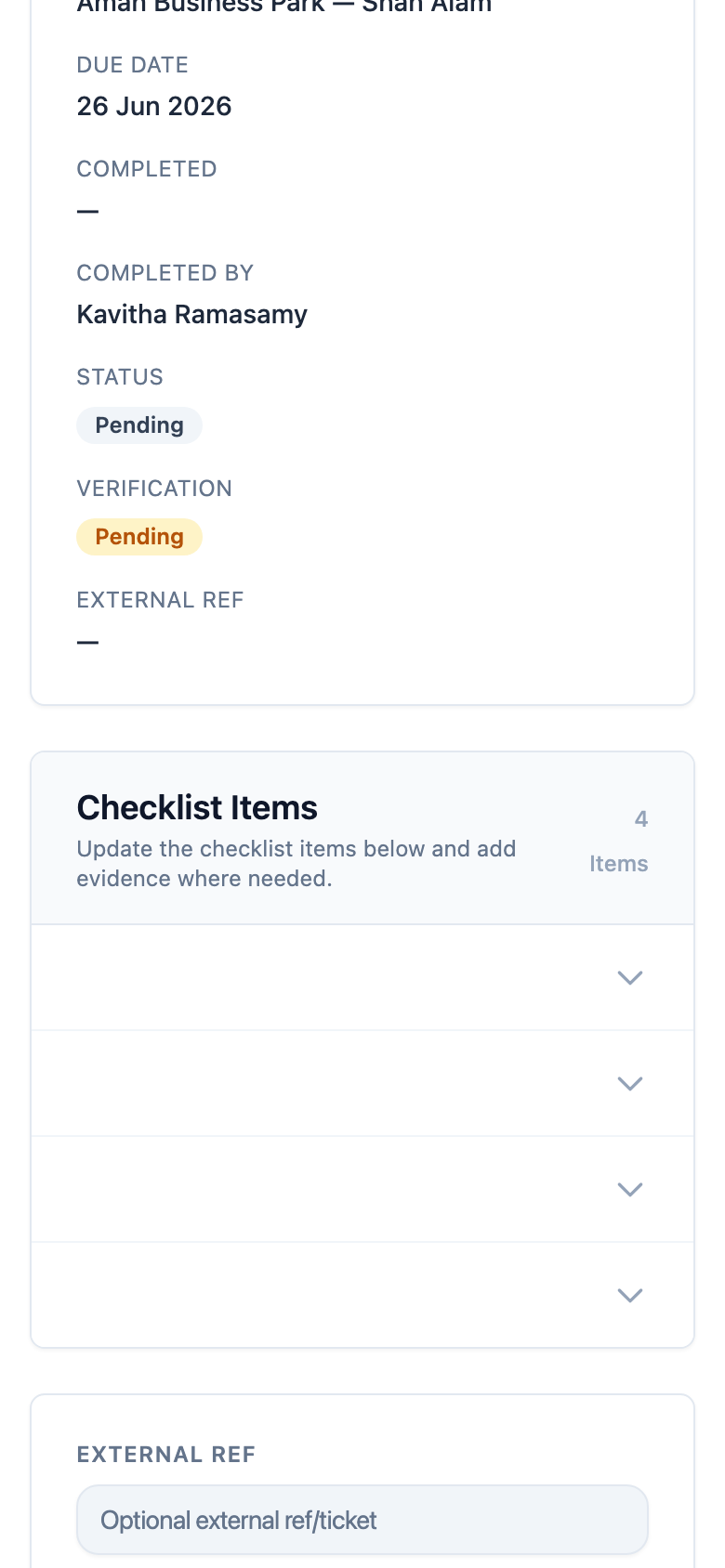
Tick items and attach photo evidence for each area.
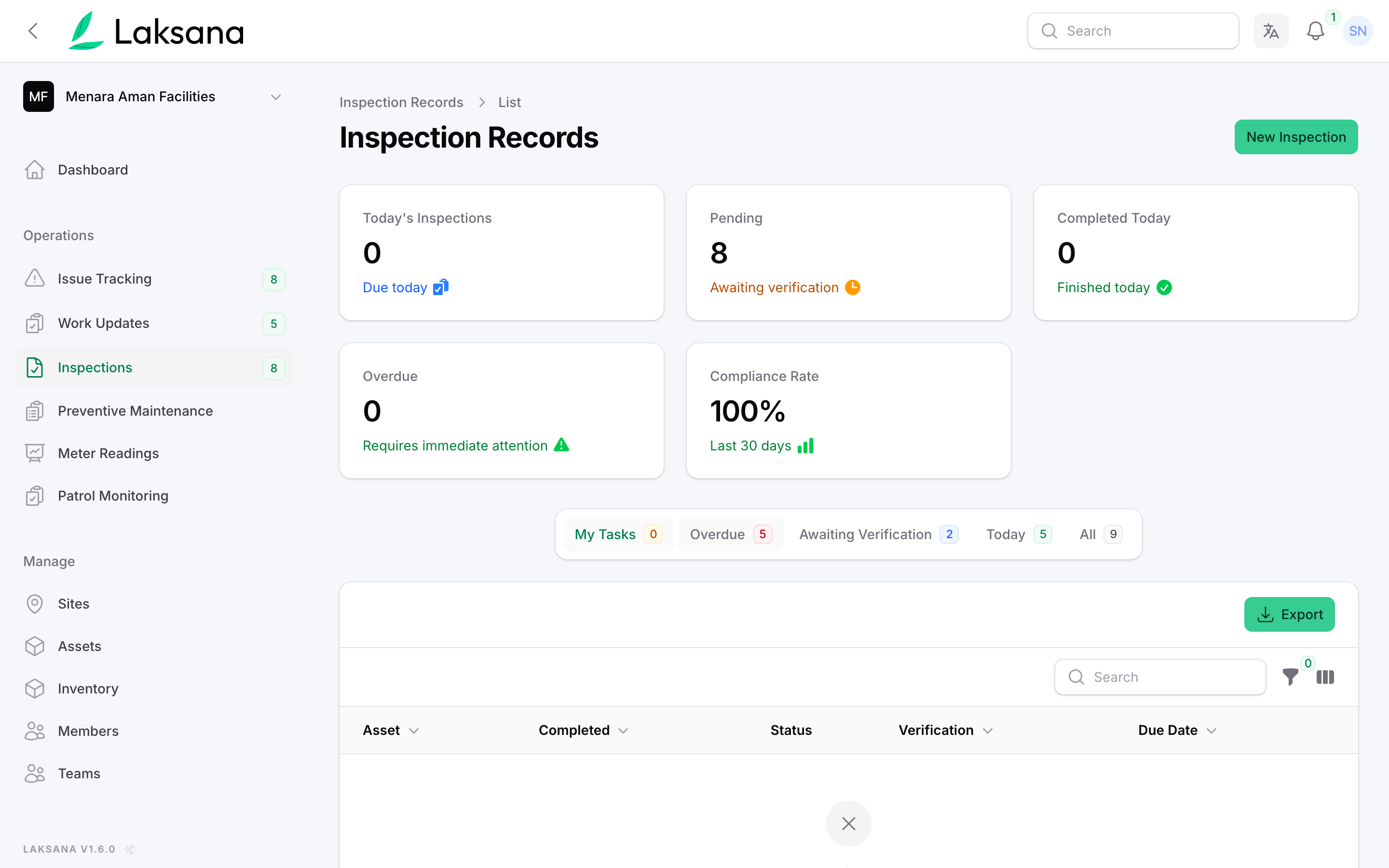
See every completed check with its responses and evidence.
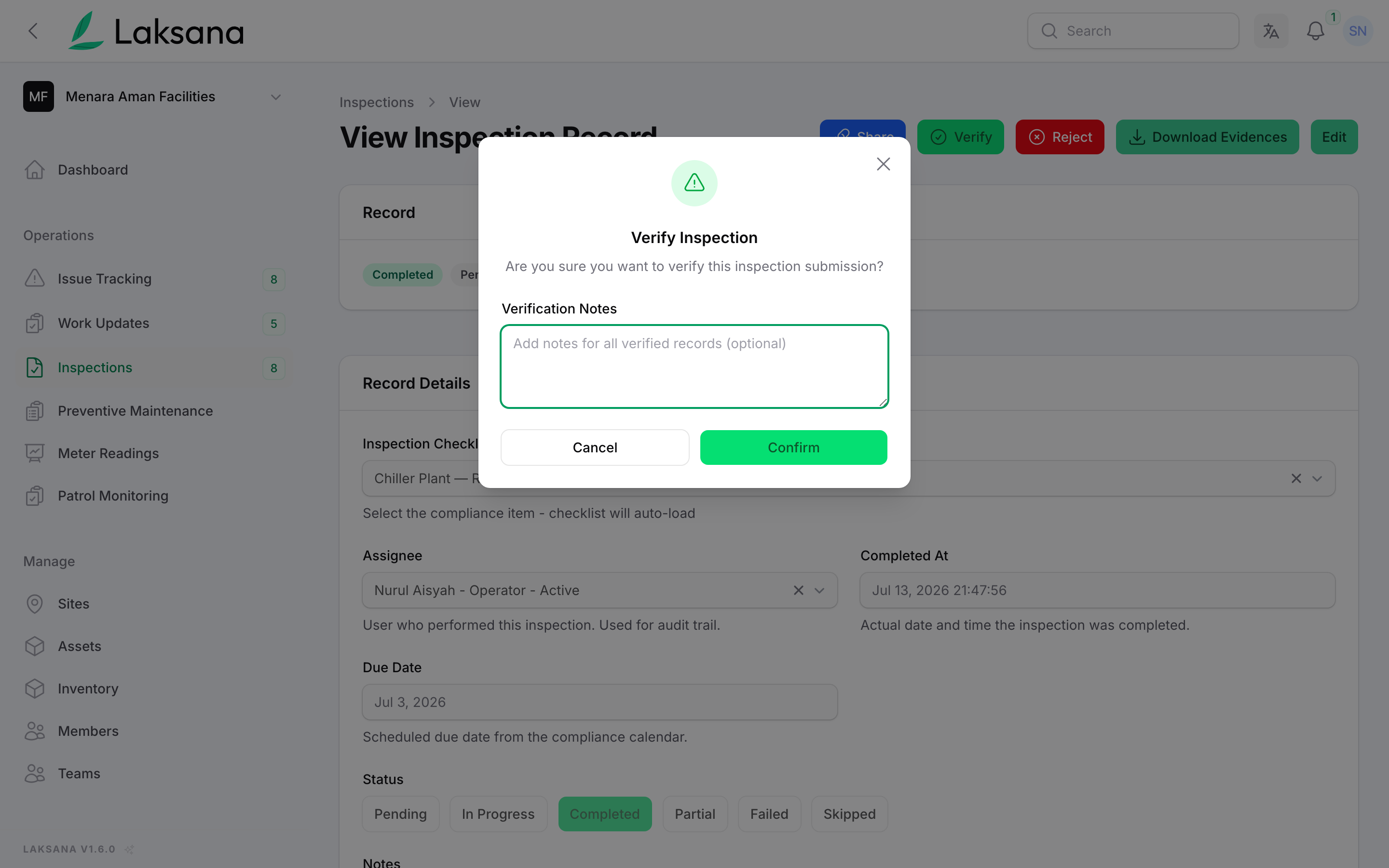
A supervisor verifies — you now have a defensible compliance trail.
Patrol Routes & Monitoring
Guards check in at every point with photo proof — patrols you can actually verify.
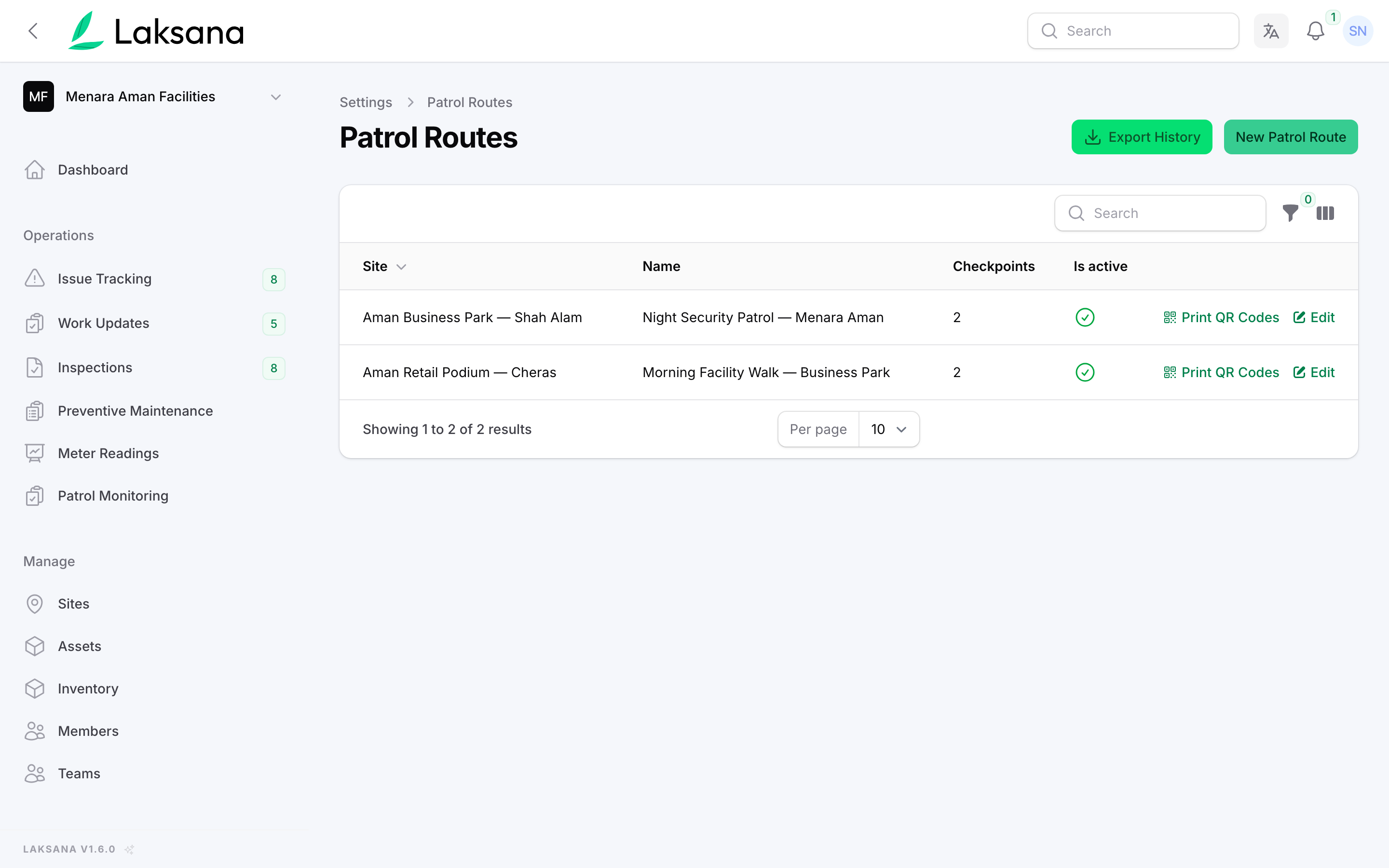
In settings, open Patrol Routes to manage your guard tours.
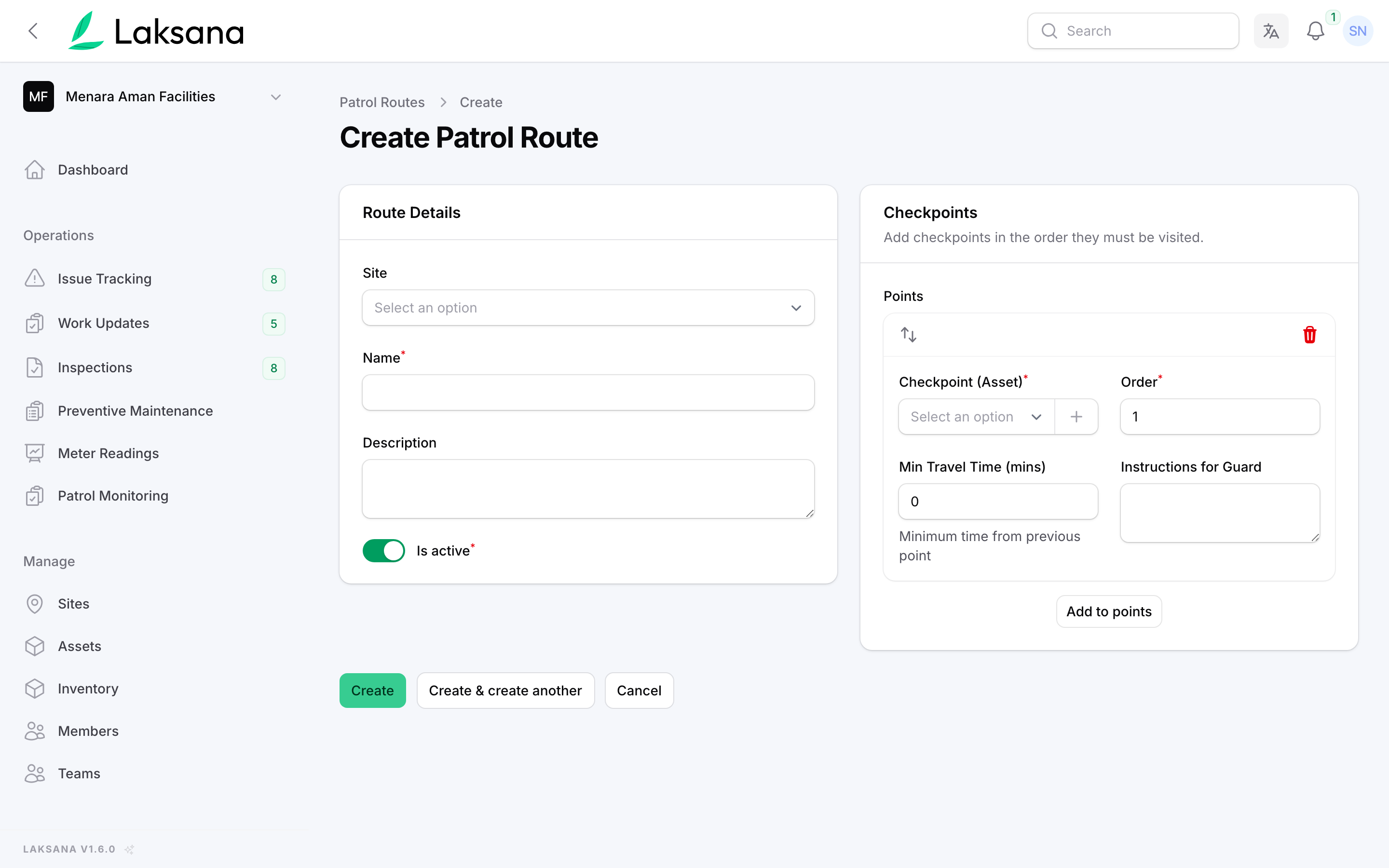
Define a route across multiple areas — for example, three checkpoints.
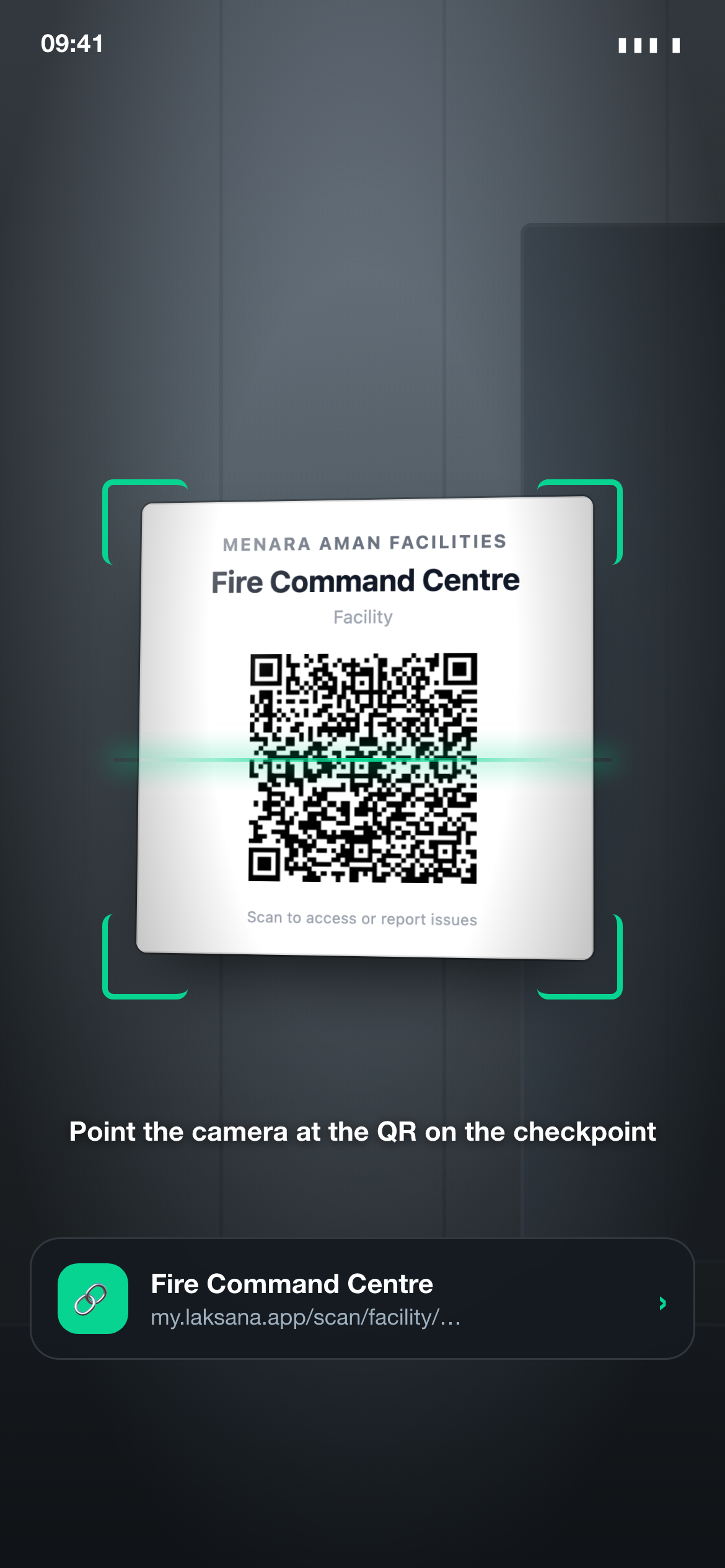
At each checkpoint the guard scans the QR label mounted on the asset or area — proof they were physically there.
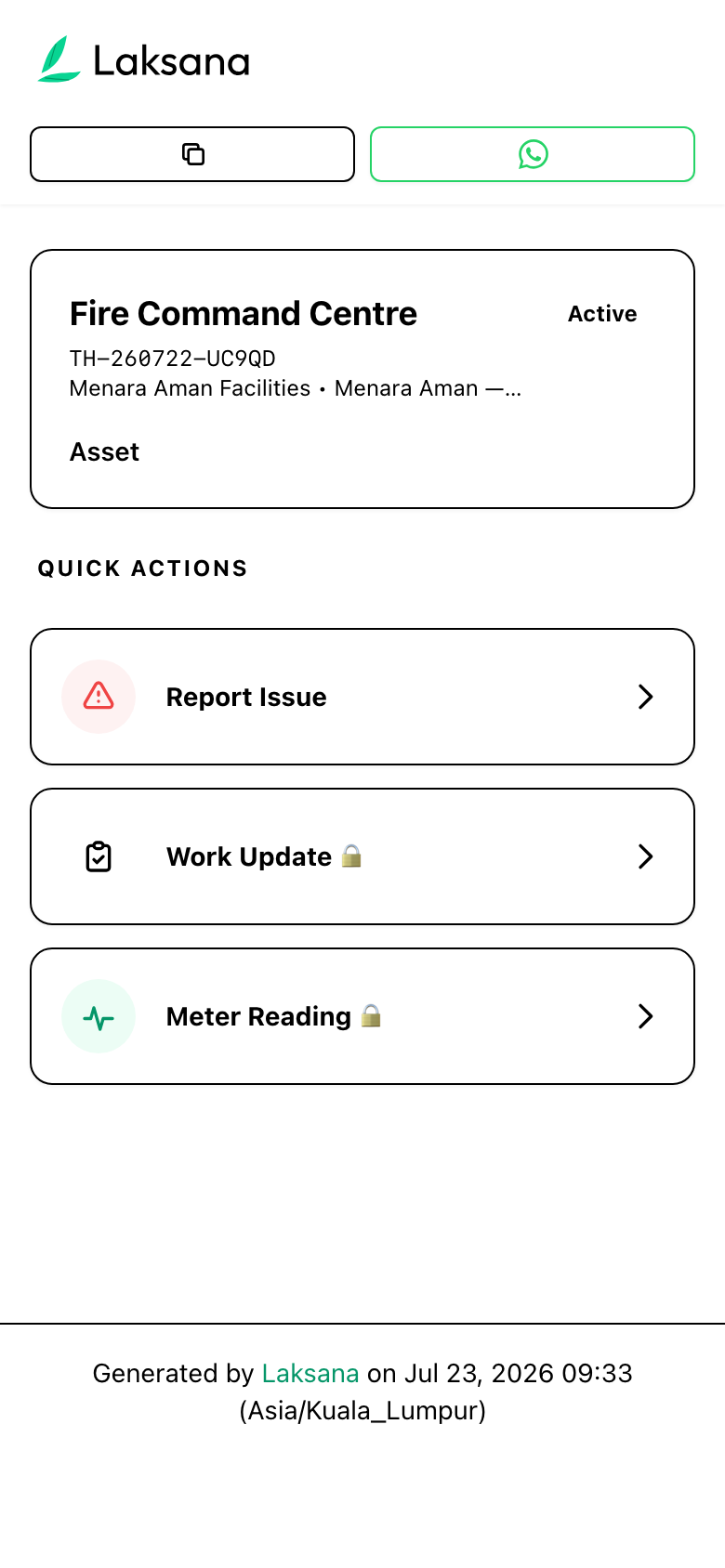
The scan opens a public check-in page — no login required.
The active patrol shows — the guard taps Security Check-in.
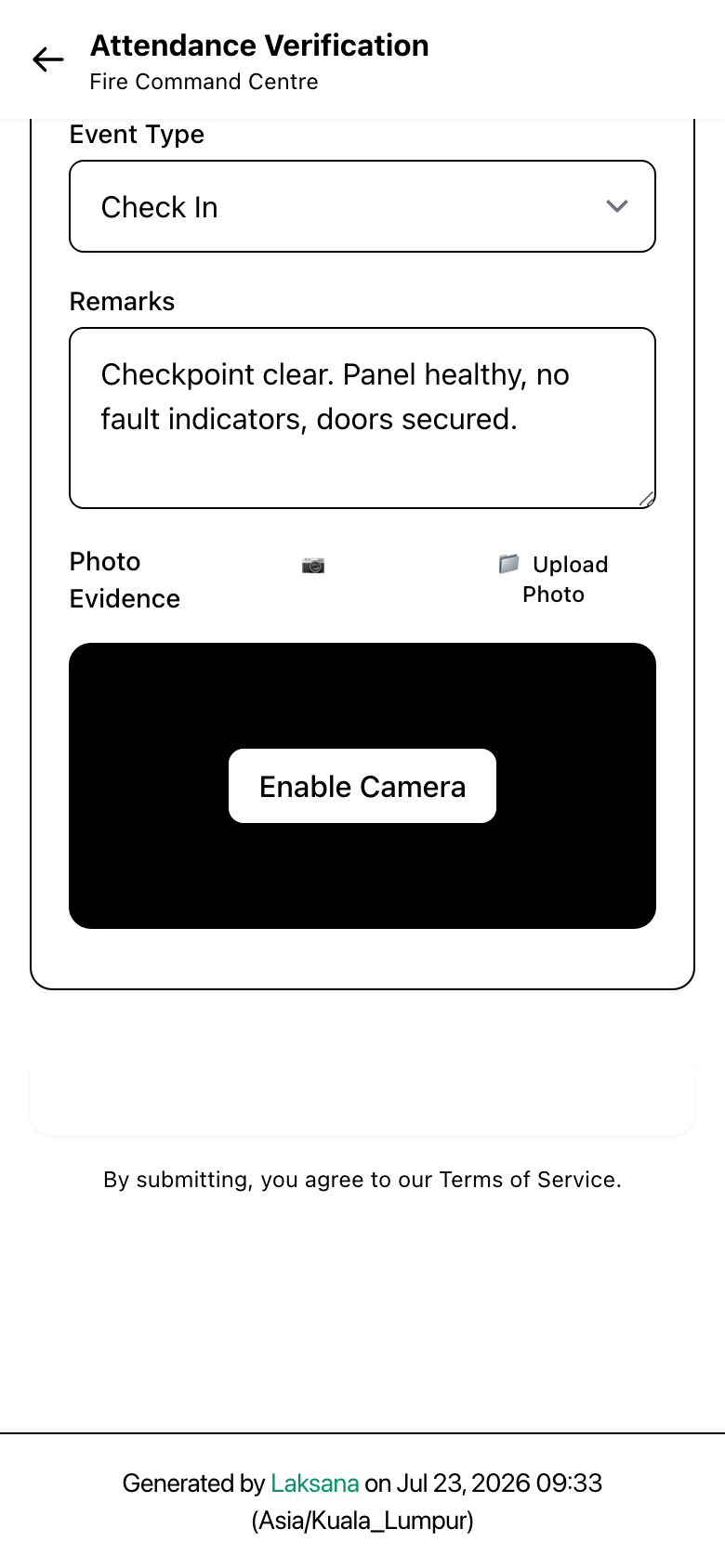
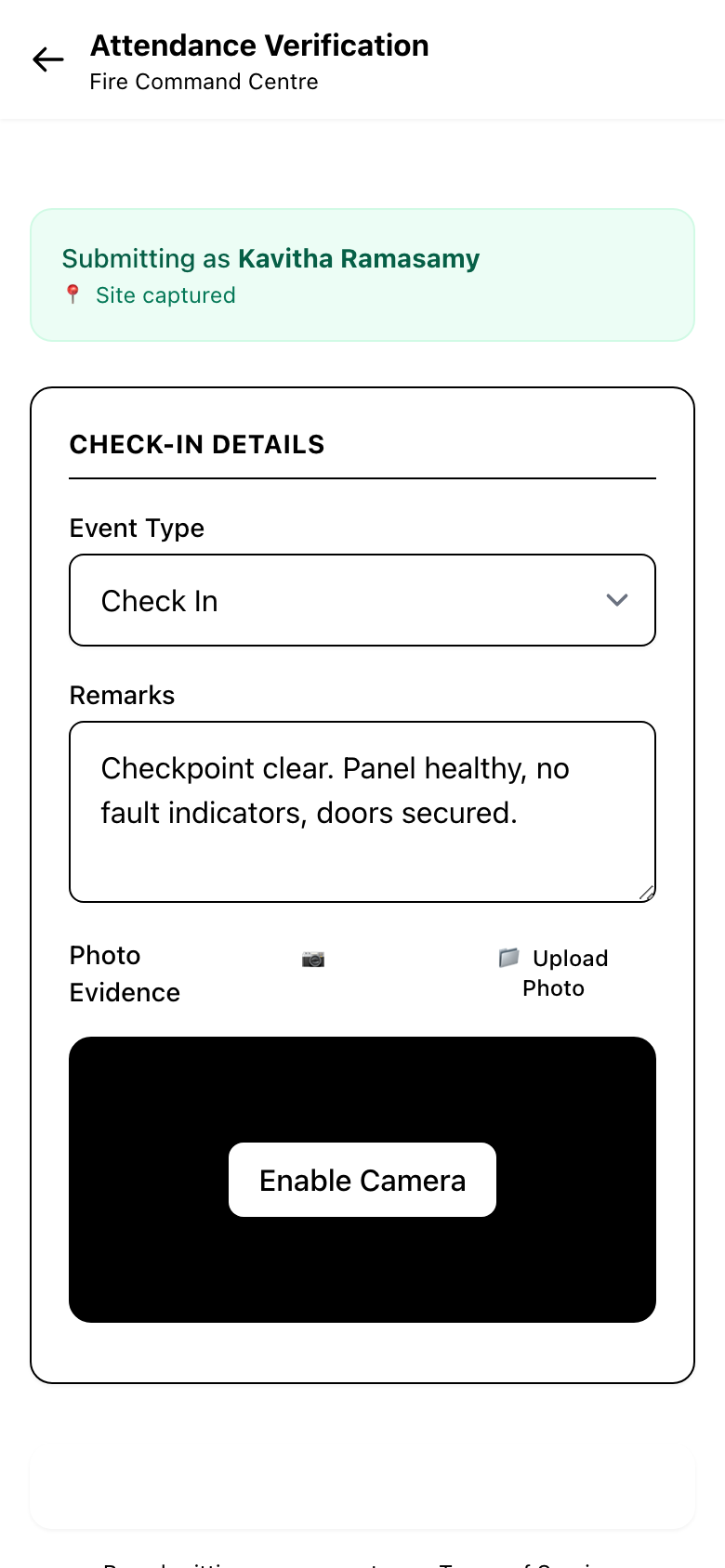
The guard adds a remark and a photo of the surroundings, then submits.
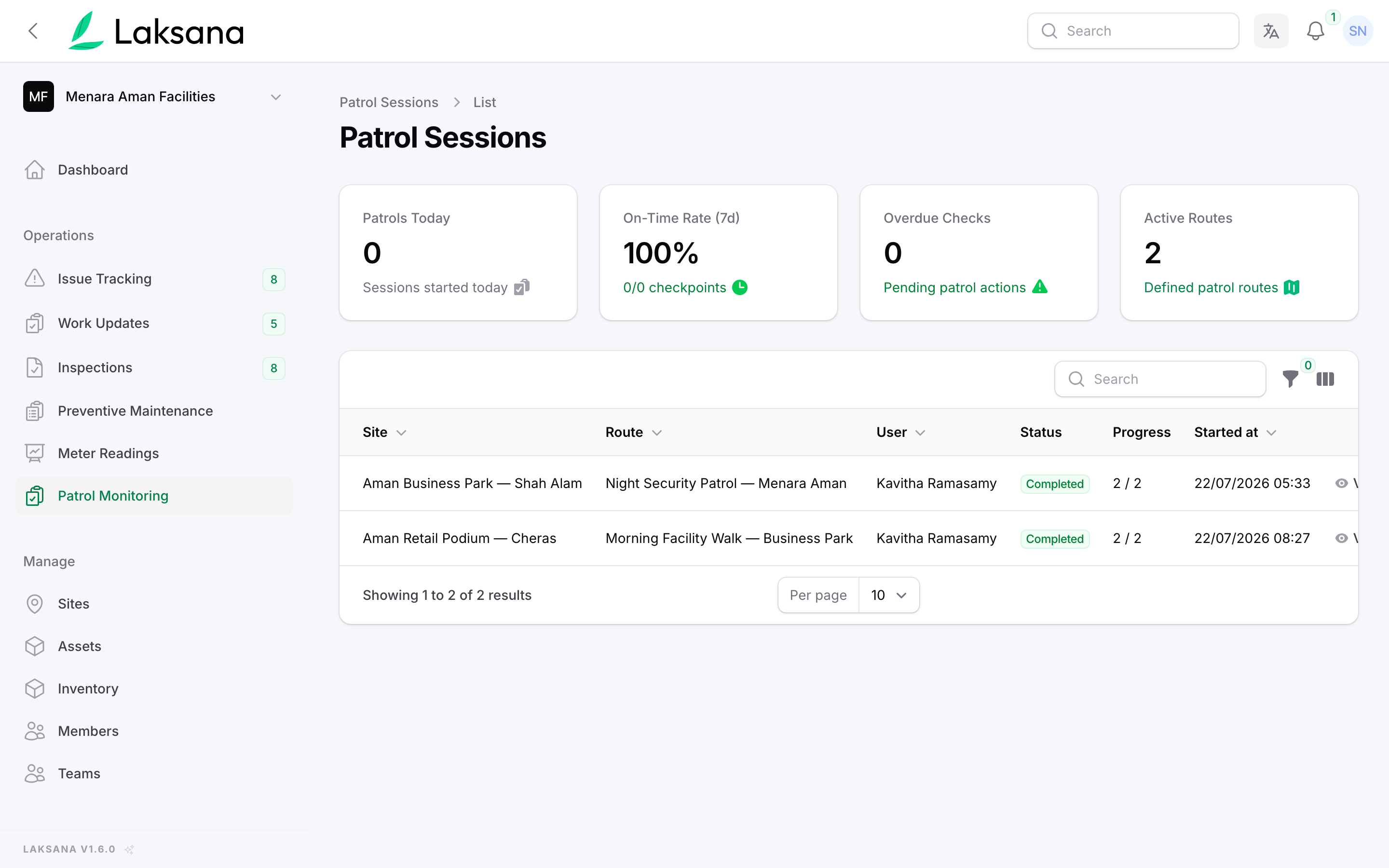
The completed patrol session appears live on the dashboard.
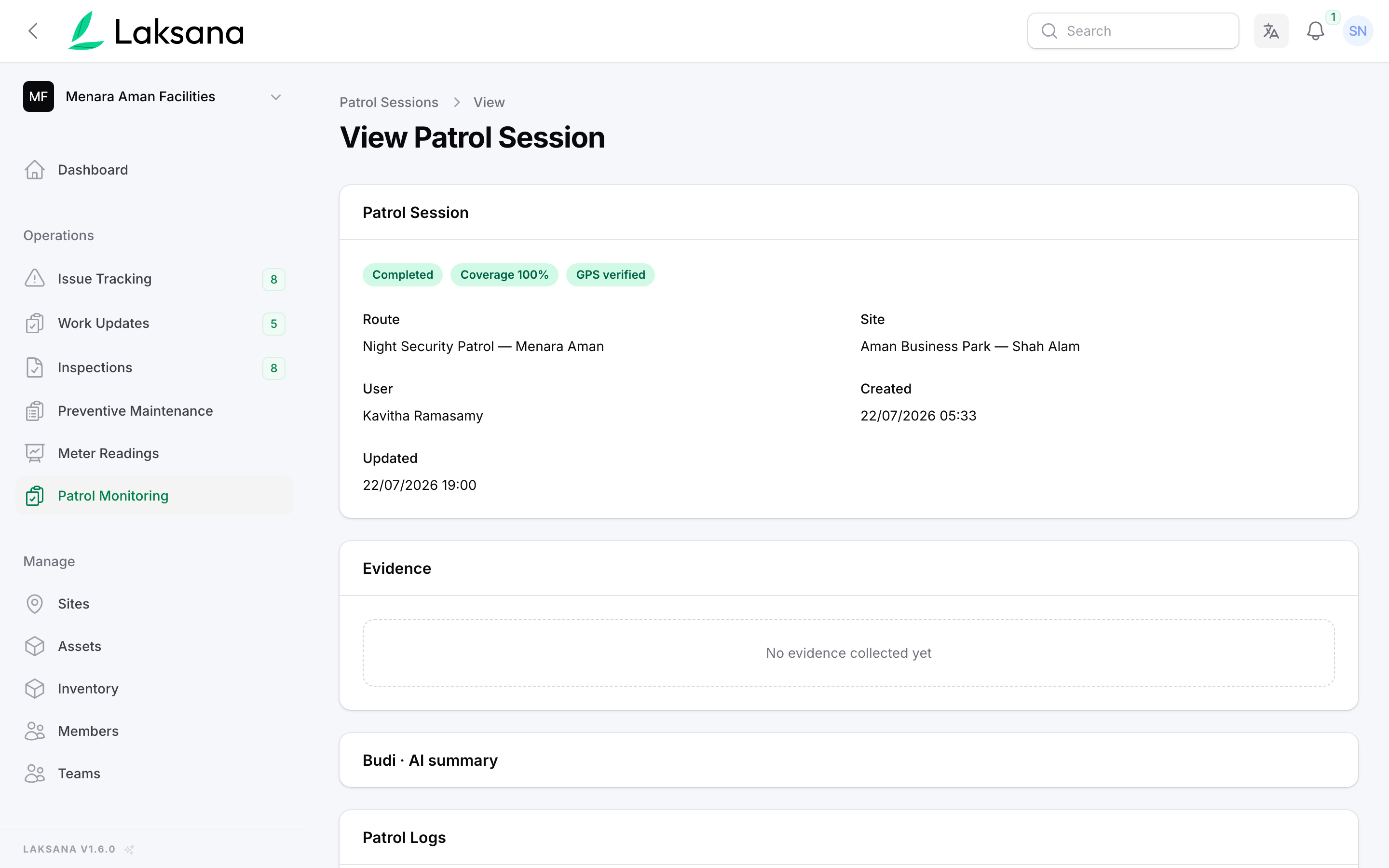
Drill into any session to see every checkpoint, time, remark, and photo.
Reporting
Work updates, issues, inspections and patrols become one live dashboard — and one evidenced report you can hand to a client or committee.
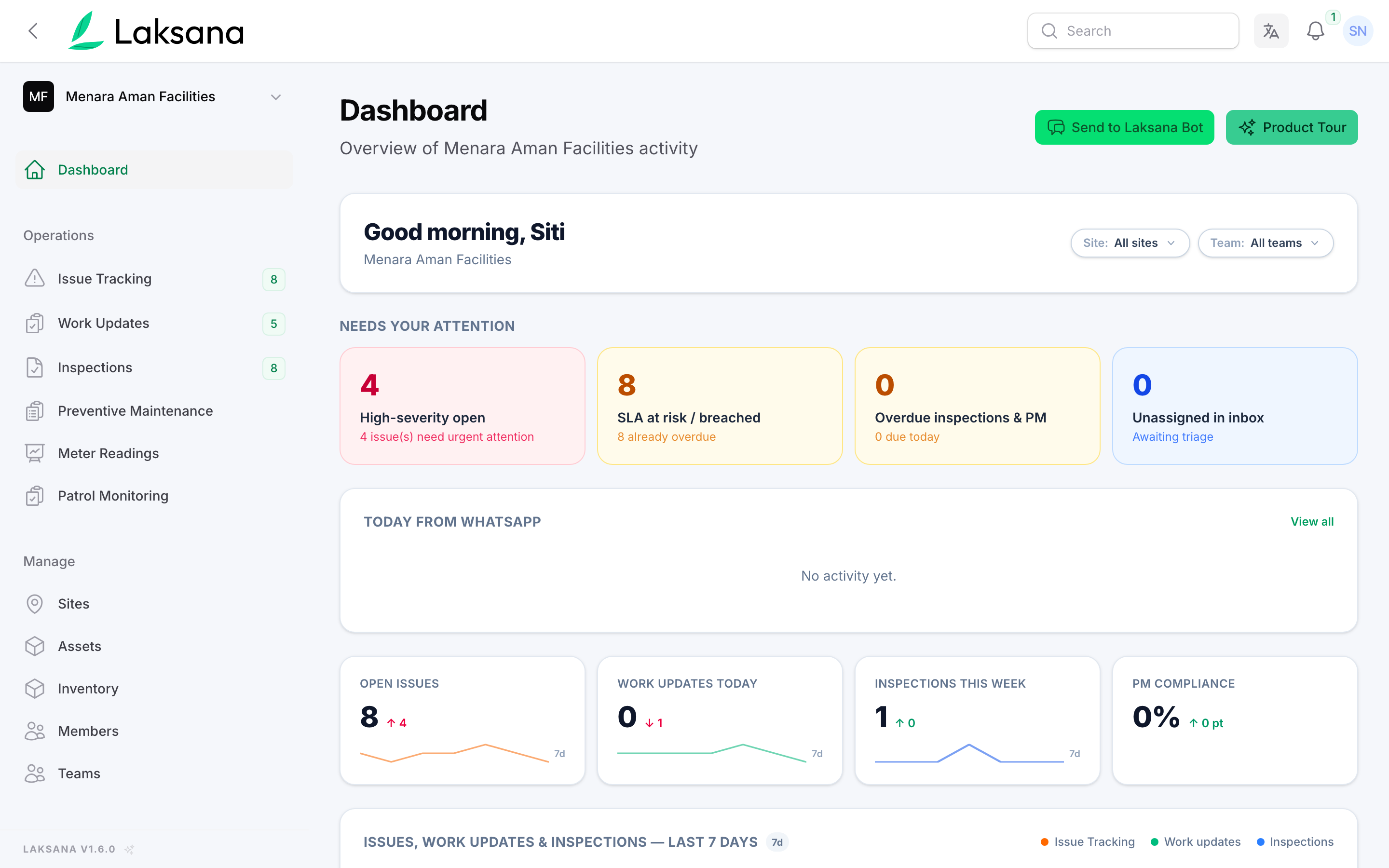
The dashboard opens on what needs you now — high-severity issues, SLA risk, overdue inspections — and the live feed of what came in from WhatsApp.
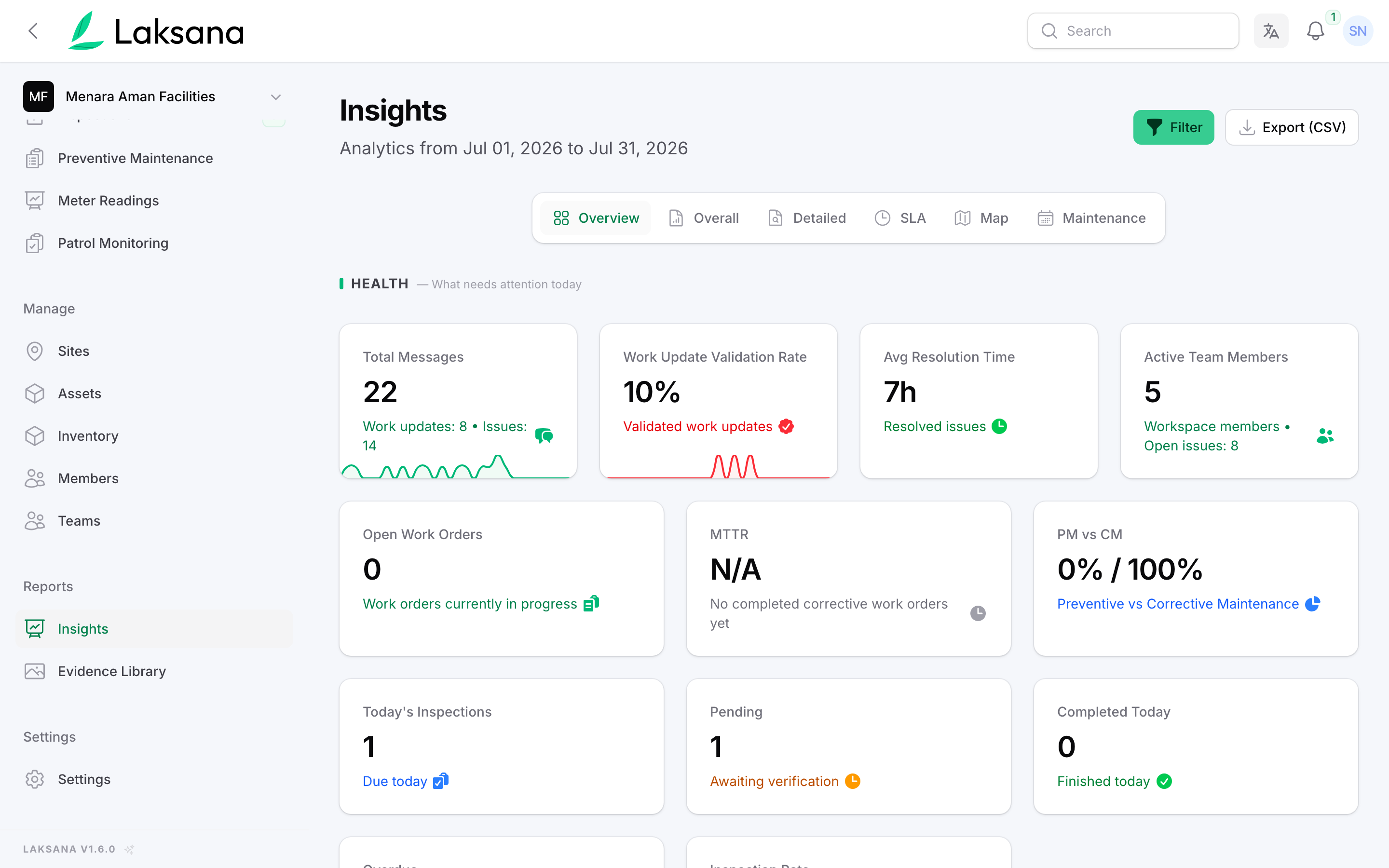
Insights turns the same activity into direction: validation rate, average resolution time, inspection rate, and the issues that keep coming back.
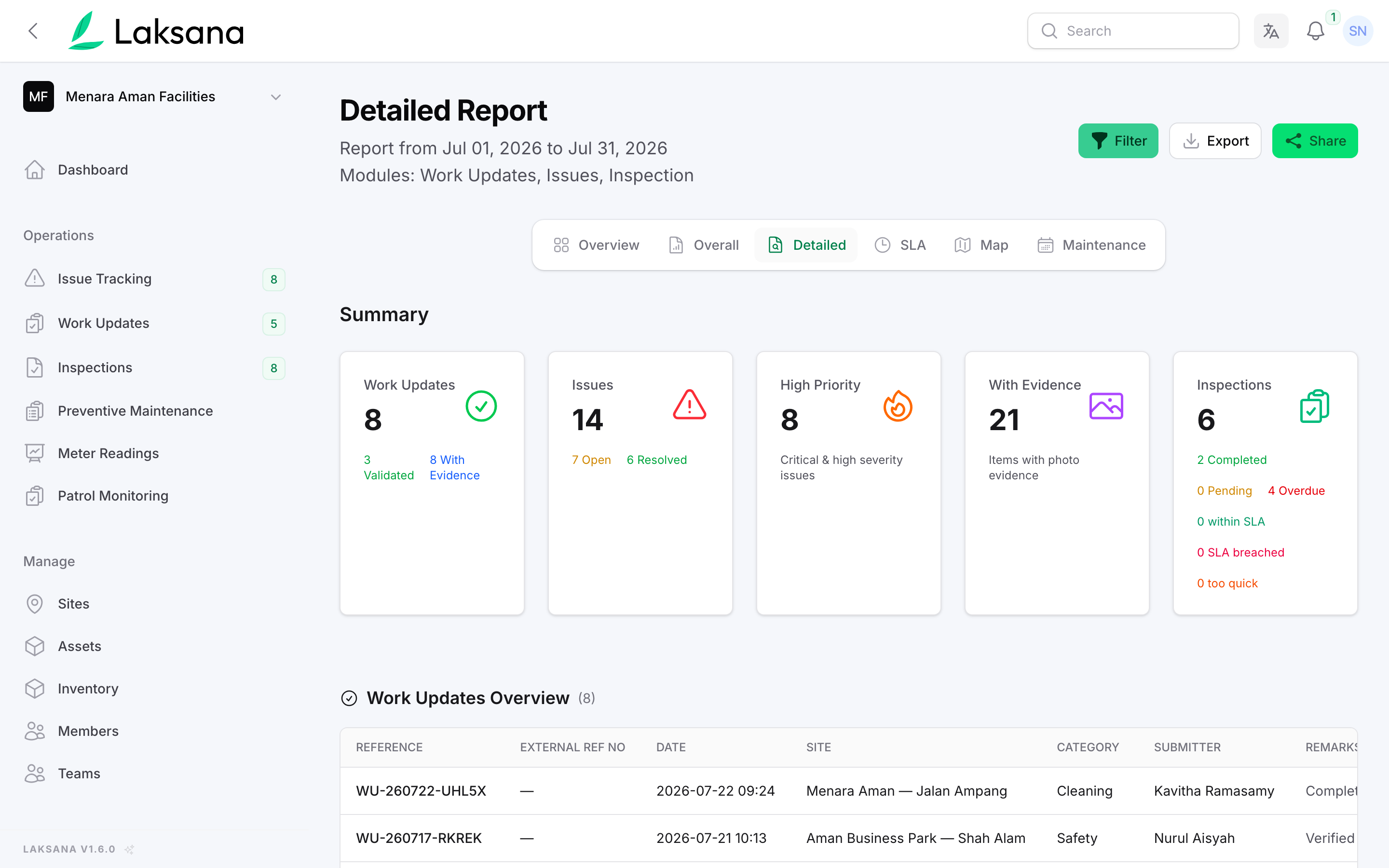
Pick the period and the sites. Every work update, issue and inspection is compiled into one report — including how many carry photo evidence.
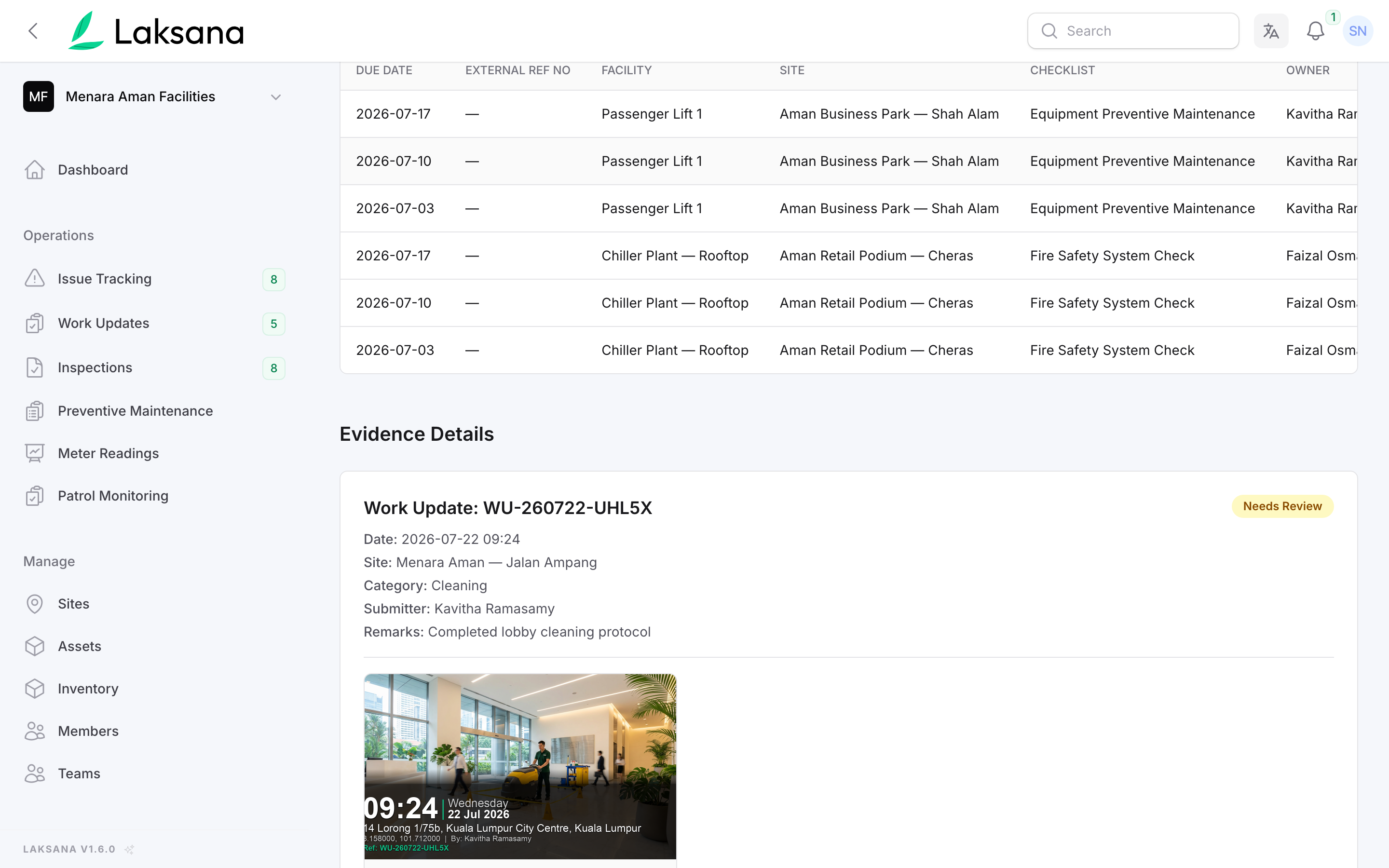
Scroll into the evidence section and each record carries its own watermarked photos. Share the report as a link or export it — no night of spreadsheet work.
Facility Bookings
Applicants book and pay on their phone, your officers approve in one queue, and the official receipt and post-event cleaning work order produce themselves — plus the approval letter, where your process needs one.
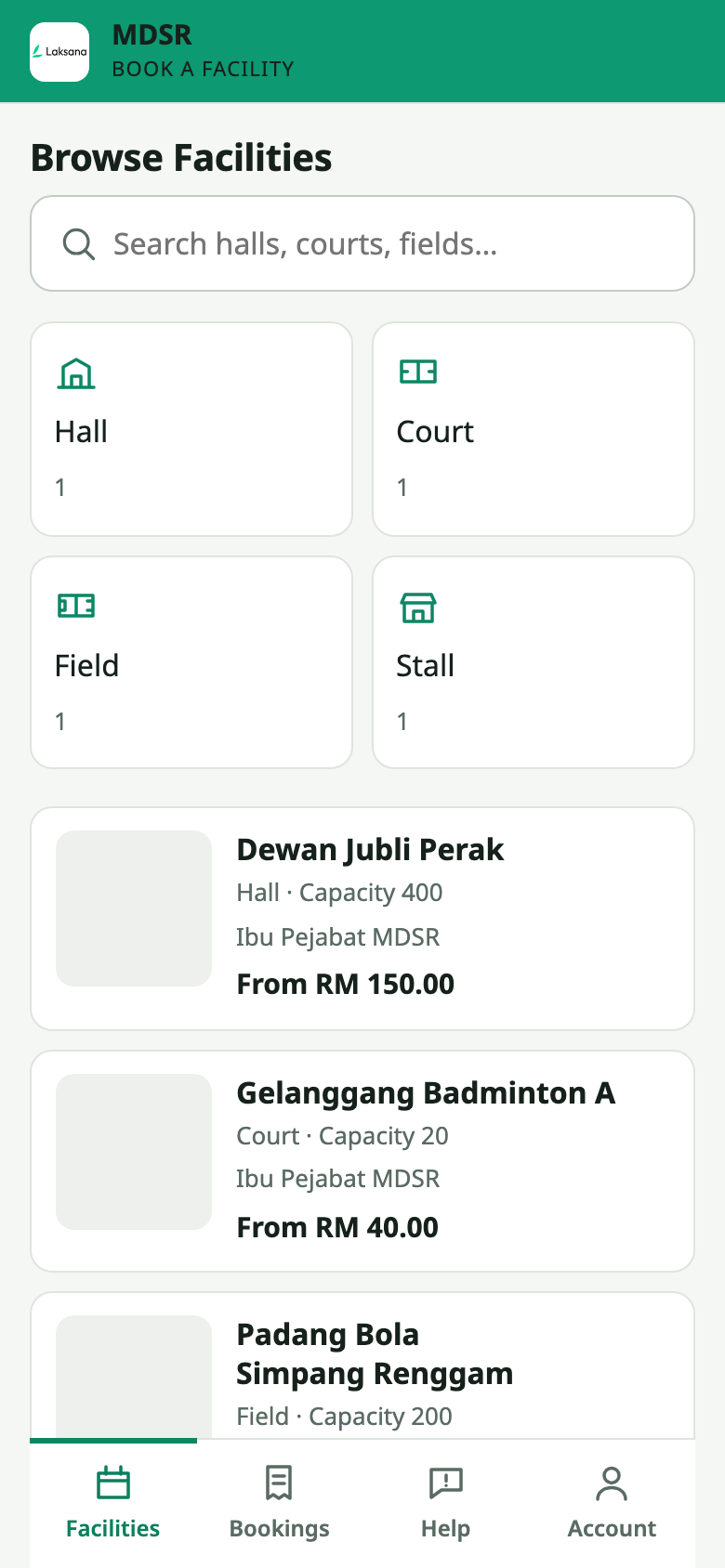
Your halls, courts and fields on your own domain — photos, capacity, location and a from-price on every tile. No app to download, no account to create.
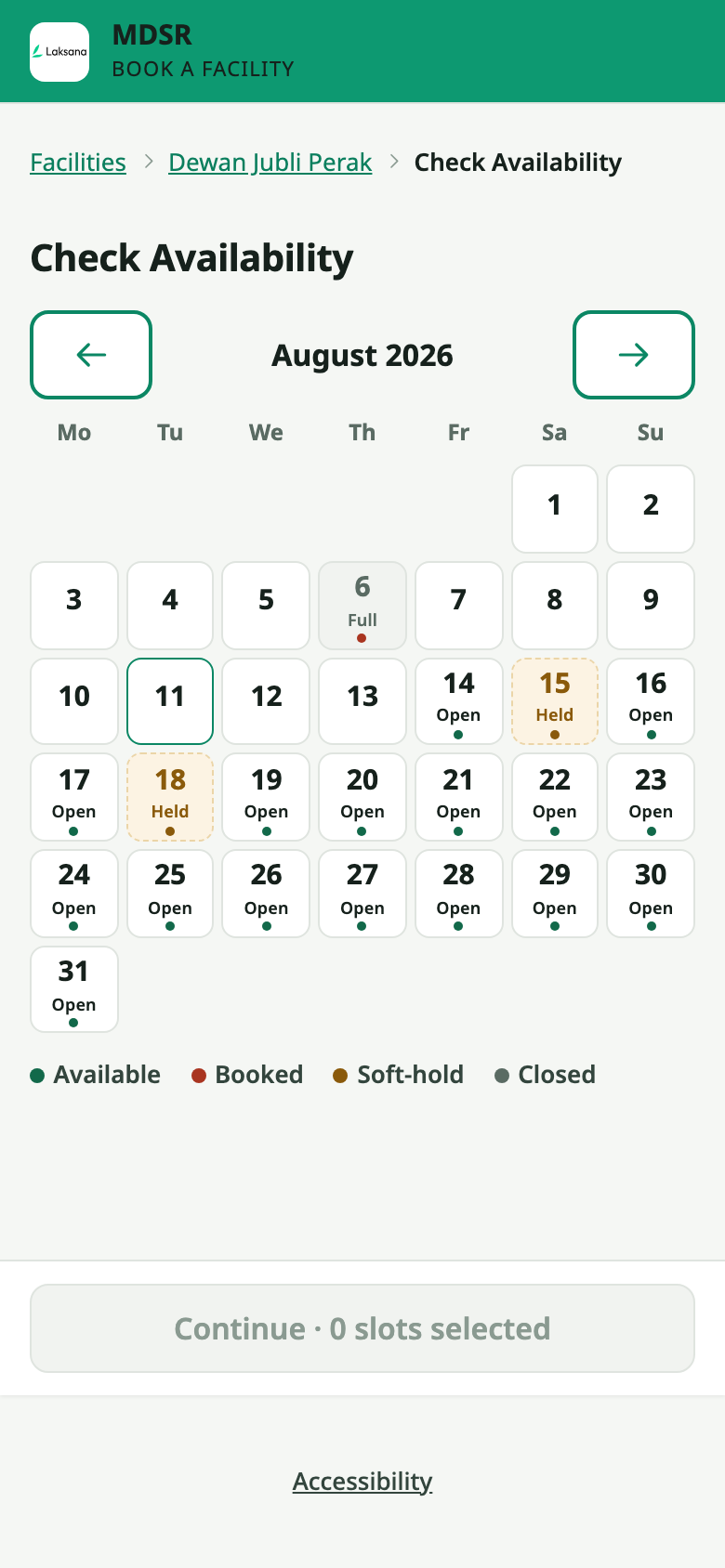
The calendar shows what is genuinely free — live bookings, holds and closures included. A slot two people want is settled by the database, never by luck.
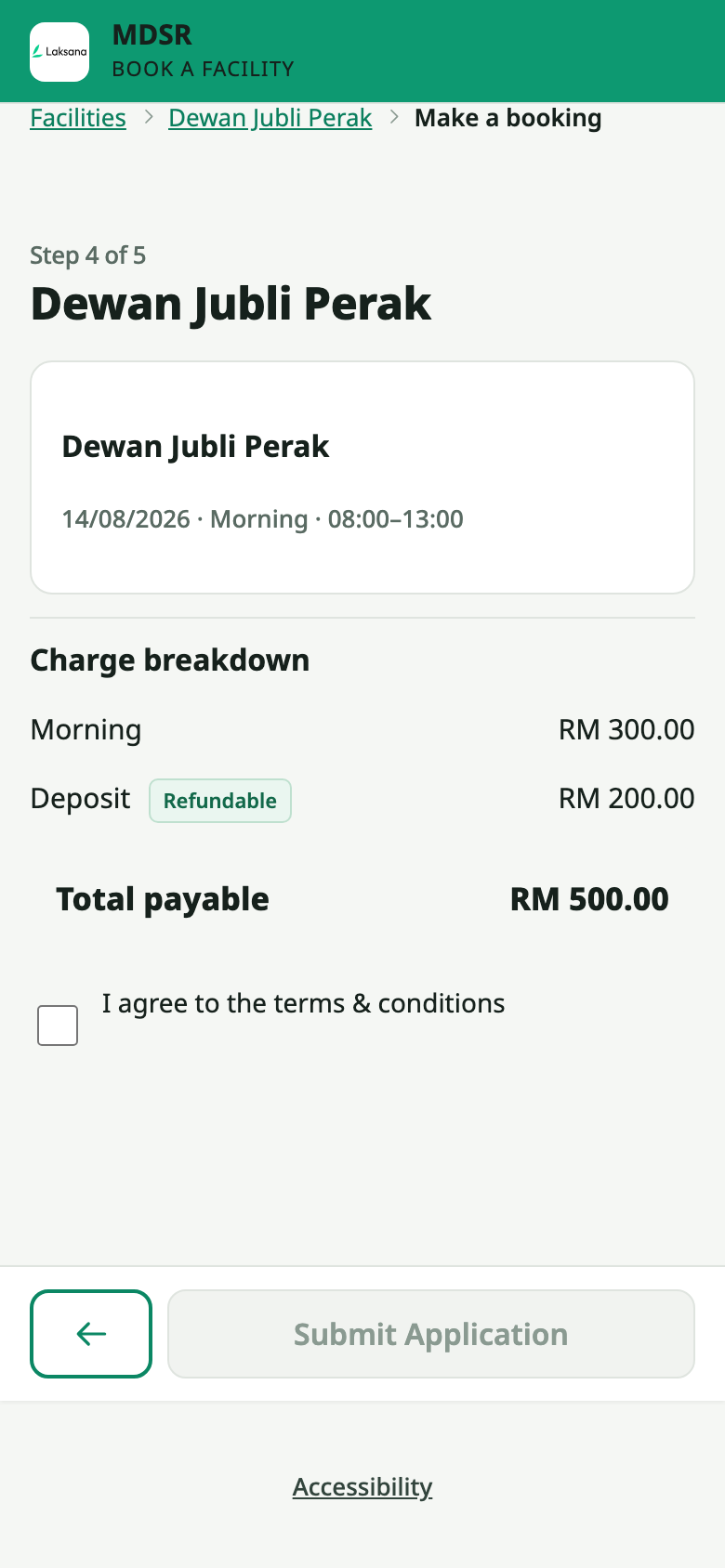
Before submitting, the applicant sees exactly what they will pay: the session charge and the refundable deposit on separate lines, with rates that follow who is booking — a resident, an association, a business — and the total underneath.
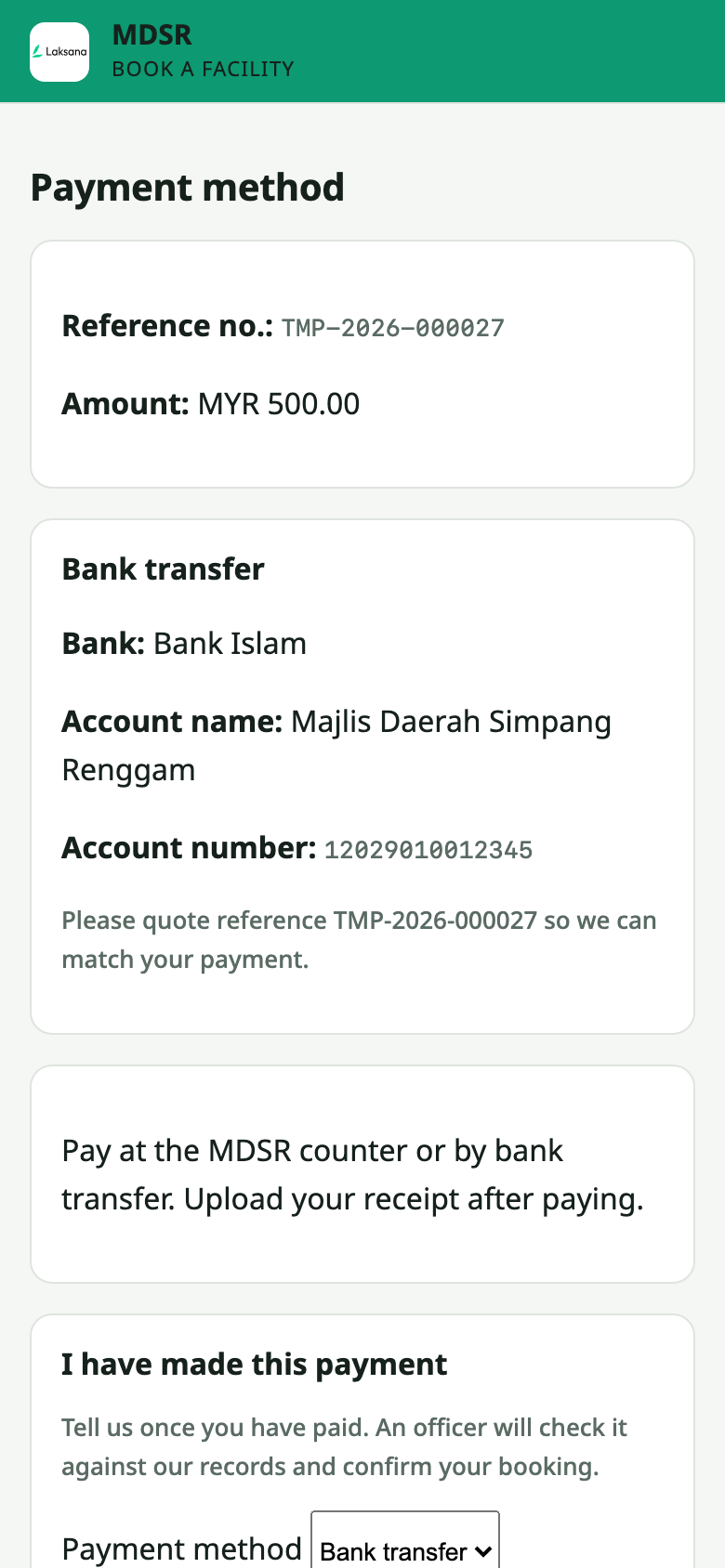
Once approved, the applicant gets a payment screen with the reference and the amount. Connect your own Billplz, CHIP, Stripe or Airwallex account and it takes FPX, DuitNow QR and cards — even Alipay and WeChat Pay for international guests. Counter and bank-transfer payments are recorded against the booking too, which is how this council collects. The money settles straight into your account; Laksana never takes a cut.
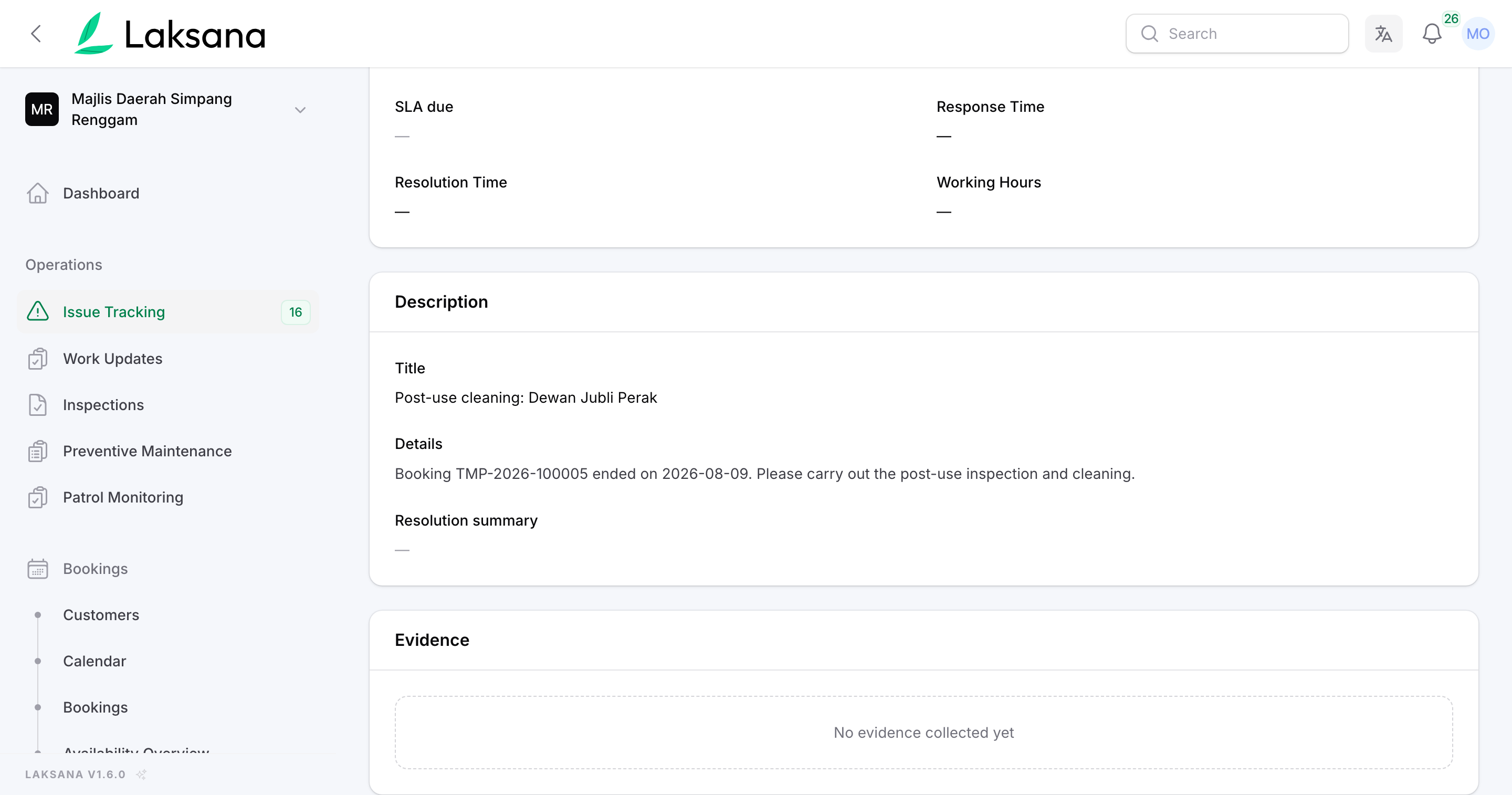
The moment an event ends, the post-event cleaning work order is already raised — named after the booking, assigned to your team, tracked to resolution like any other job. Bookings and maintenance in one system.
Koleksi
Bills that work themselves out from your own charges, paid online into your own account, and an official receipt for every sen — without a spreadsheet in sight.
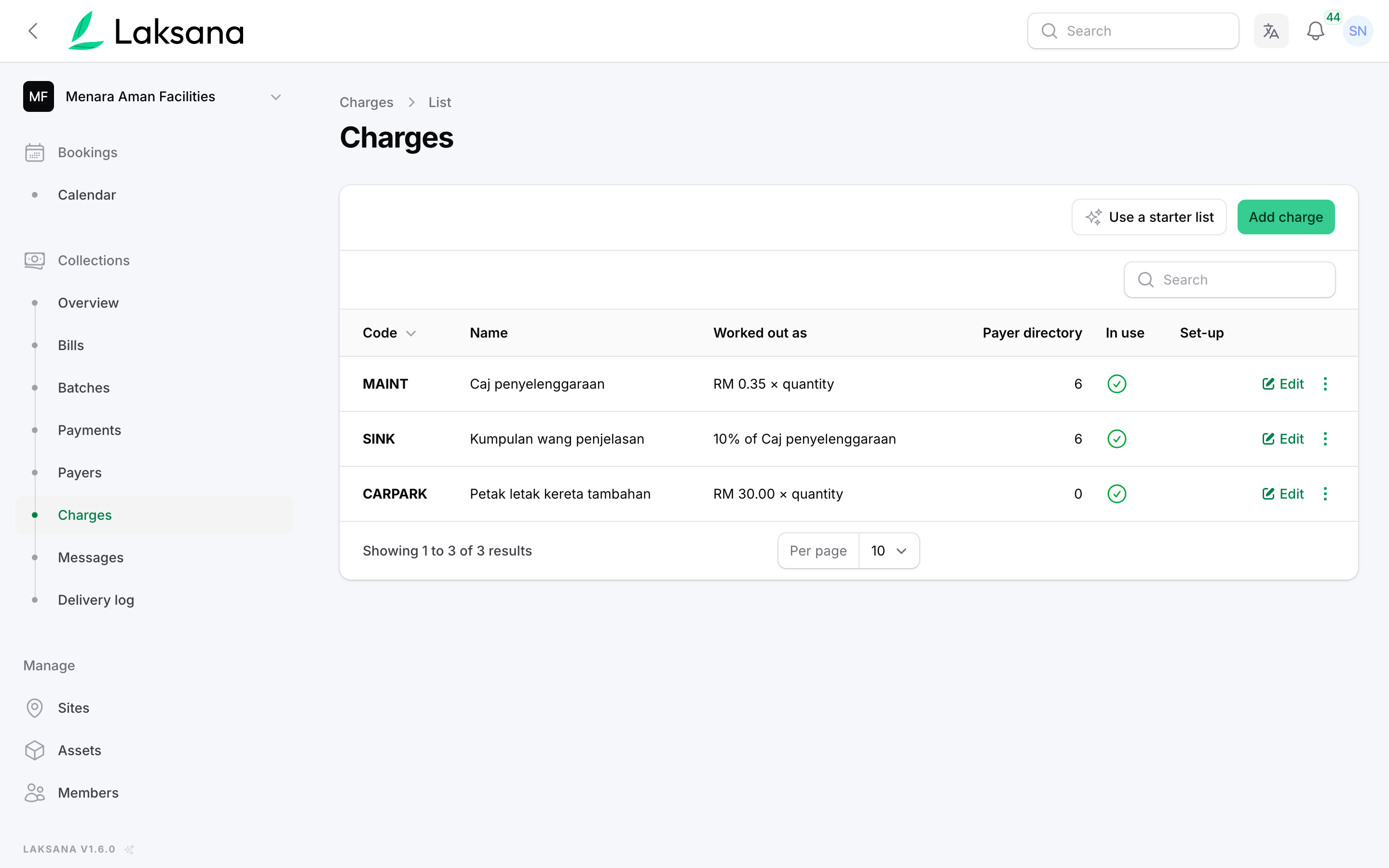
Maintenance by share unit, a sinking fund as a percentage of it, car park bays on top. Set the charges once — every bill you raise from then on works itself out.
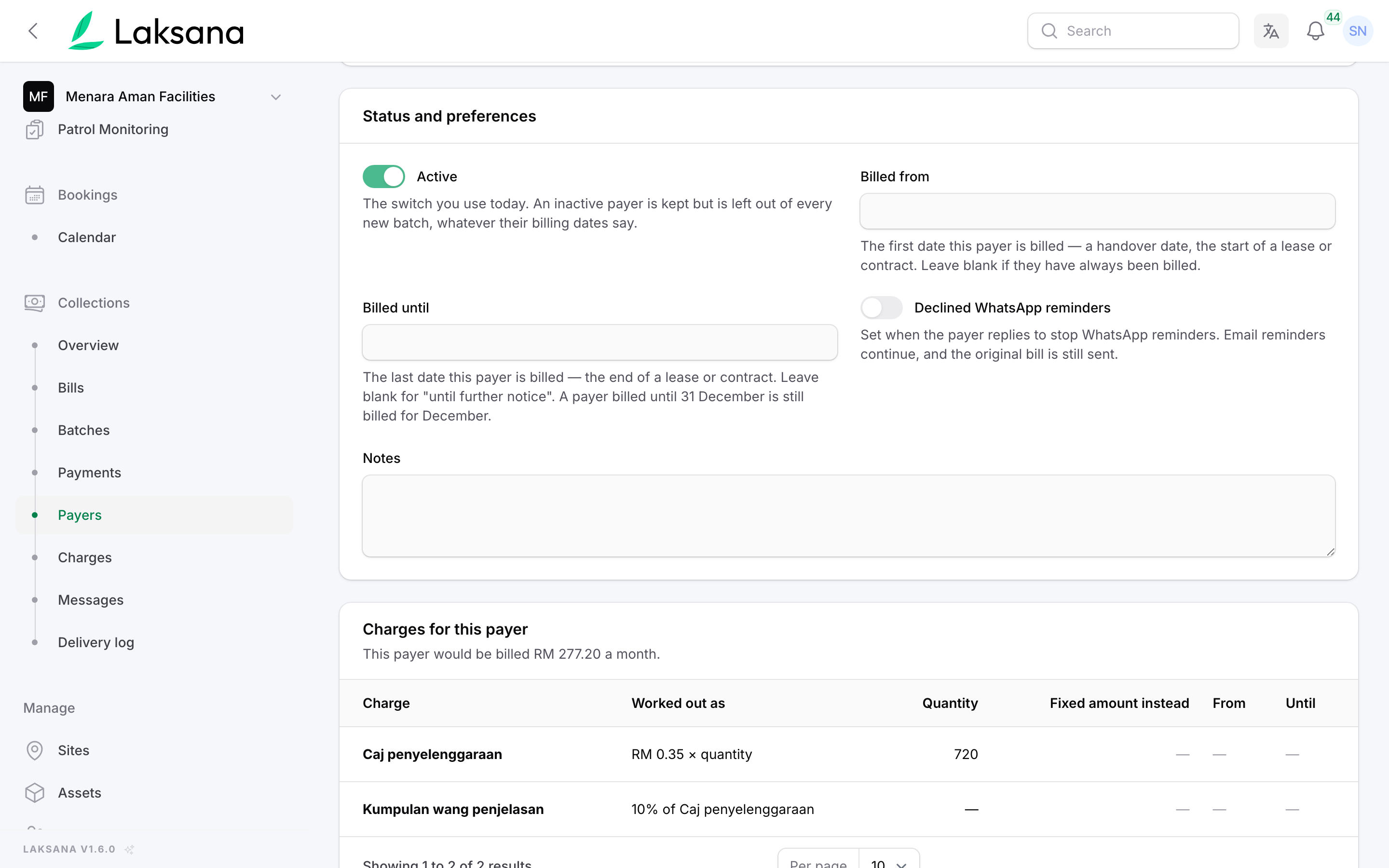
Each unit carries its own share-unit count, so the amount follows the Strata Management Act rather than a formula somebody re-types every month. Unit A-12-03: 720 share units at RM 0.35, plus a 10% sinking fund — RM 277.20.
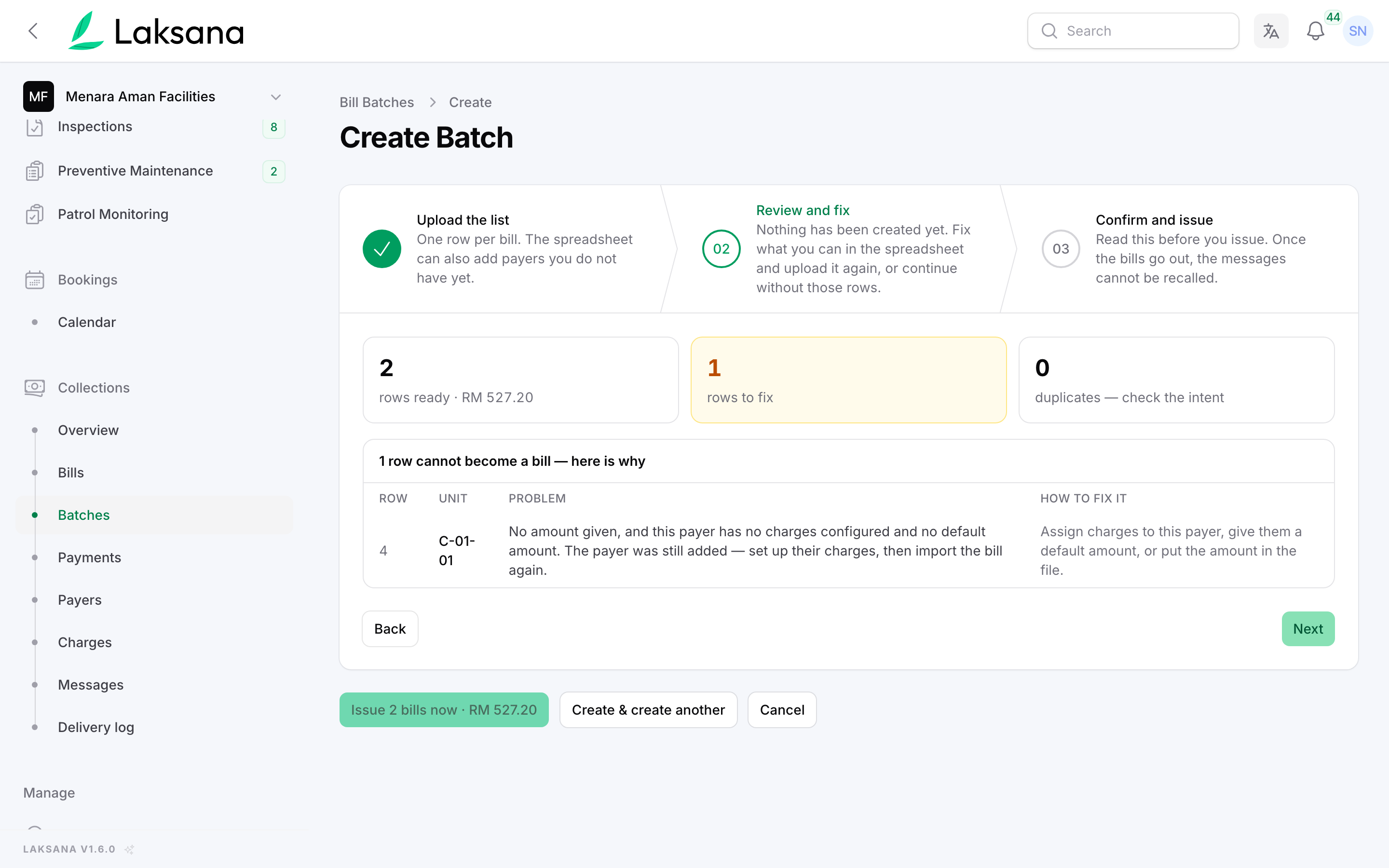
Raise the month in one run. Before anything is sent you see exactly who is billed, for how much, and which rows cannot be priced yet — those are listed, never billed at zero.
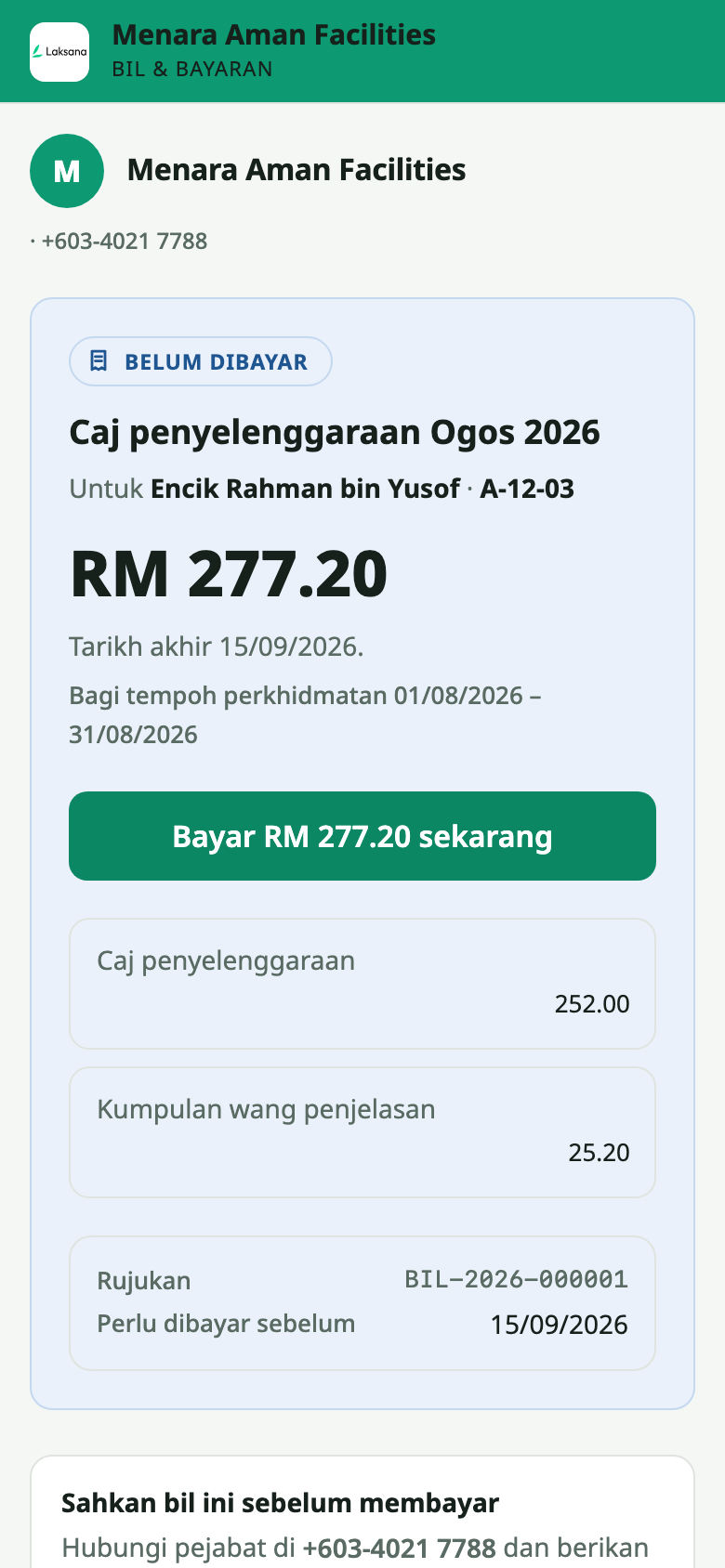
Their own name, their unit, what the charge is made of, and your organisation on your own domain. No login, no app, no urgency — and a page on your own website where anyone can check a bill is genuine before paying it.
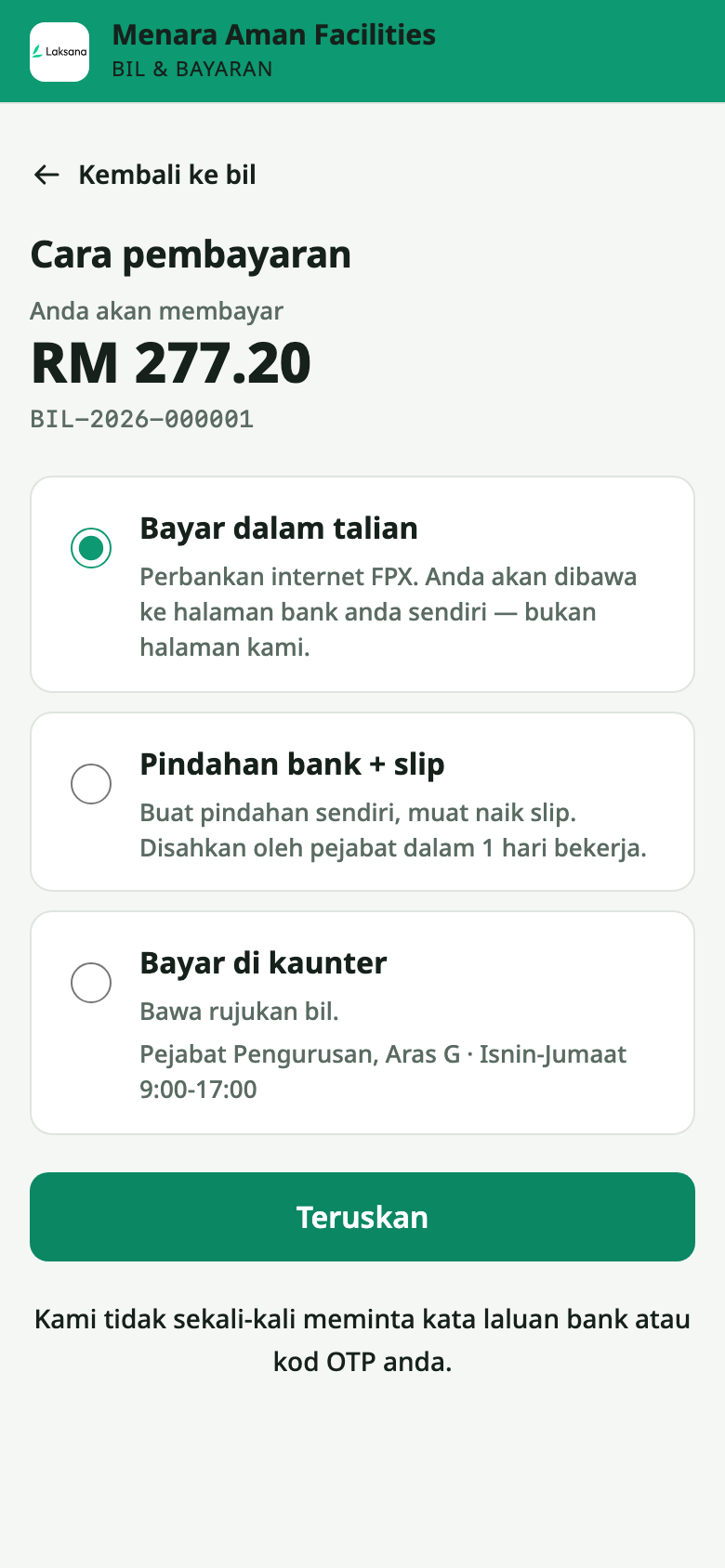
FPX, DuitNow QR or card through your own Billplz, CHIP, Stripe or Airwallex account. Or they transfer and upload the slip, and your officer accepts it in one click. The money settles straight into your account; Laksana never takes a cut.
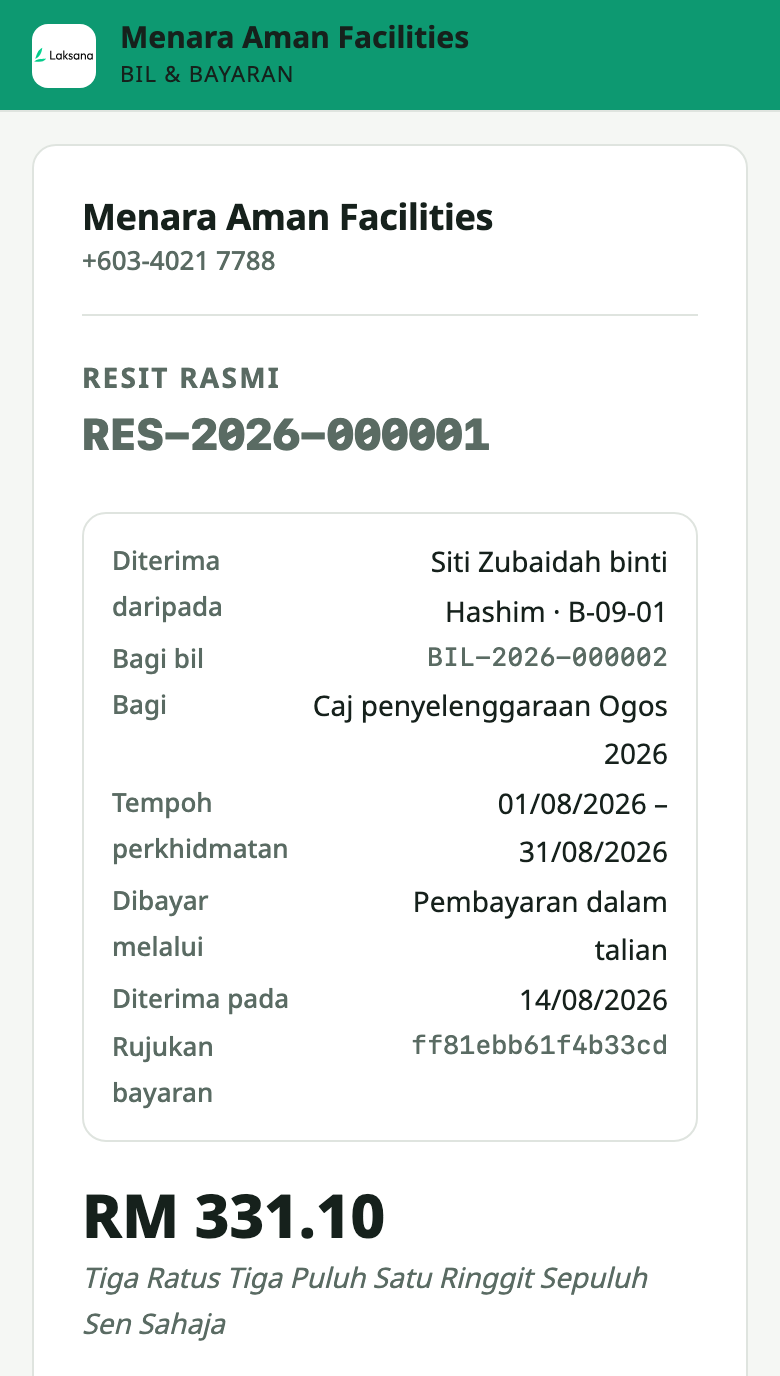
Every payment produces an official receipt with a gap-free number and the amount in words — on screen, as a PDF, and checkable on your public page. Nobody types a receipt book again.