
How it works
Turn frontline chat into audit-ready operations.
Preventive and corrective maintenance in one place. Your team reports faults on WhatsApp or Telegram, and Laksana turns each message into a tracked job, with an owner and photo proof.
- No app for your field team
- Works with WhatsApp and Telegram
The work happens in chat. Now the record does too.
-
Step 1: Report in chat.
Staff send a photo or a line of text on WhatsApp or Telegram. No app, no password.
Sample“Water pooling at main lobby entrance, someone nearly slipped”, with a photo.
-
Step 2: Laksana sorts it.
It fills in the category, site, asset, severity and SLA clock. Your team has the final say.
SampleGeneral Maintenance · Main Lobby · Severity High · assigned.
-
Step 3: Close it with proof.
The technician closes the job with a photo stamped with time and place. It goes straight into your reports.
SampleResolved · SLA met, with the closing photo on the record.
Pick a workflow and step through it.
Prefer to click through on your own? Follow any workflow screen by screen, from the message your team sends to the record your client sees. Chat screens are drawn from Laksana’s real messages, using sample data. Workflows marked Preview describe a live feature whose screens we are still capturing.
Capture
Every report becomes a tracked job.
Messages and photos from WhatsApp, Telegram, the helpdesk form or a site or asset QR code land in one list, ready to assign. Nothing to install.
Get work done
Every job has an owner and a deadline.
Assign, schedule and follow each job to close-out, with a warning before anything runs late.
Prove it
Every closure comes with proof.
Photos stamped with time and place, filed against the job and ready when a client or auditor asks.
Report
The report is ready before anyone asks.
Dashboards, SLA results and scheduled reports, built from the work your team already logs.
Prevent
Planned work that doesn’t slip.
Maintenance, inspections and patrol rounds run on schedule, and you can see which were missed.
Residents and customers
Bookings and bills, without the paperwork.
Residents book and pay online. Your team approves, receipts and follows up in the same place.
Sites and assets
Every site and asset in one register.
Each building, room and machine has its own record, history and QR code.
People and access
The right people see the right sites.
Invite your team, give each person a role, and keep contractors to their own sites.
Work Updates
Your team sends a photo on WhatsApp. A supervisor checks it. You get a record you can show a client, with no app and no paperwork.
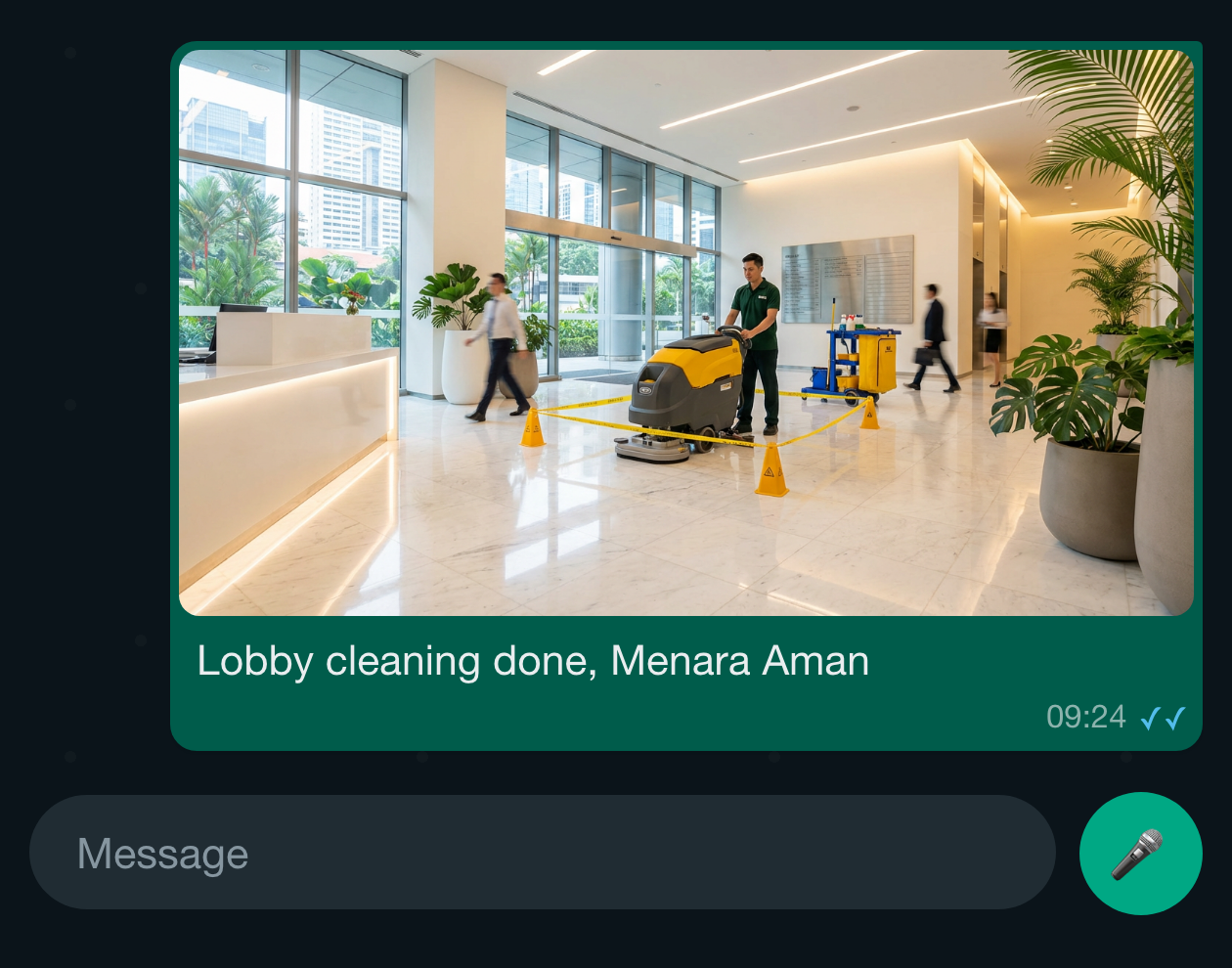
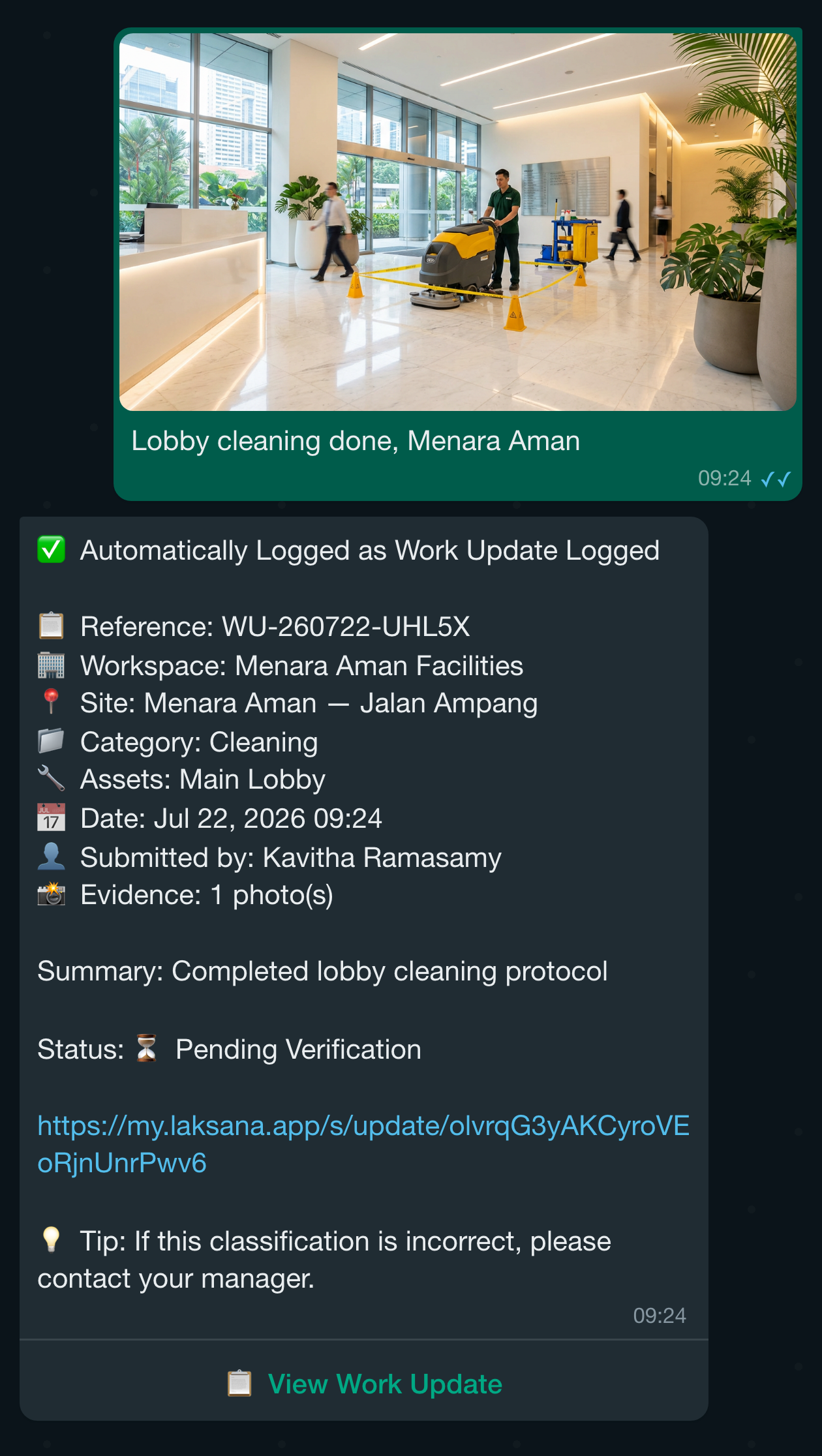
The technician sends a photo and one line about the job to your Laksana number on WhatsApp. No app to install, no form to fill in. Laksana replies with a reference and a link to the record.
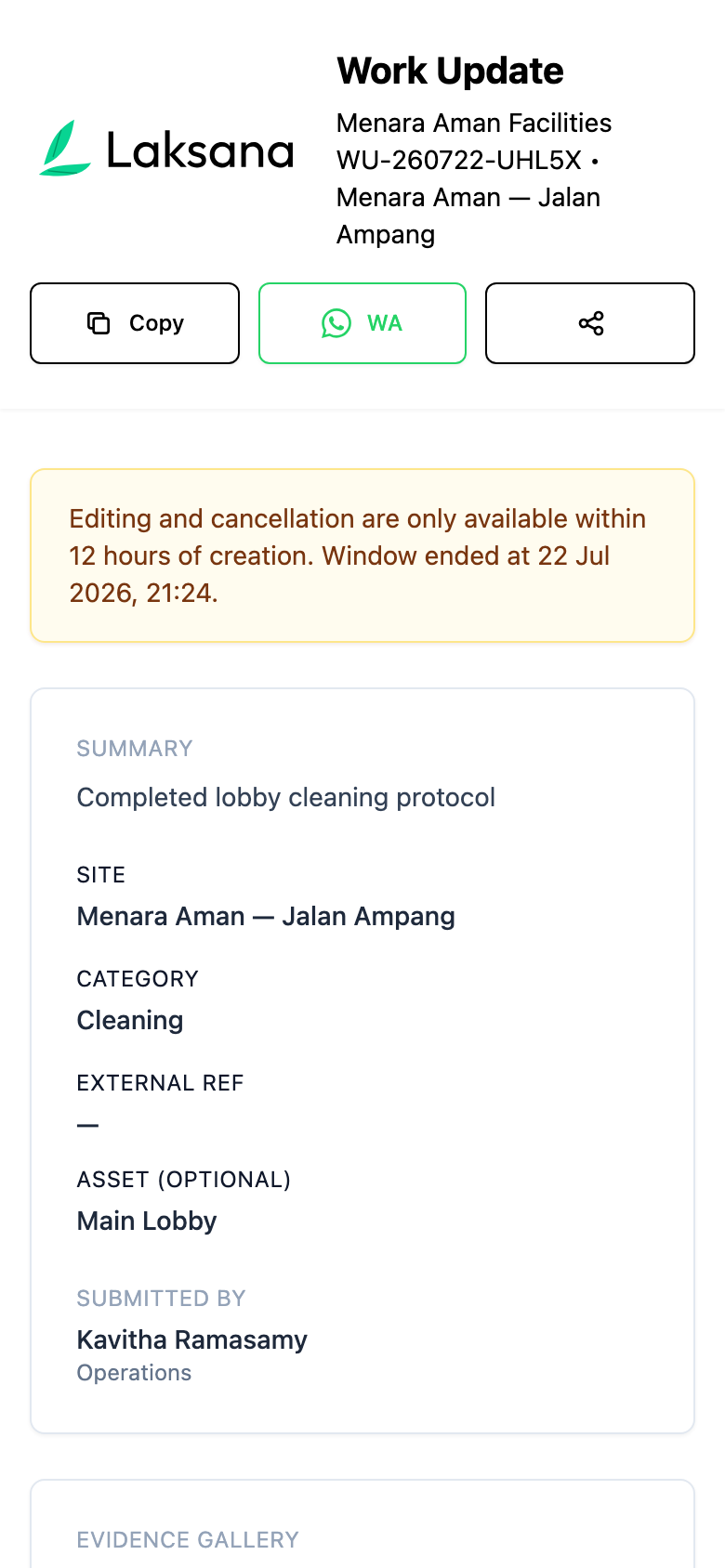
The link opens the record on the phone. If the site or category is wrong, the sender can correct it from the same link within 12 hours.
People who can check work updates get a message straight away, with Verify and Reject buttons. They can also be told by email, push, Telegram or WhatsApp.
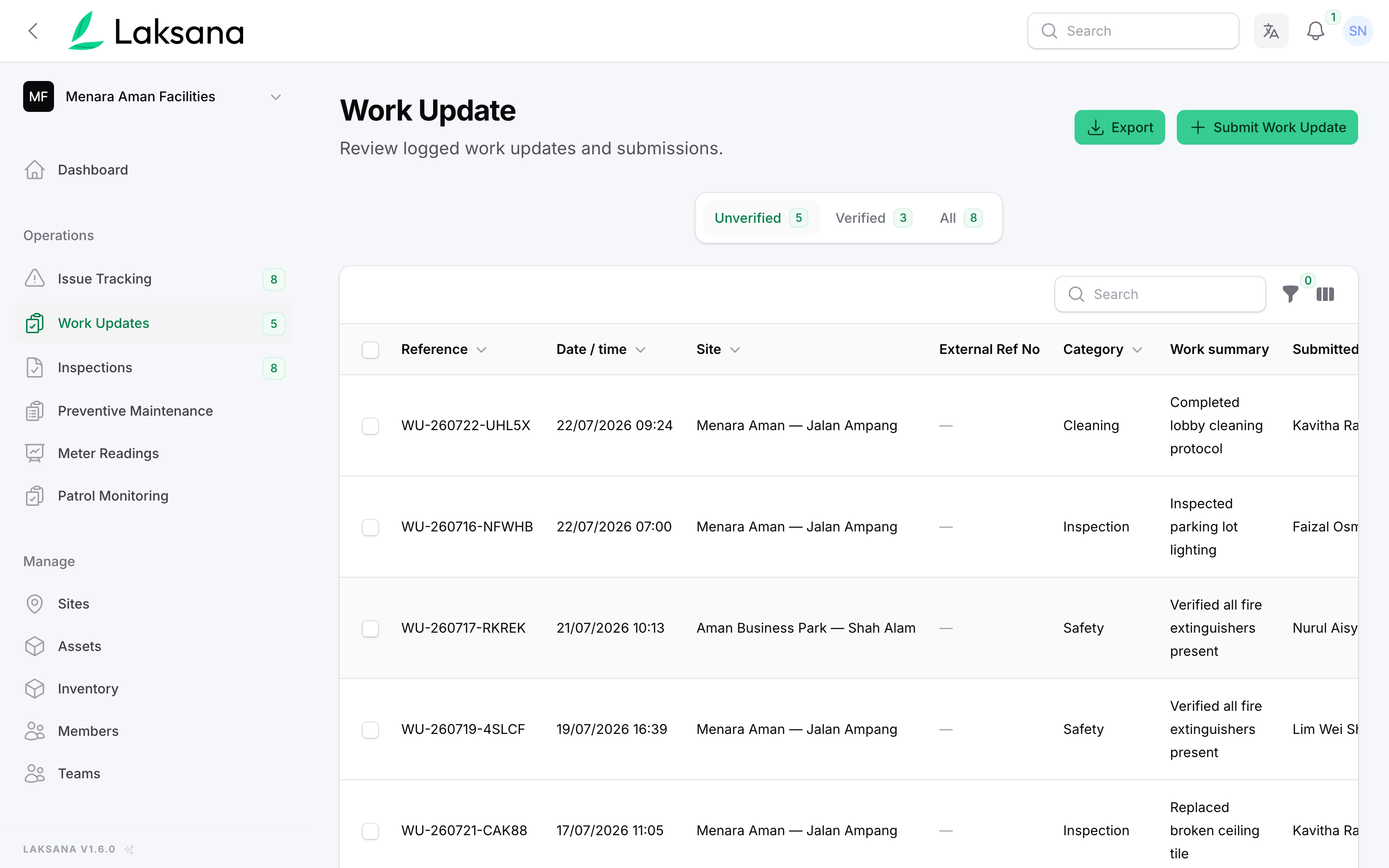
In the console, Work Updates lists everything waiting for a check under Needs verification. Nobody types anything up.
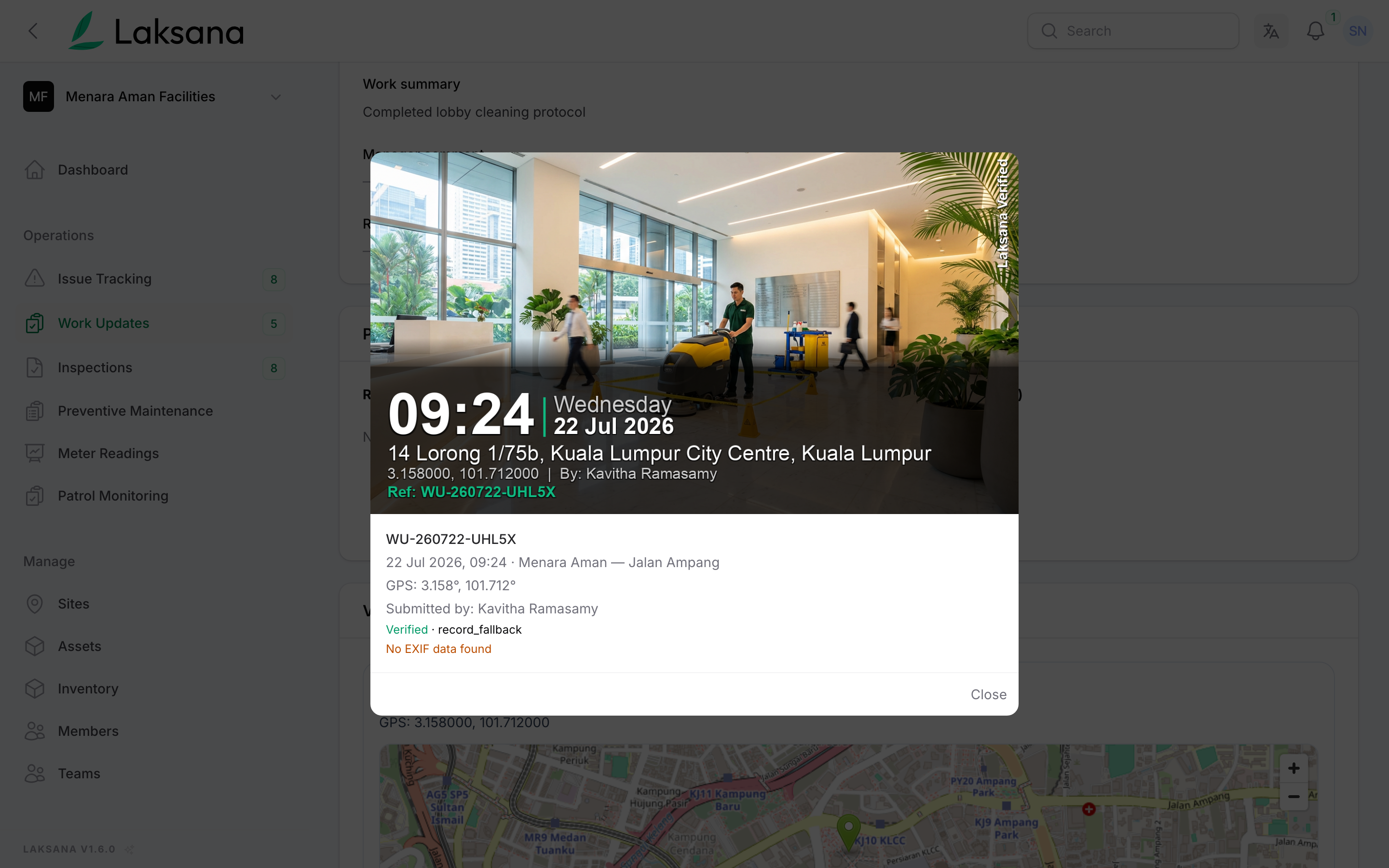
Every photo lands in the Evidence Library, stamped with the time and place. A photo is marked Verified only when the camera itself recorded the location and it falls inside the site.
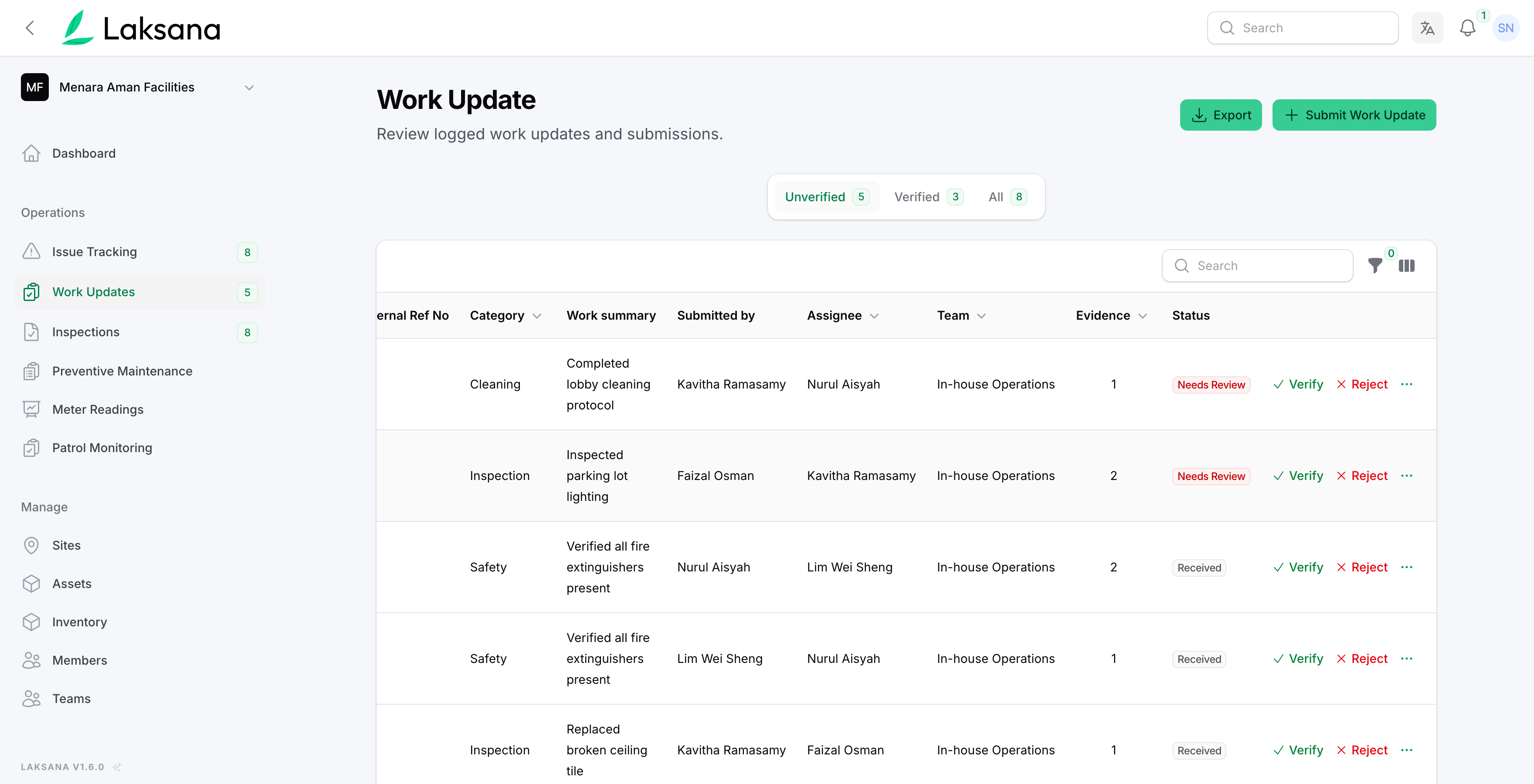
The supervisor sets the status to Verified and can add a comment. The work record is now ready for your client.
Report an Issue
Every fault is tracked from the first message to the fix. Laksana records how fast someone responded and how long the repair took.
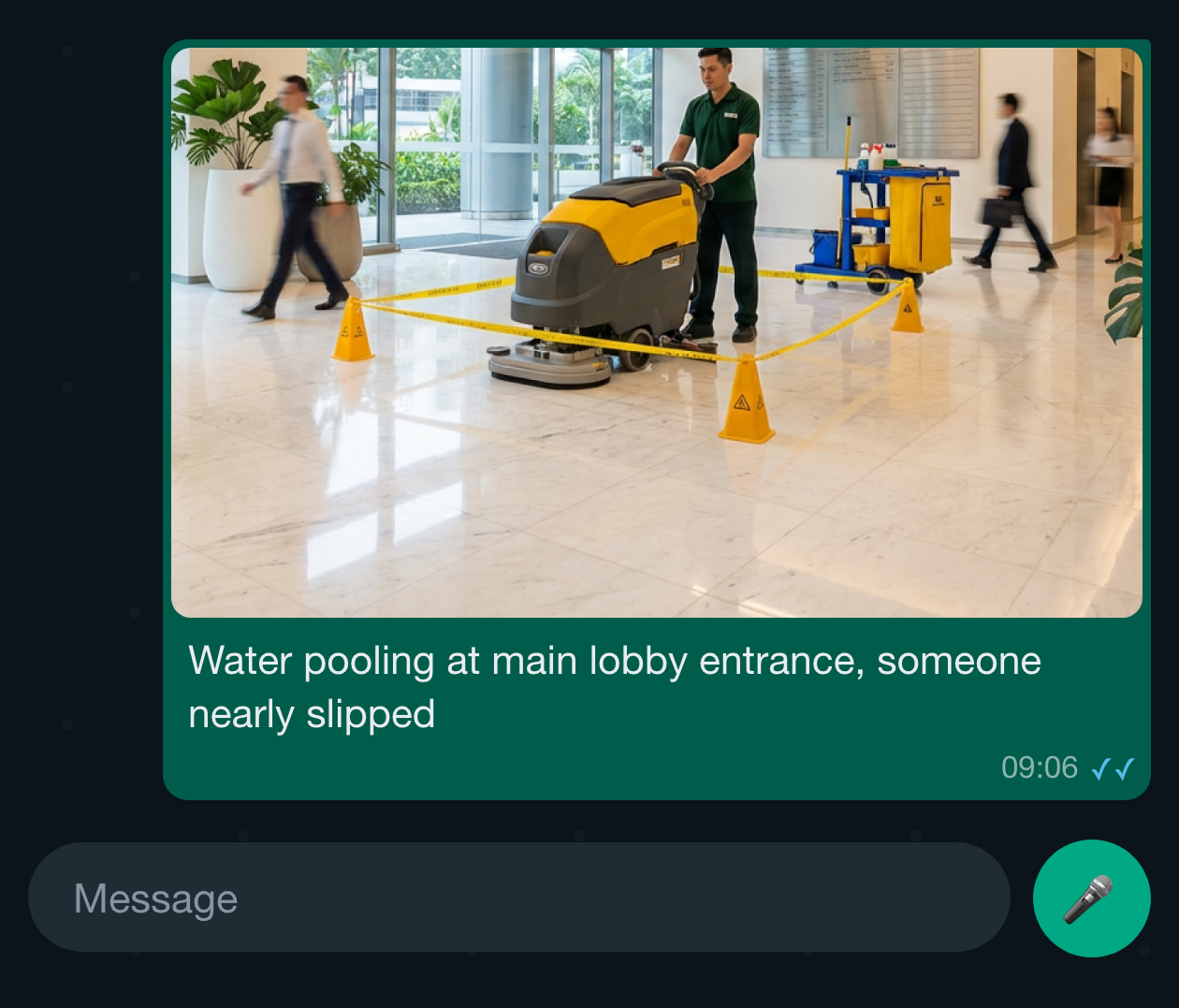
Anyone sends a photo and a short description on WhatsApp. Laksana opens an issue, picks the category and severity, and replies with the reference. If it is urgent, the reporter can reply "urgent" within 10 minutes.
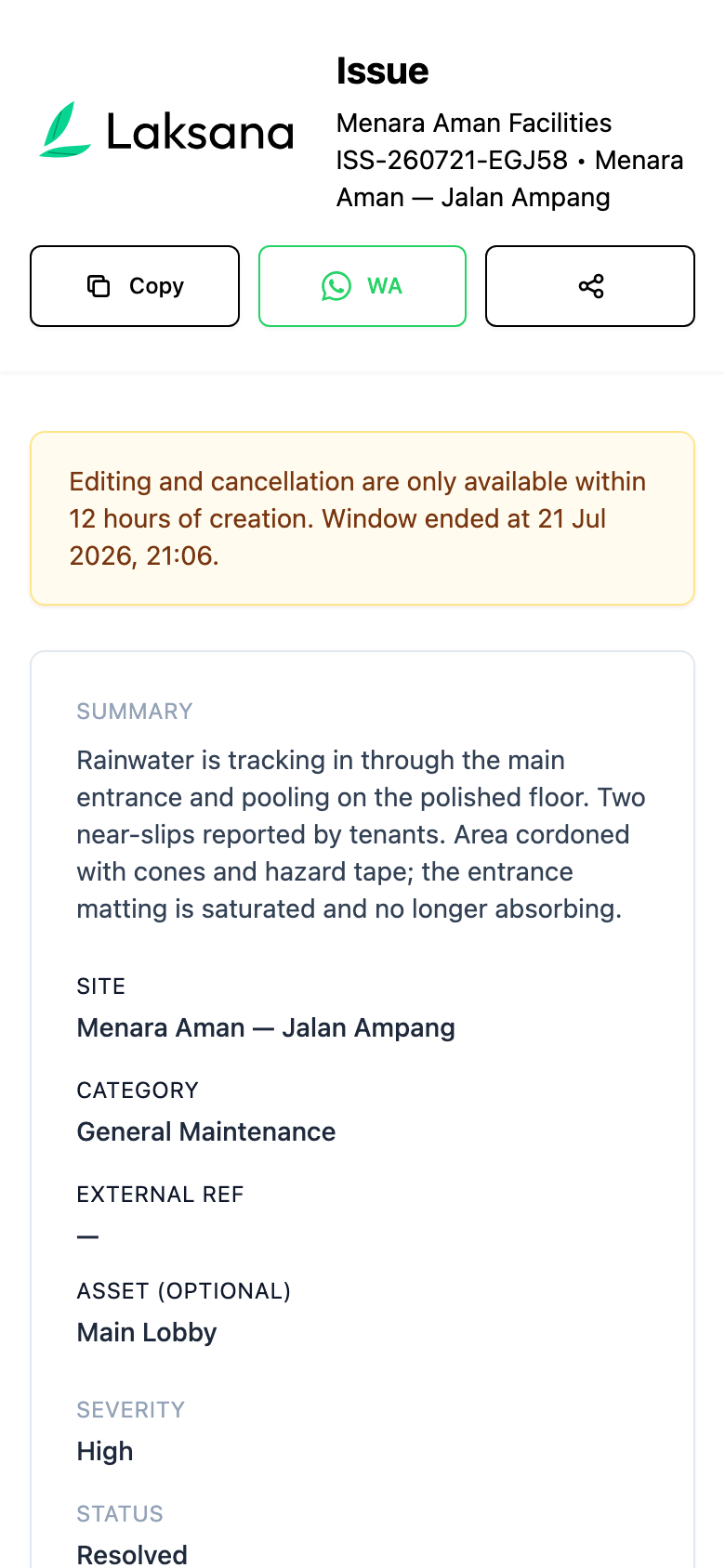
The reply links to the issue on the phone. The reporter sees the status change and can correct the details within 12 hours.
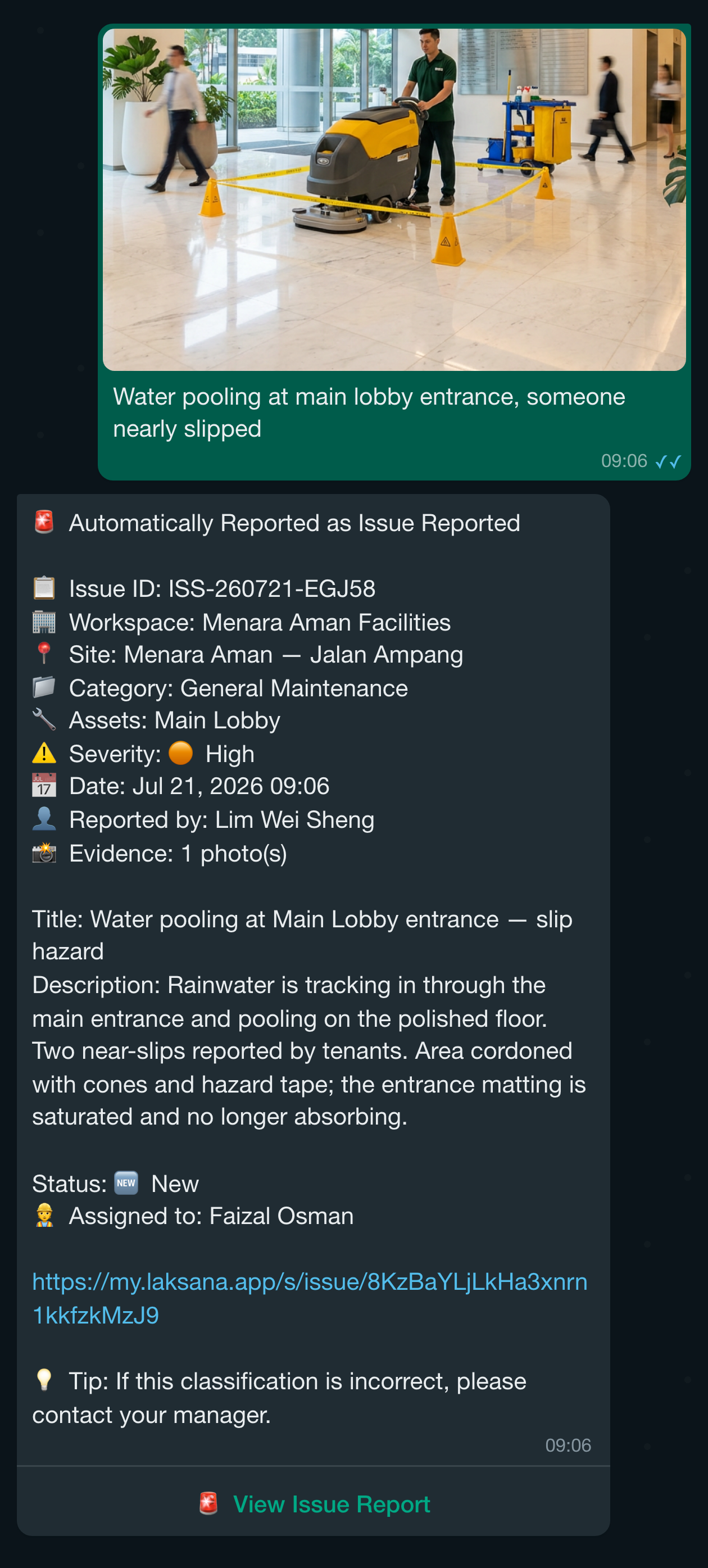
The person assigned gets the job on WhatsApp with the site, priority and a link. They reply "start", "done" with a photo, "hold" or "help". Assignment rules can pick the person for you by site or category.
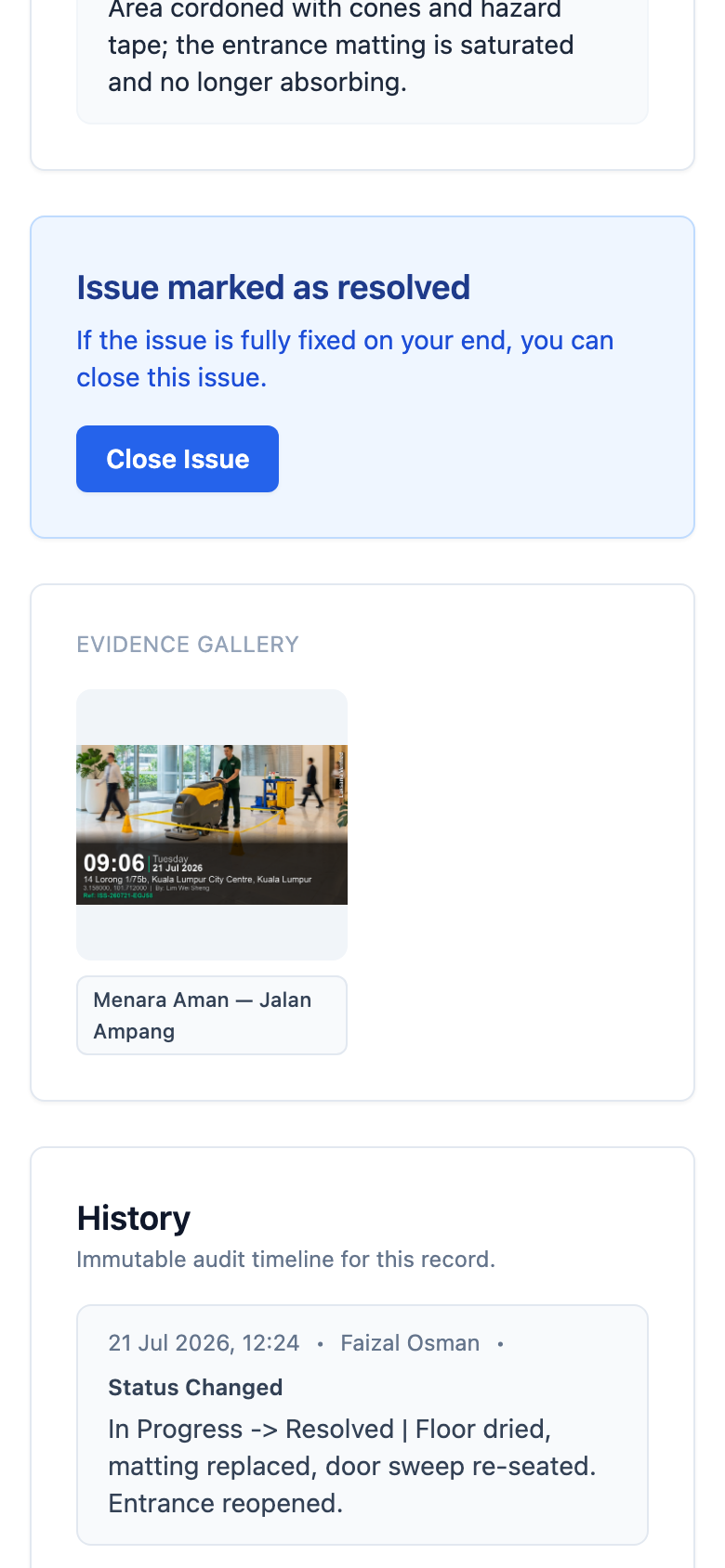
The technician can also open the link, change the status, add a note and upload photos. No password: the chat link signs them in.
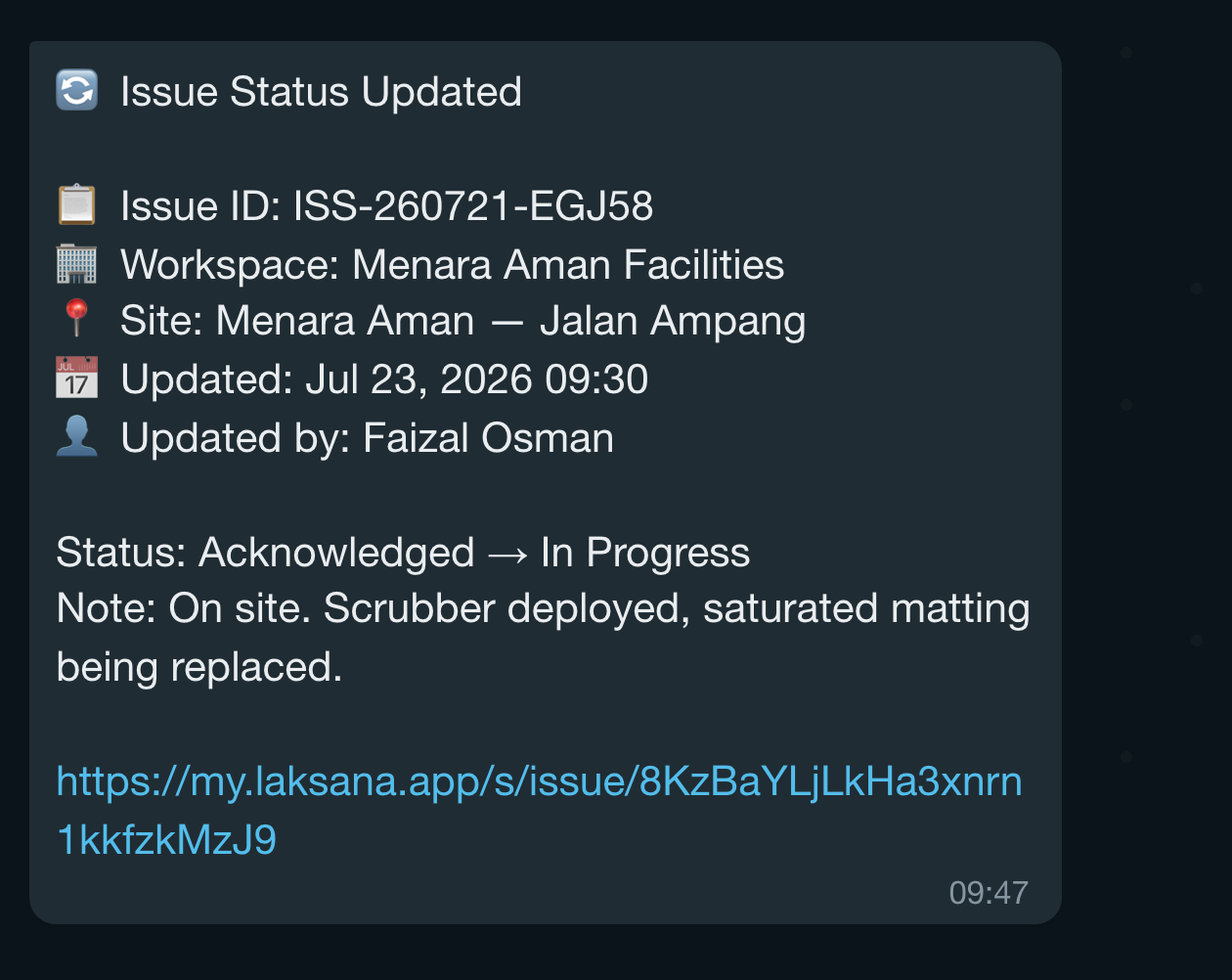
When the status changes, the person who reported it gets a message with the new status and the technician’s note.
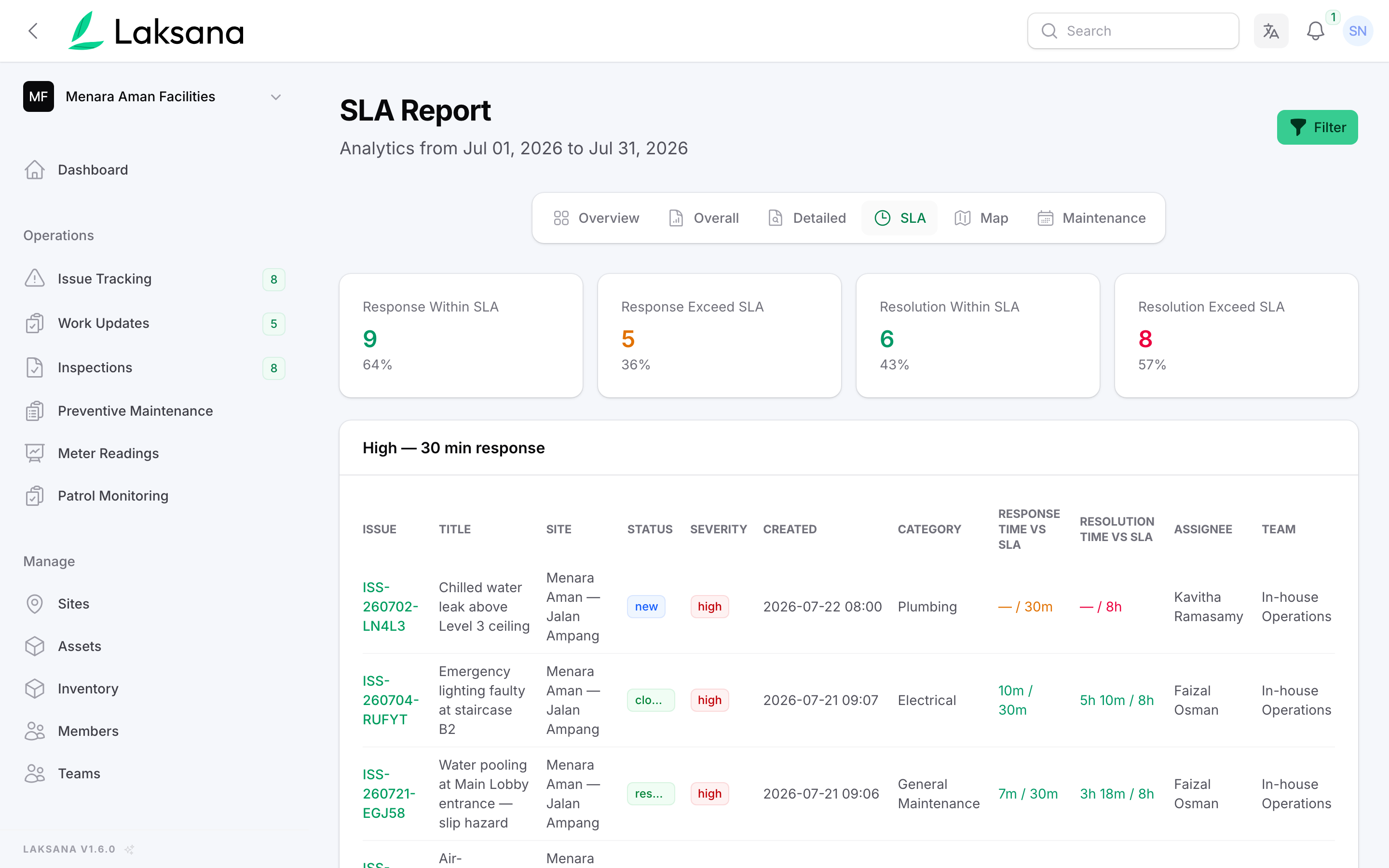
The SLA report shows, for every issue, how fast someone responded and how long the fix took, against the targets you set. SLA means the response and repair times you promised.
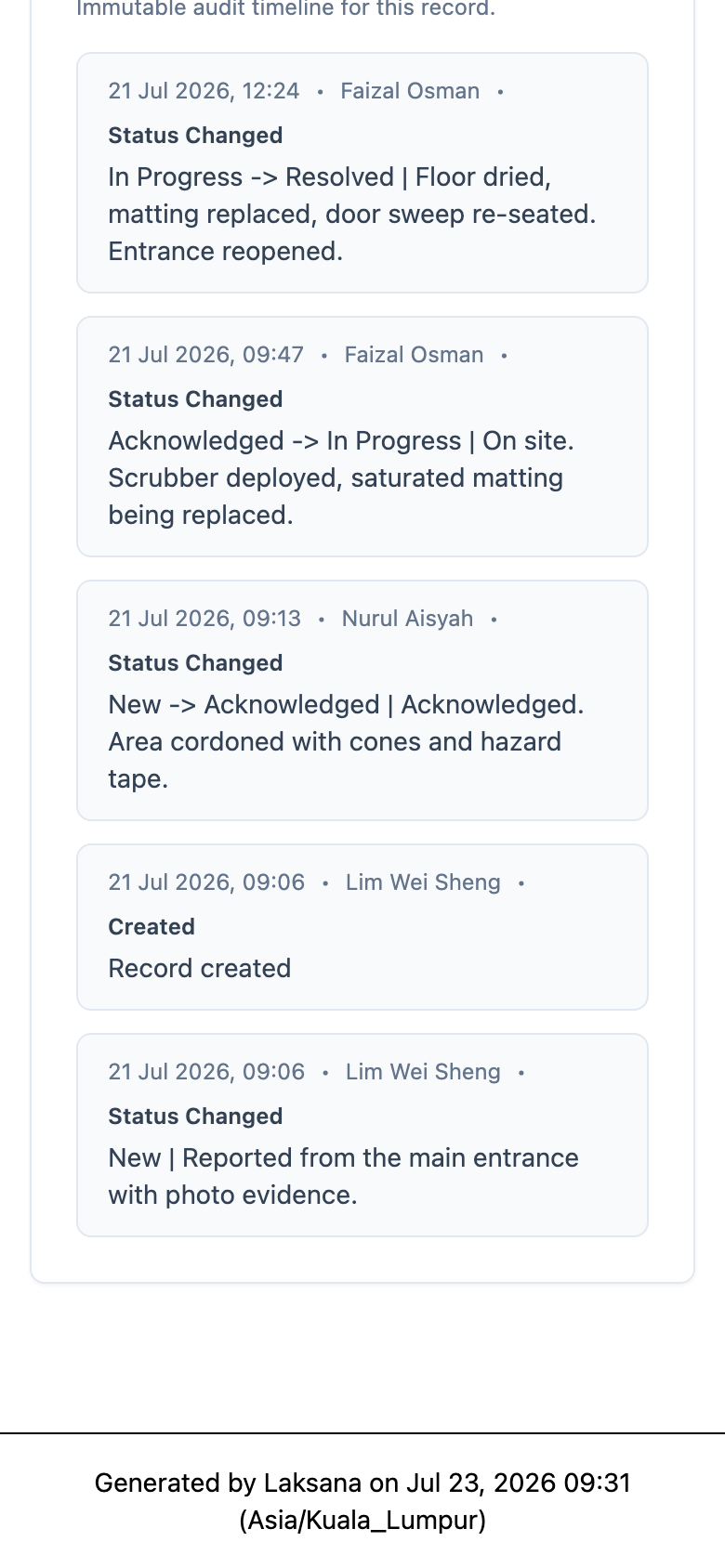
Once the job is marked resolved, the reporter can open the link and close the issue if it is fixed on their side.
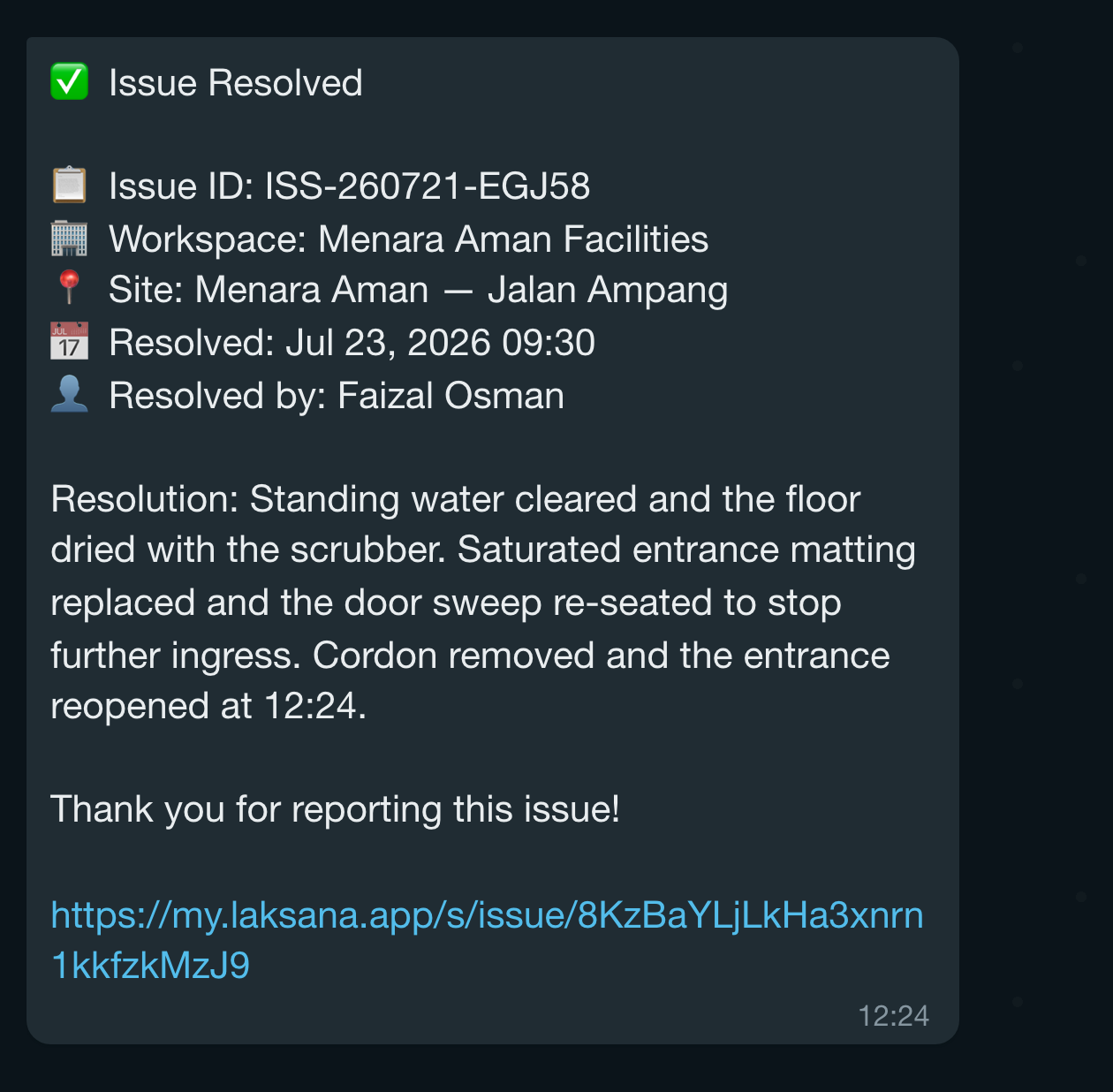
The reporter gets a message with the fix and a link to the record.
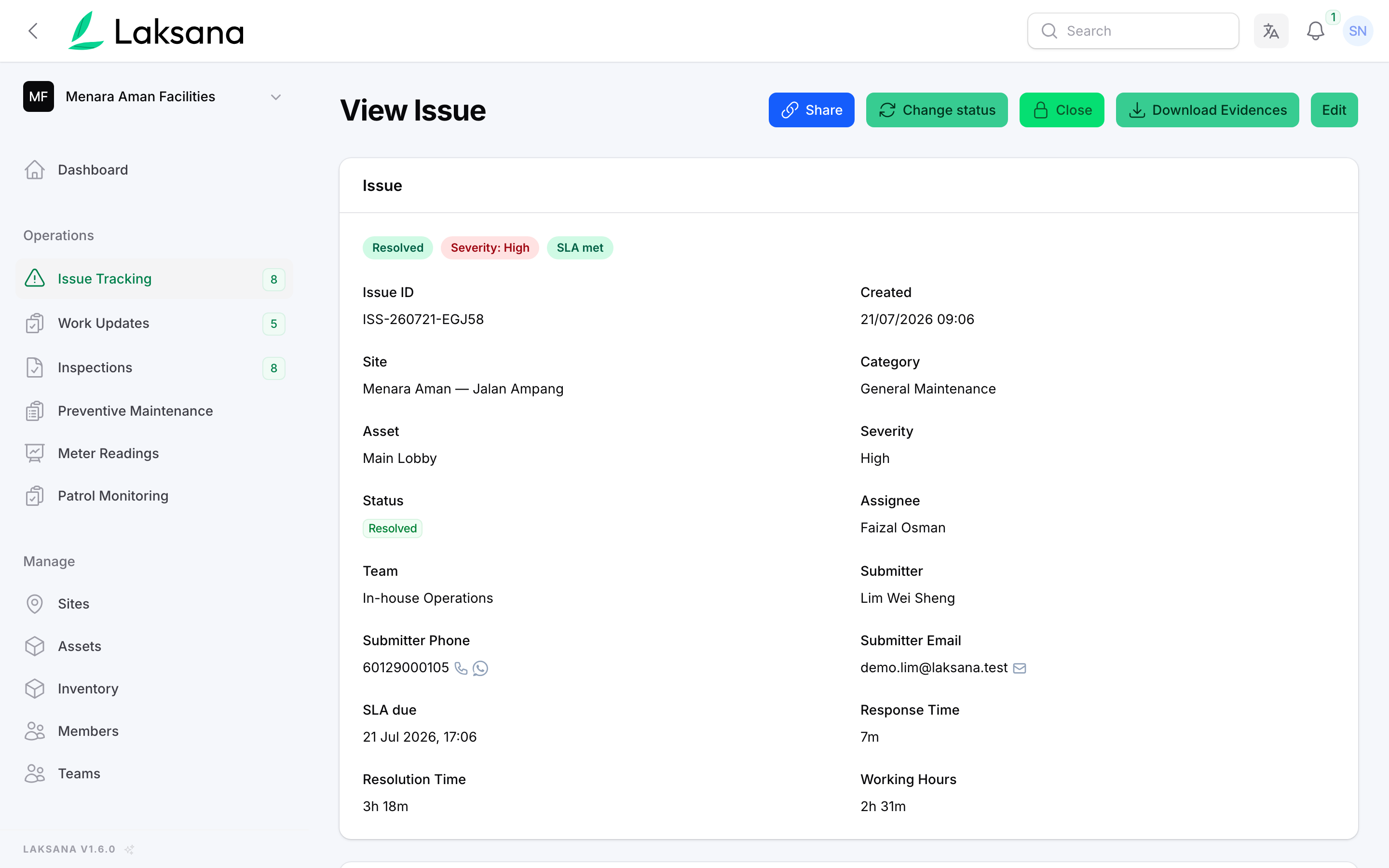
In the console, the issue shows the site, category, severity, who reported it and who fixed it, with its photos and history below.
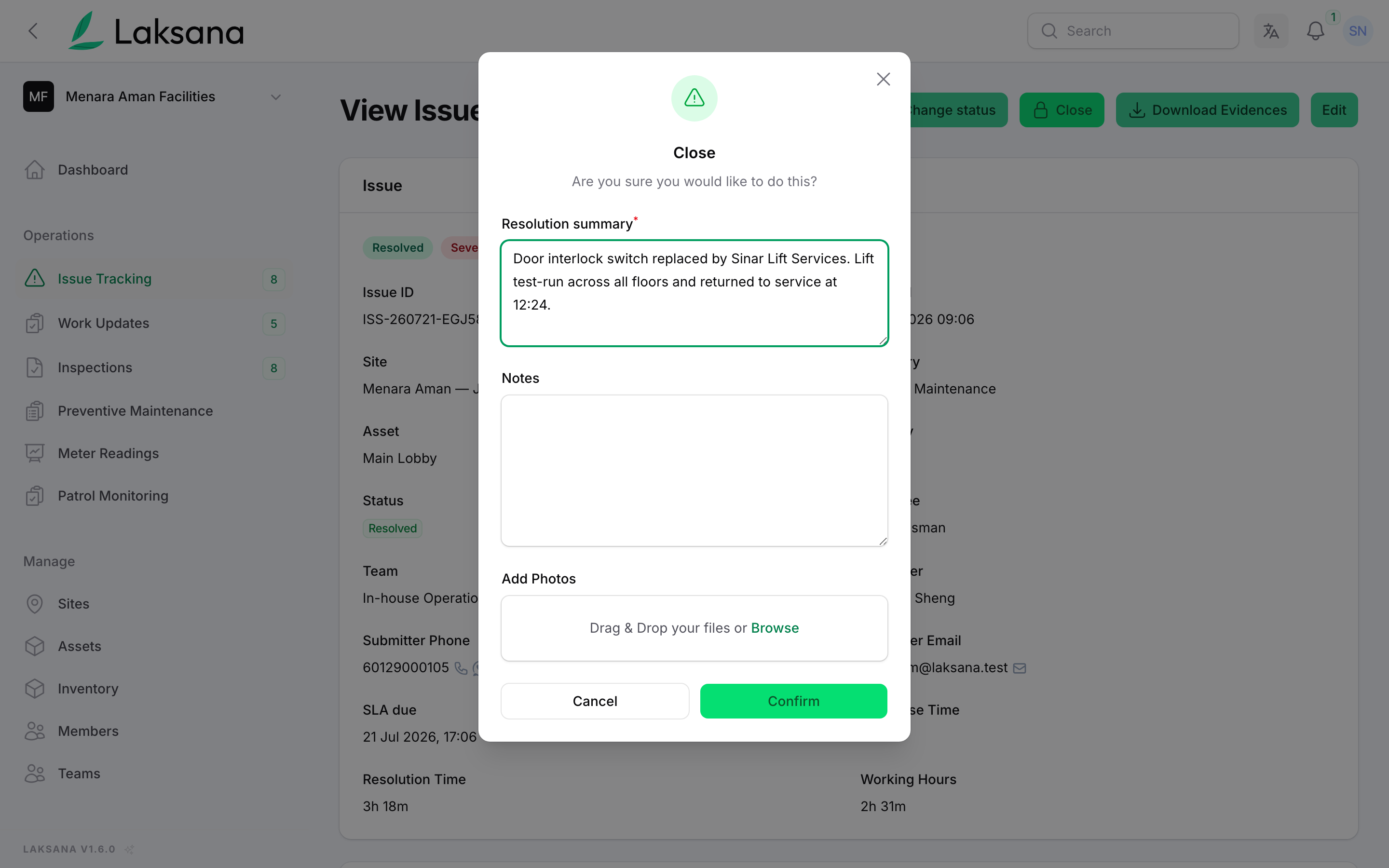
A supervisor or manager reviews the fix, writes a short summary and closes the issue. Photos can be added here too.
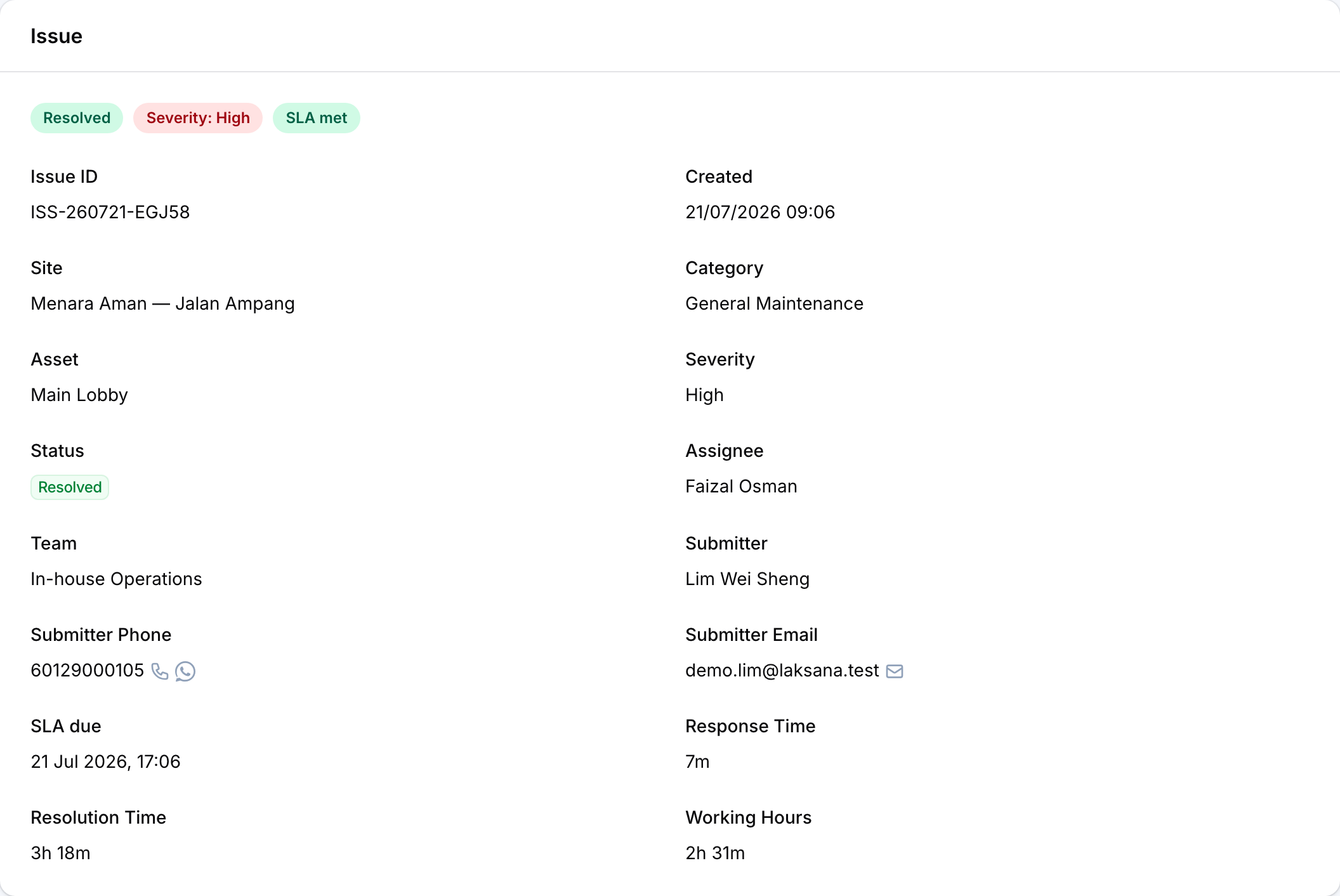
Response time and resolution time are saved on the issue itself, so you never rebuild them in a spreadsheet.
Asset & Area QR Tagging
Each asset and area gets its own QR code. Scan it to report a fault, log work or see what it is.
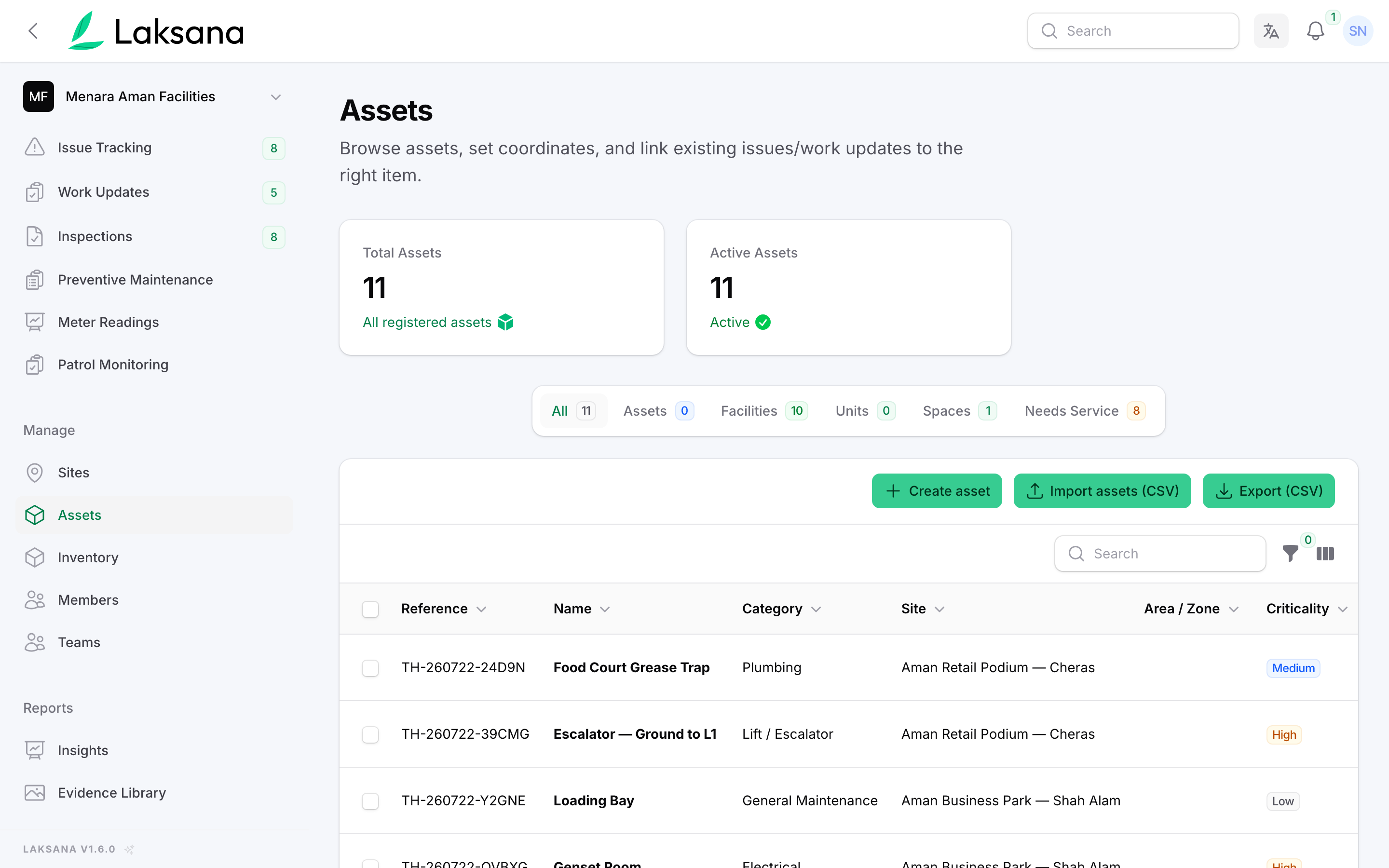
Assets lists everything you look after: equipment, rooms and areas, with how many need service.
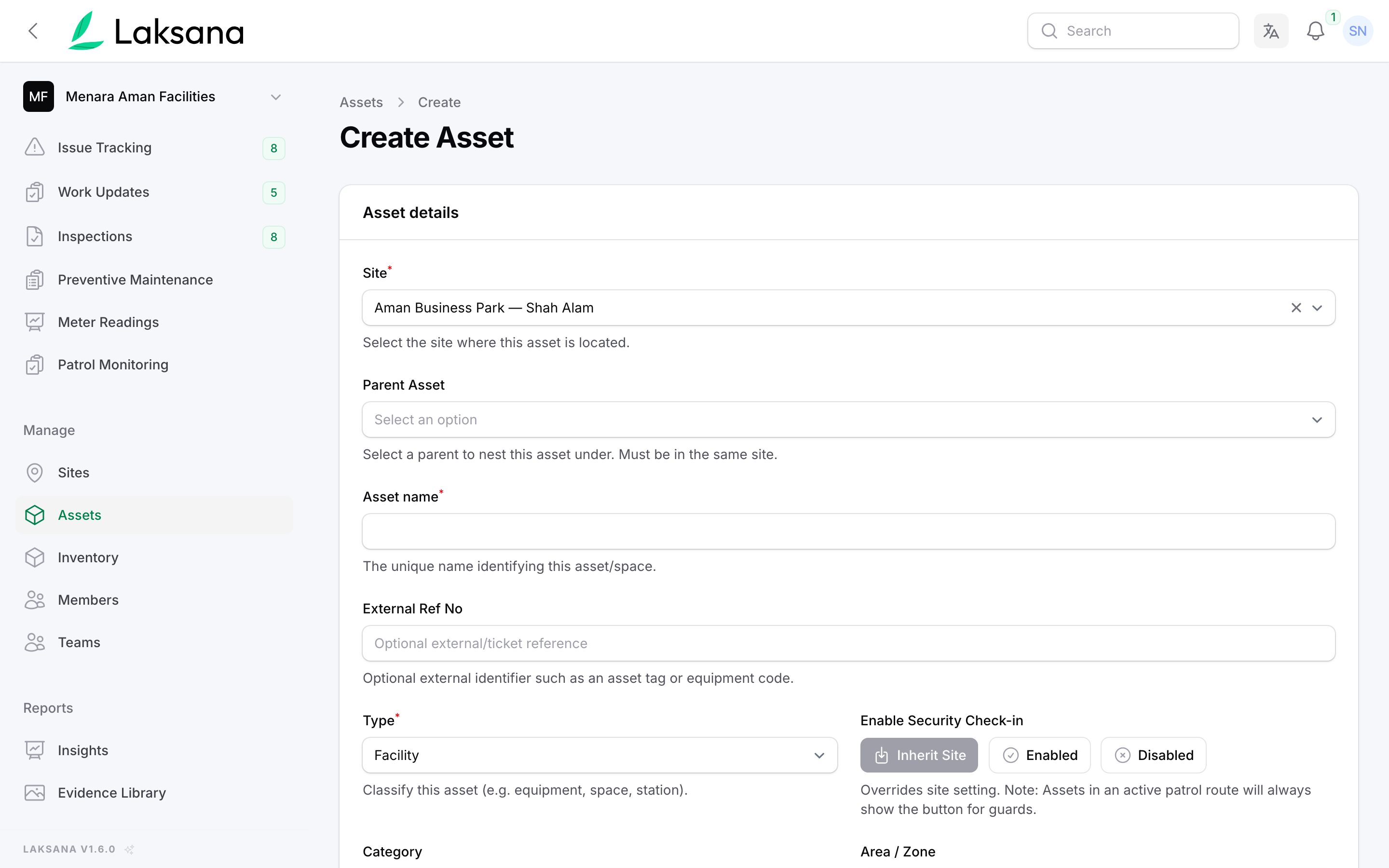
Add an asset with its site, name and type. You can also import a whole list from a spreadsheet.
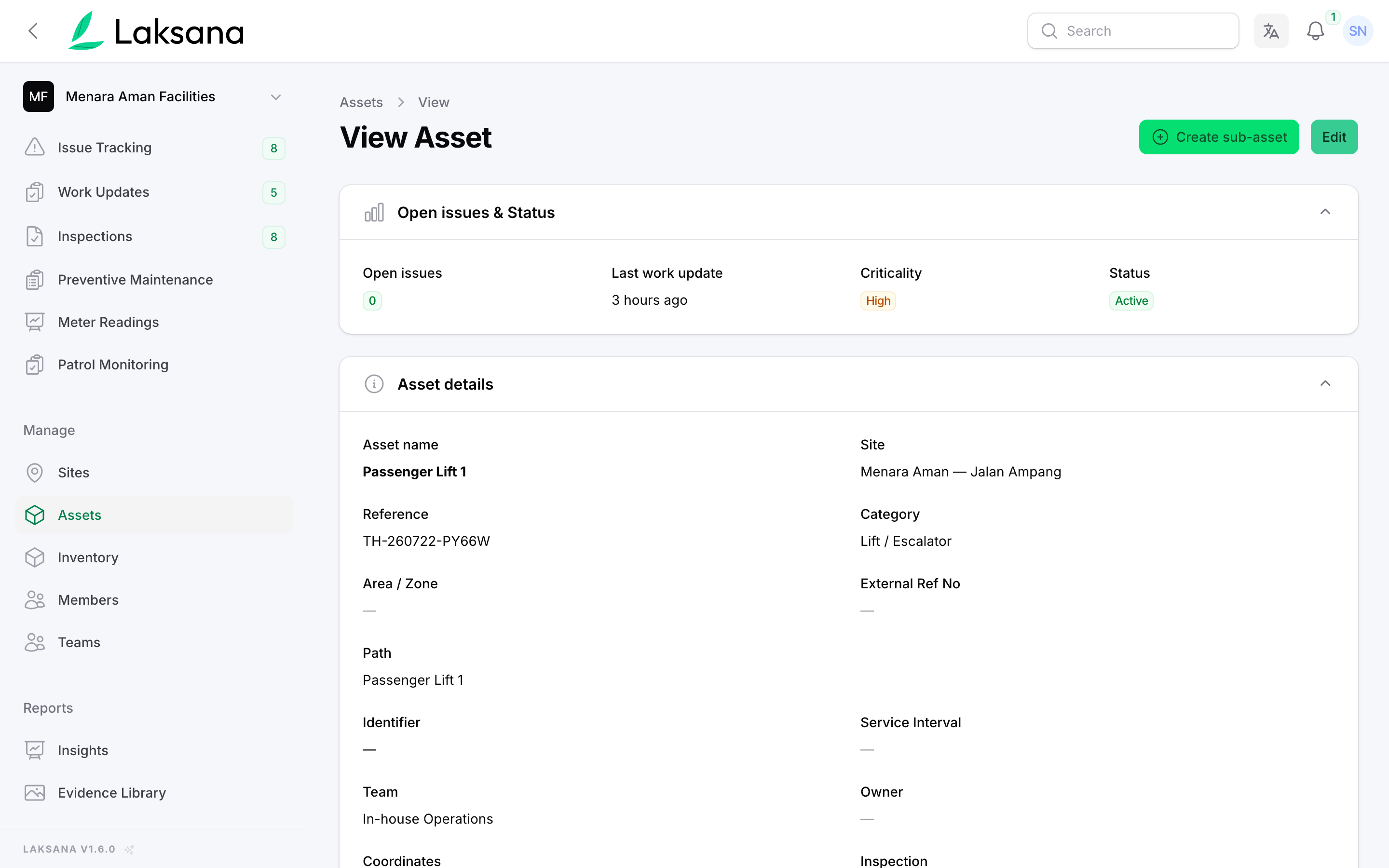
The asset page shows its details, open issues and recent work.
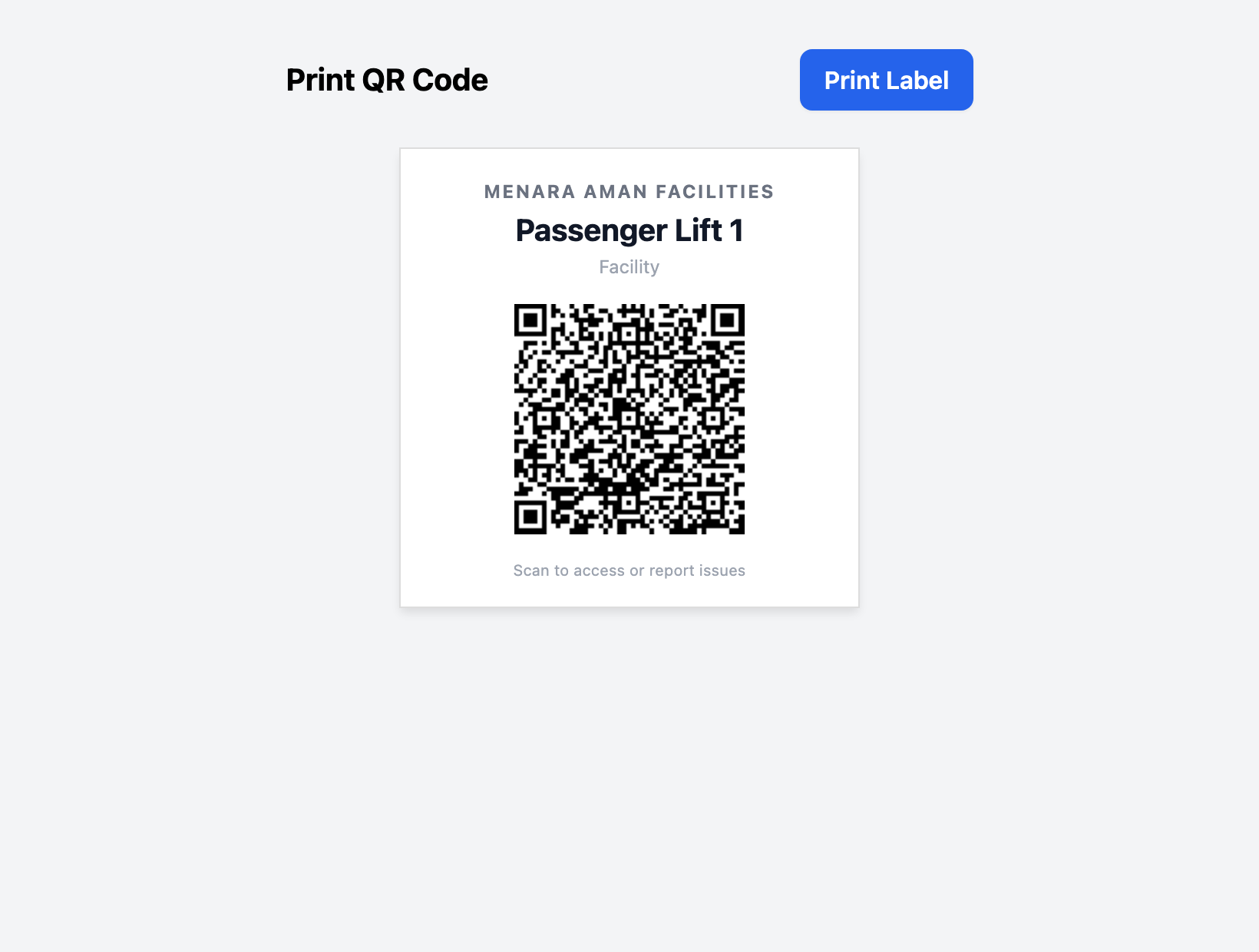
Print a QR label for the asset in one click.
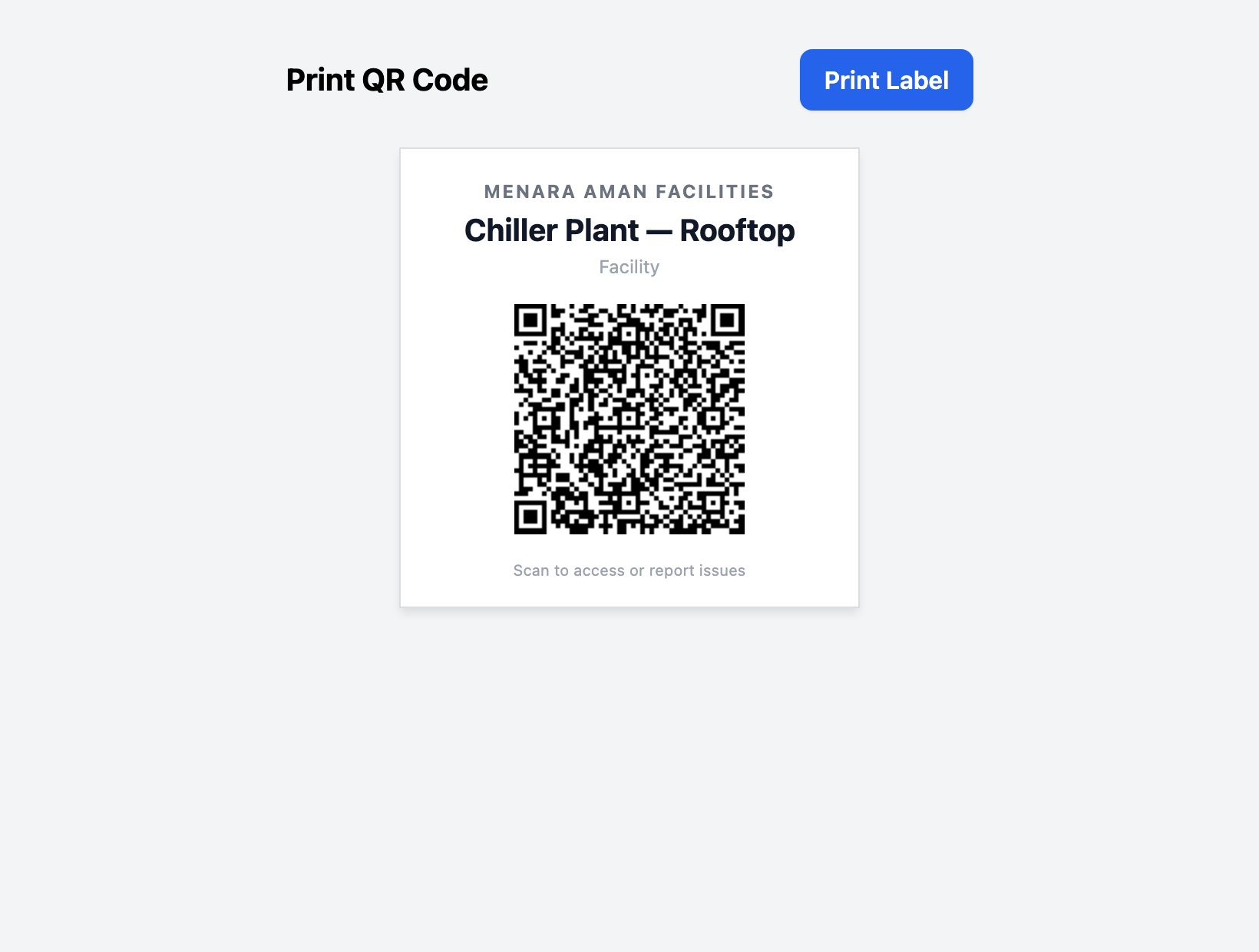
Put the label on the equipment or at the entrance to the area. One label replaces the clipboard.
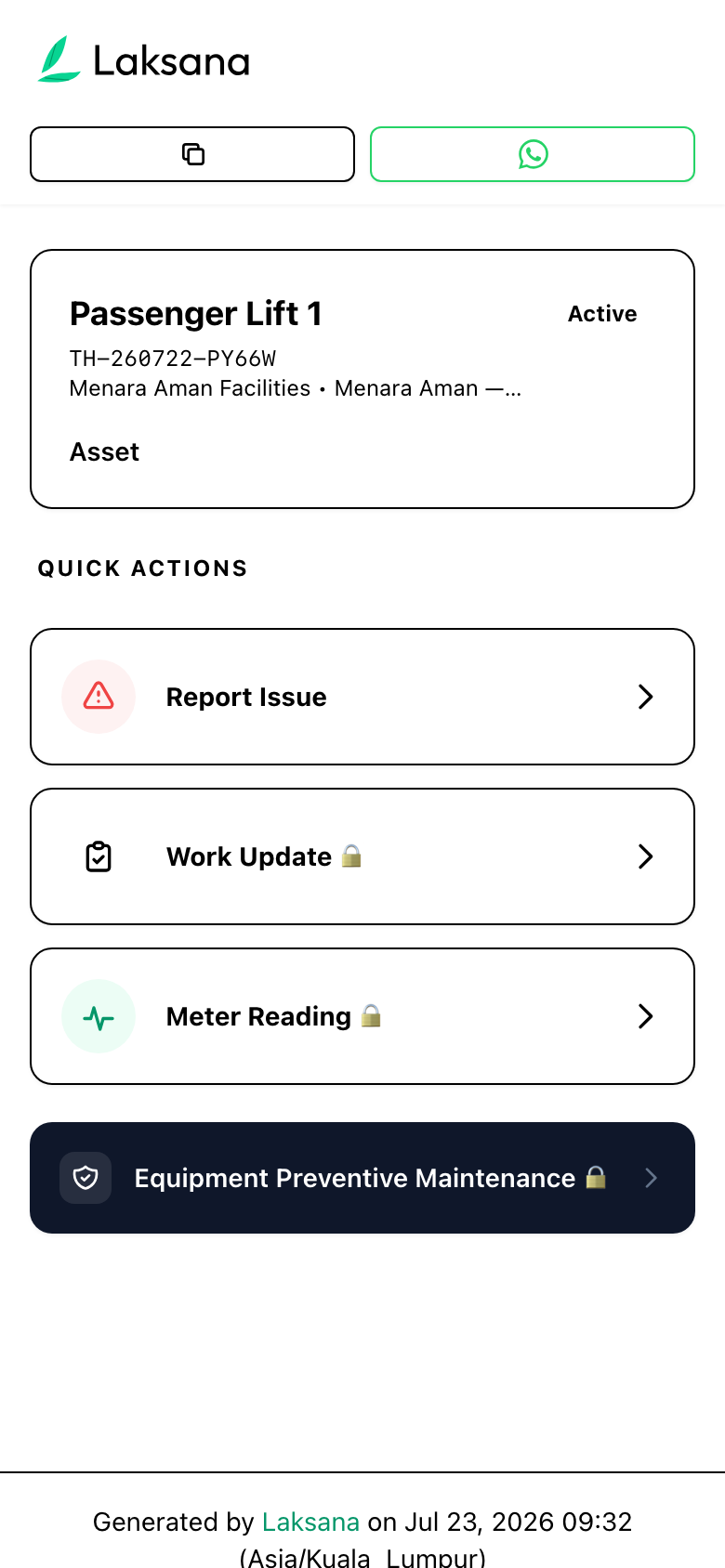
Anyone can scan the label to see the asset and report a fault. Staff actions ask for a one-time WhatsApp code first, so you know who did the work.
Preventive Maintenance
Servicing runs from checklists on a schedule. People are reminded, the work is recorded and a supervisor checks it.
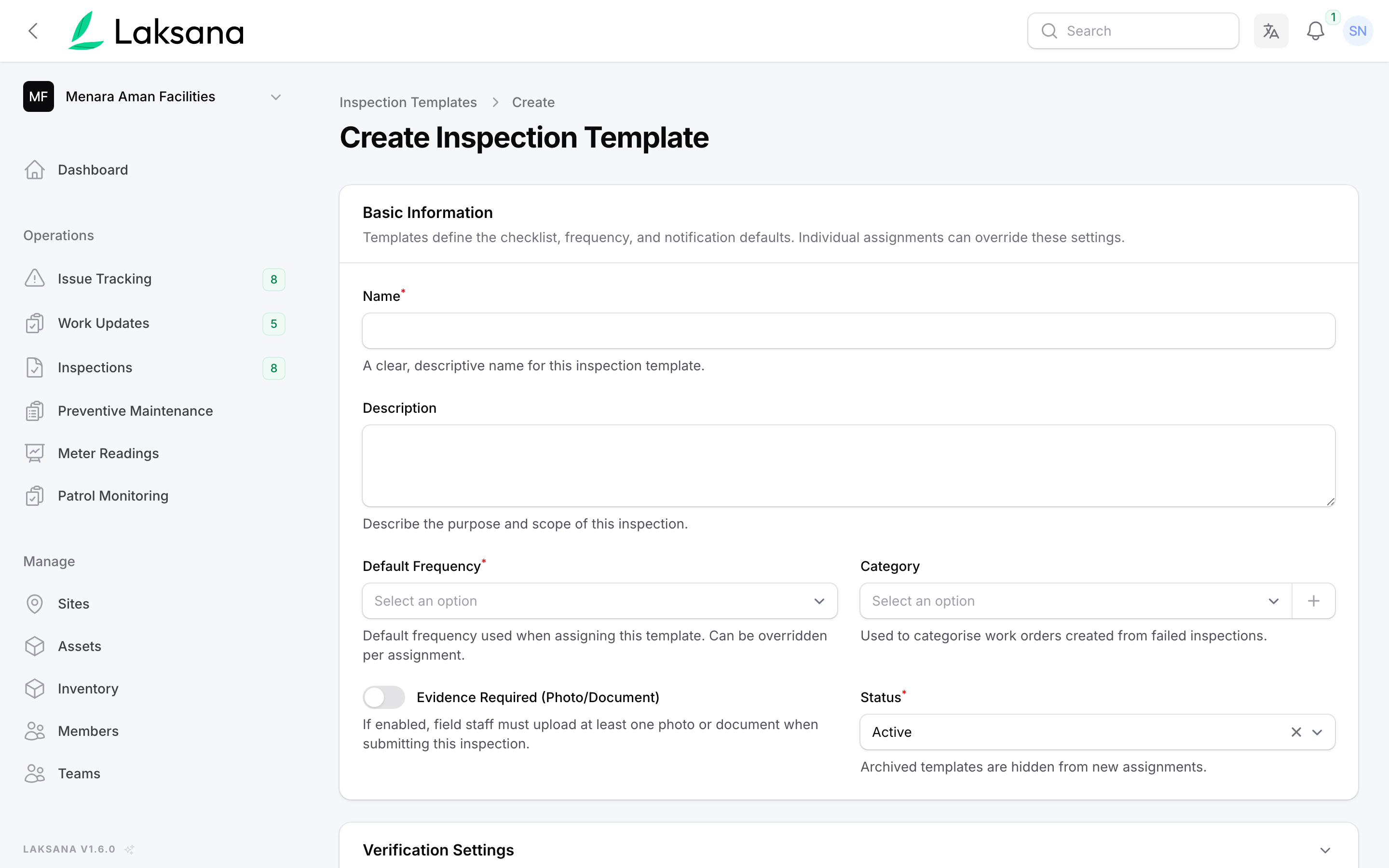
Create an inspection template: the checklist, how often it is due and whether a photo is required.
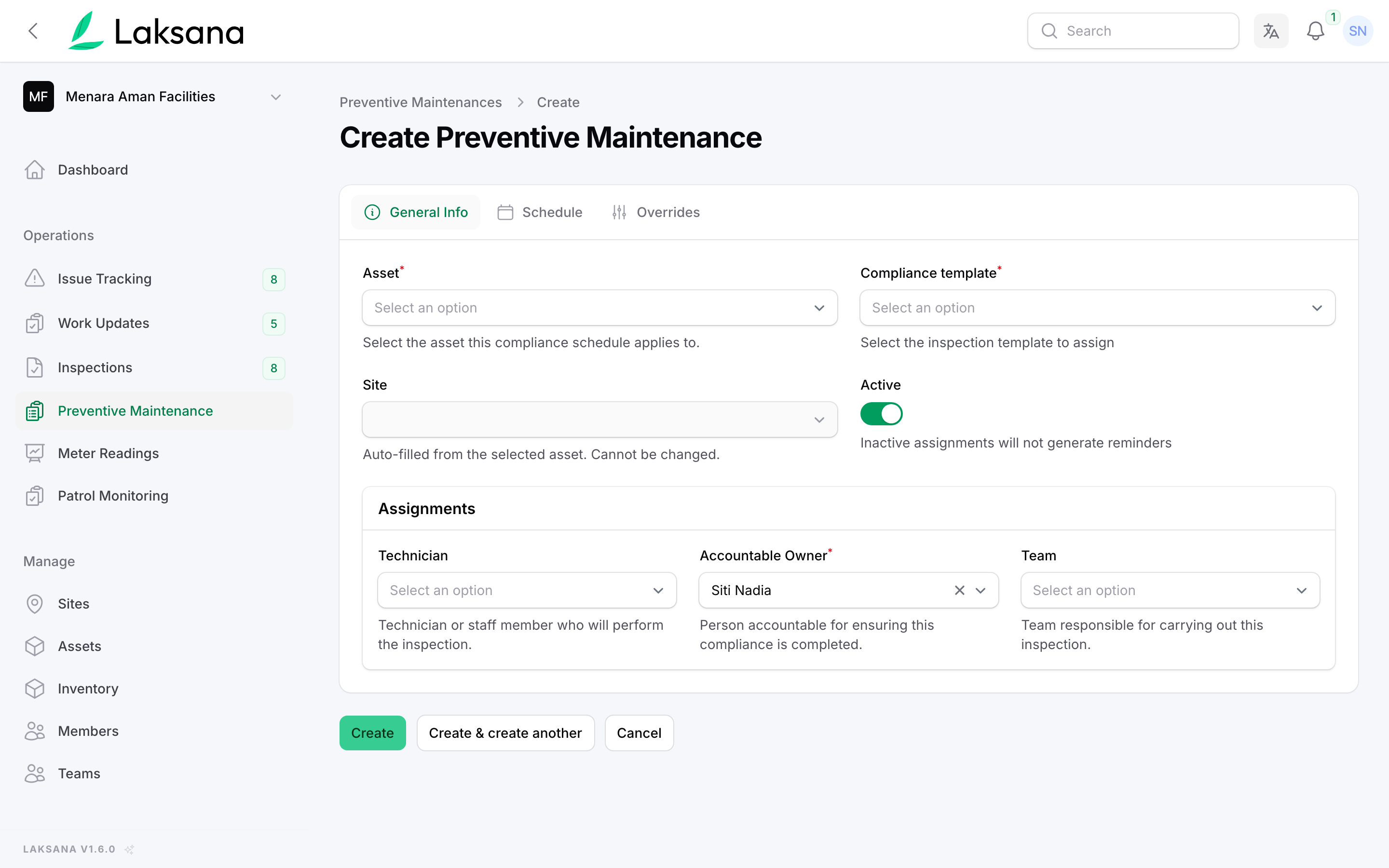
Attach the checklist to an asset and choose who does it and who is answerable for it.
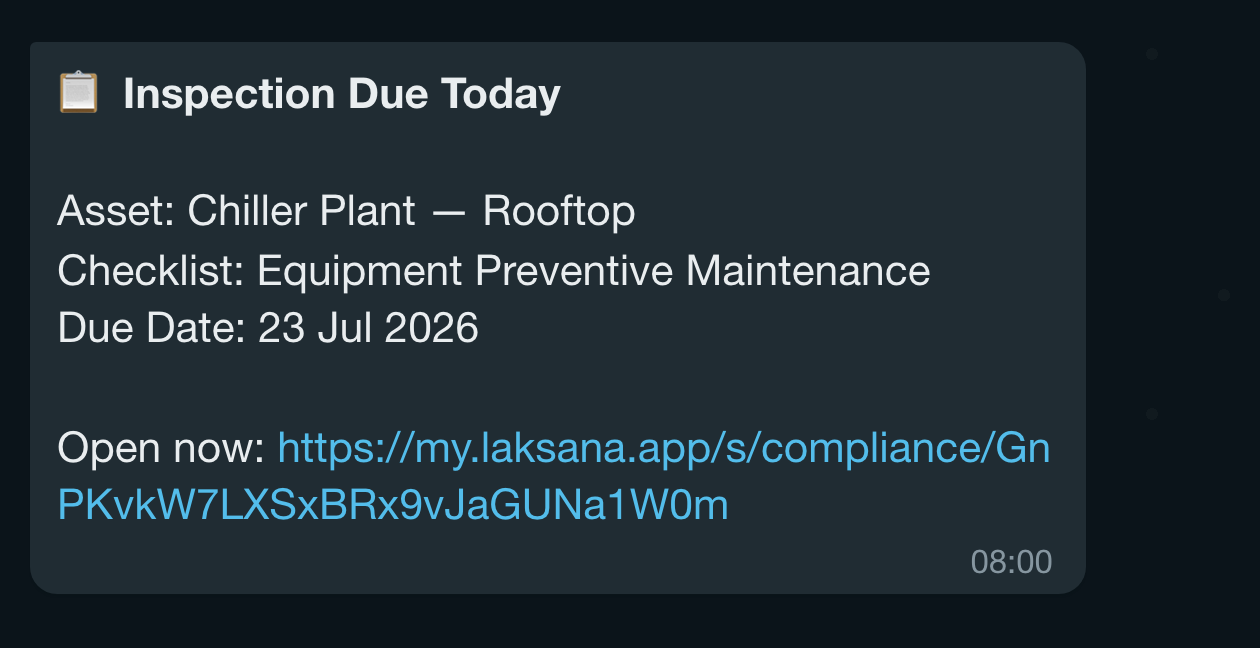
The technician is reminded the day before and on the day, with a link. By default, reminders go in the daily summary; you can send them straight away instead.
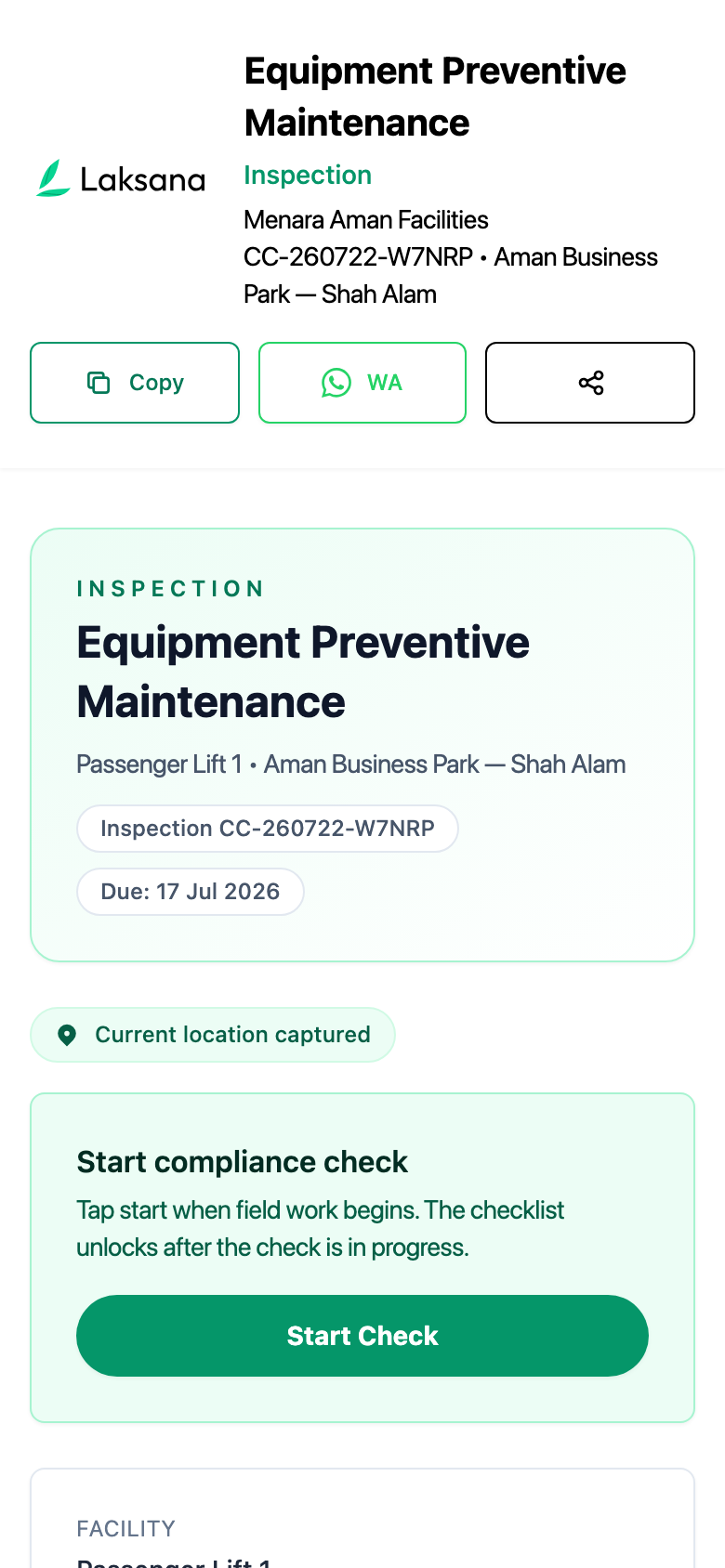
The link opens the checklist on the phone. Tap Start Inspection when the work begins.
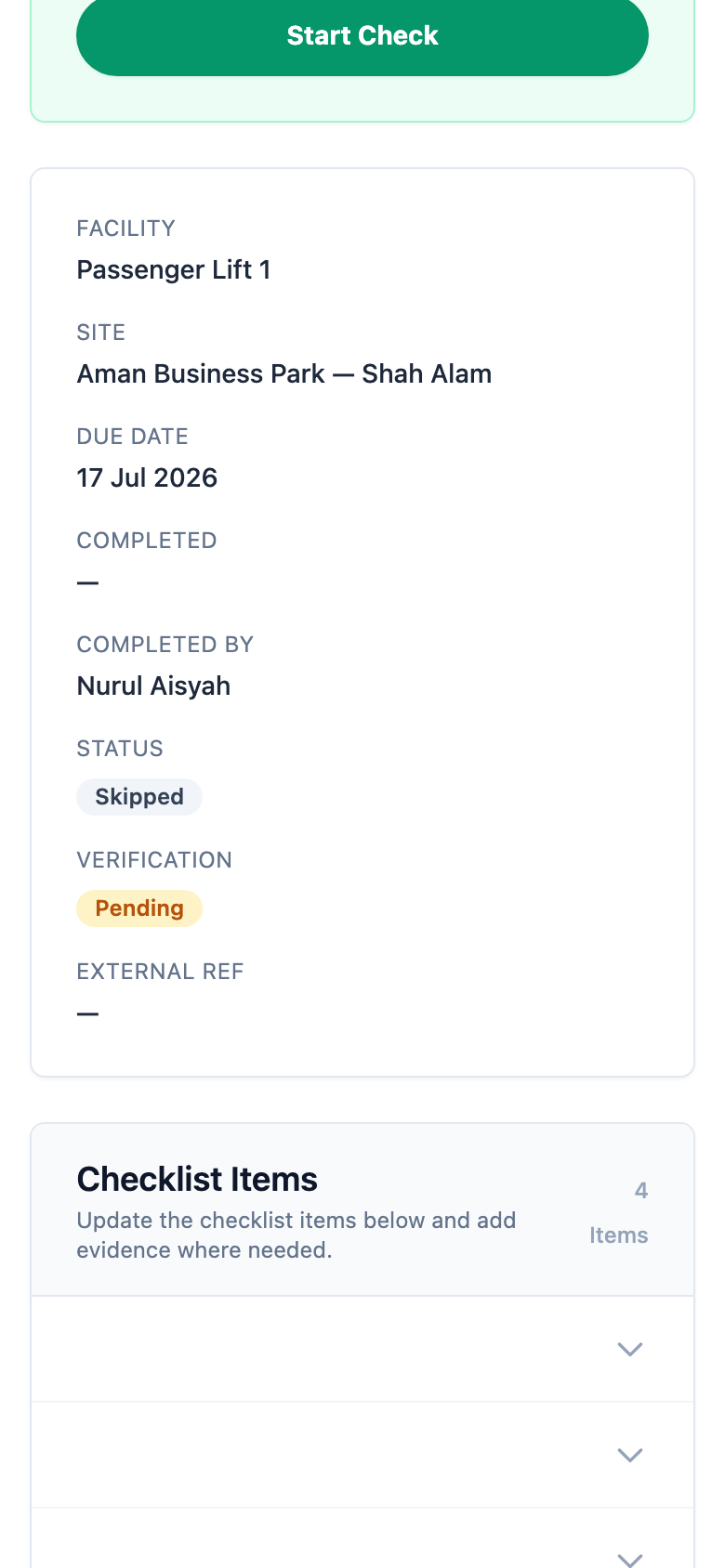
Mark each item Compliant, Non-Compliant, Needs Attention or N/A, add a photo and a note, then submit.
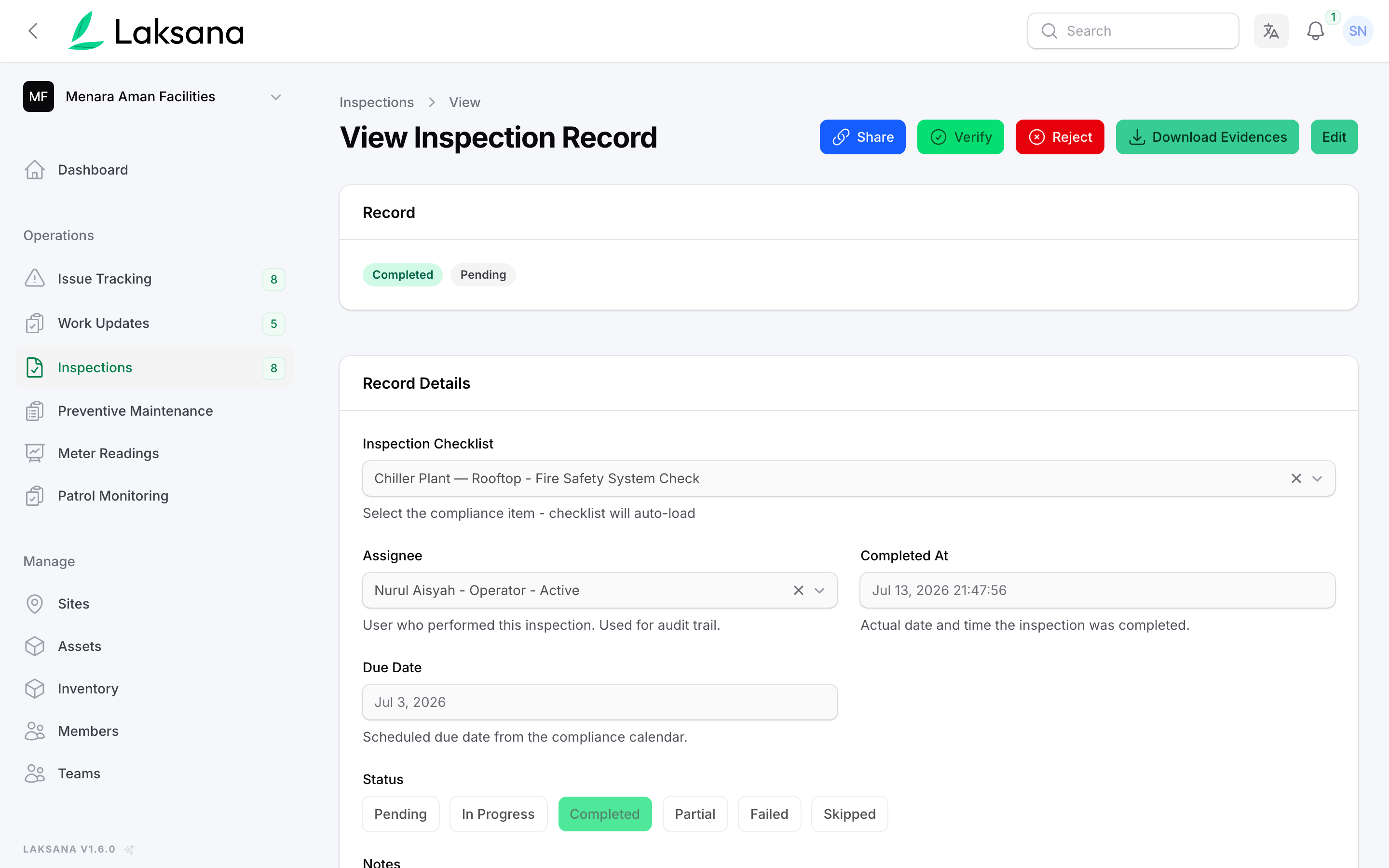
In the console, the inspection record shows who did it, when, and the result of every item.
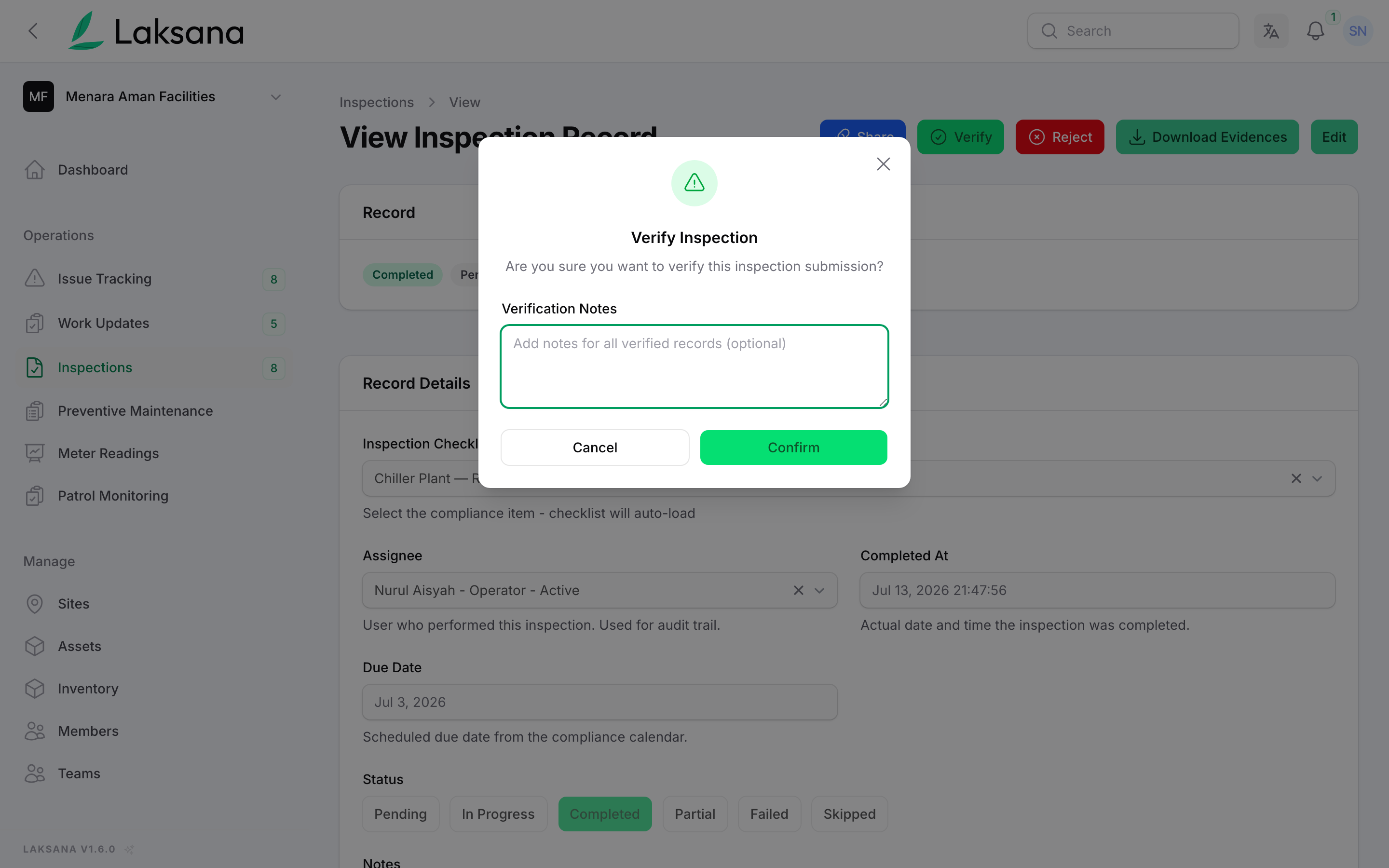
A supervisor taps Verify, adds a note if needed, and the record is ready for an audit.
Work Orders
A job becomes a work order you approve, schedule and move across a board. A contractor can finish it from a link, with no login.
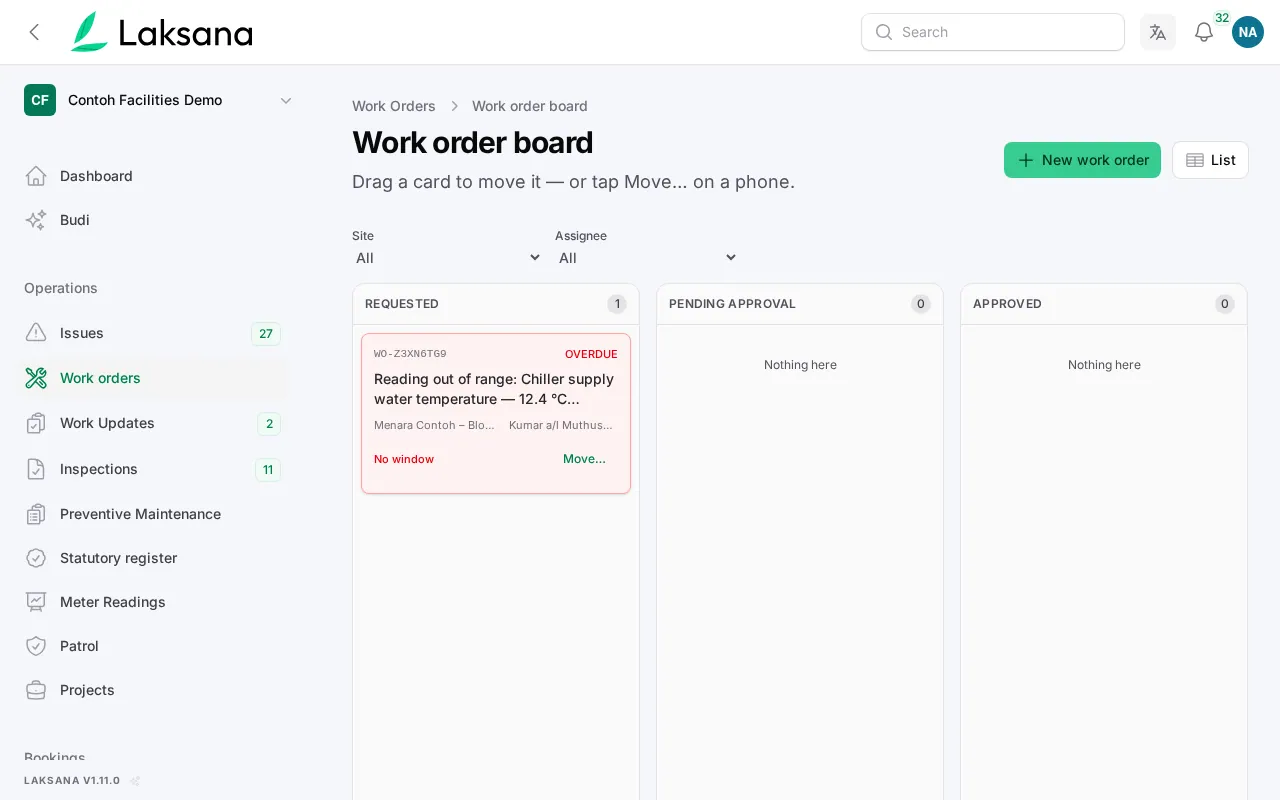
Each column is a step, from Requested to Completed. Drag a card to the next column and Laksana asks for what that step needs, such as a time window, a reason or a photo.
Inventory Ops
Stock counts done on a phone, barcode scanning that never guesses, and parts taken off stock when they are used on a job.
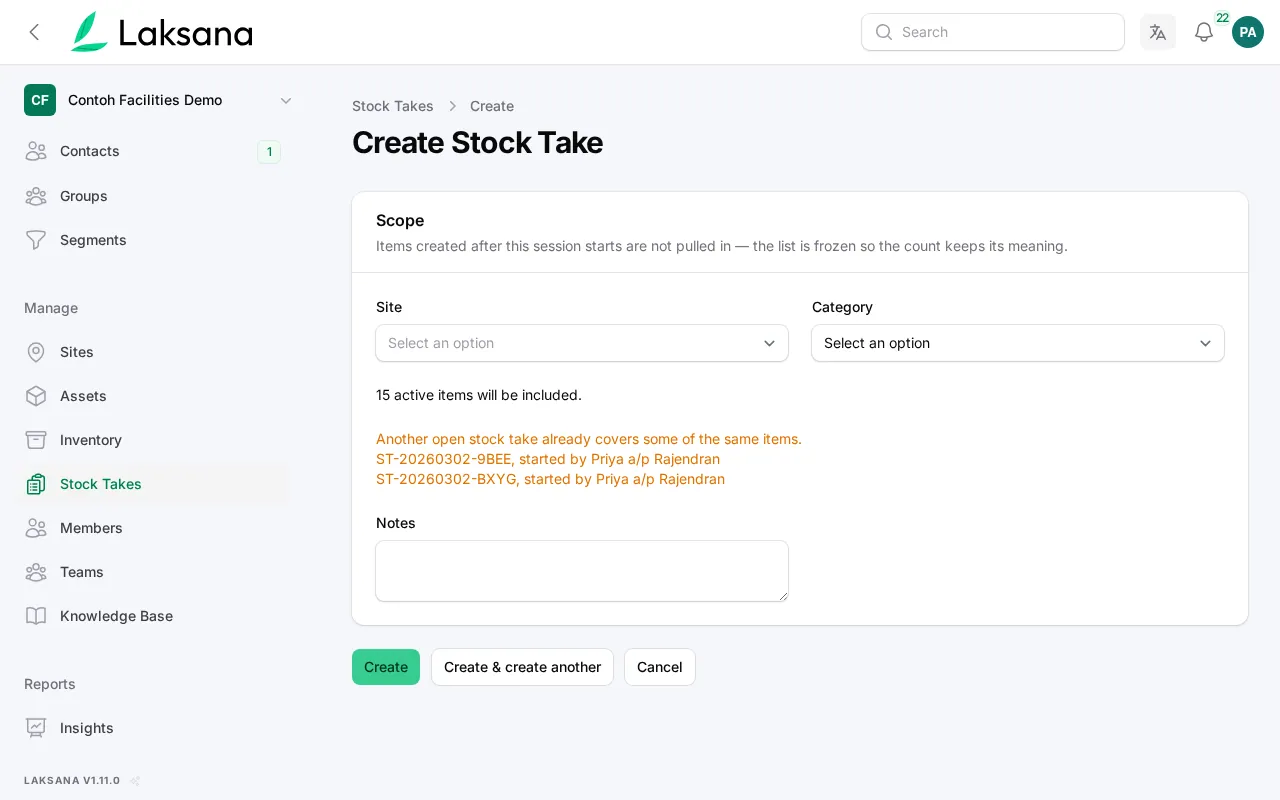
Start a stock take for one site or category. Laksana shows how many items are included before you begin.
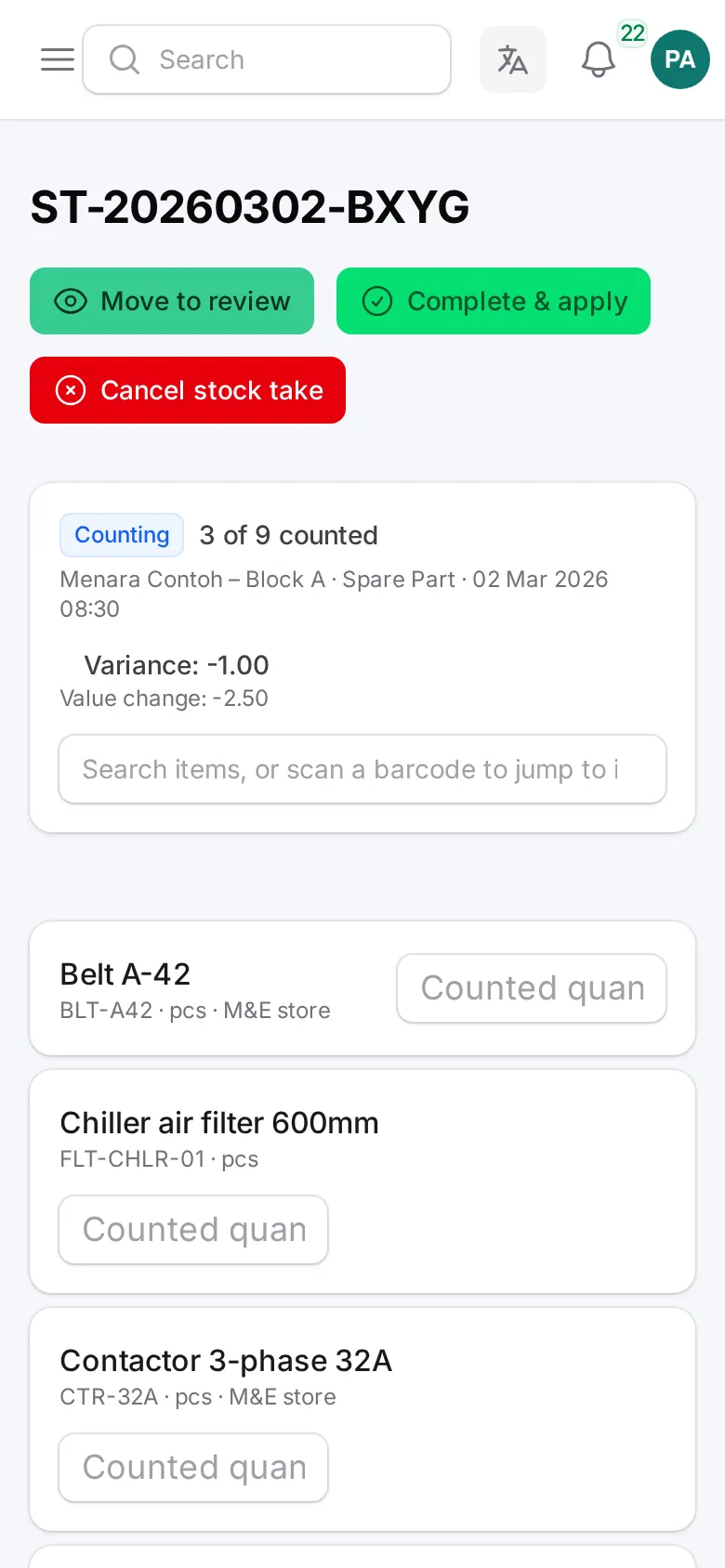
The count screen is built for a phone in a store room, with large boxes for each number.
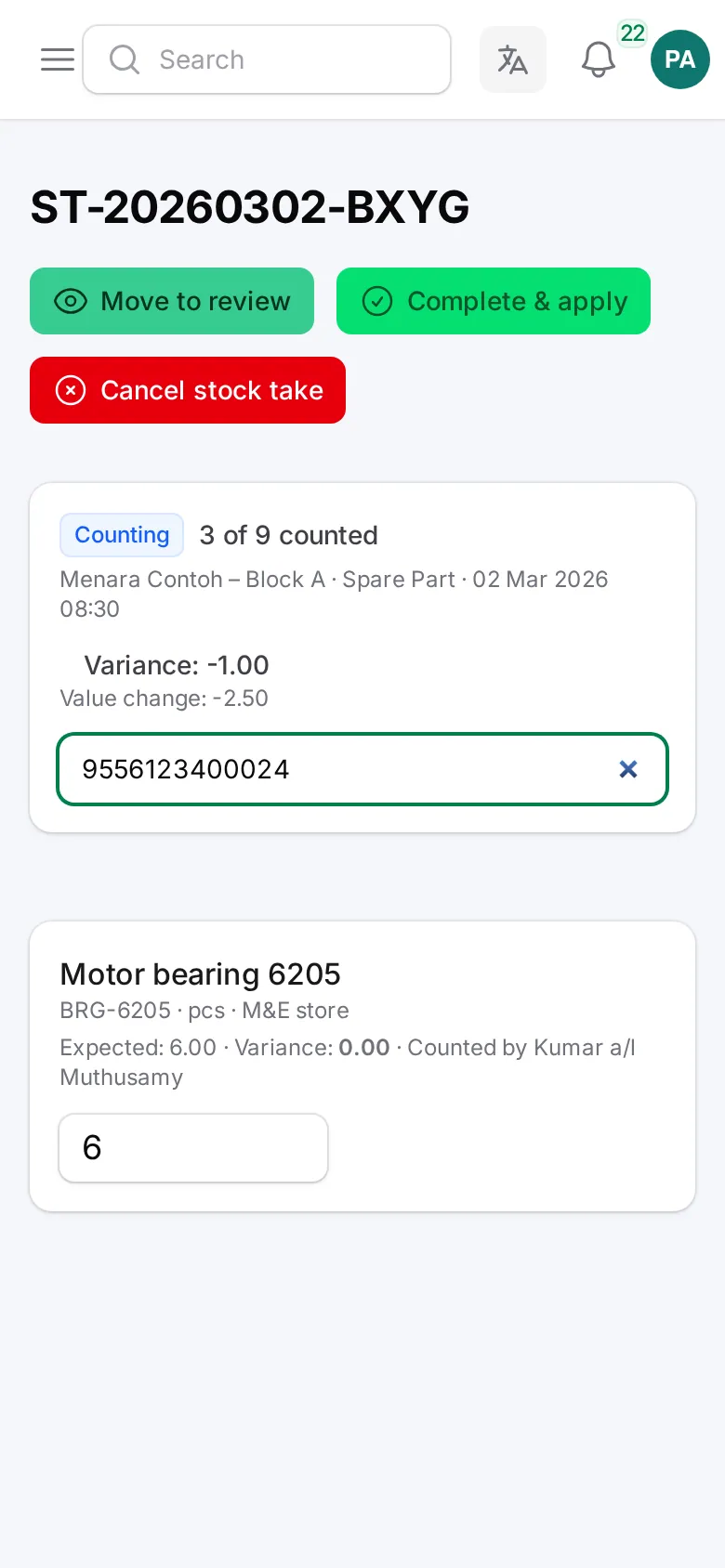
Scan a barcode with the phone camera or a handheld scanner to jump to that item. If two items share a code, both are listed and you pick the right one.
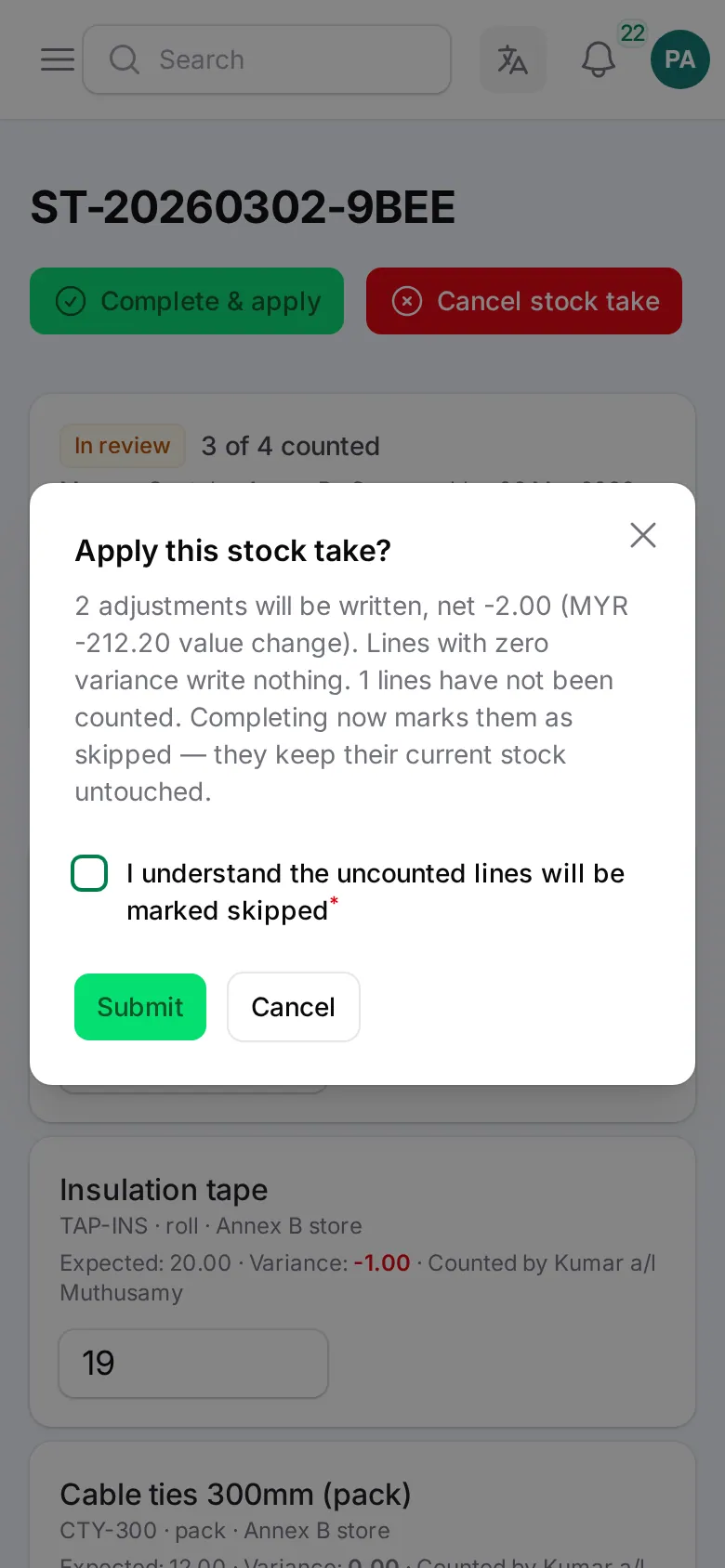
Before the count is applied, Laksana shows what will change. Any item you did not count must be confirmed first. Nothing changes without you seeing it.
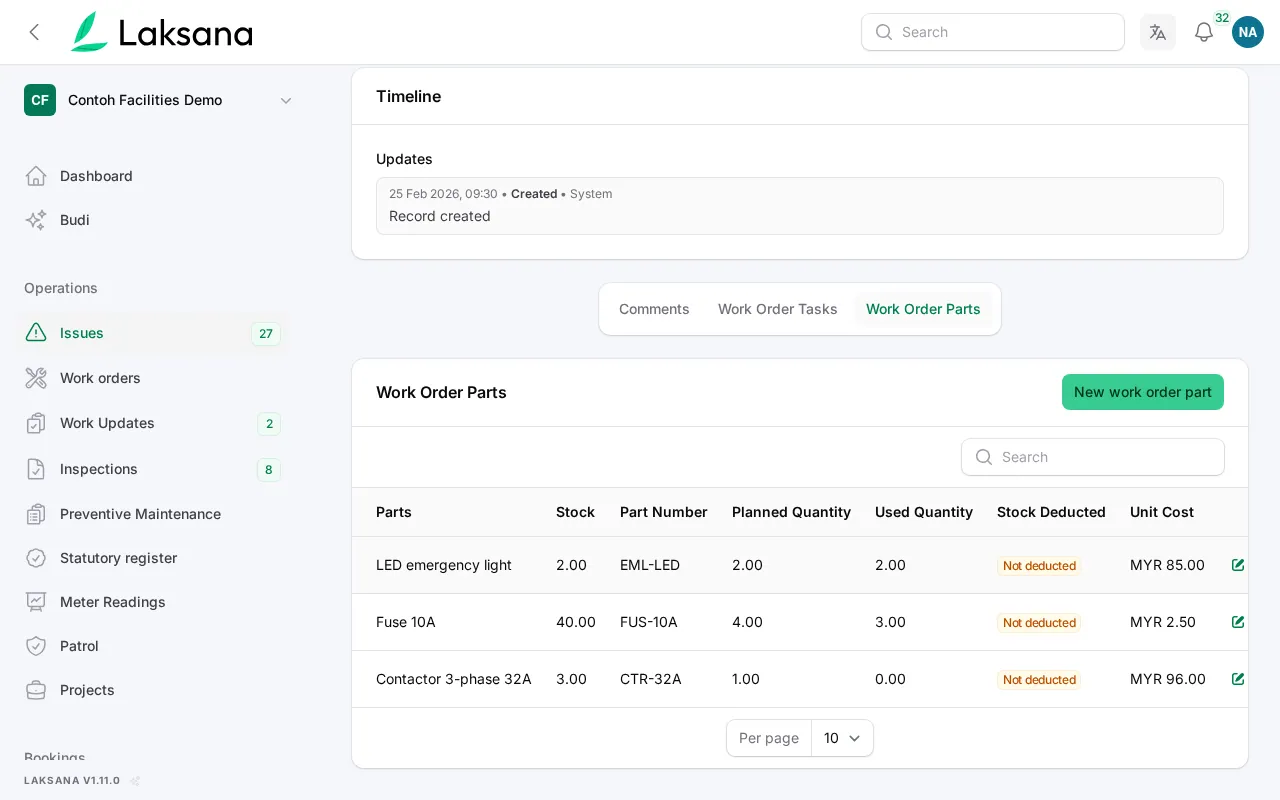
Log a part against a work order and it comes off stock once. Reopening the job does not take it off again.
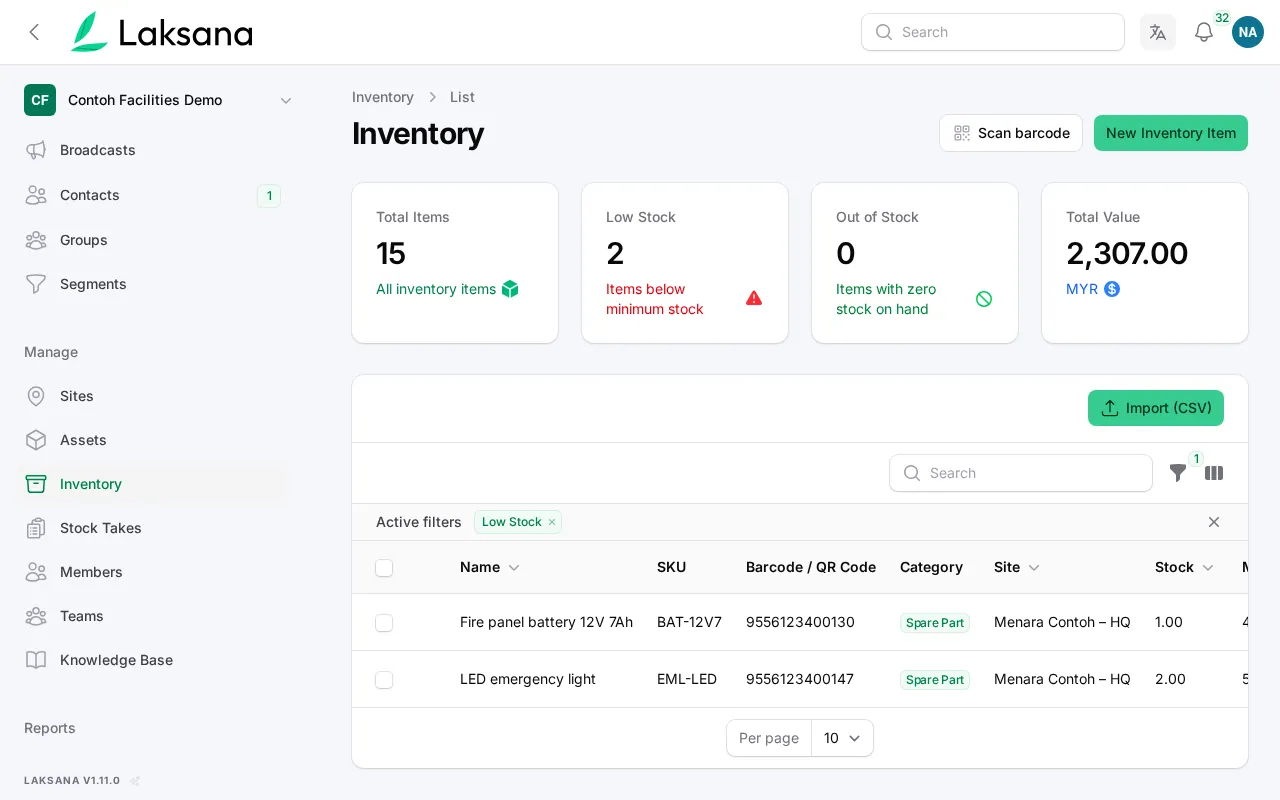
When stock runs low, the item is flagged in Inventory and owners and managers are told by email. After a restock, the alert is ready to fire again.
Compliance Checklist
Areas and equipment are checked on schedule, with photos, so you can answer any audit.
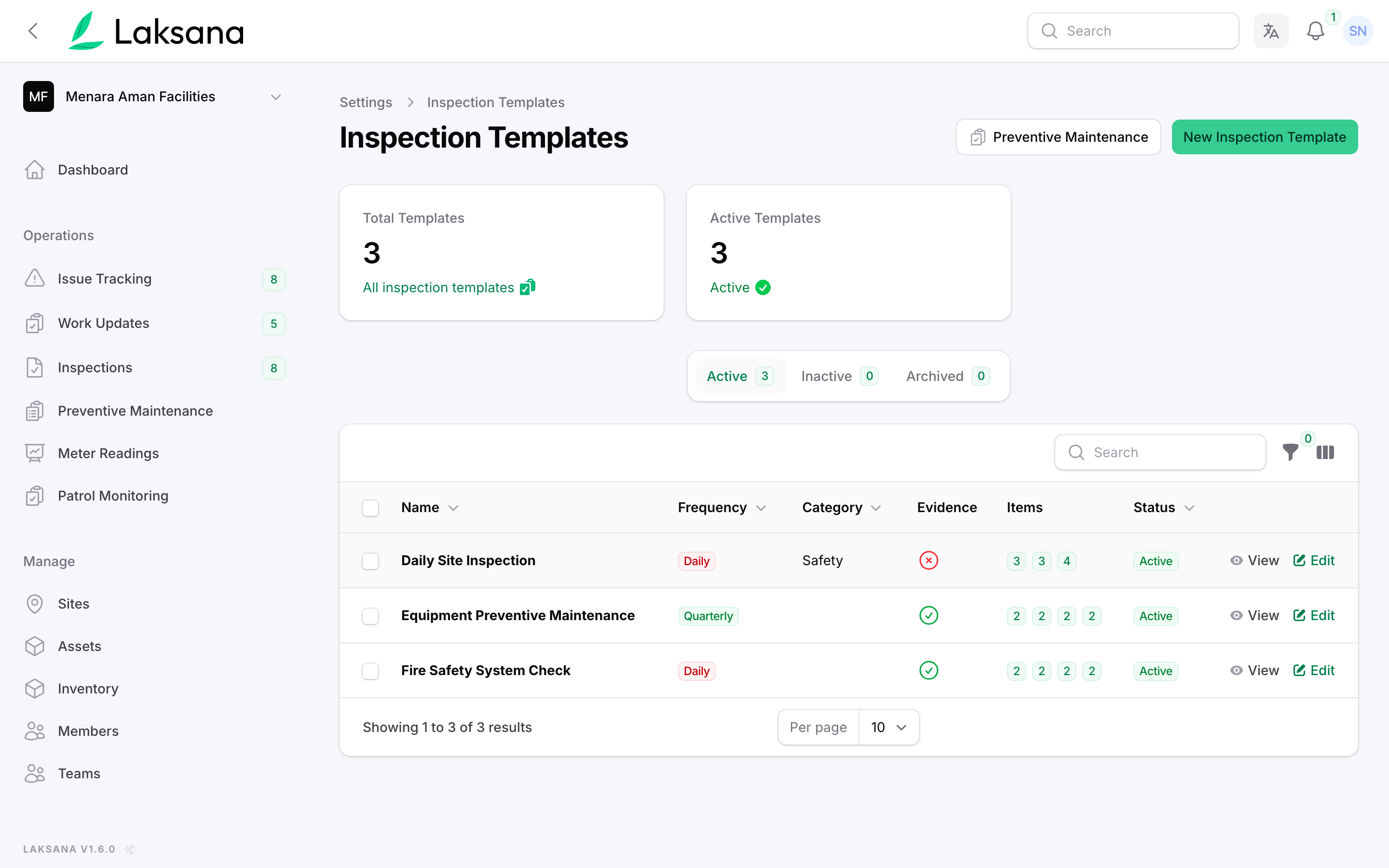
Inspection Templates holds your checklists, such as daily site checks, weekly fire safety and monthly lift maintenance, with how often each is due.
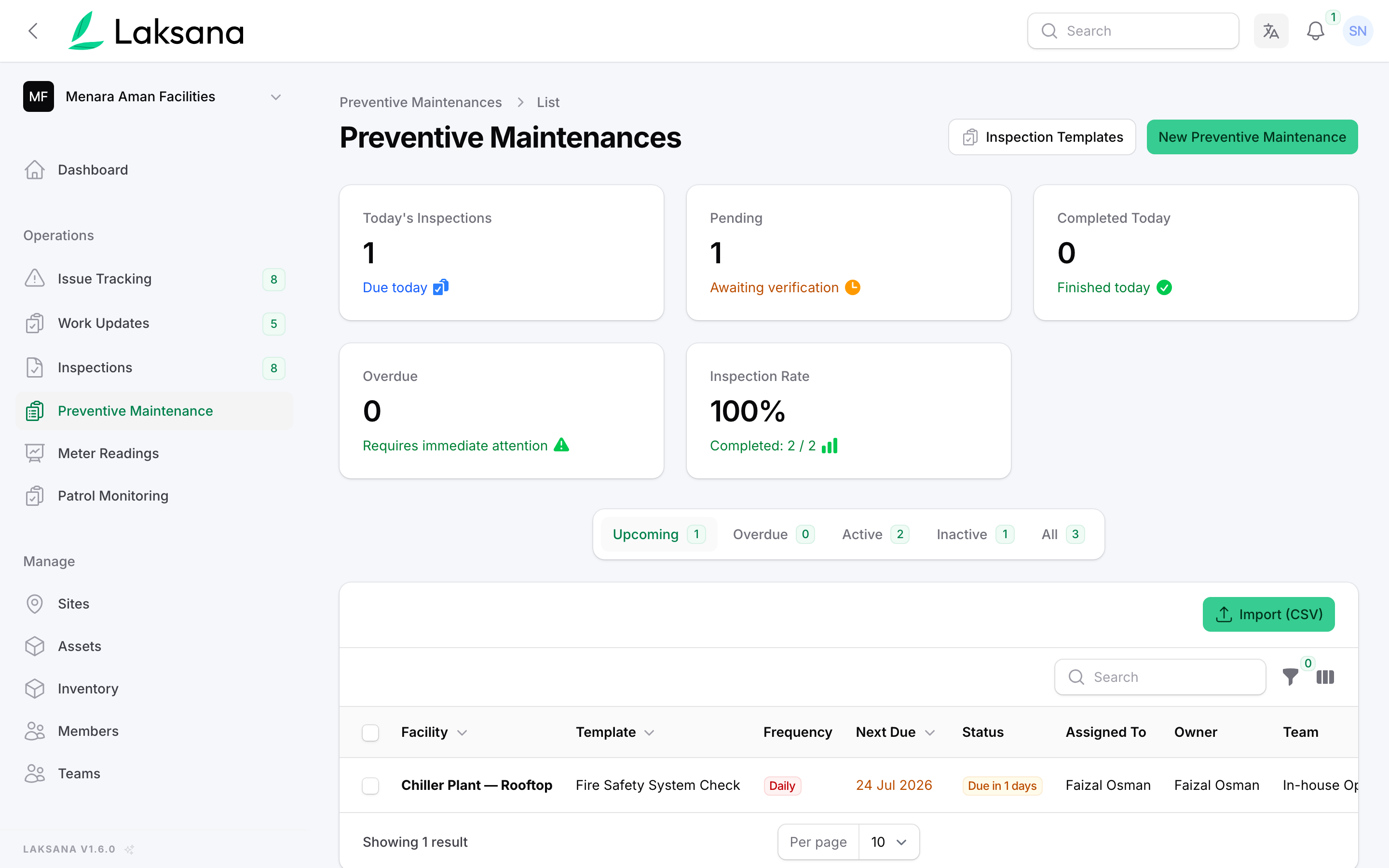
Each check is linked to an asset or area, with its next due date. Overdue checks show in red.
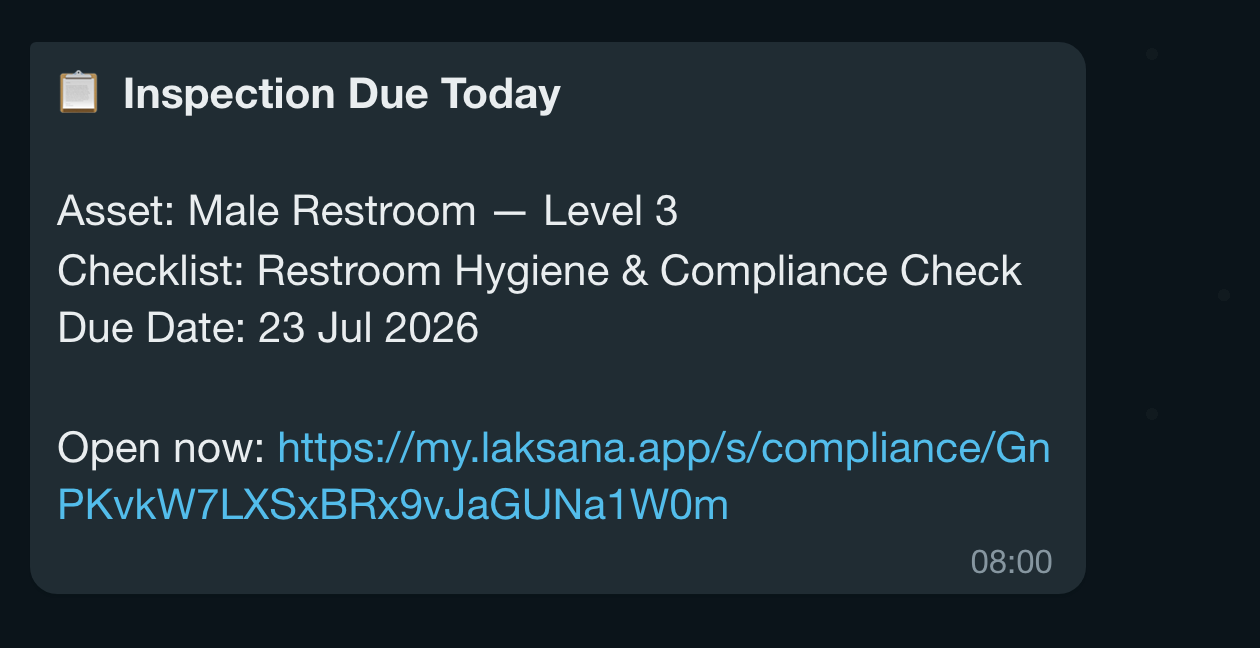
The person doing the check is reminded with a link to the checklist.
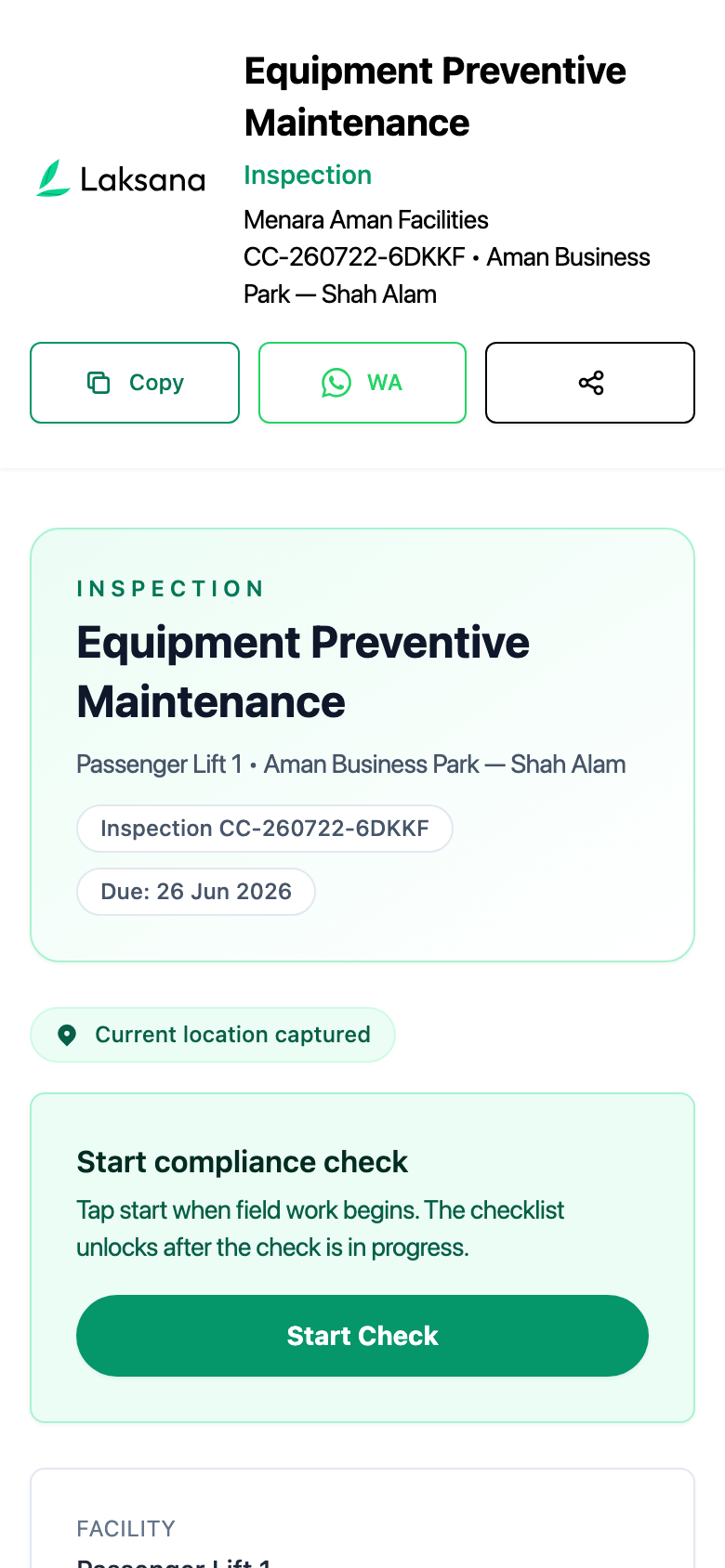
Opened outside the chat, the link asks for a one-time WhatsApp code, so only your own staff can submit. From the chat link, it opens straight away.
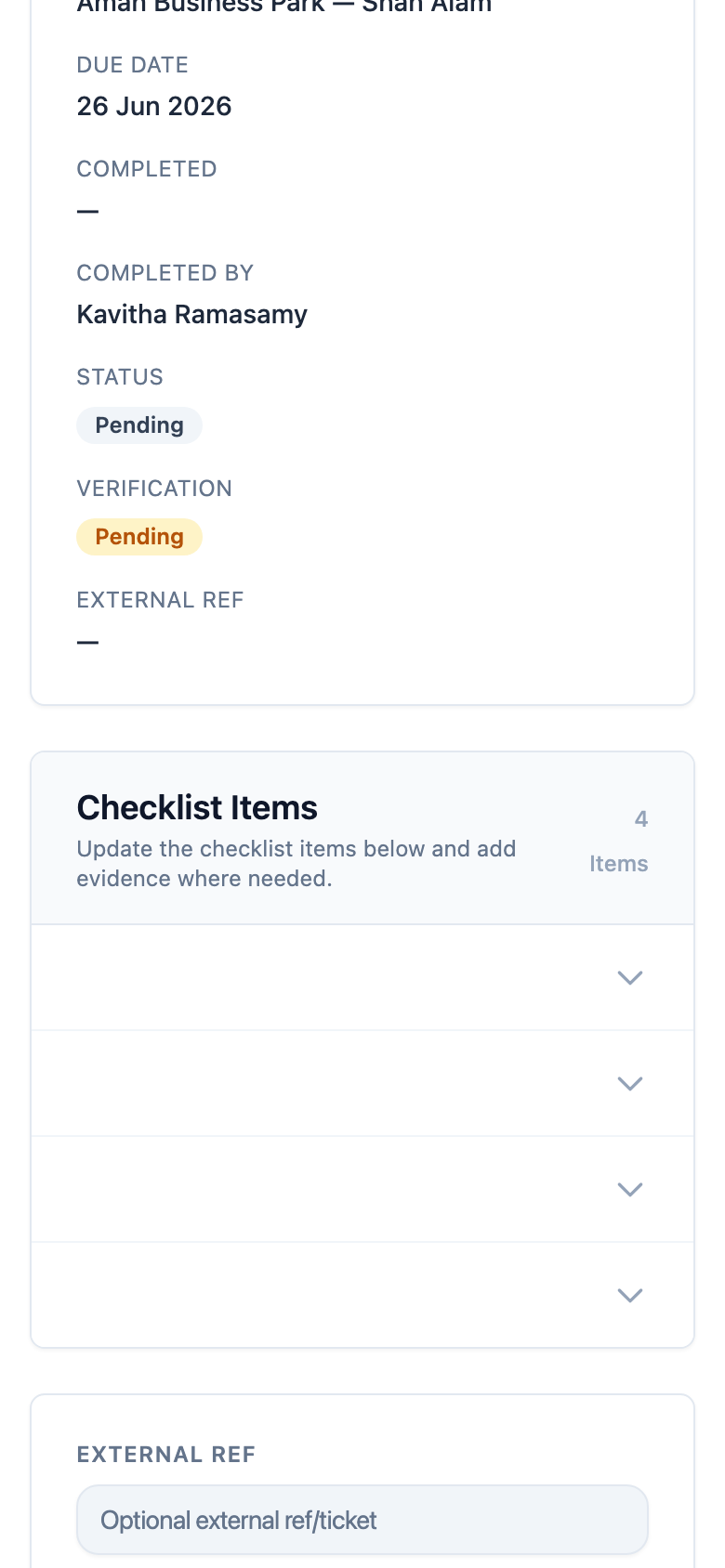
Mark each item, add a photo where needed and write a short note.
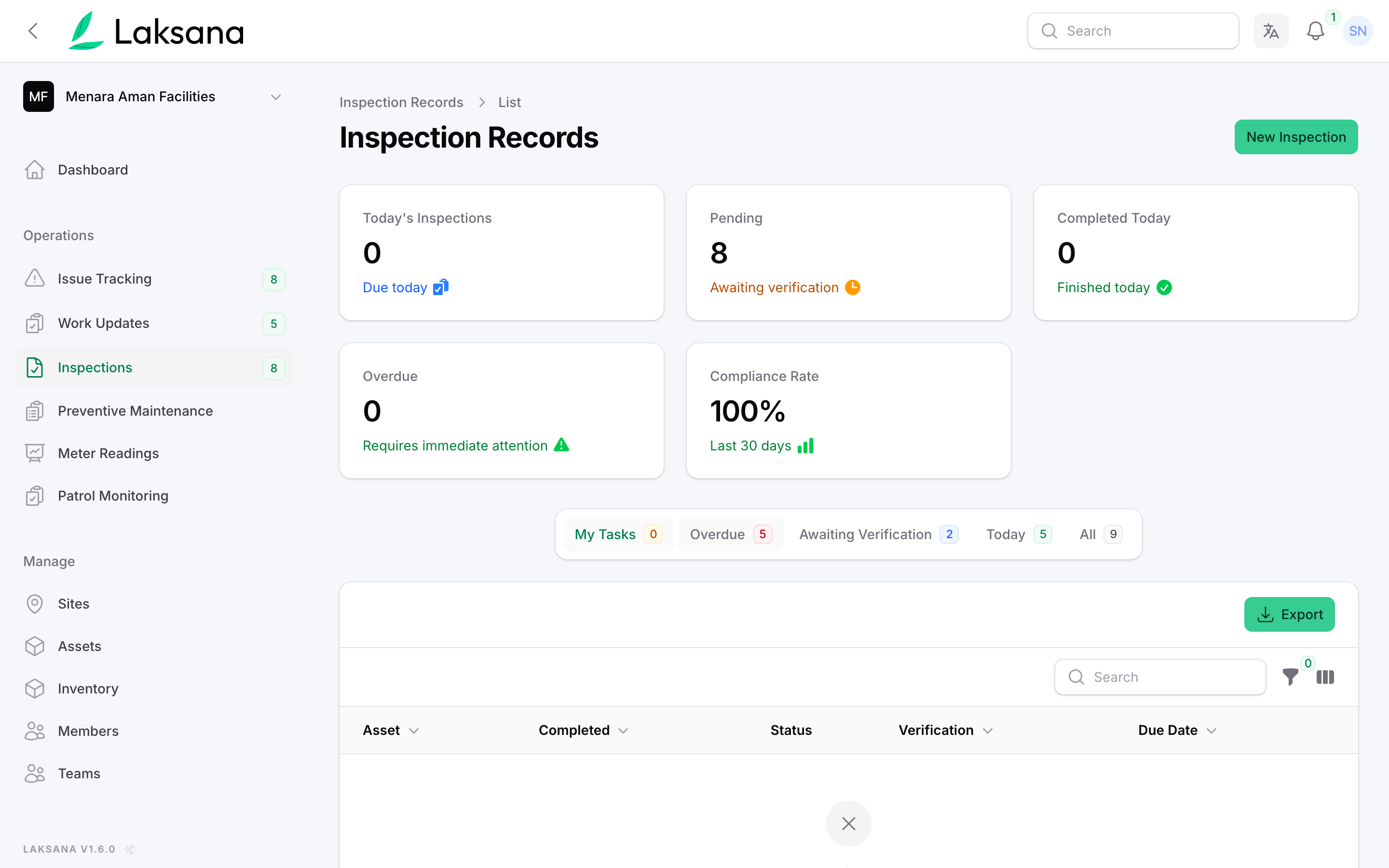
Inspections lists every check with its status, whether it has been verified and when it was due.
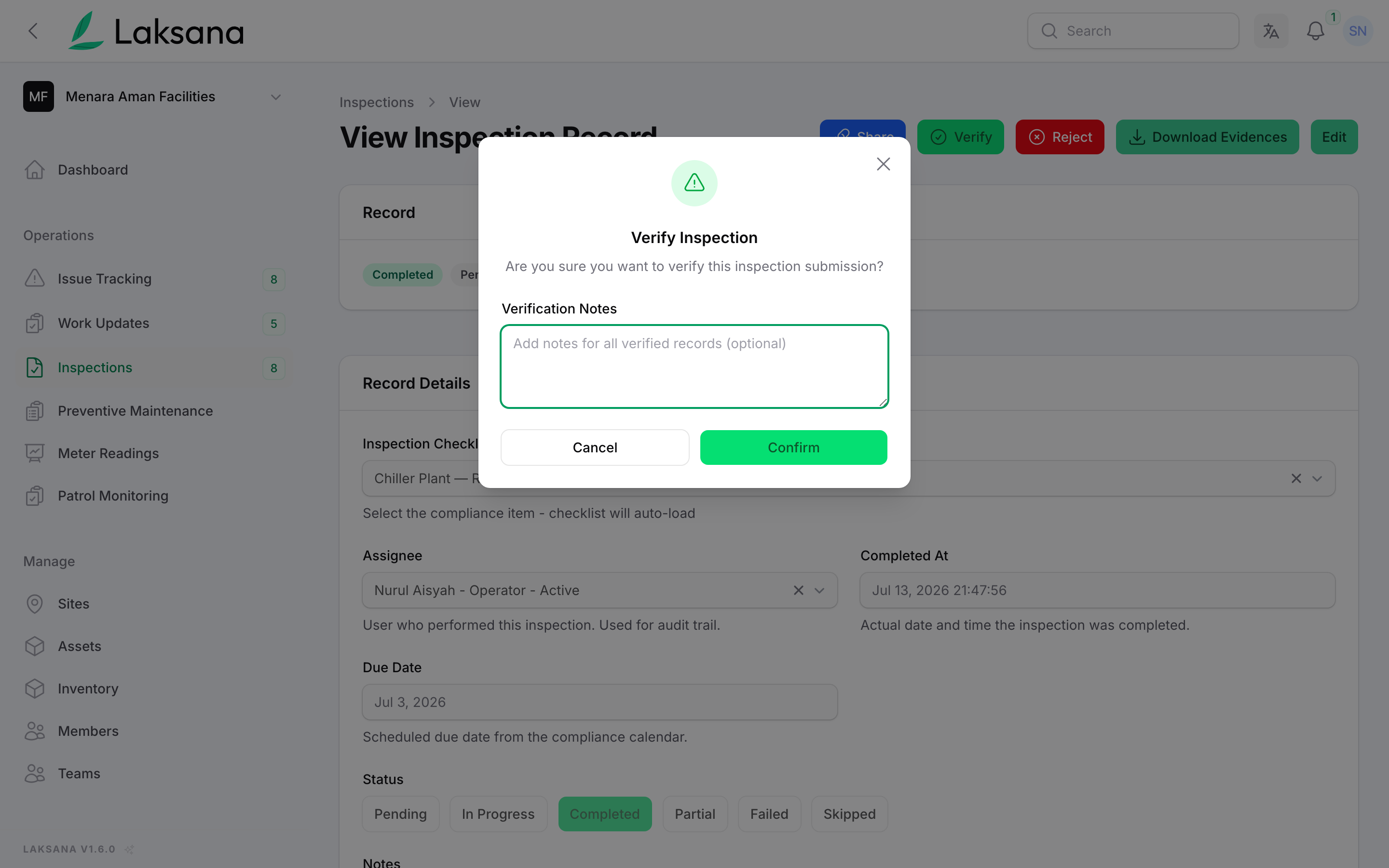
A supervisor verifies each check. You now have a record of who checked what, and when.
Patrol Routes & Monitoring
Guards scan a QR code at each checkpoint, so you can see which rounds were done, late or missed.
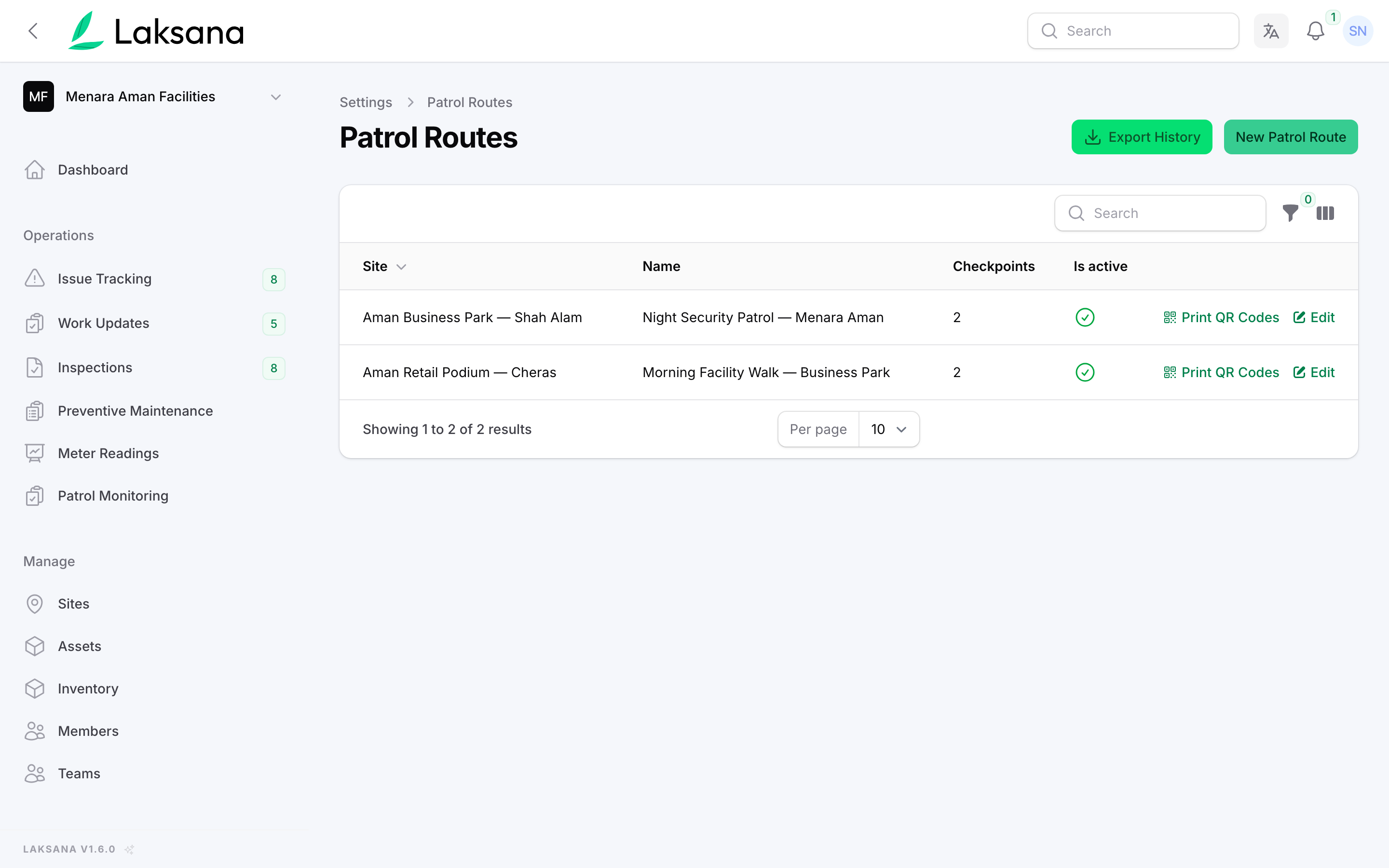
Patrol Routes lists each route, its checkpoints and whether they must be scanned in order.
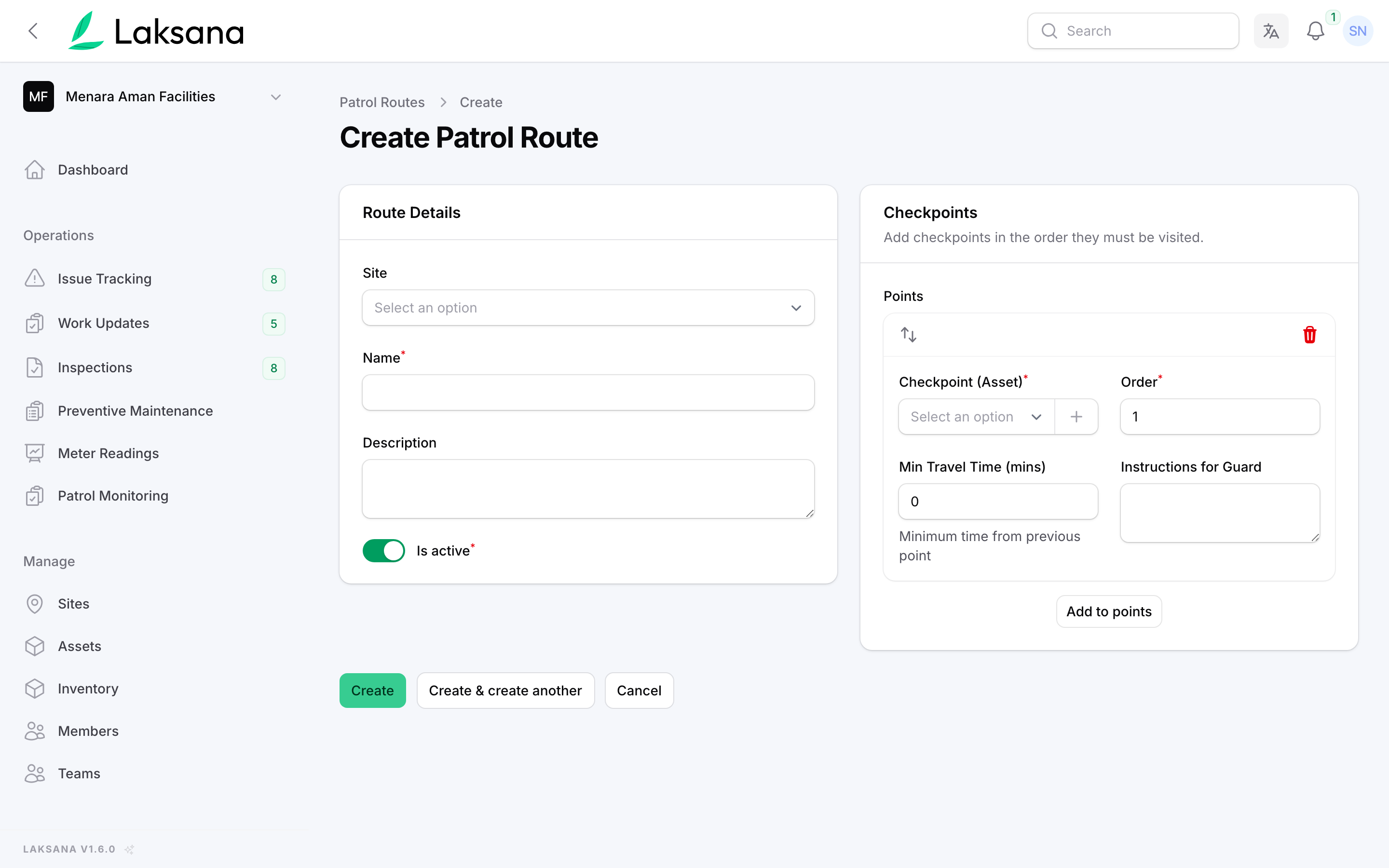
Pick the checkpoints in the order they should be visited, and how close the guard must be to count as on site.
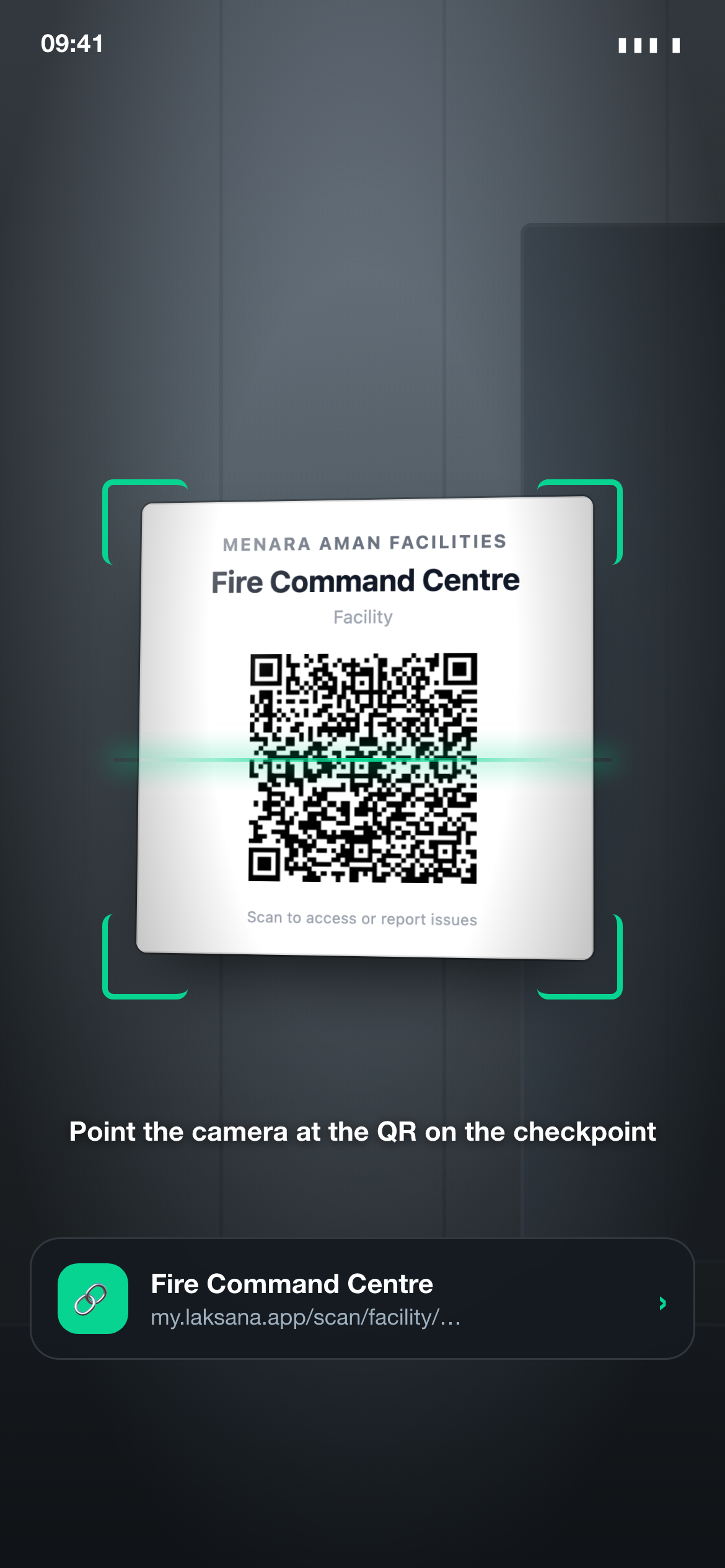
At each checkpoint, the guard scans the QR label with the phone camera.
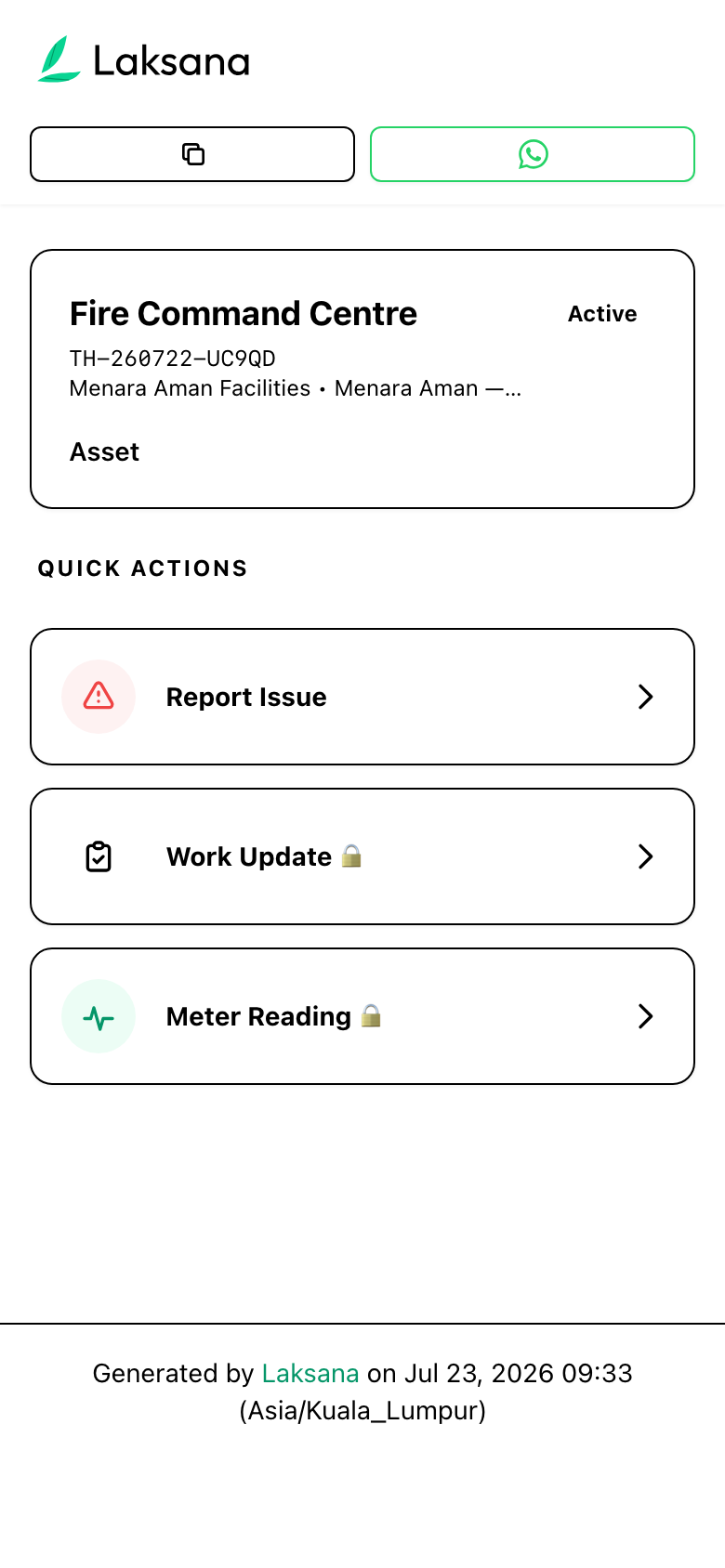
The scan opens the checkpoint’s page. The guard taps Patrol checkpoint. The first time, a one-time WhatsApp code confirms who they are. No app, no password.
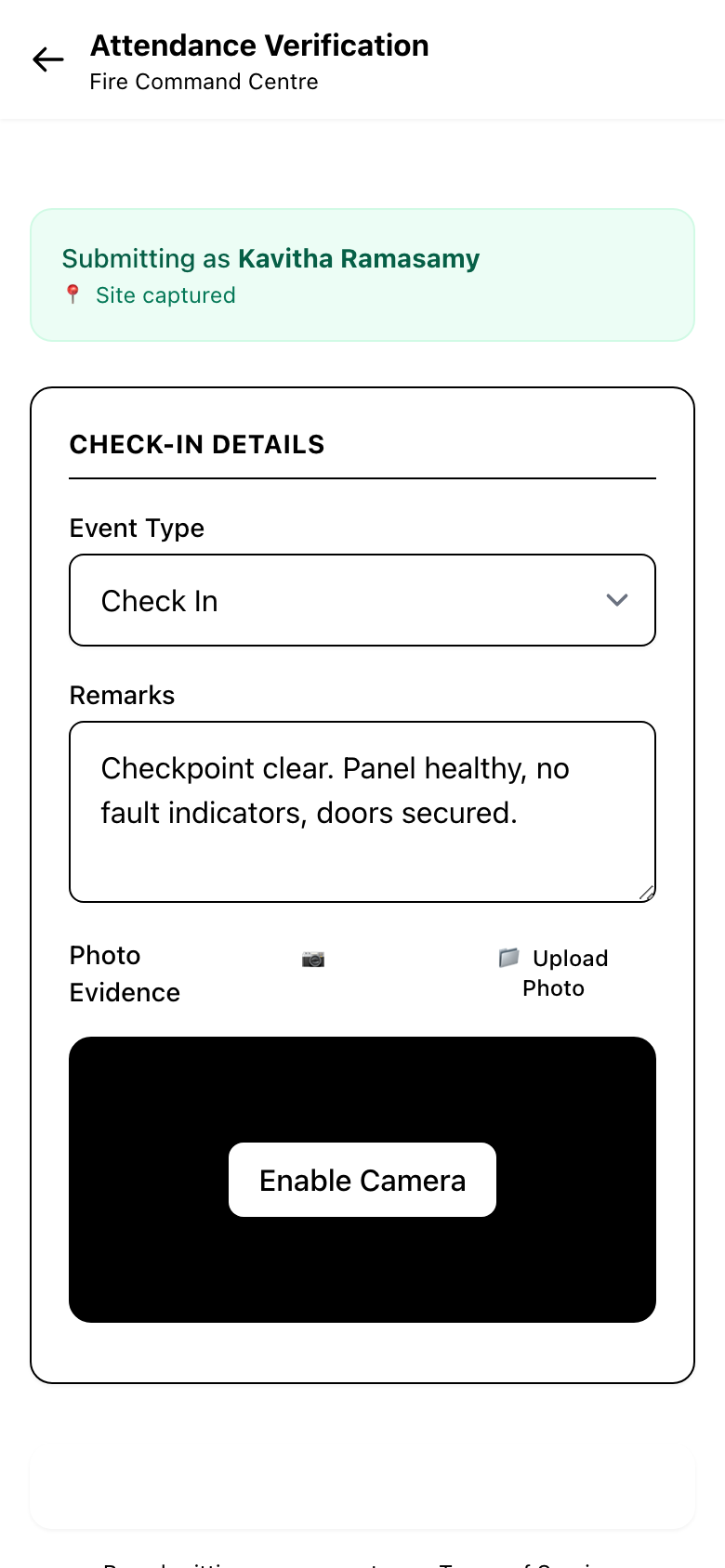
The page shows the round in progress, the next checkpoint and whether this is the expected one.
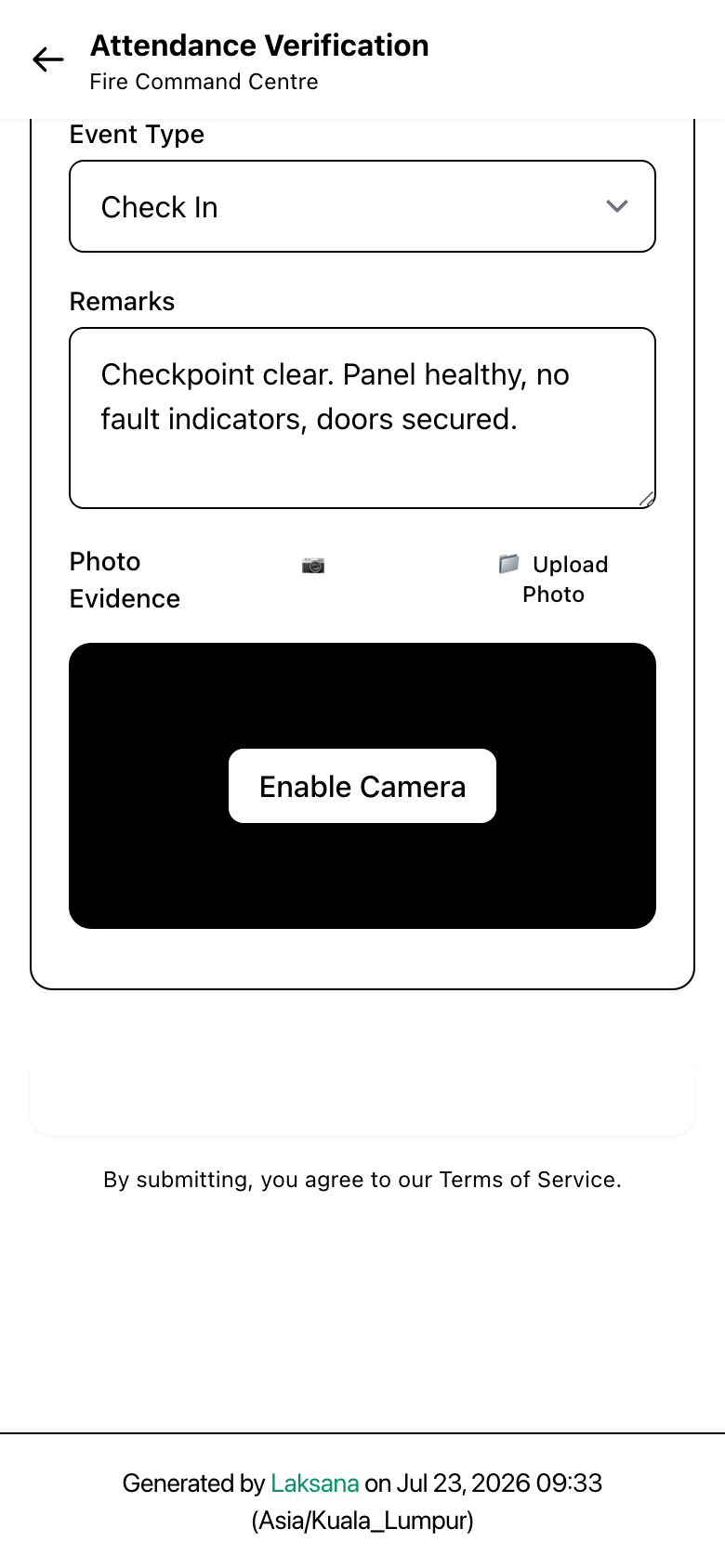
The guard can add a photo and a note, then taps Record checkpoint.
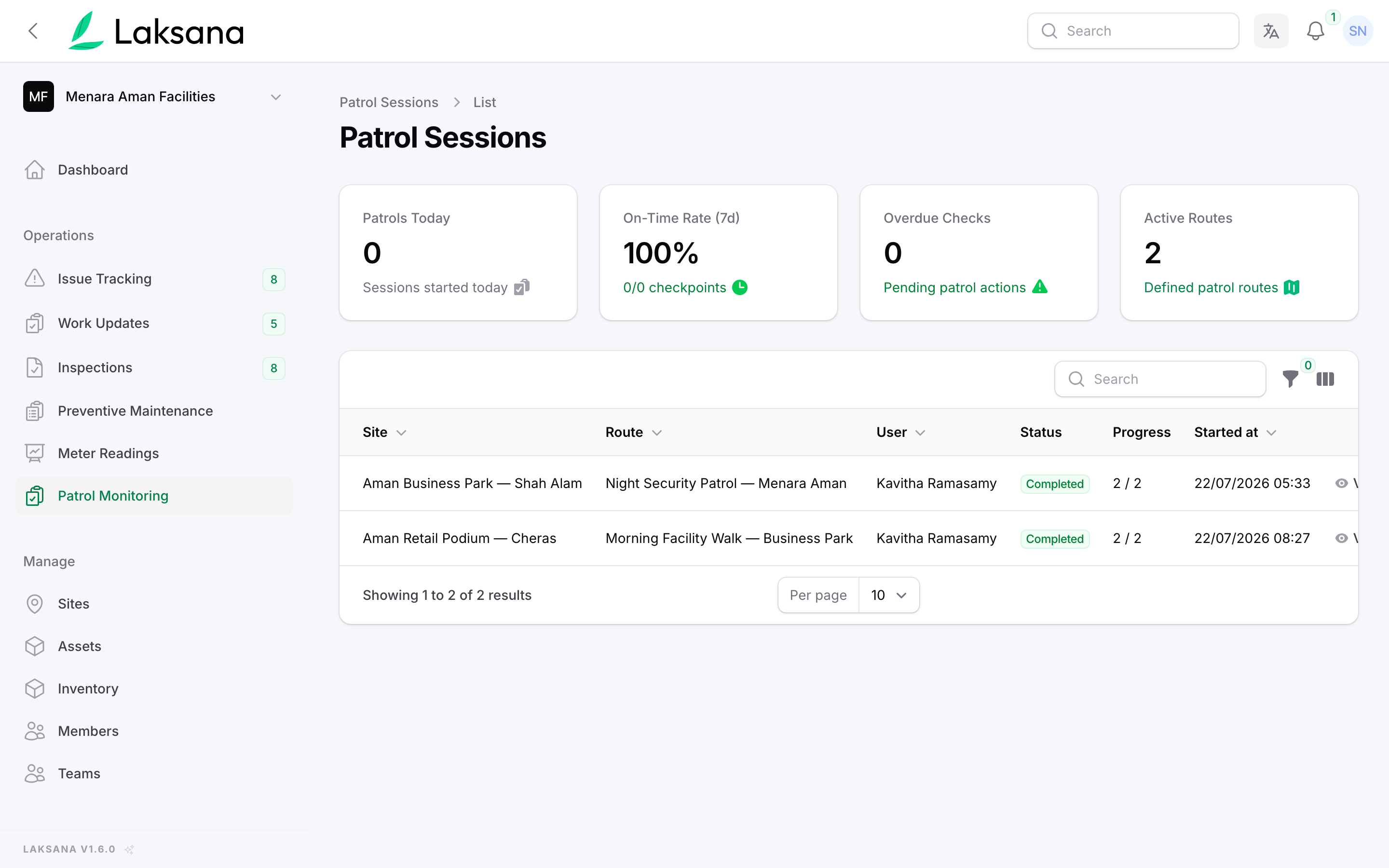
Patrol shows every round in progress, with flagged and missed rounds on their own tabs.
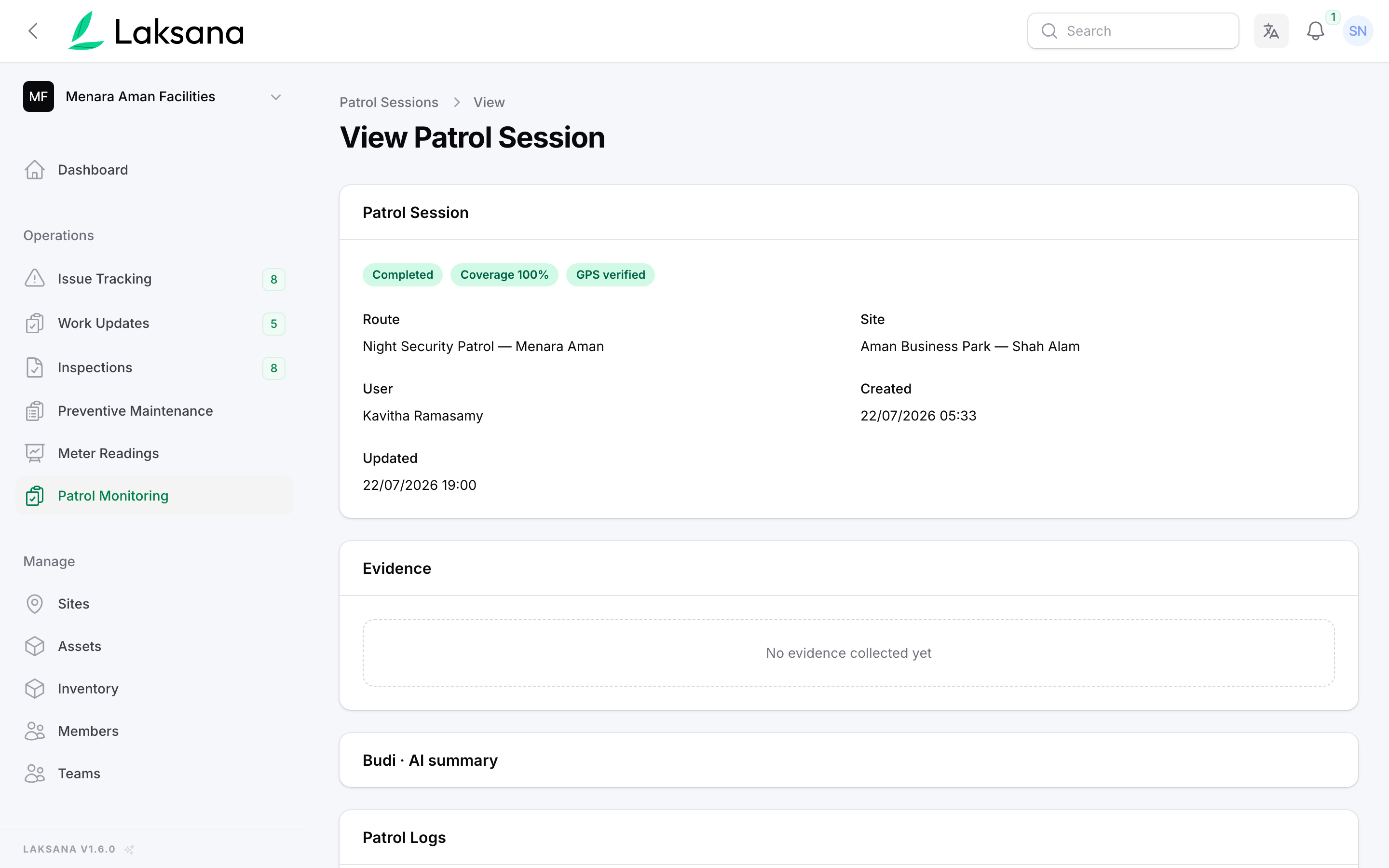
Open any round to see each checkpoint, the time it was scanned and whether the location matched.
Reporting
Work updates, issues, inspections and patrols add up to one dashboard and one report you can hand to a client or committee.
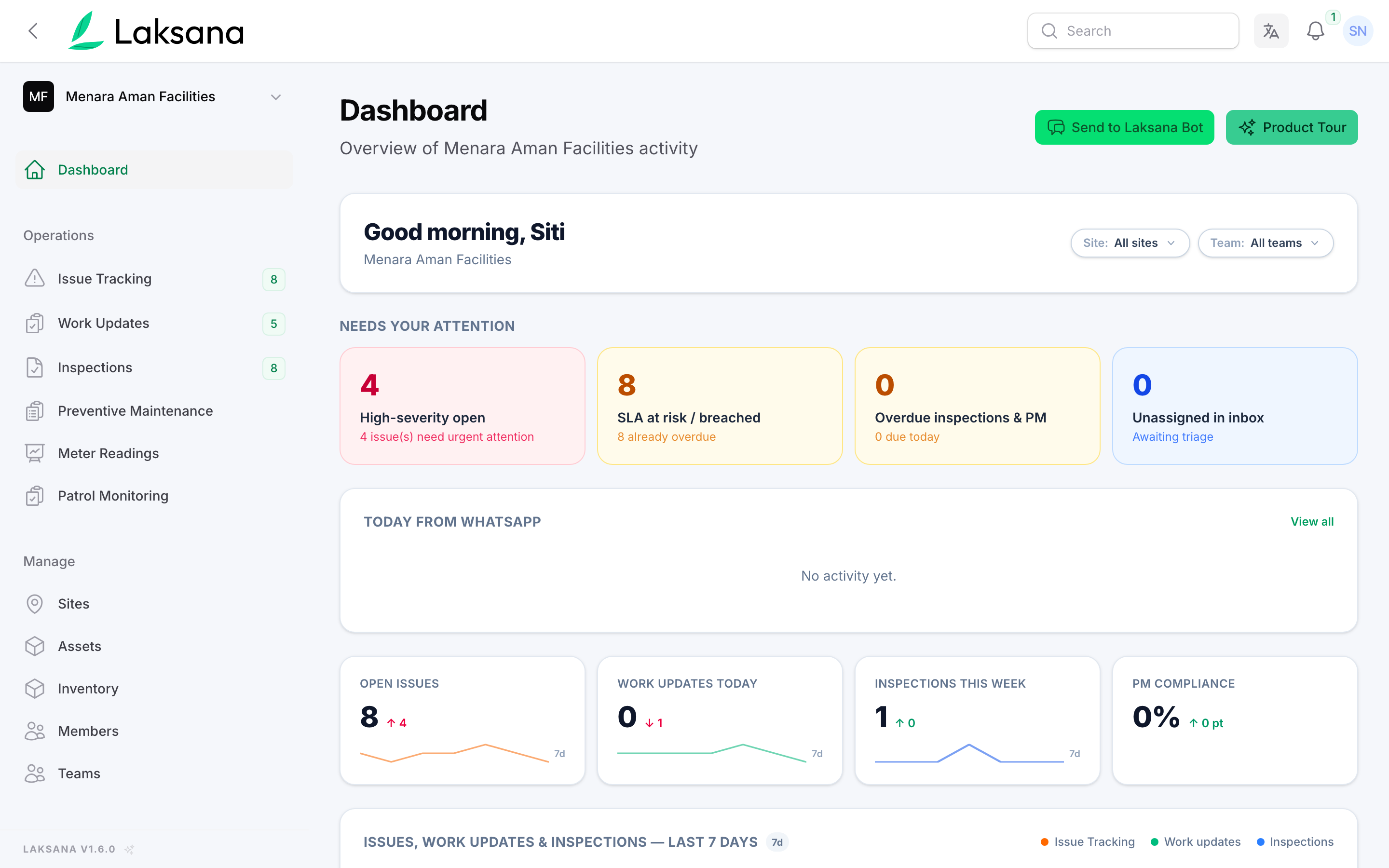
The dashboard opens on what needs you now: setup steps still to do, projects, work orders and open issues.
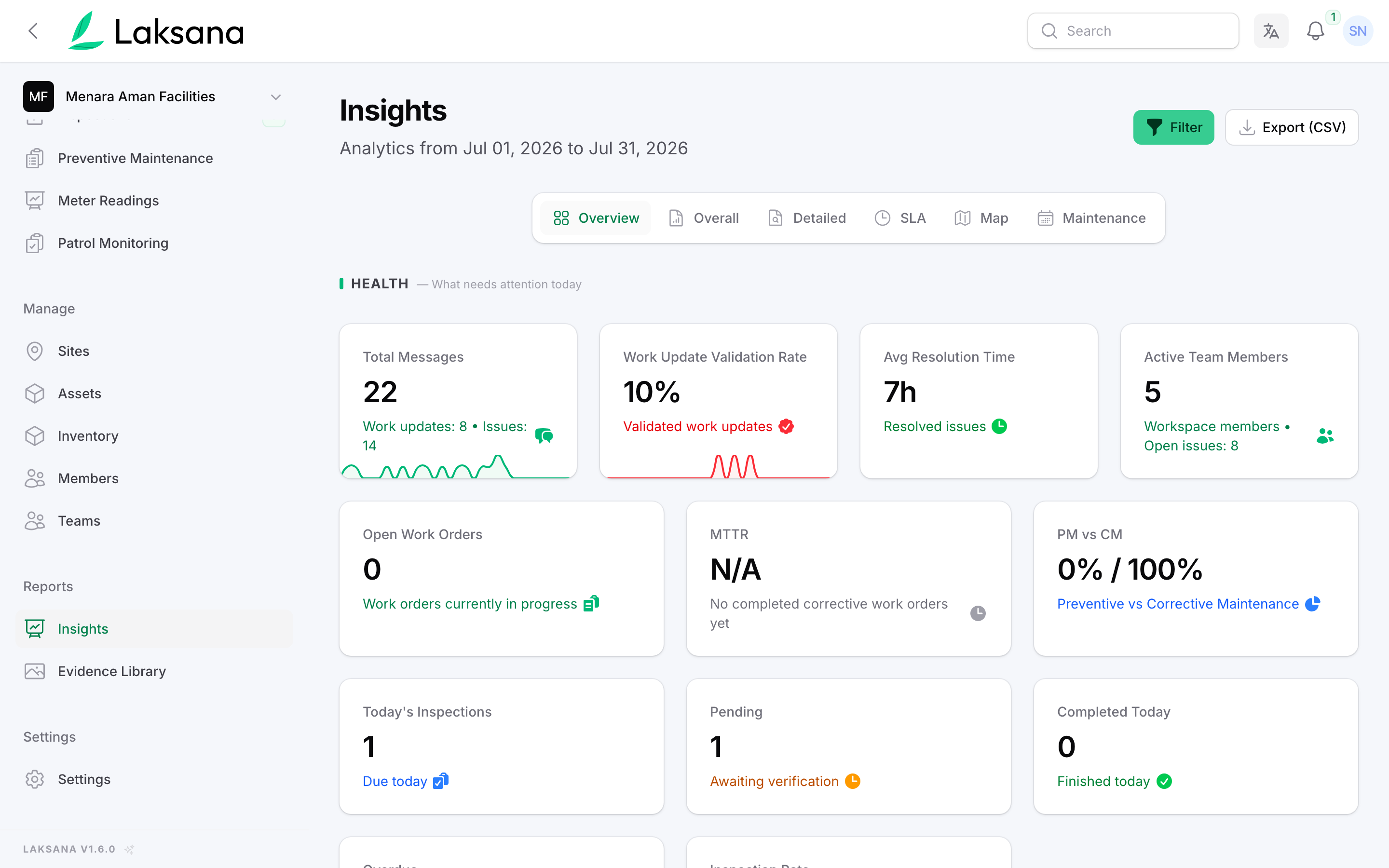
Insights shows the month in numbers: messages received, how many work updates were verified, average repair time and open work orders.
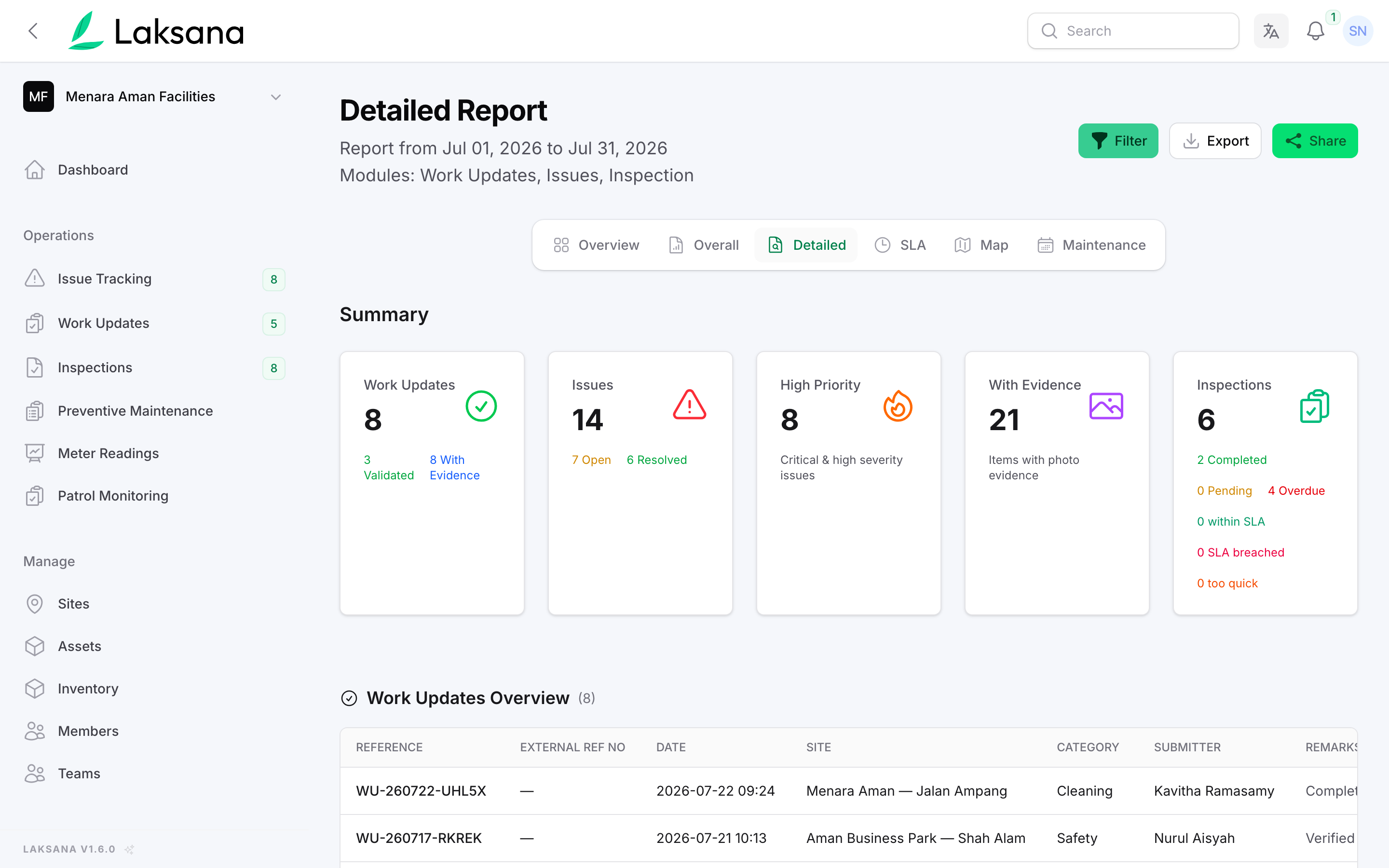
Pick the period and sites, then press Generate report. Work updates, issues and inspections are counted in one place, including how many have photos.
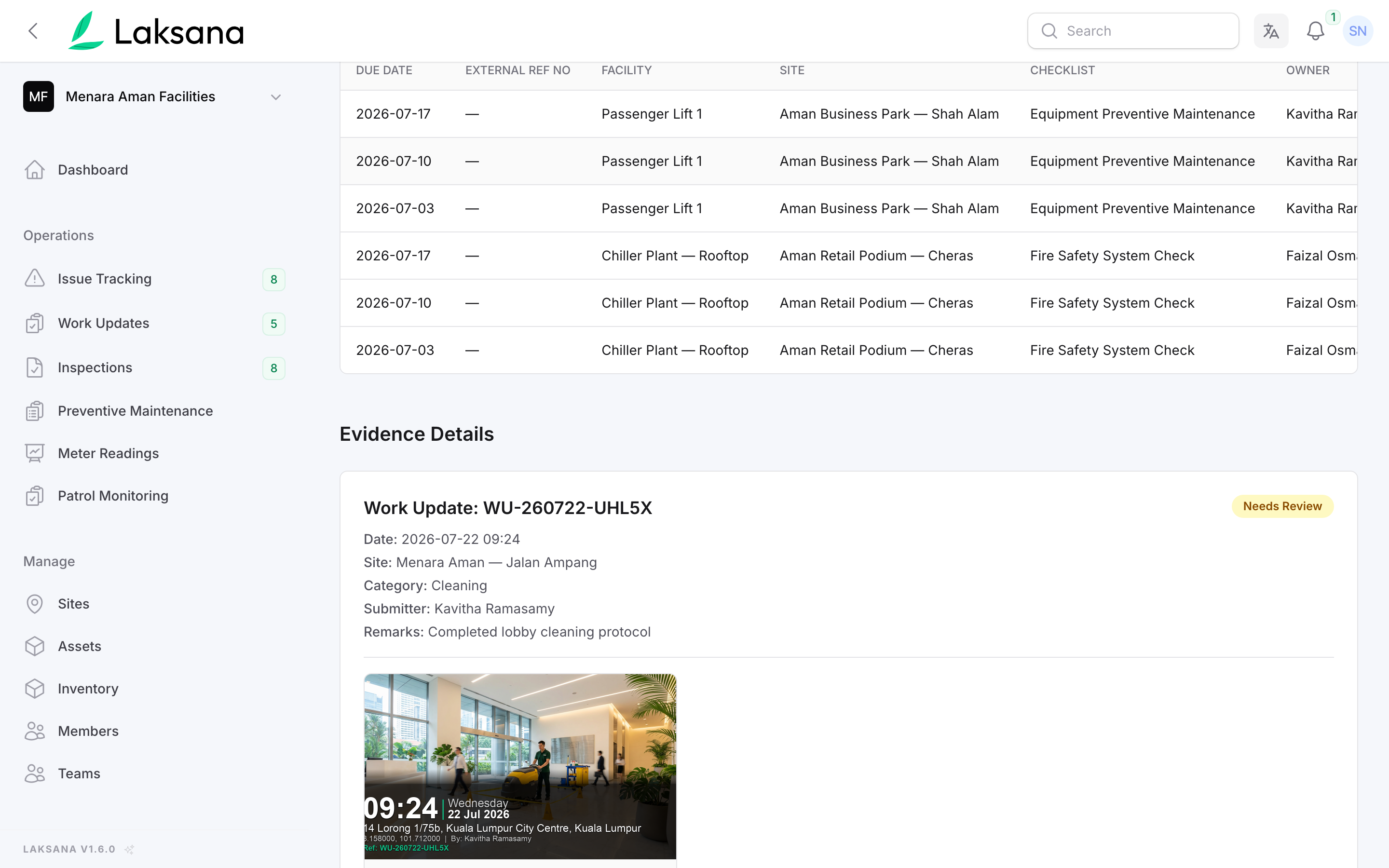
Further down, each job carries its own photos. Print it, export it or share it with your team.
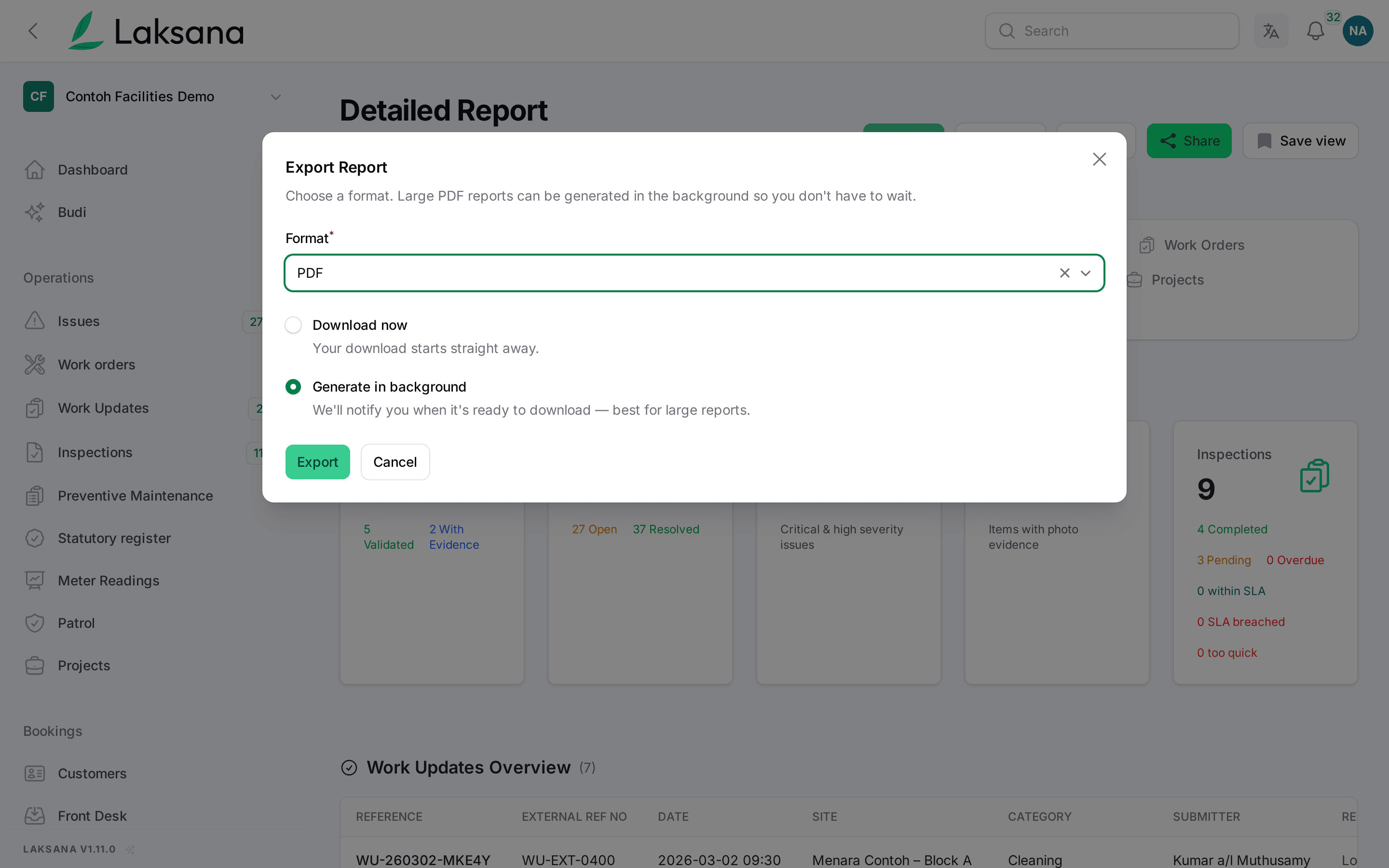
Export the report as a PDF, Excel or CSV file. Large reports can be prepared while you carry on working.
Issue Map
Open issues from the last 30 days, pinned on a map and coloured by severity.
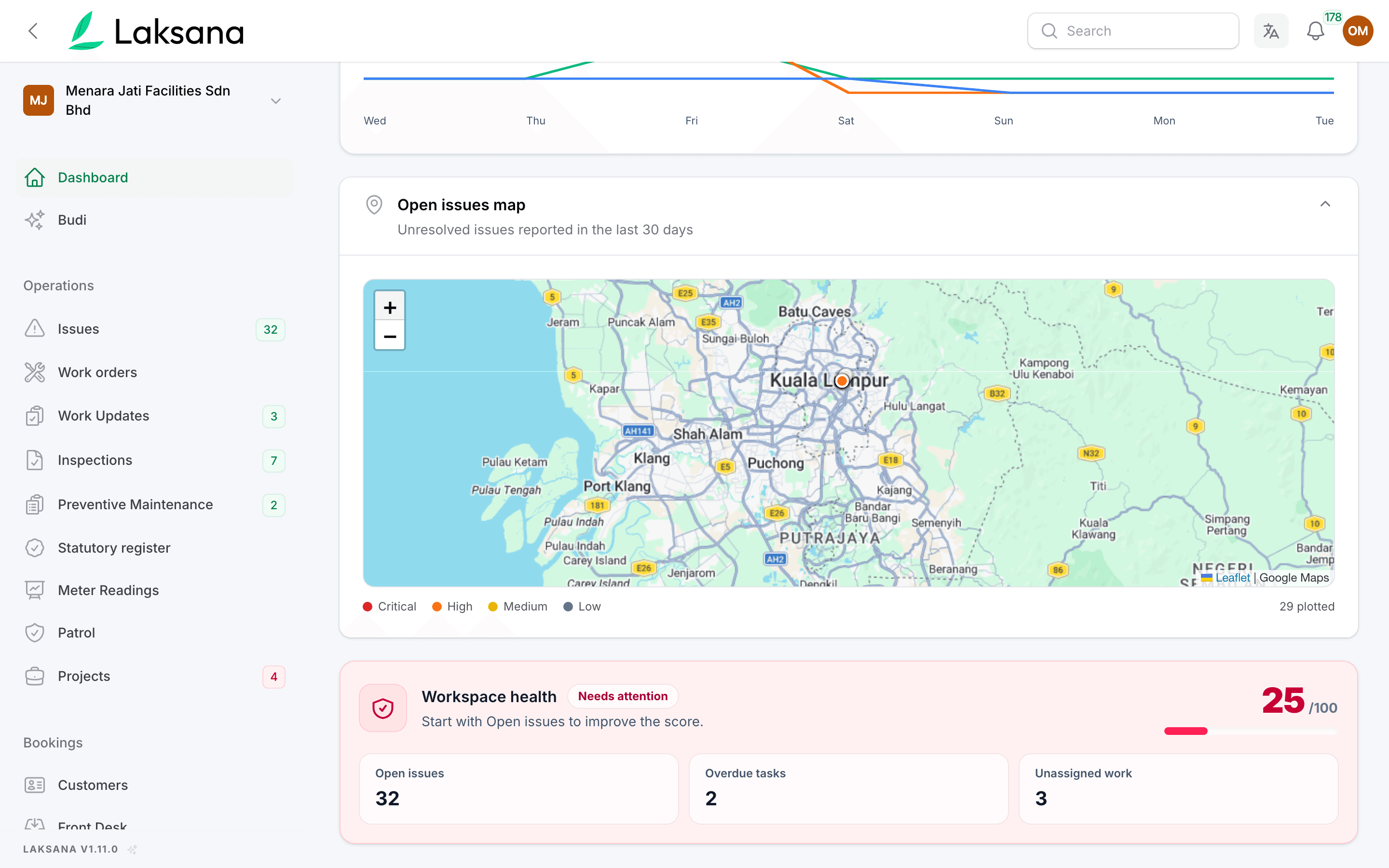
The dashboard shows a map of unresolved issues from the last 30 days, coloured Critical, High, Medium or Low. Each pin is where the issue was reported from. Fixed issues drop off by themselves.
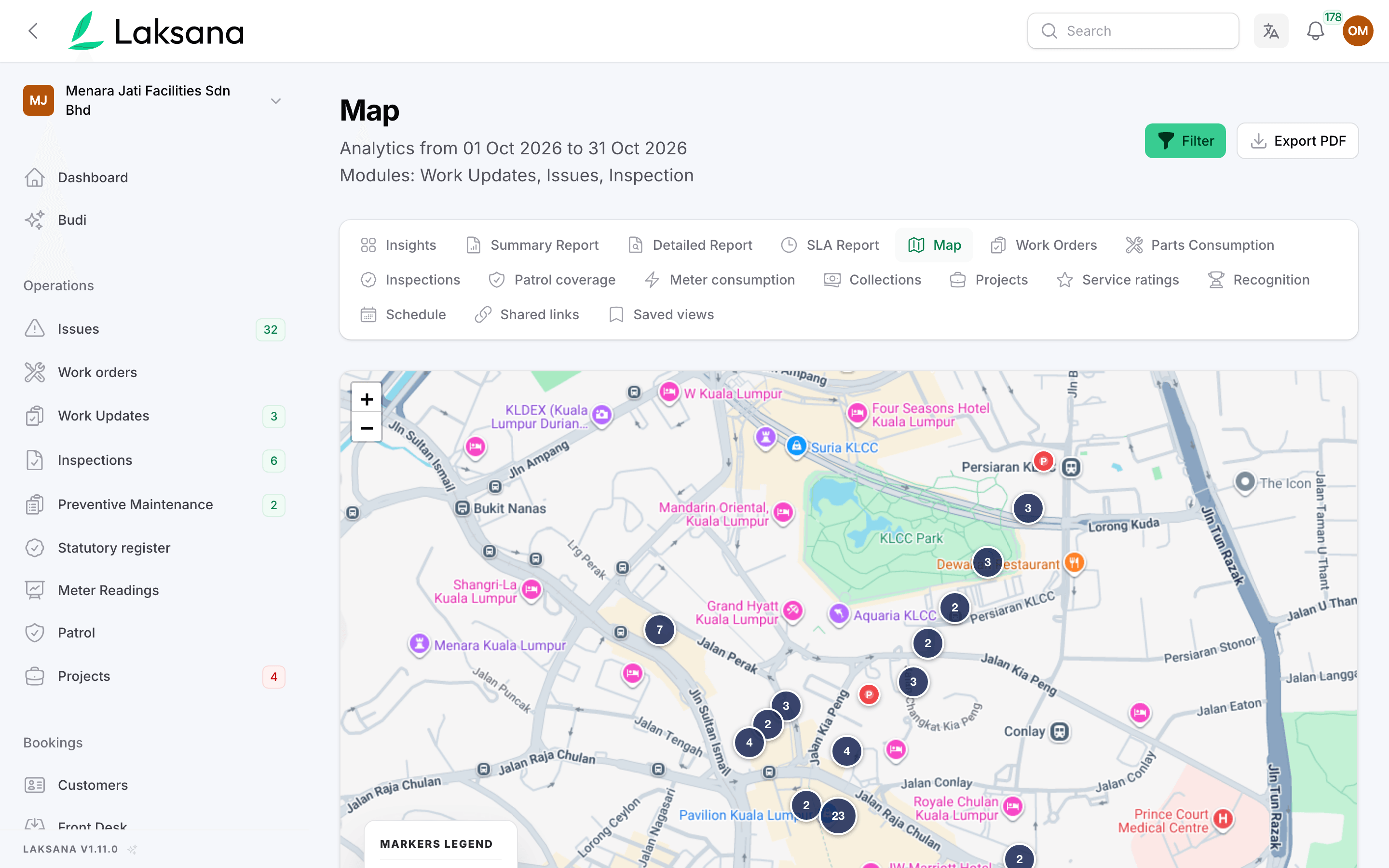
Reports → Map shows any date range across every site, with pins grouped where they overlap.
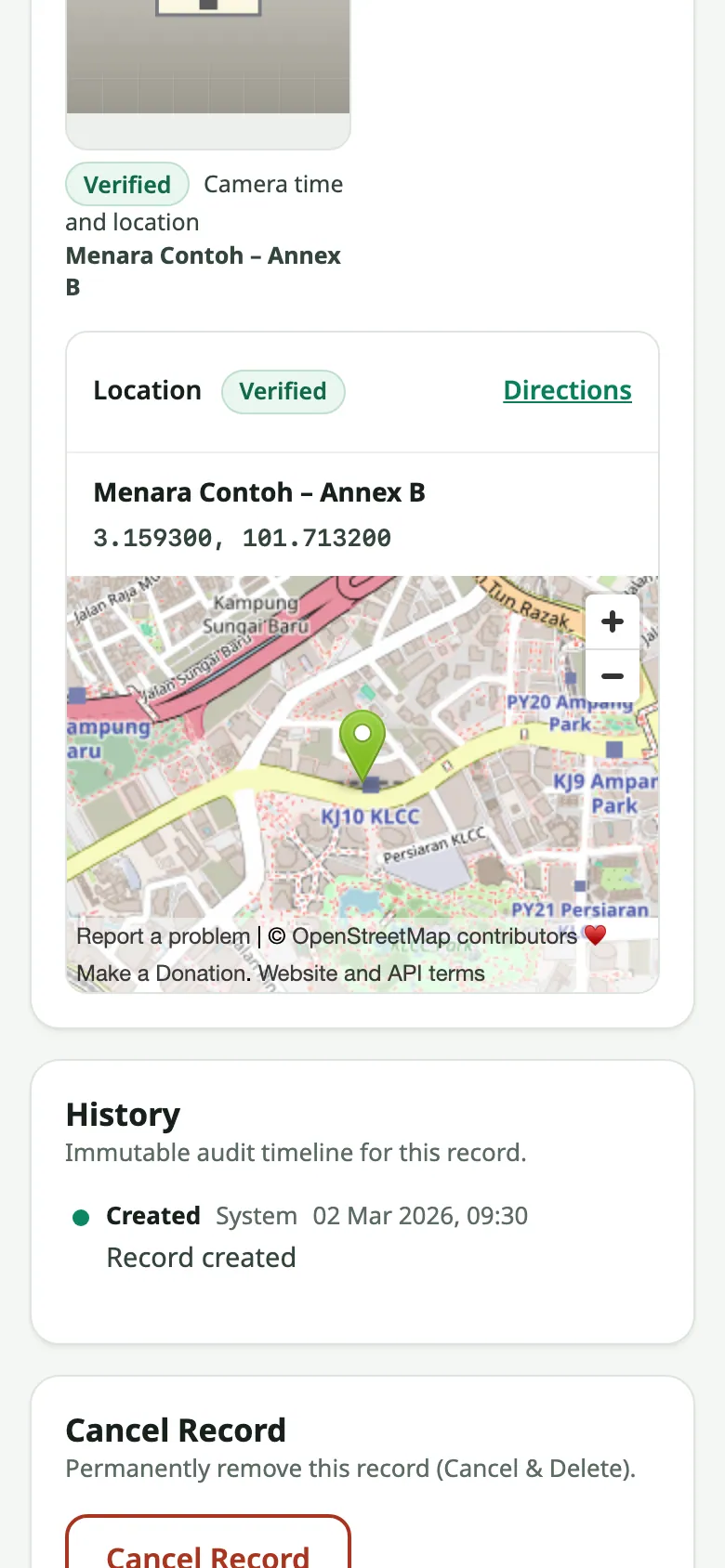
The shared link to an issue or work order shows a map pin and a directions link, so the contractor can find the spot without calling.
SLA Warnings & Escalation
An SLA is the response and repair time you promise. Laksana warns before it runs out and tells the people you choose when it does.
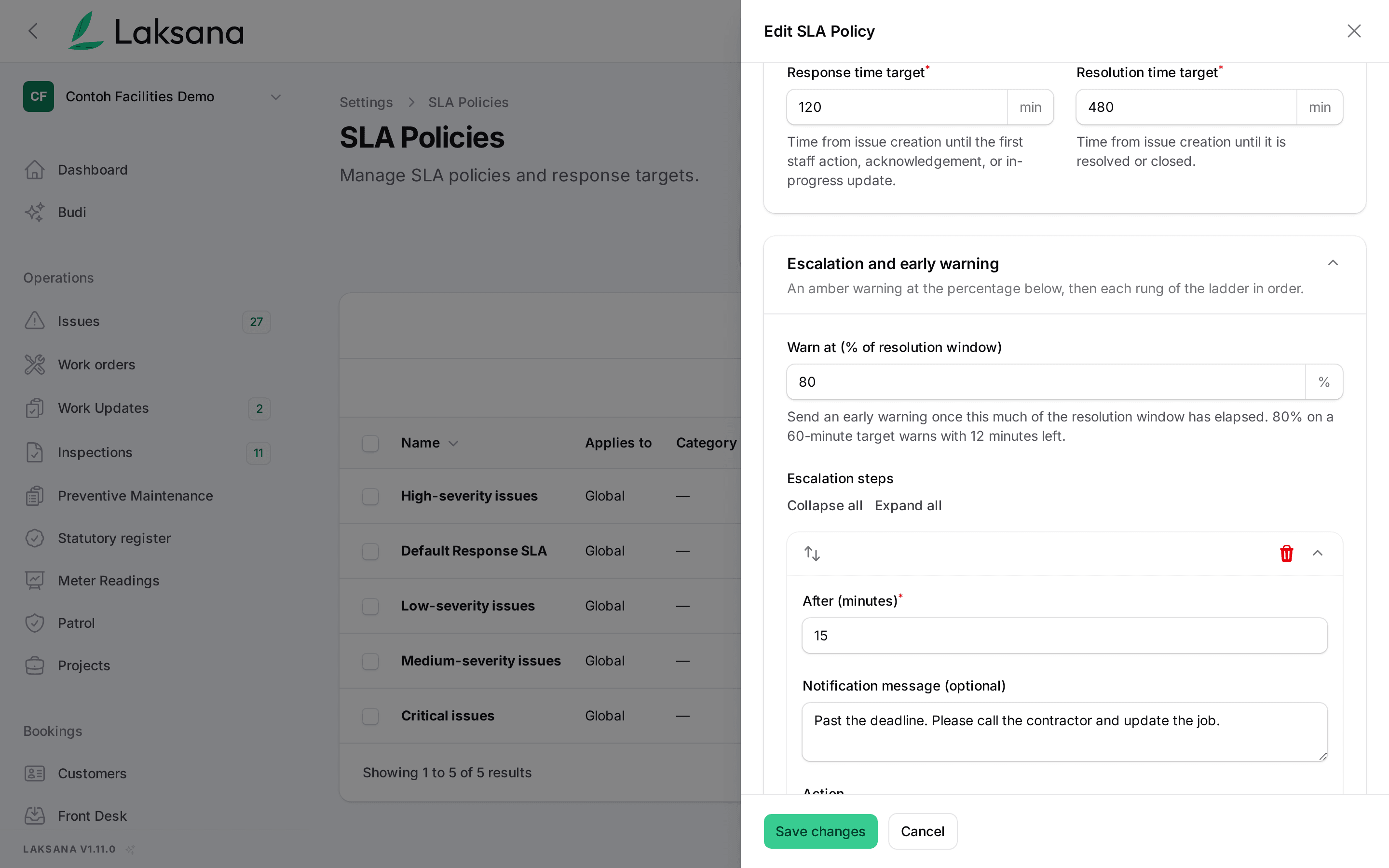
Each SLA policy has a response target, a repair target and a warning point, 80% of the repair time by default. When an open issue reaches it, the assignee gets an early warning.
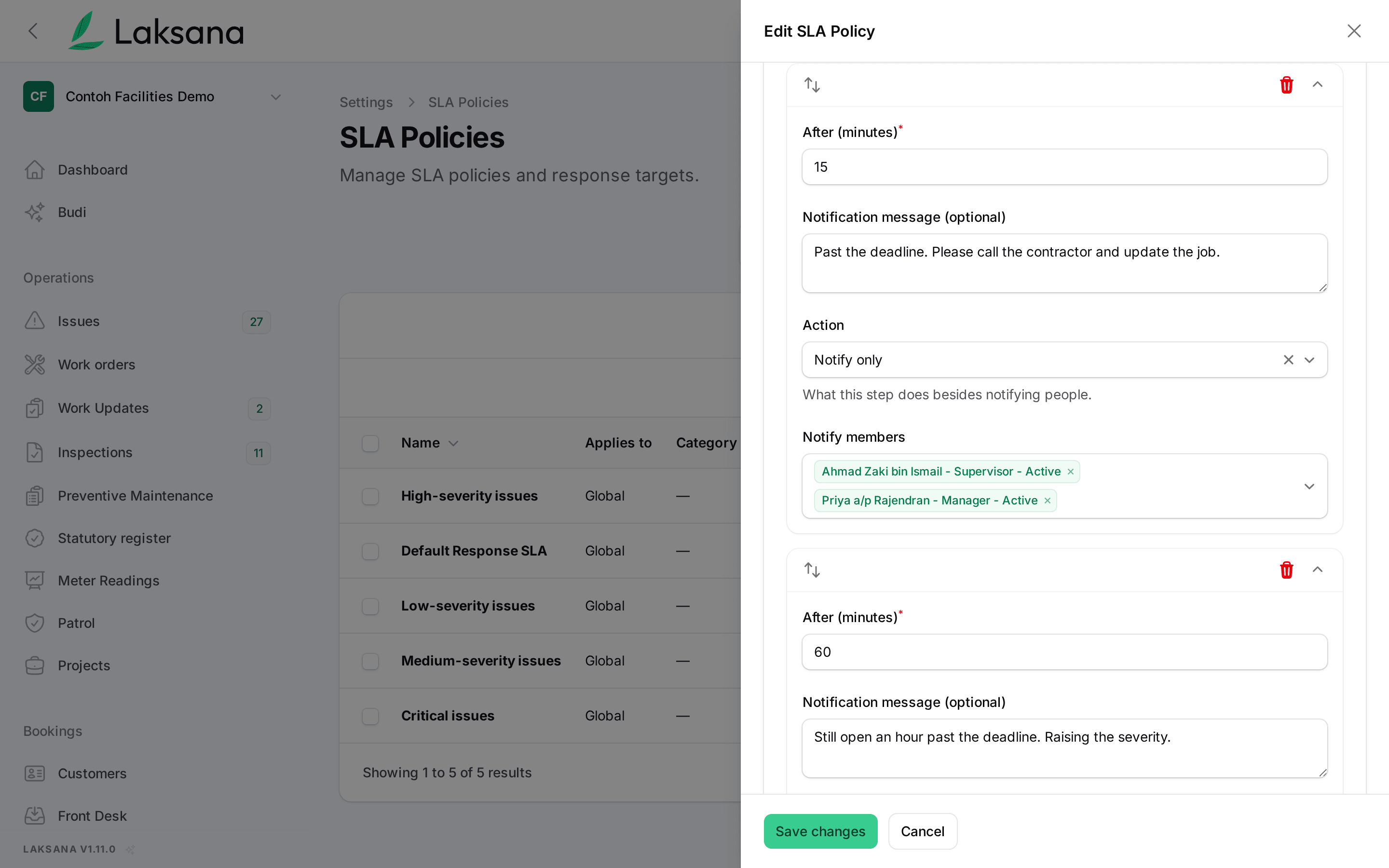
Add escalation steps: who is told, how long after the deadline, and with what message. A step can also reassign the issue or raise its severity. Each step runs once.
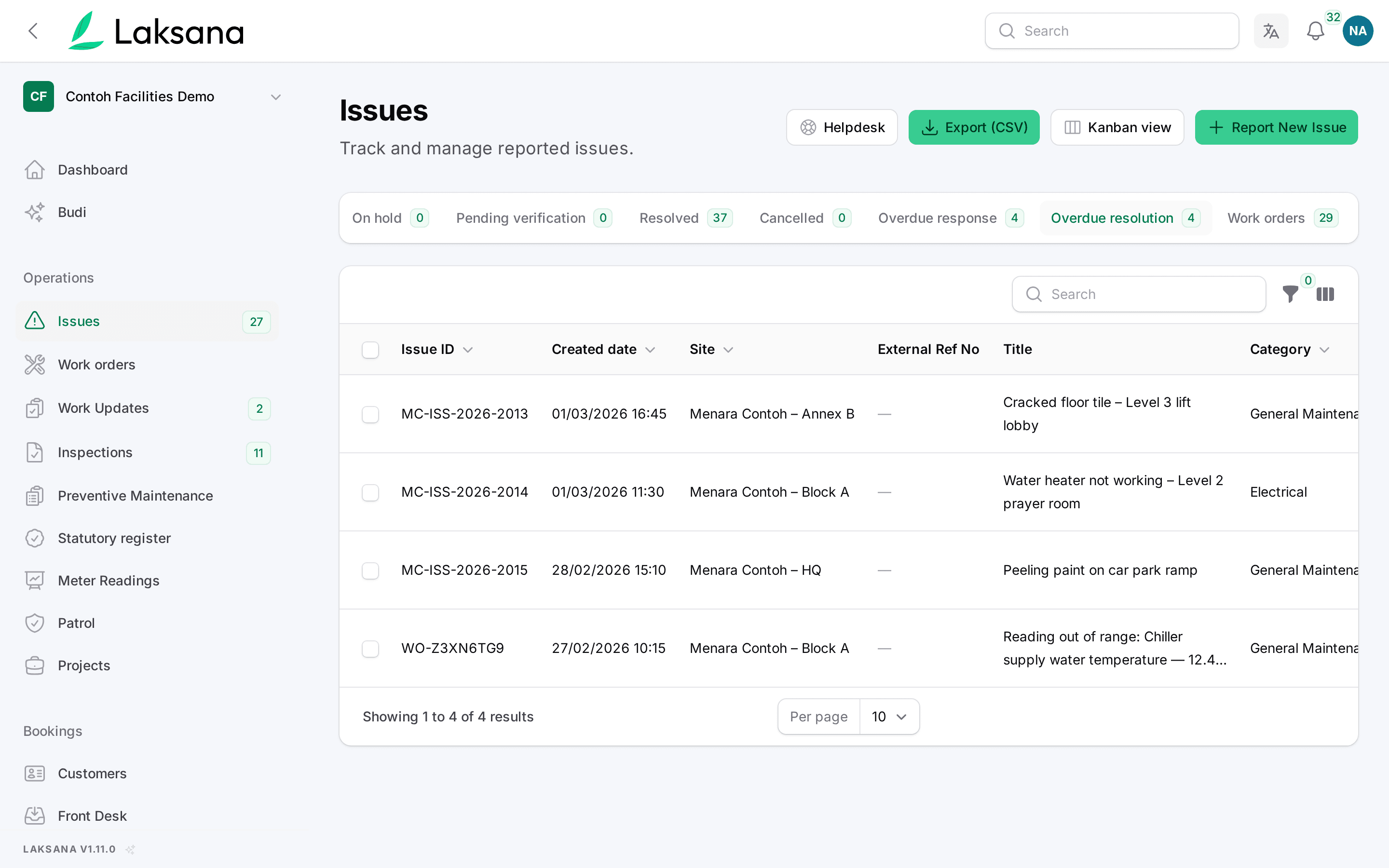
On Issues, the Overdue response and Overdue resolution tabs list every late job, so the morning check is one click.
Before & After Report
The photo that reports a fault and the photo that closes it stay together under the same job.
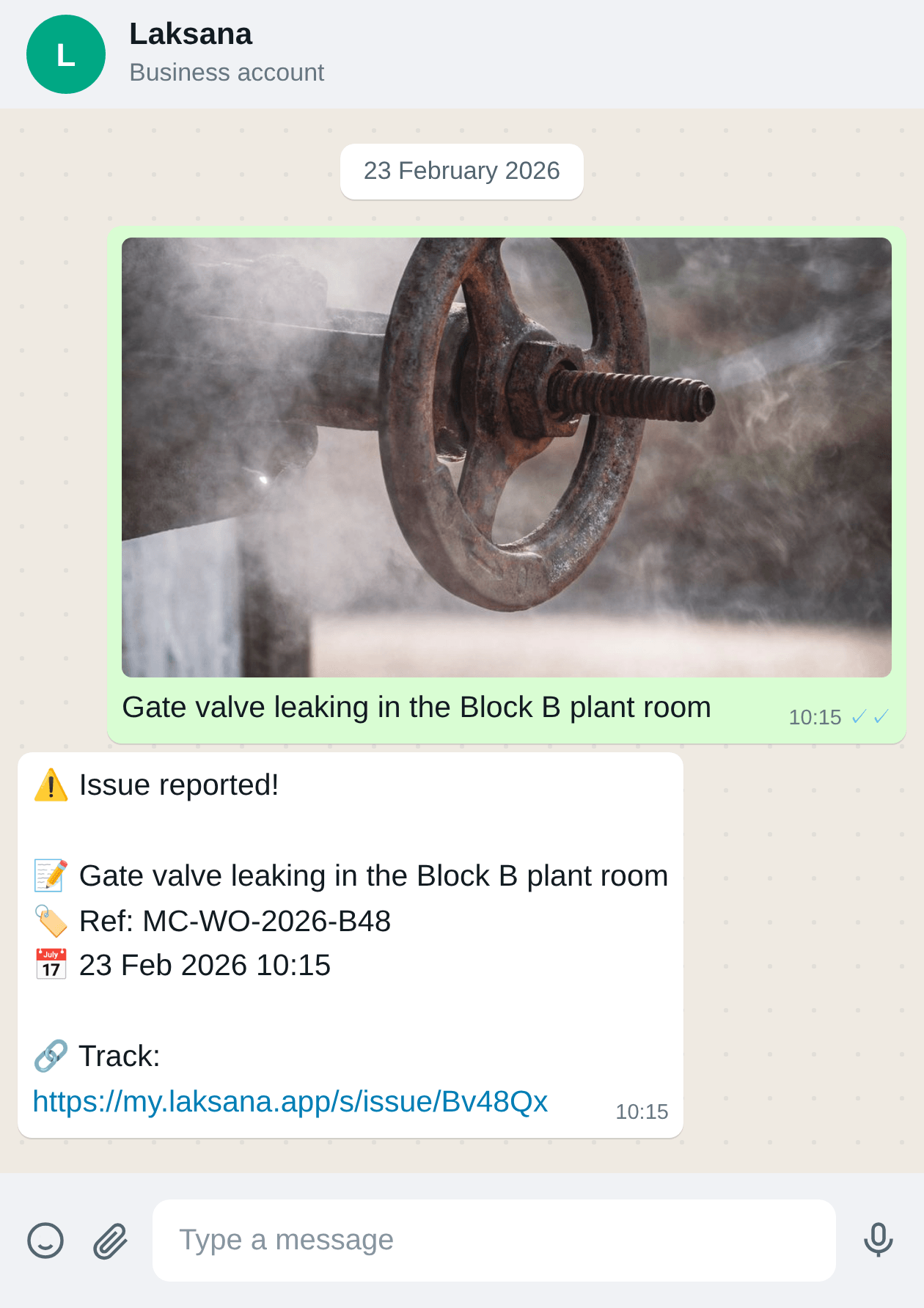
Someone reports a fault with a photo on WhatsApp, Telegram or a QR scan. Laksana keeps it as the before photo.
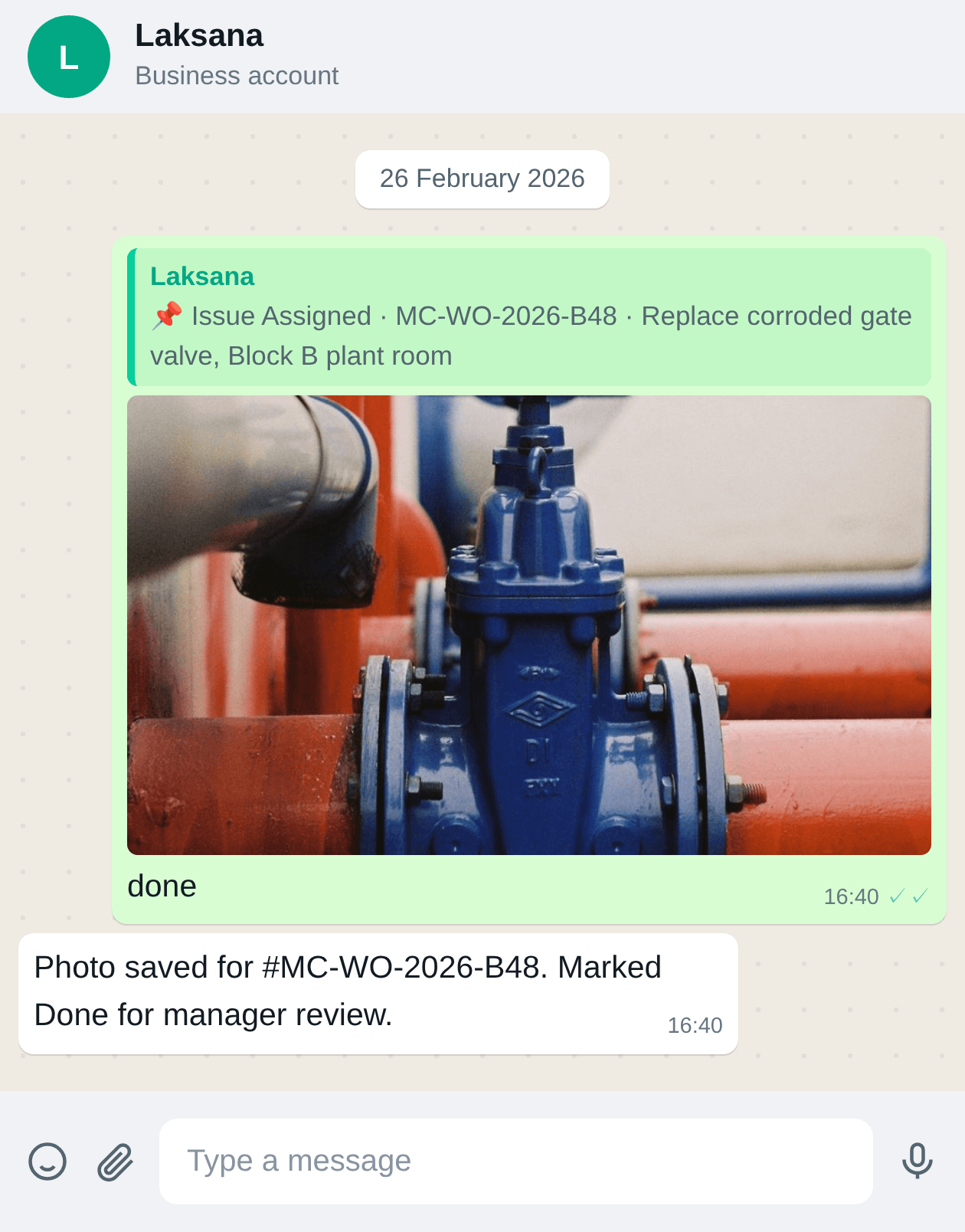
The technician replies "done" with a photo. That becomes the after photo. You can require a photo before any job is marked fixed.
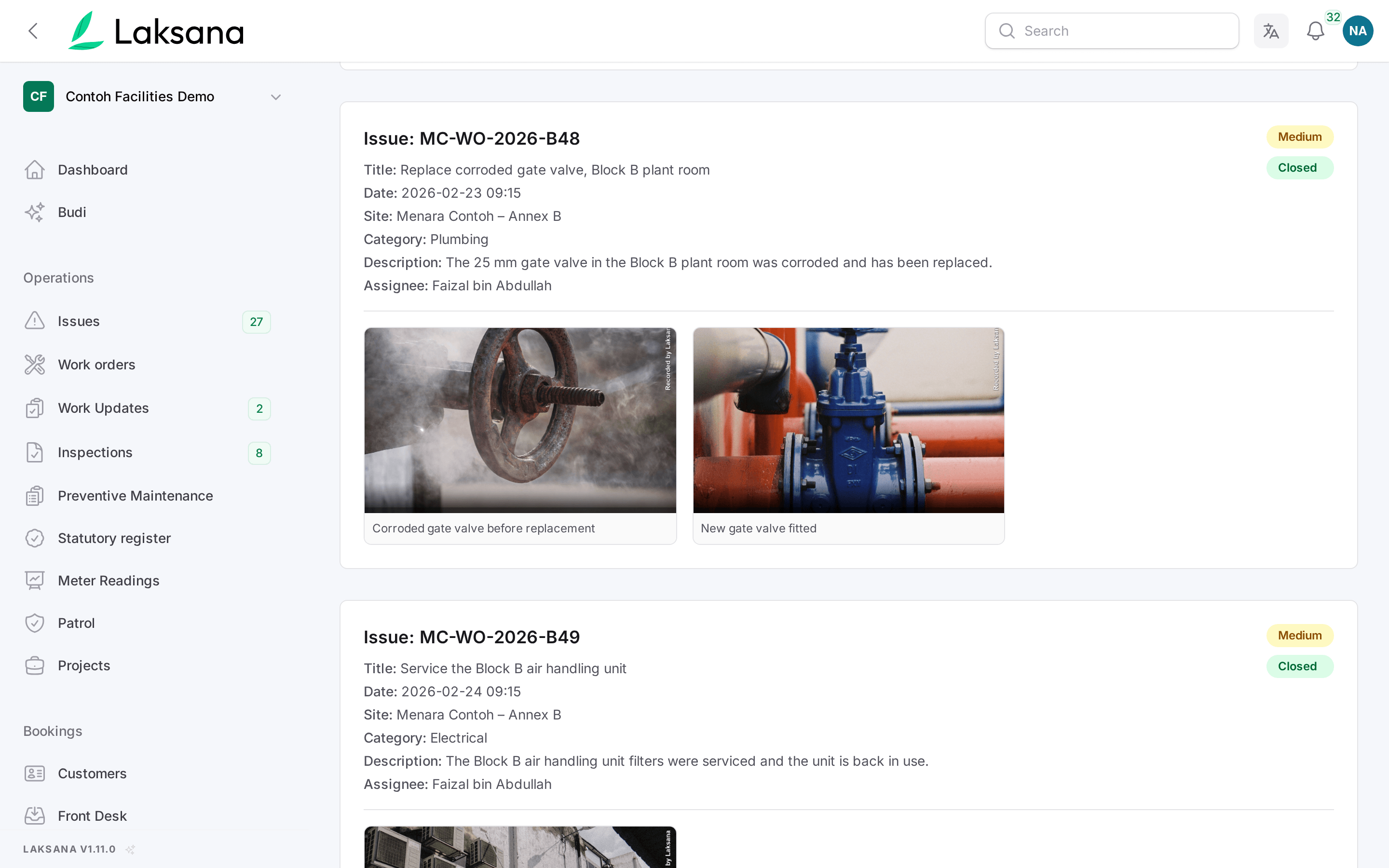
The detailed report shows both photos under the job, so your client sees the fault and the fix in one place.
Telegram Channel
Staff can report and get notifications on Telegram, in a direct chat or in their team group. Everything lands in the same records as WhatsApp.
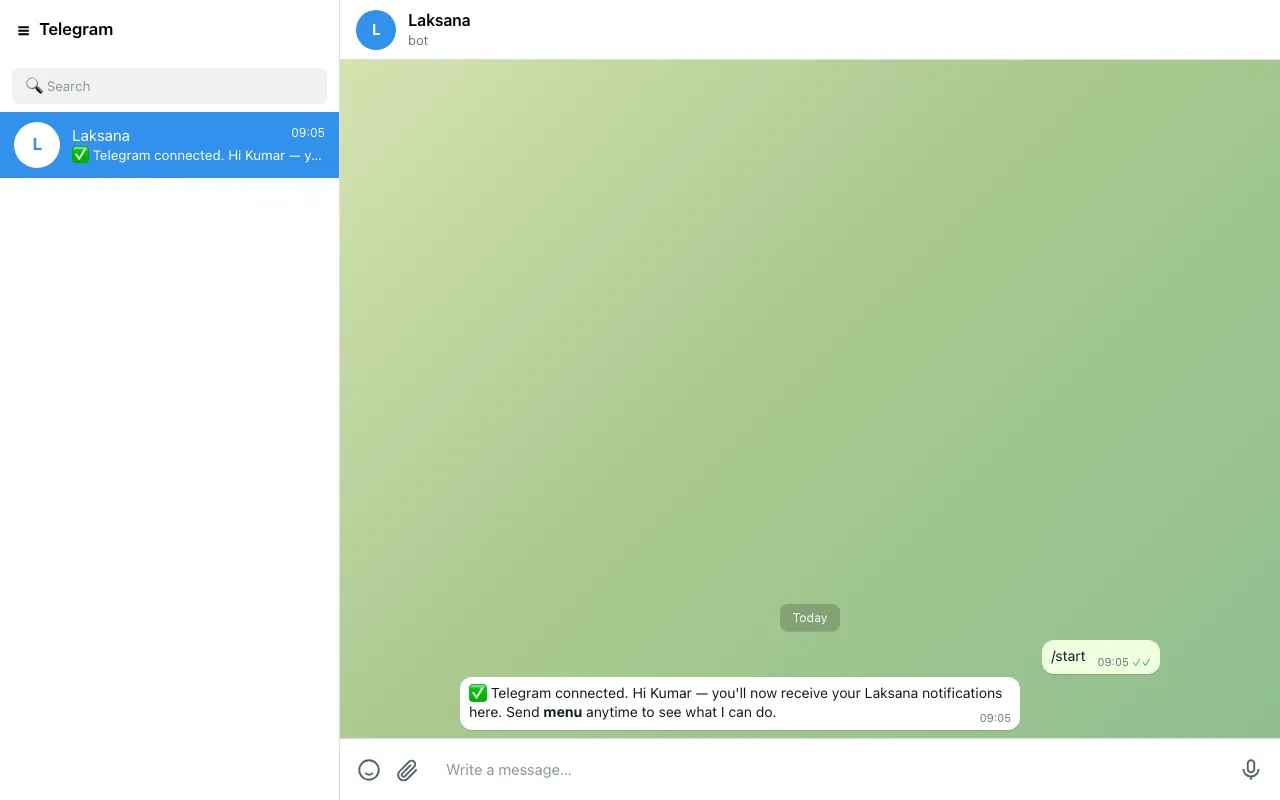
In My Profile, a staff member taps Connect Telegram and presses Start. From then on, their notifications can reach them on Telegram.
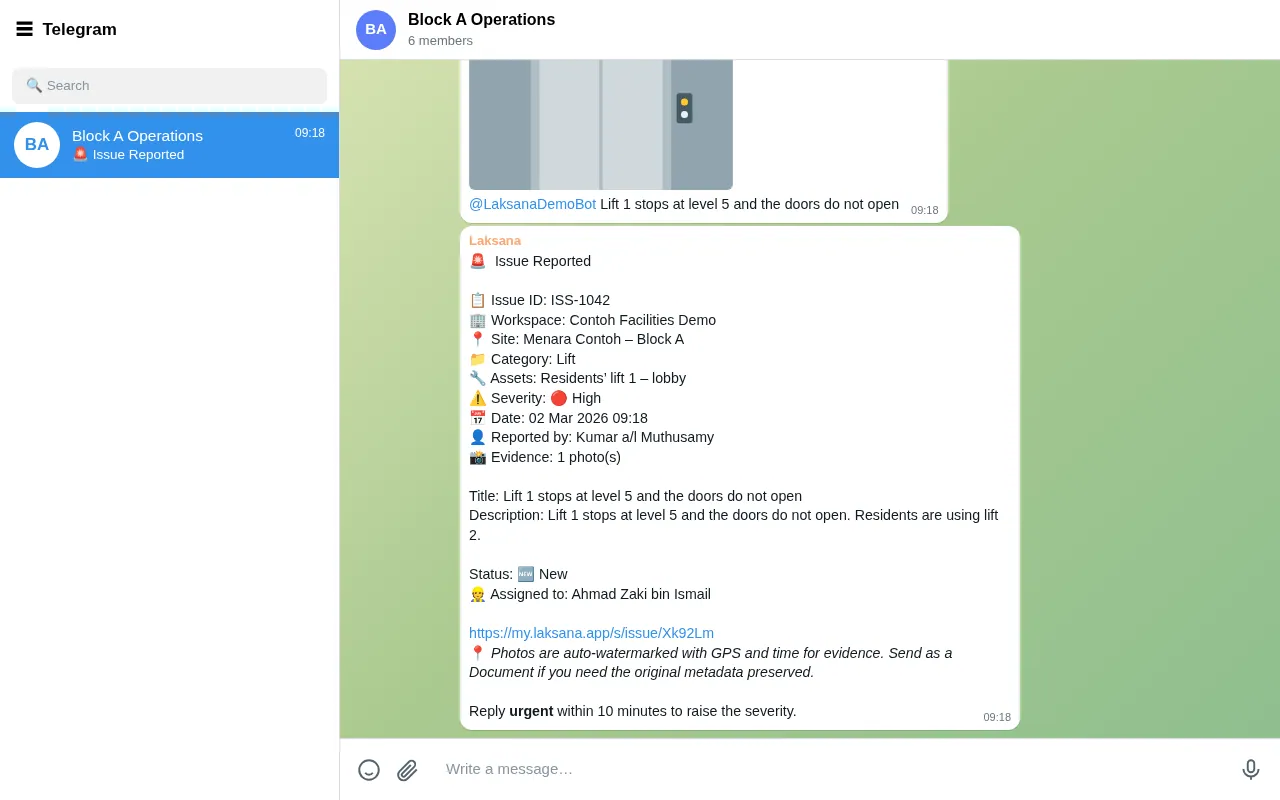
Once a manager links your team group, a technician can post a photo and a line there. Laksana files the issue and replies with the reference, so the whole team sees it.
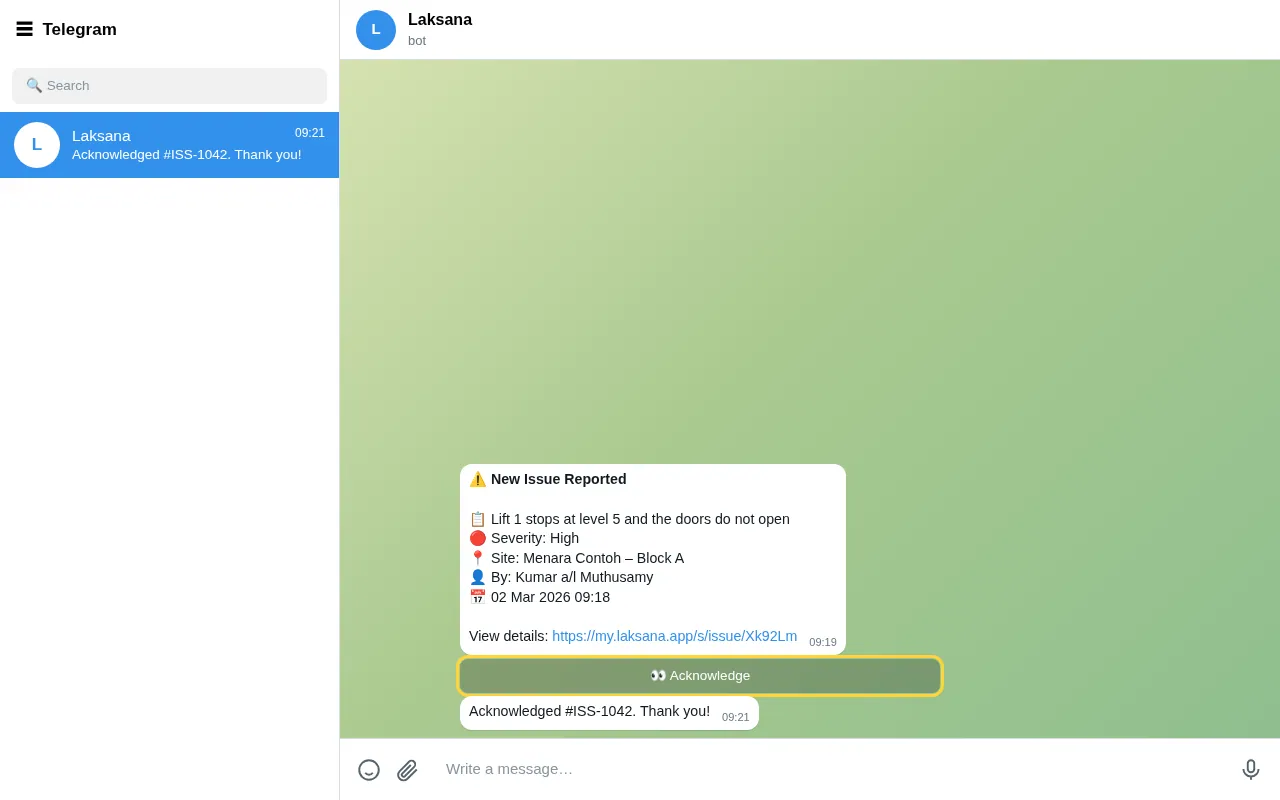
Some messages carry buttons, such as Acknowledge, Verify or Reject. For a job, the technician replies start, done, hold or help, just as on WhatsApp.
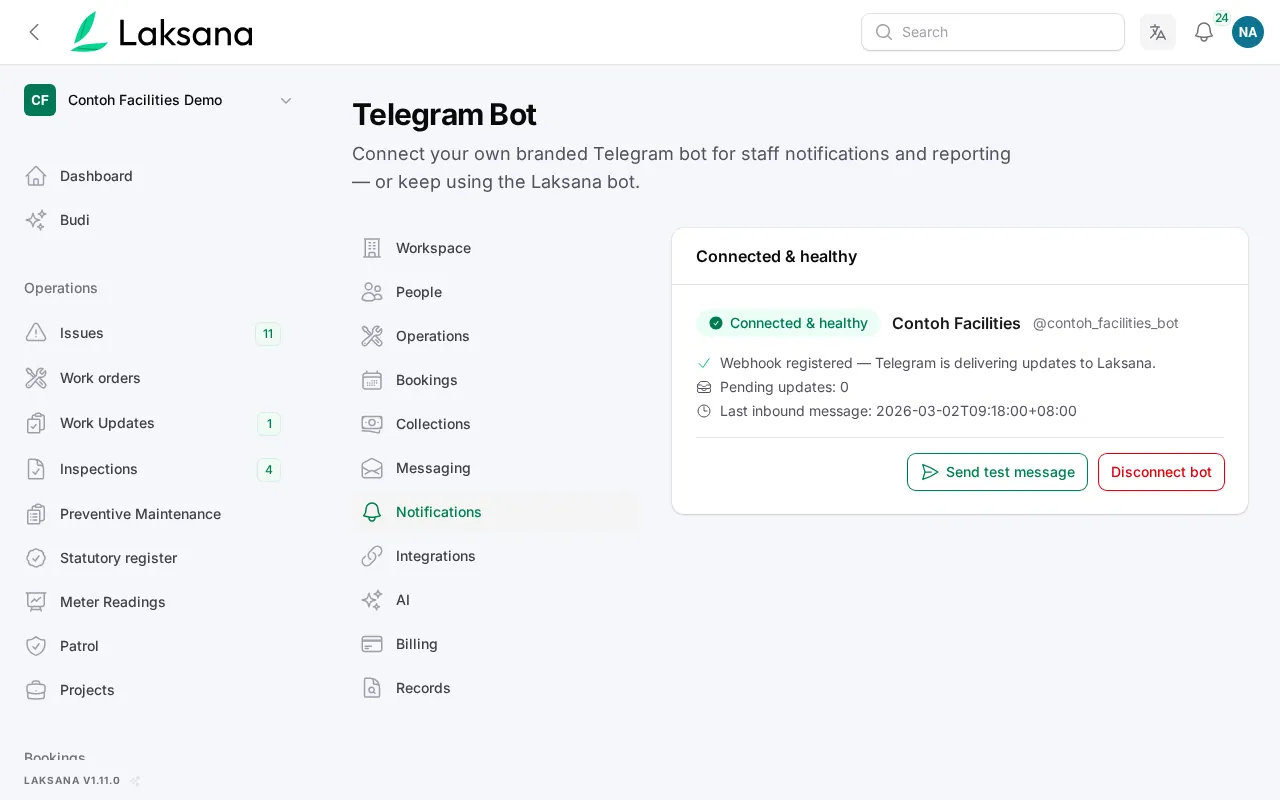
By default everyone uses the Laksana bot. You can connect a bot with your own name instead.
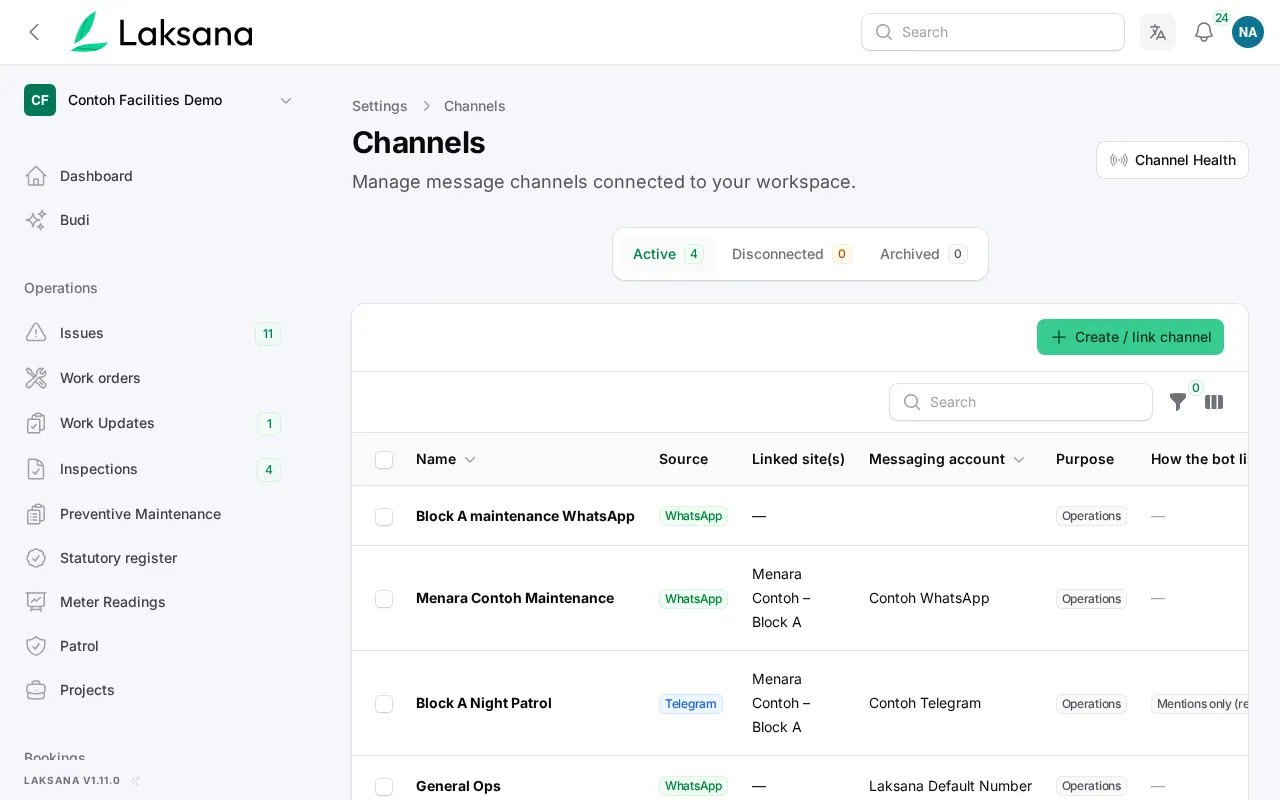
Telegram and WhatsApp work side by side. Each person chooses where their notifications go.
Inspection Reading Rules
Give a checklist item a normal range. A reading outside it creates one work order, with the reading attached.
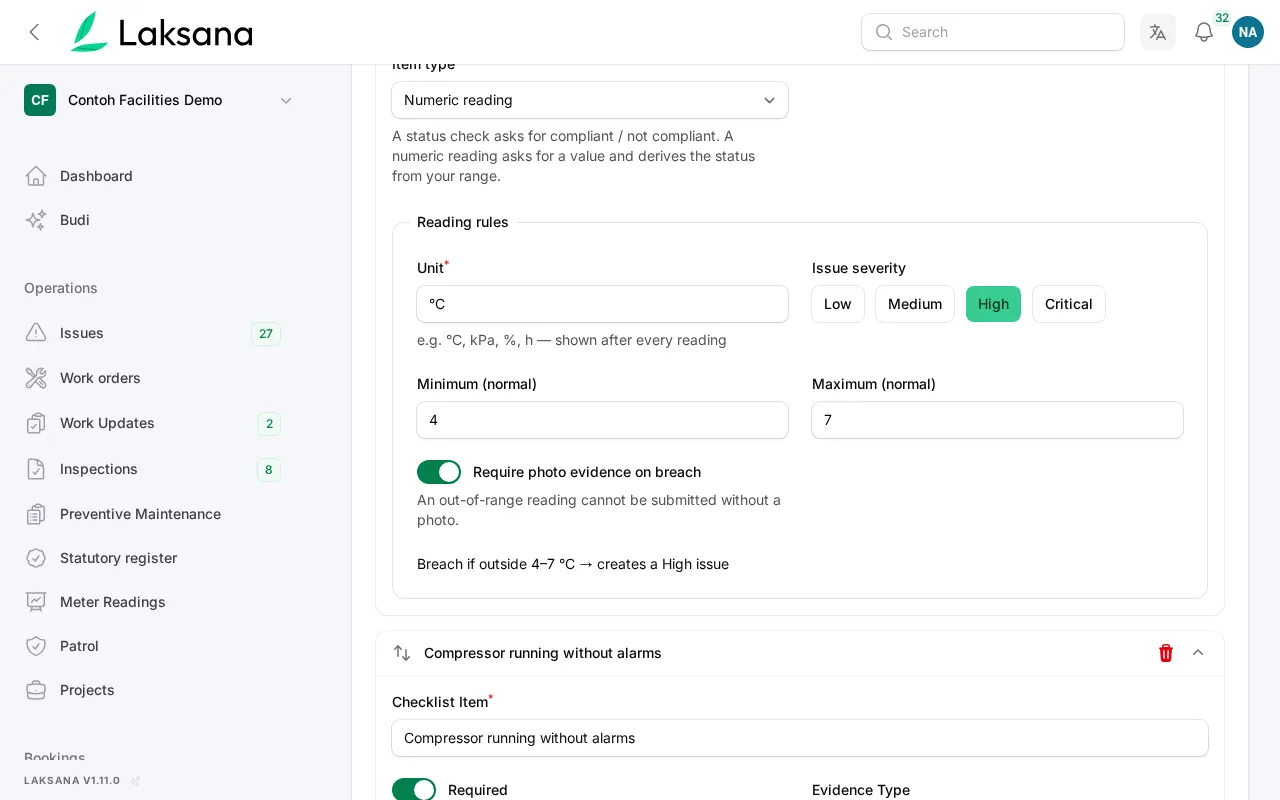
On a checklist, a number item gets a unit and a normal range, for example chiller supply 4–7°C. Switch the rule on for that checklist only.
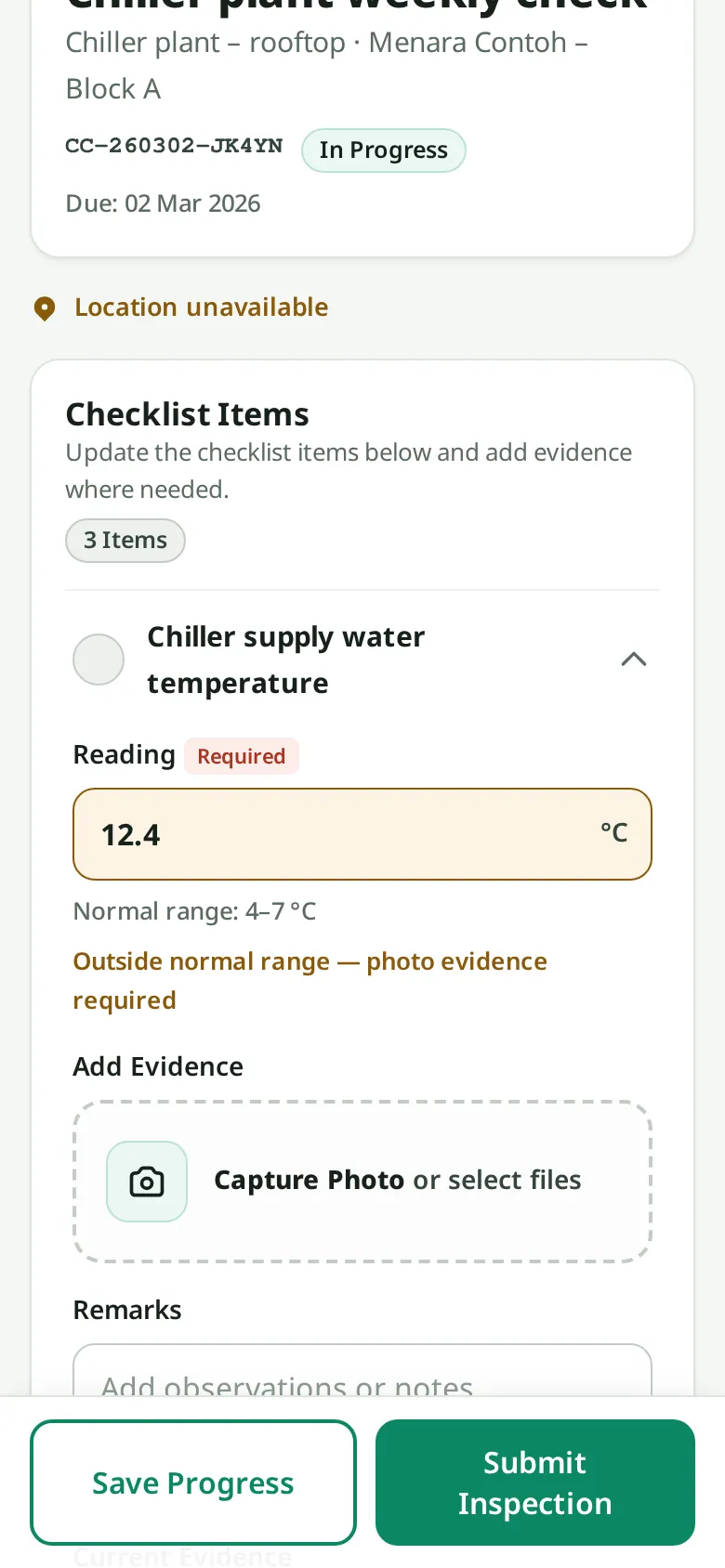
A technician enters 12.4°C on the checklist, from the QR label on the plant-room door or in the console.
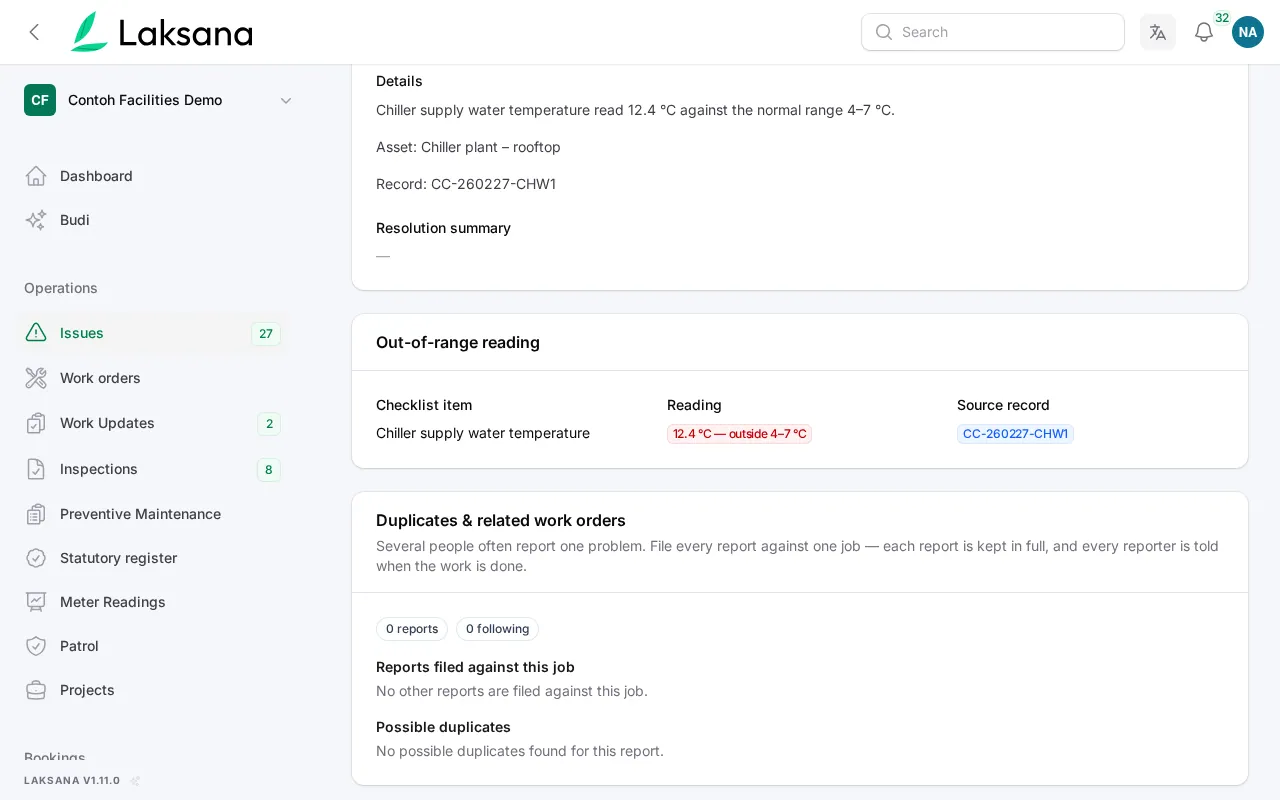
The reading is outside the range, so a work order is created with the severity you chose and the reading attached. You can require a photo too.
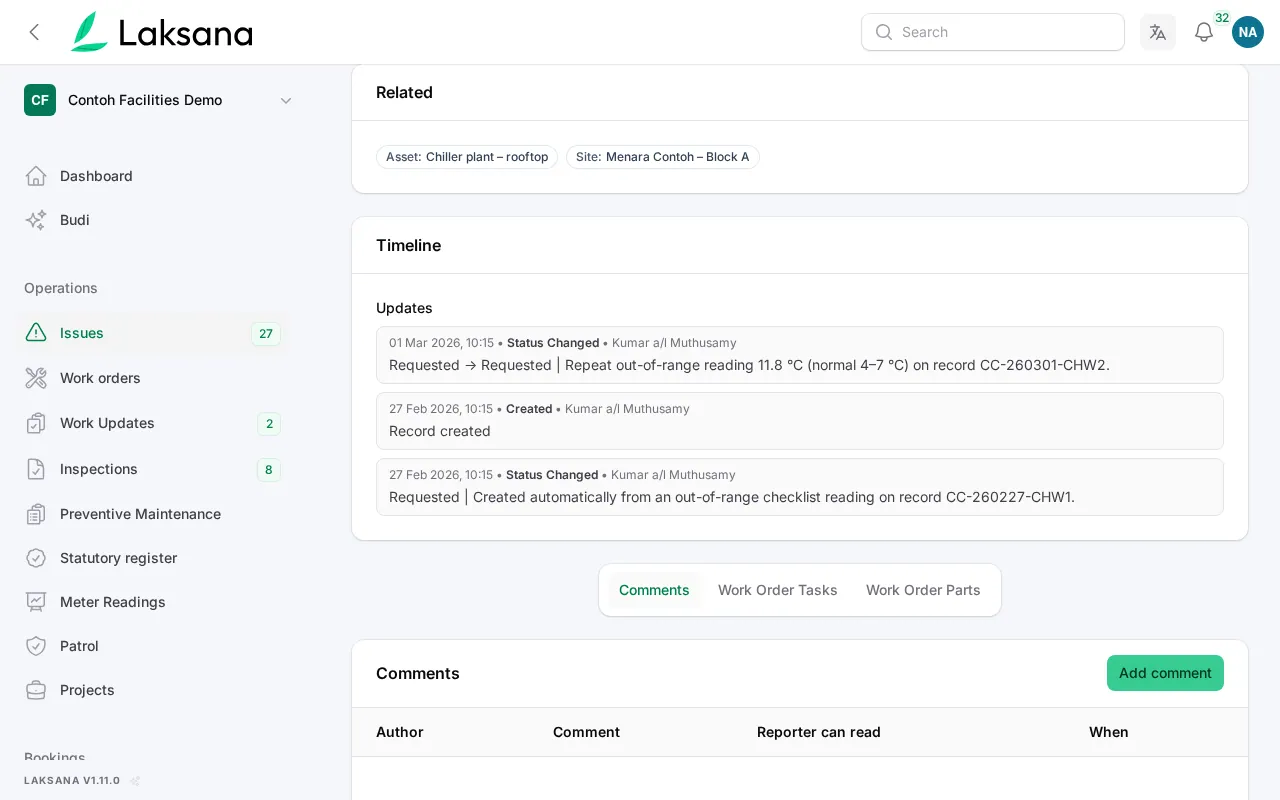
If the next readings are also out of range while the job is open, they are added to the same job as notes, not as new jobs.
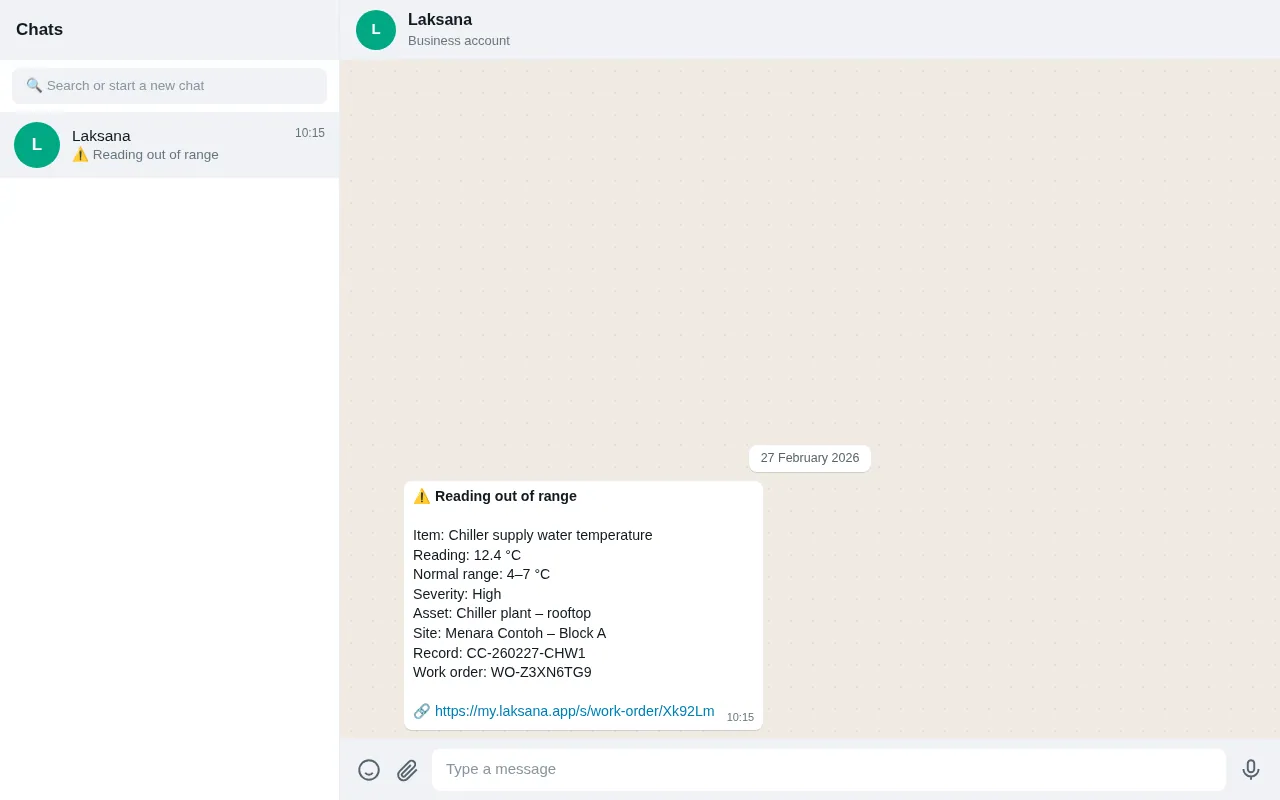
Managers are told by email, push, WhatsApp or Telegram, with a link to the job.
Service Ratings
When an issue is closed, the reporter is asked to rate it. Low ratings go to a manager. Unfair ratings can be set aside with a reason, never deleted.
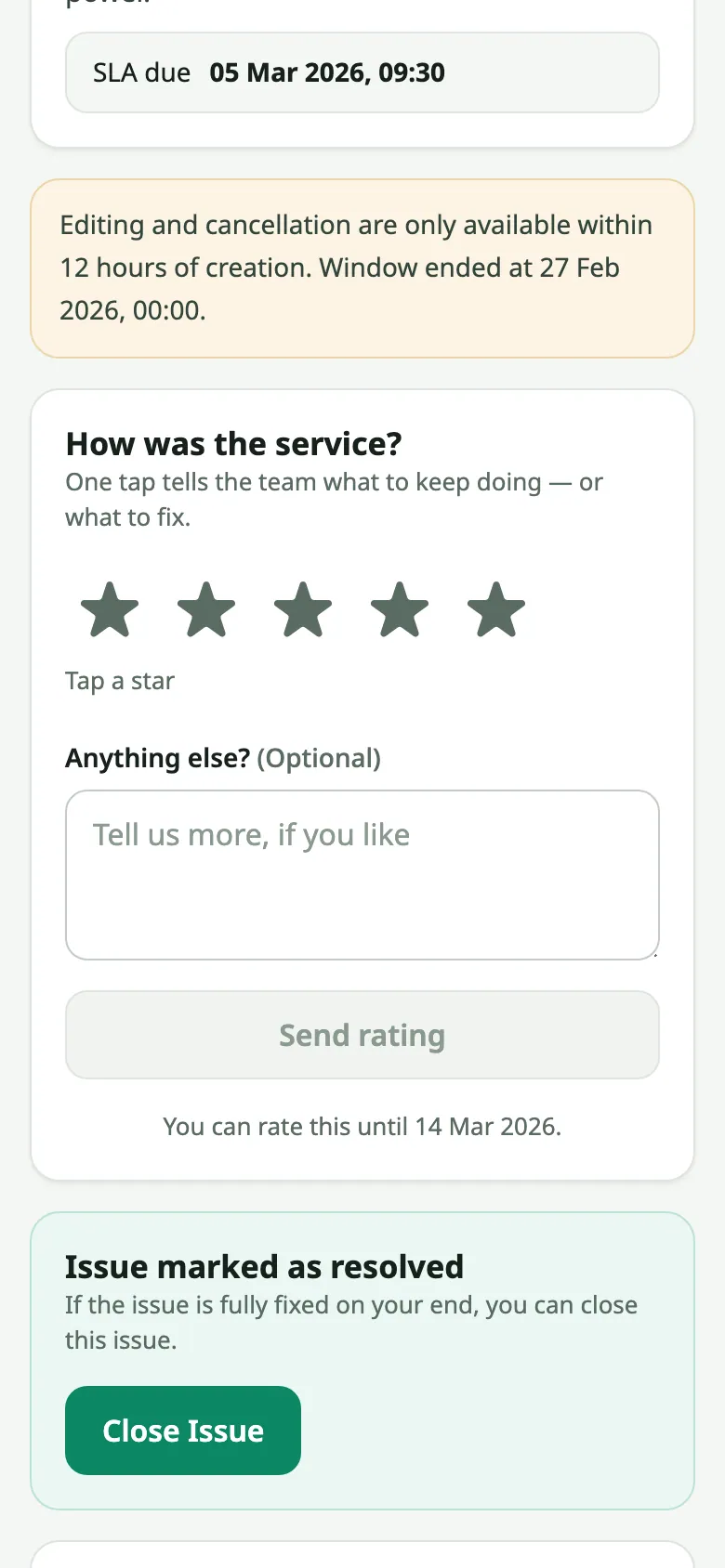
The reporter gets the rating question where they reported from: the record page, the resident portal, WhatsApp or Telegram. Staff can also record a rating taken by phone.
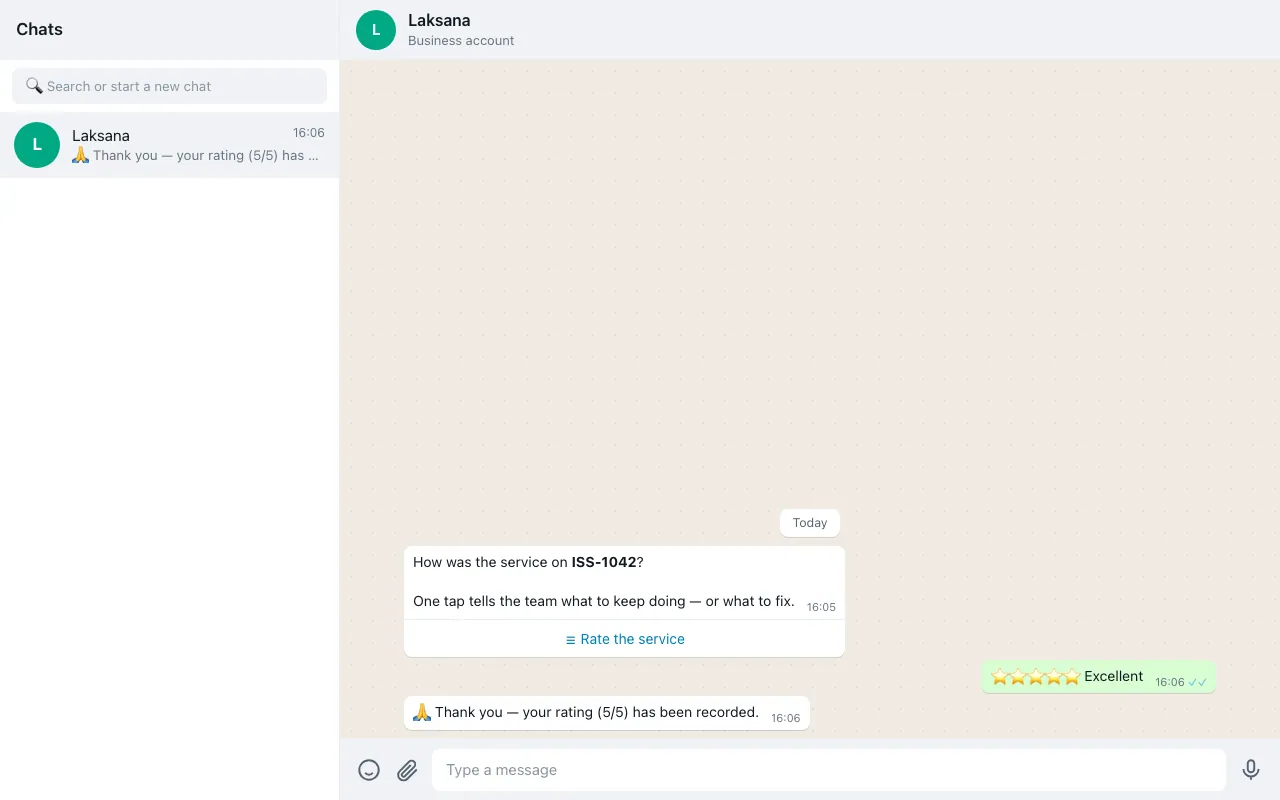
Pick the stars. A score of three or below asks what went wrong.
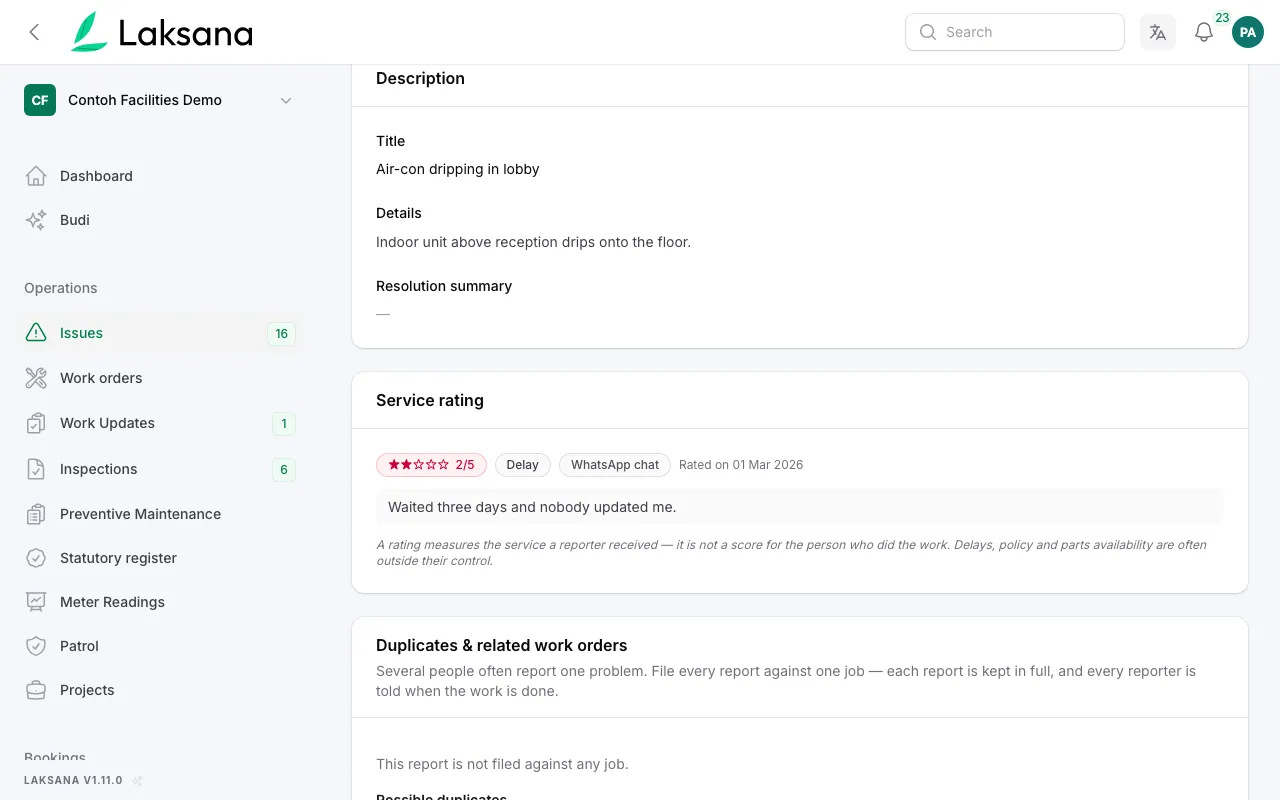
One or two stars goes straight to a manager, with the job and the reporter’s words, while a return visit is still easy to arrange.
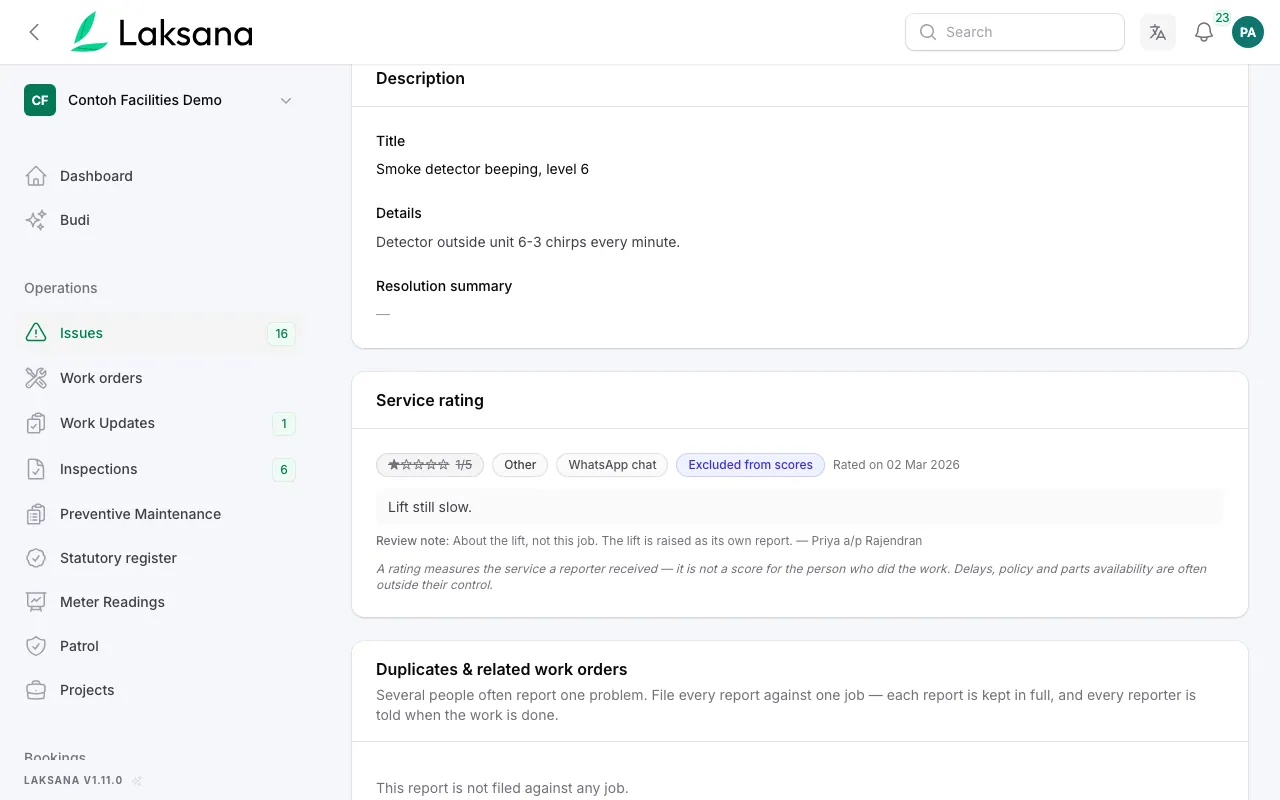
A rating about something else, such as "lift still slow" on a lobby light job, can be set aside with a written reason. It stays on record, struck through.
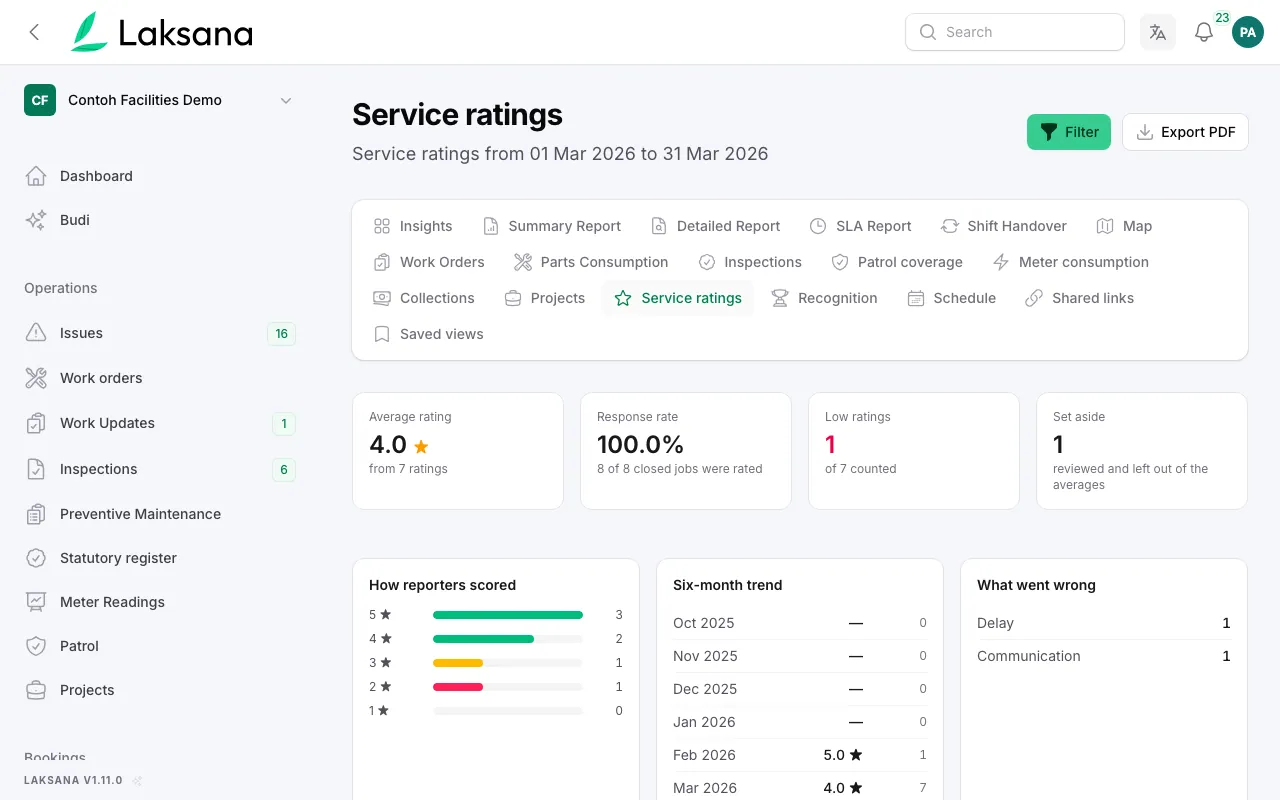
Insights shows each average with how many ratings it is based on and how many people answered.
Duplicate Consolidation
Reports that look like the same fault are suggested with reasons. A person links them to one work order, and every reporter is kept informed. No report is deleted.
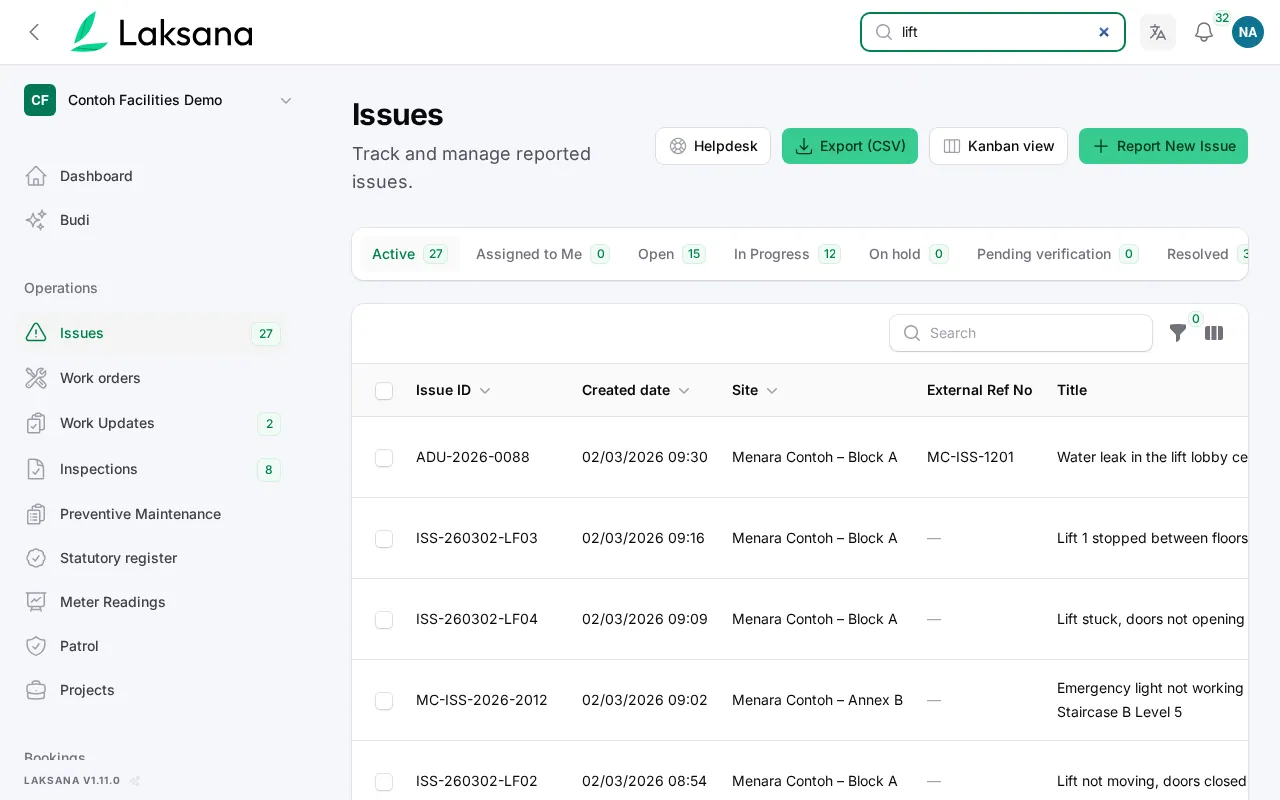
Three residents report the same stuck lift within an hour, from the portal, WhatsApp and Telegram. Each report keeps its own record.
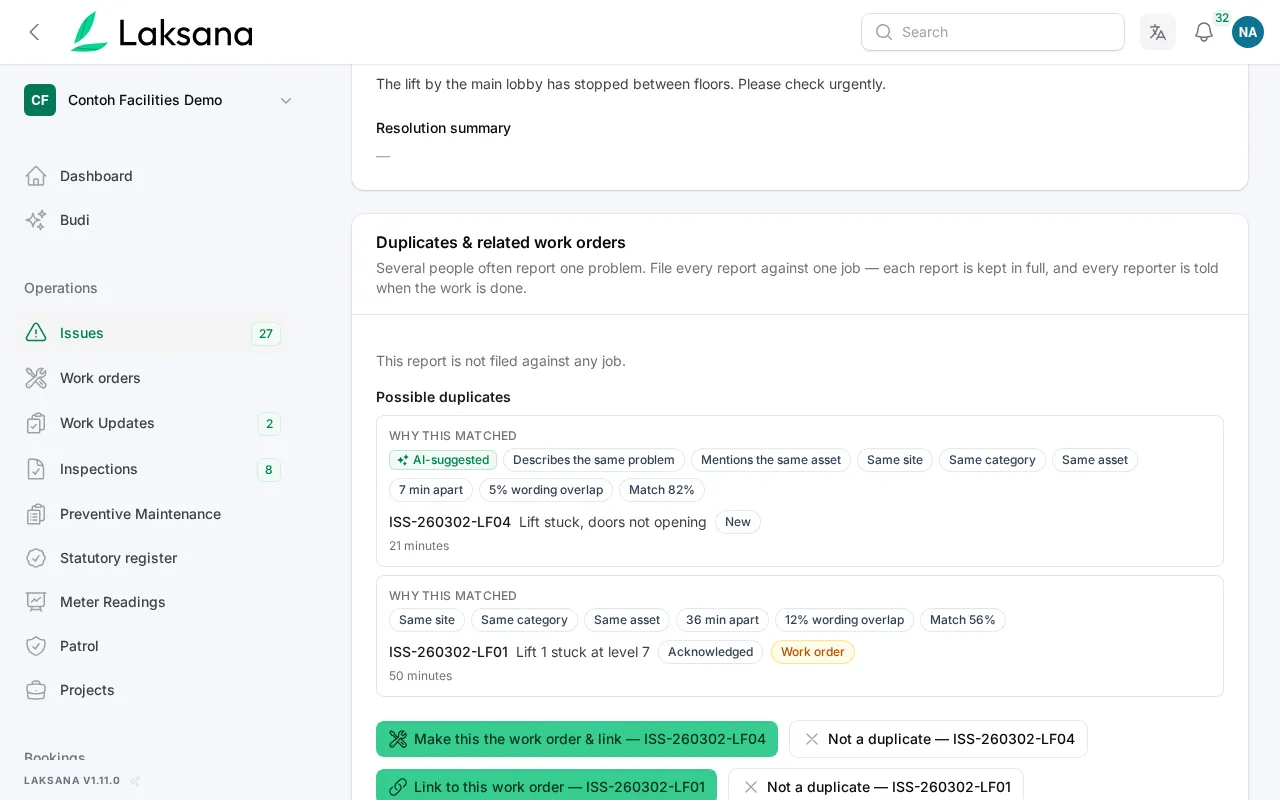
On the newest report, Laksana shows why it looks like a duplicate: same site, same category, 40 minutes apart, similar wording. With AI suggestions switched on, it can also spot matches written differently, and marks those as AI-suggested.
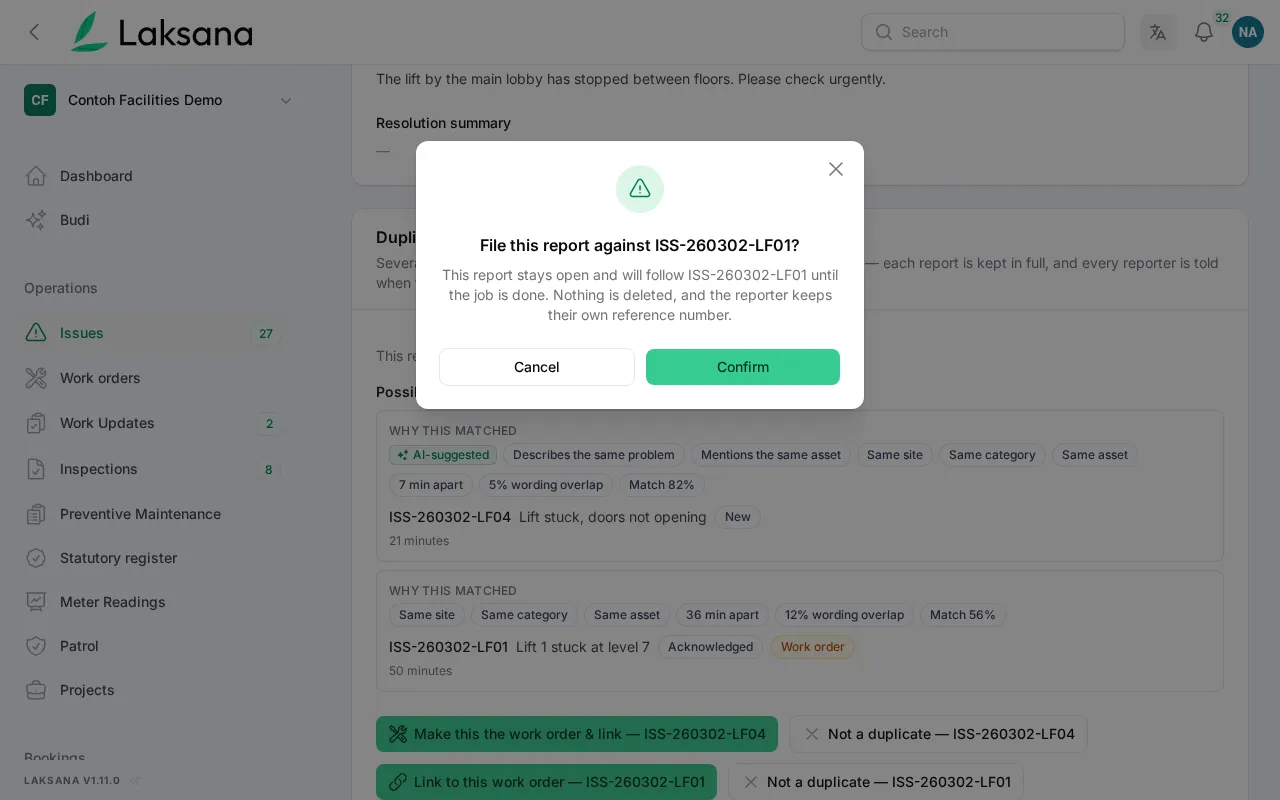
Link the report to the existing work order, or make it the work order and link the rest. A person always decides. Nothing is linked automatically.
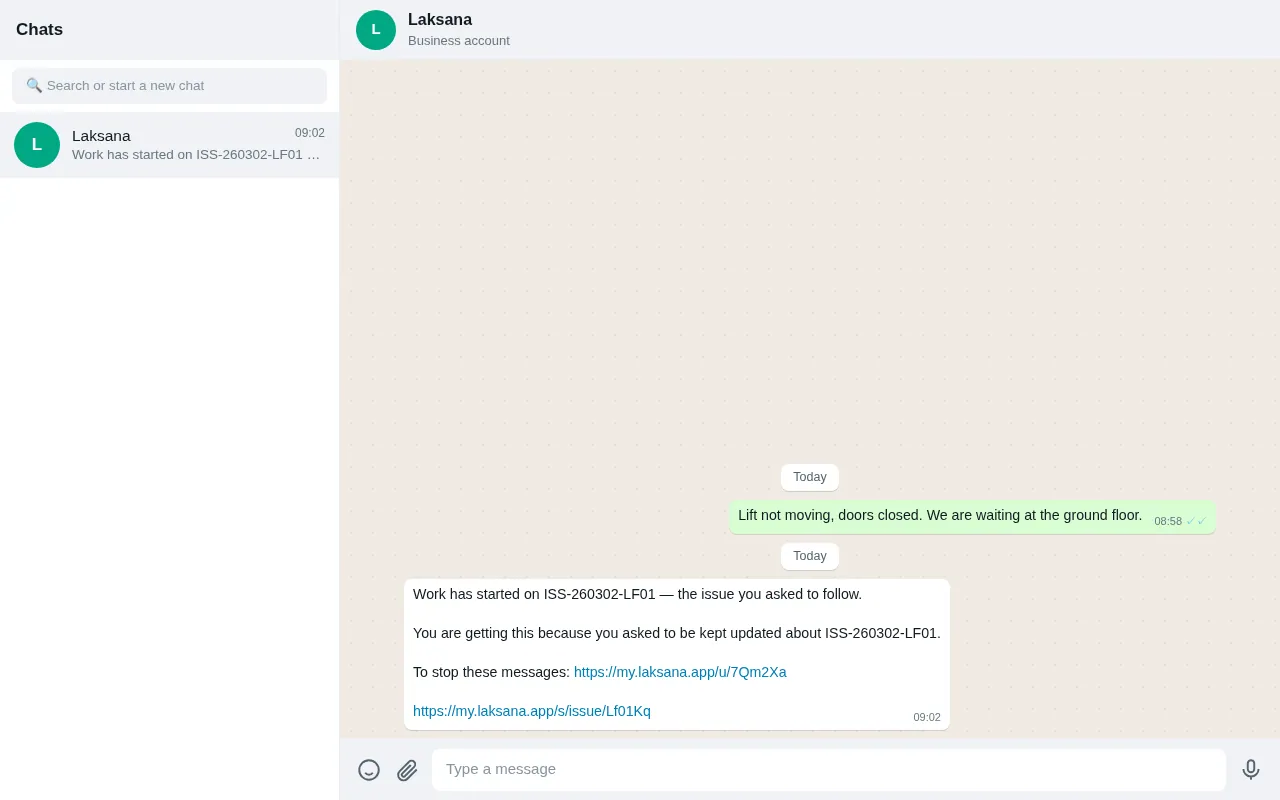
Each linked reporter is told when work starts, when it is finished and when it is closed, on their own channel, with a way to stop the messages.
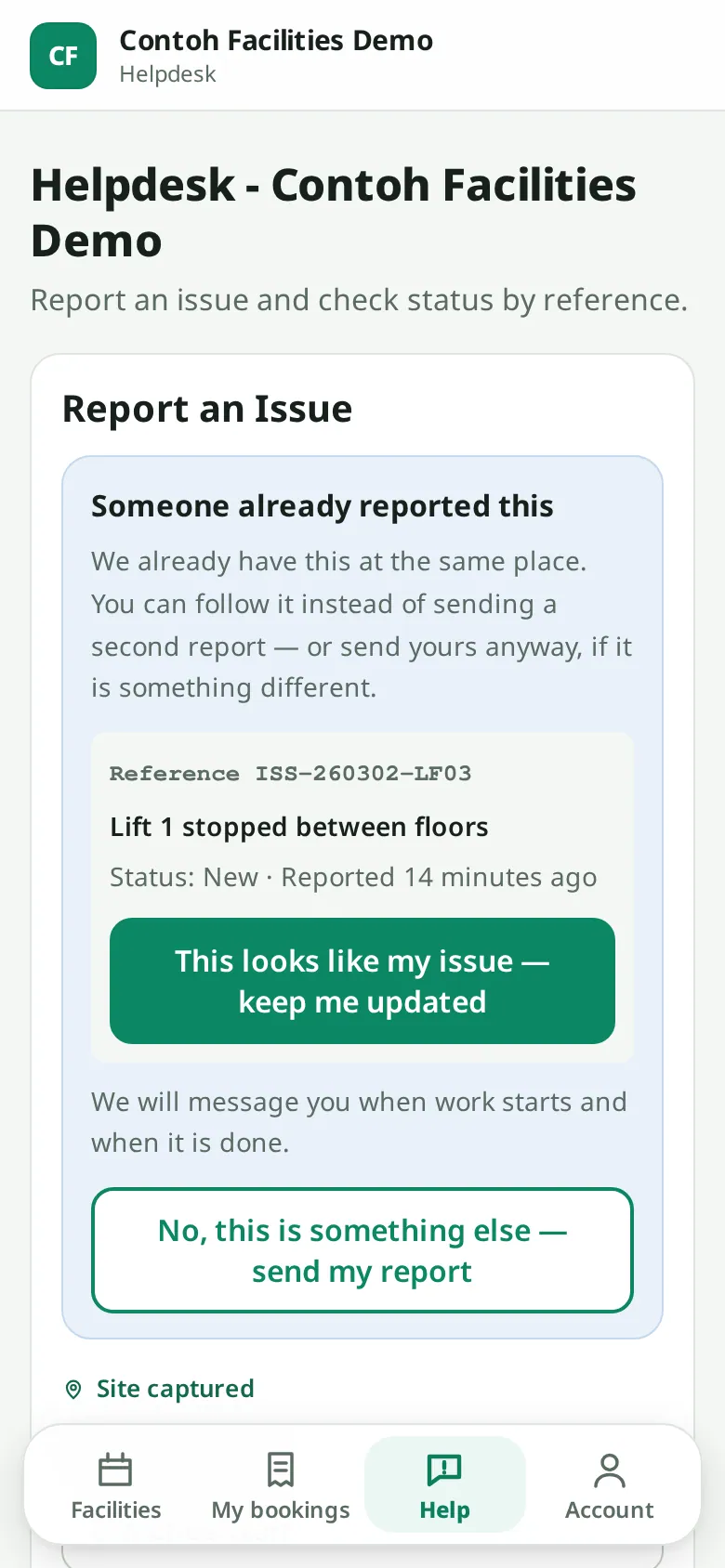
On the resident helpdesk form, matching open issues appear before the report is sent: someone already reported this, do you want updates instead? No one else’s details are shown.
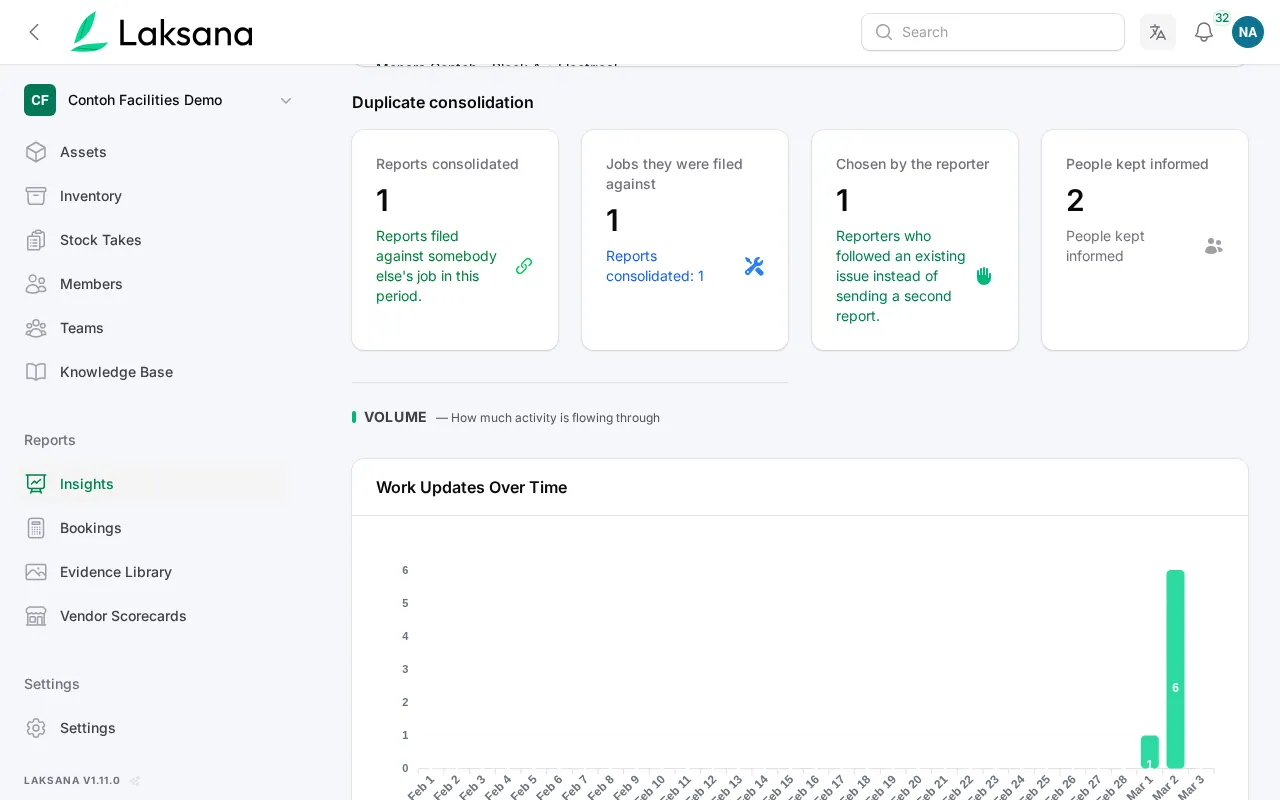
Insights counts the duplicates you combined and how many people were kept informed.
Ask Budi
Ask what's trending, which assets keep failing, how compliance stands: in the console or the chat bots. Every answer carries citations that open the records behind it, and a code-level guard means Budi never invents a number.
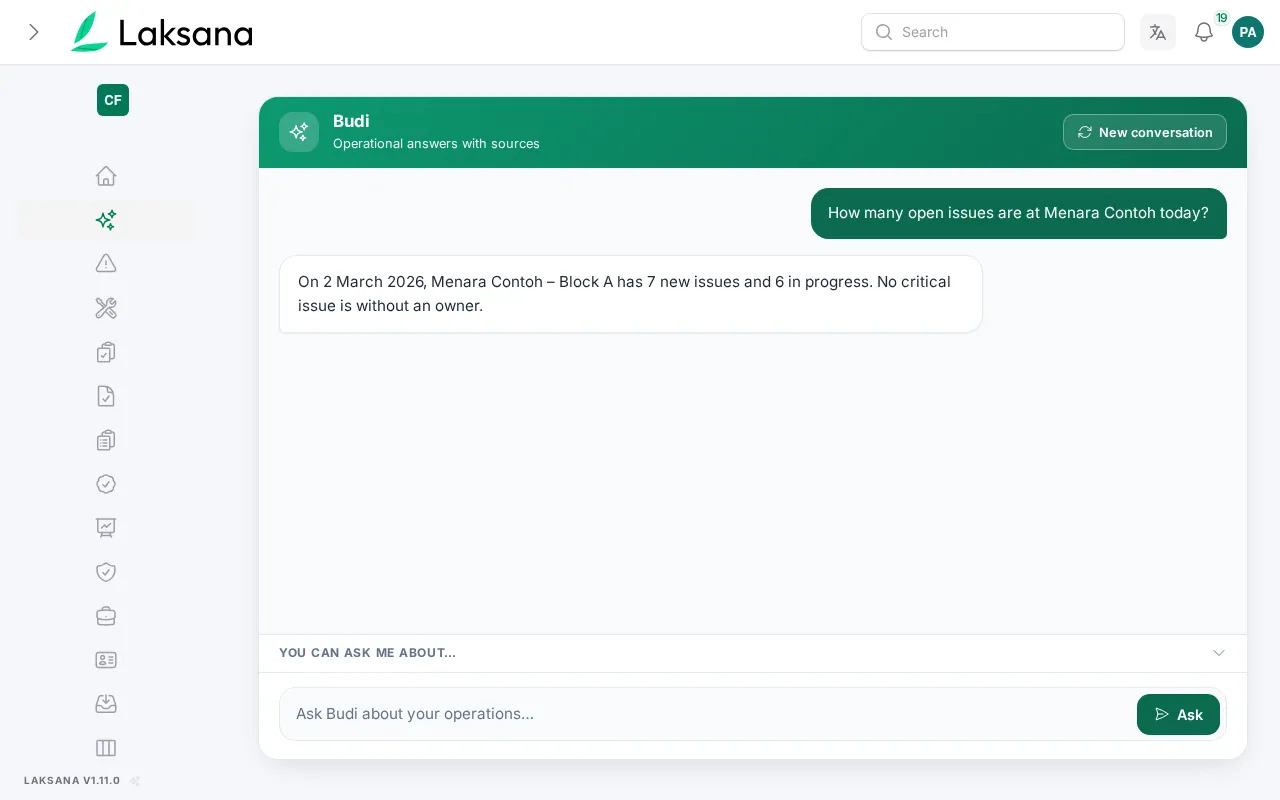
"What complaints are trending this month?" typed into the console panel, WhatsApp or Telegram, in English or Malay.
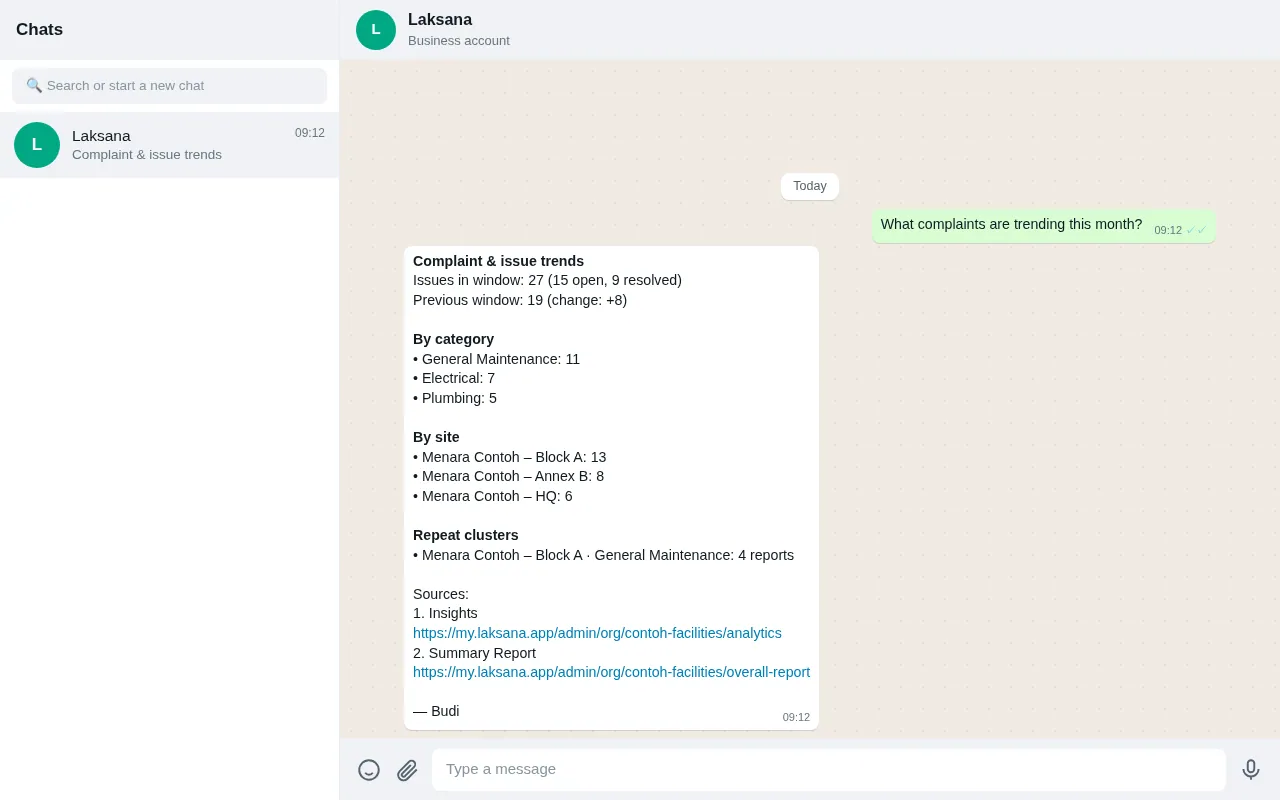
Counts, trends and the top categories, each with a source link that opens the exact list it came from. You are never asked to trust a floating number.
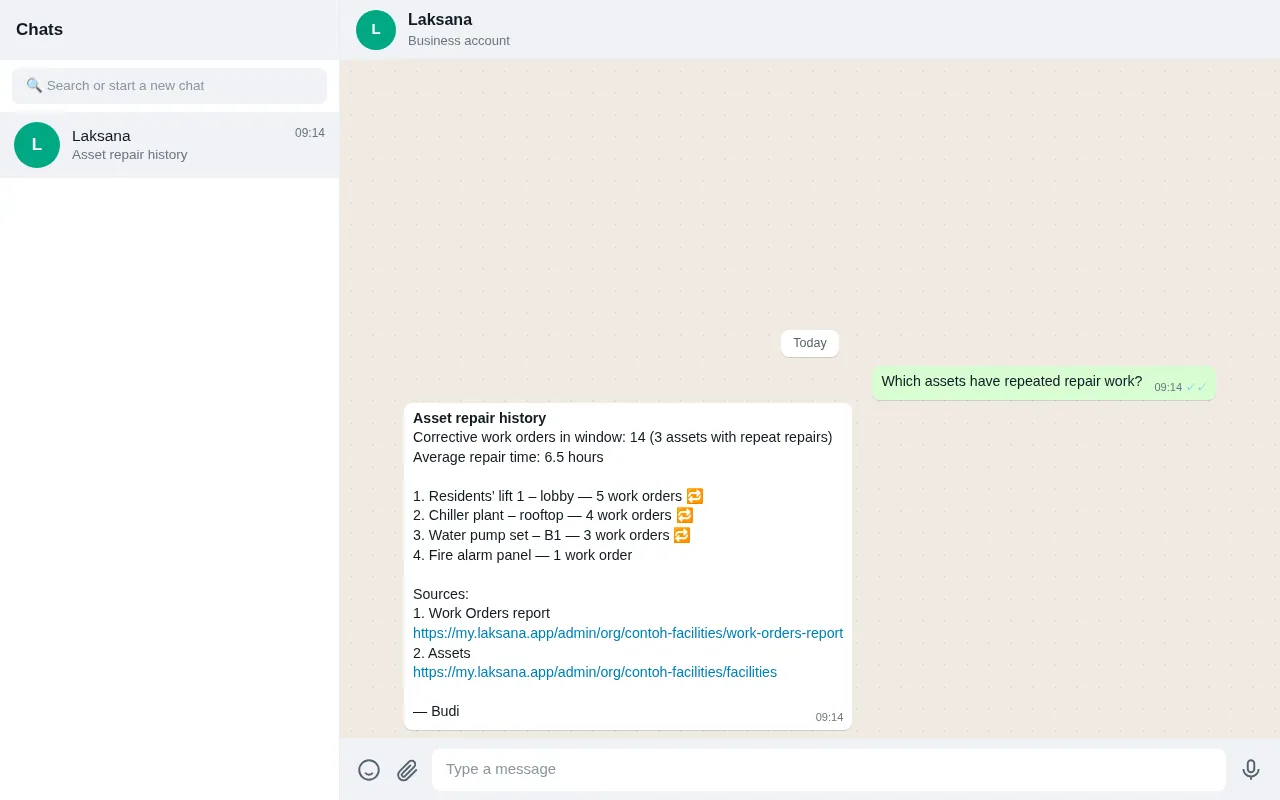
Repeat-repair assets ranked with their work-order history: the question that decides replace-versus-repair, answered from your own records.
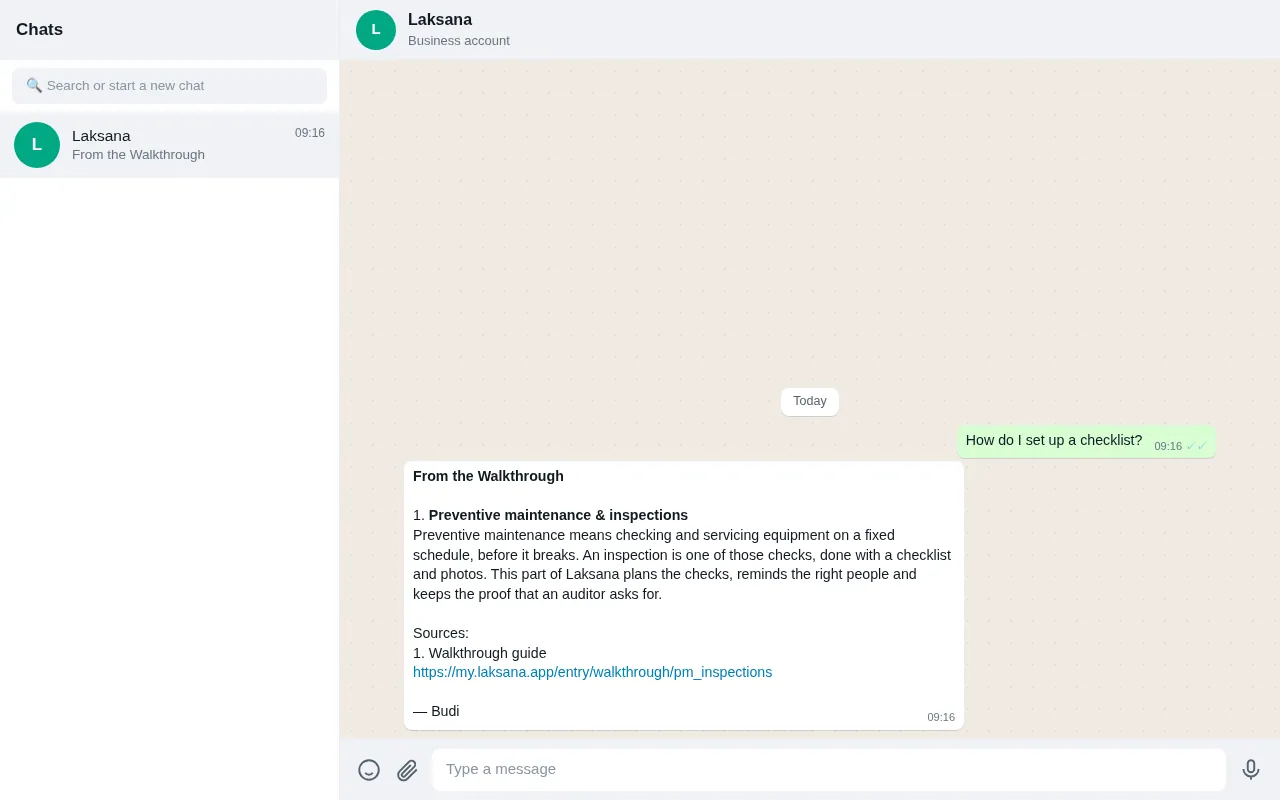
"How do I set up a checklist?" is answered from the published product manual, with a link to the article. If the manual doesn't cover it, Budi says so: it never improvises instructions.
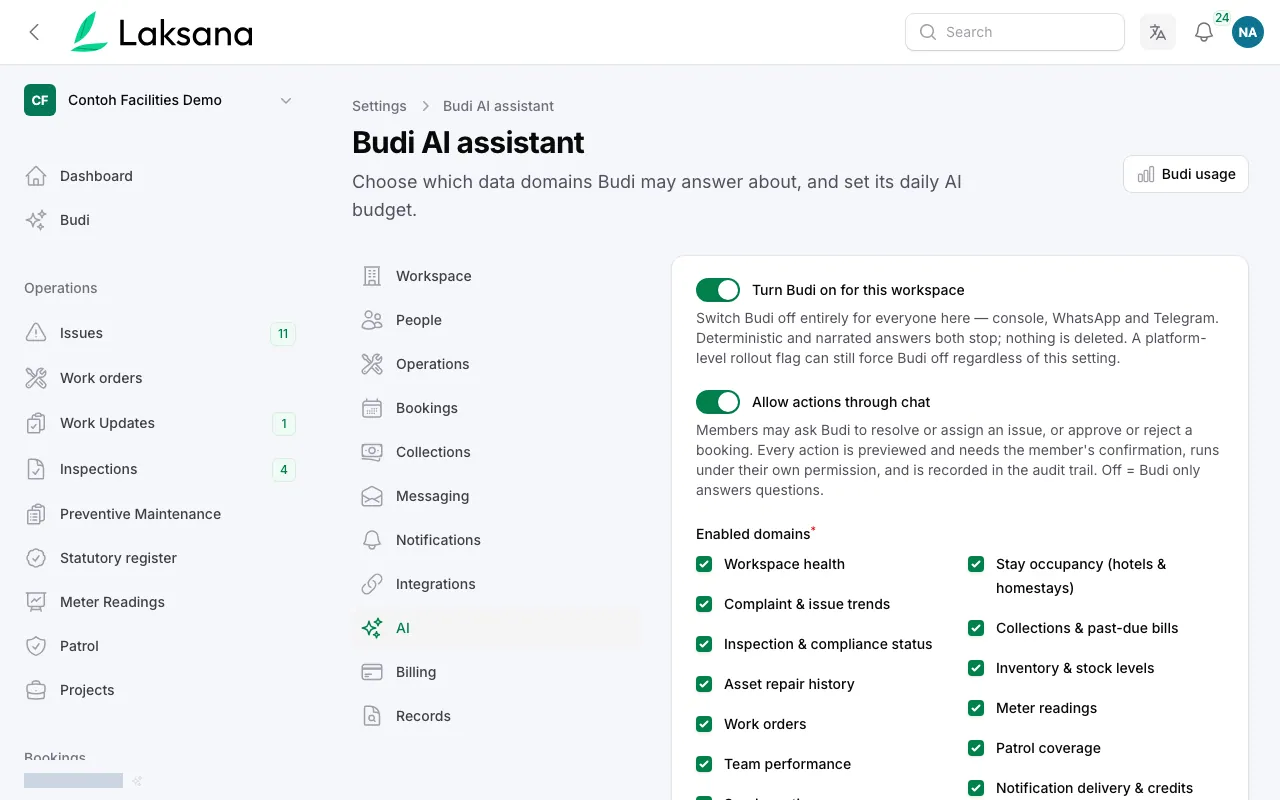
Per-domain permissions decide who may ask what; a daily AI budget caps spend per plan; and the numeric guard rejects any answer whose figures don't match the data it was given.
Technician Recognition
A monthly score out of 100 for each technician, built from response times, deadlines met, fixes that held and ratings. Doing more jobs can only count for so much, and every score shows how it was worked out.
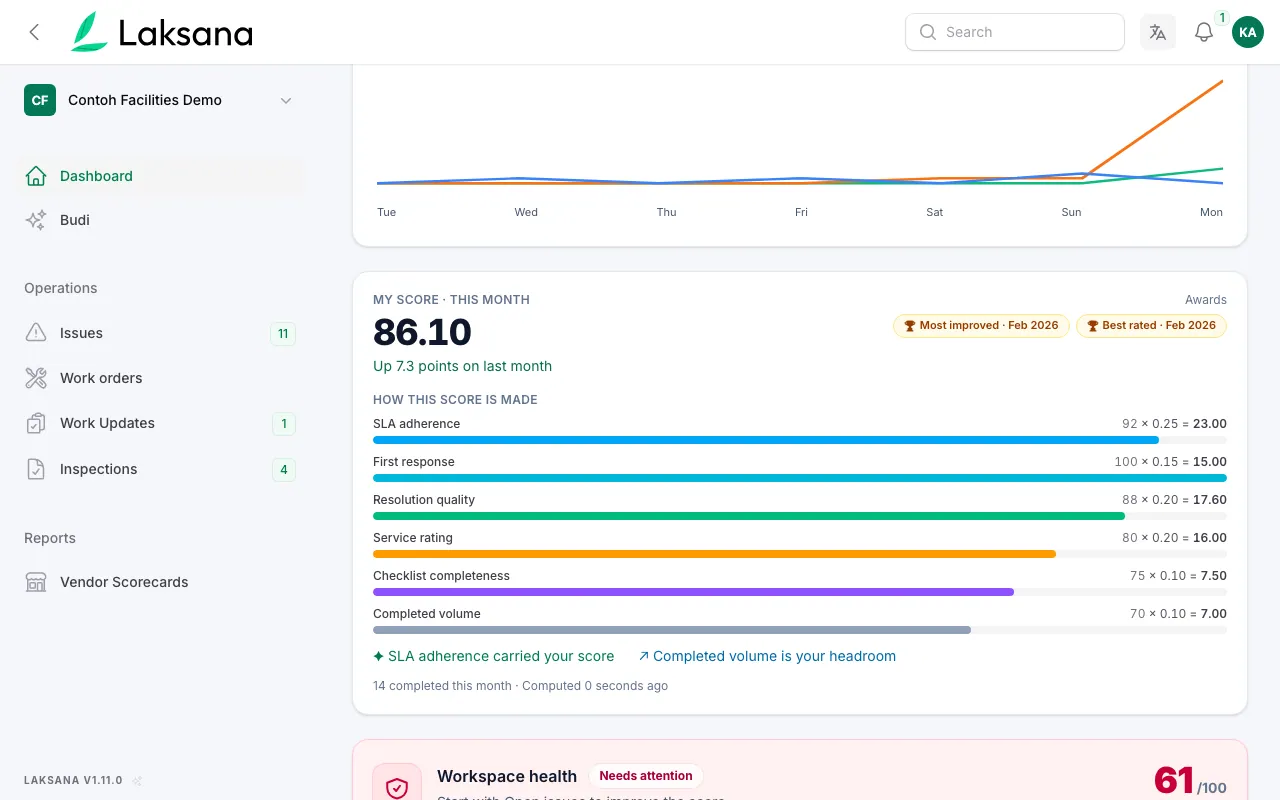
Insights → Recognition shows each technician’s score. Open it to see exactly which measures added up to the number.
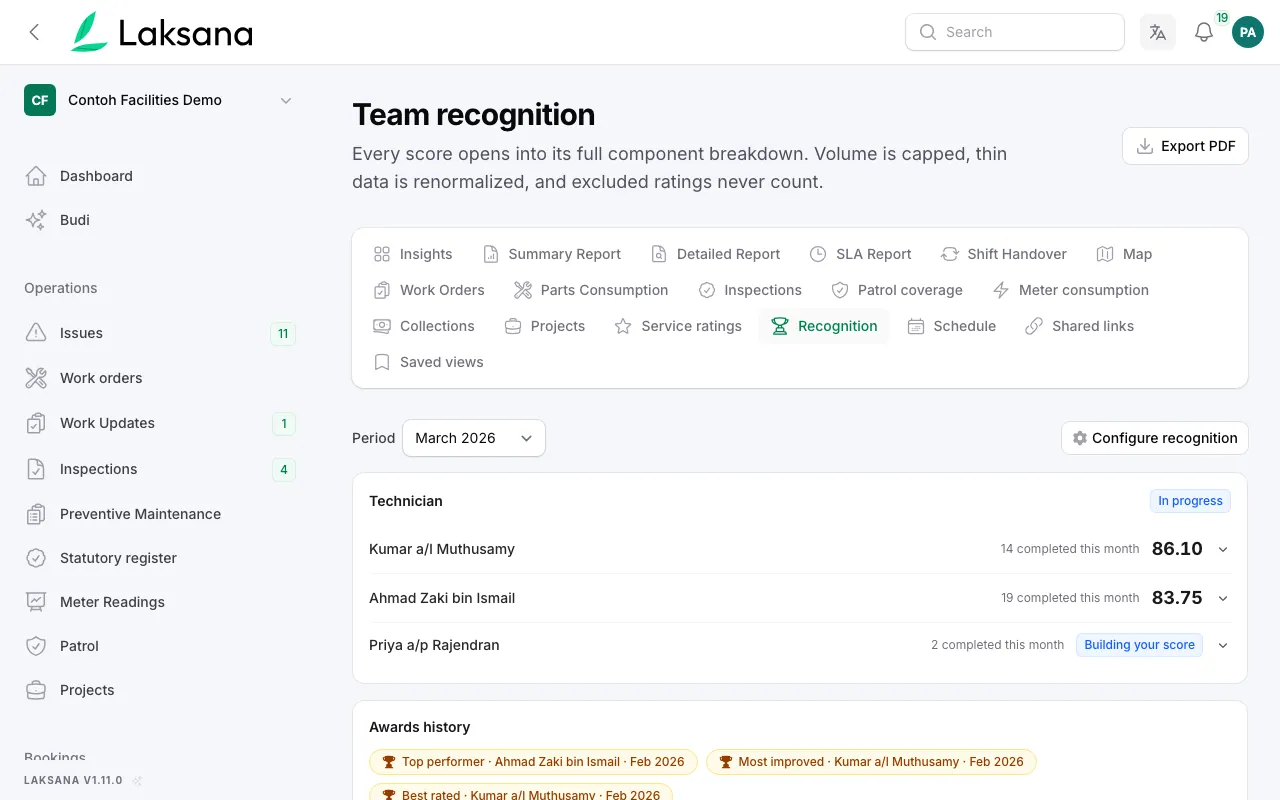
The number of jobs counts for at most 30% of the score. In this sample month, Kumar scores higher with 14 jobs done right than a colleague with 19.
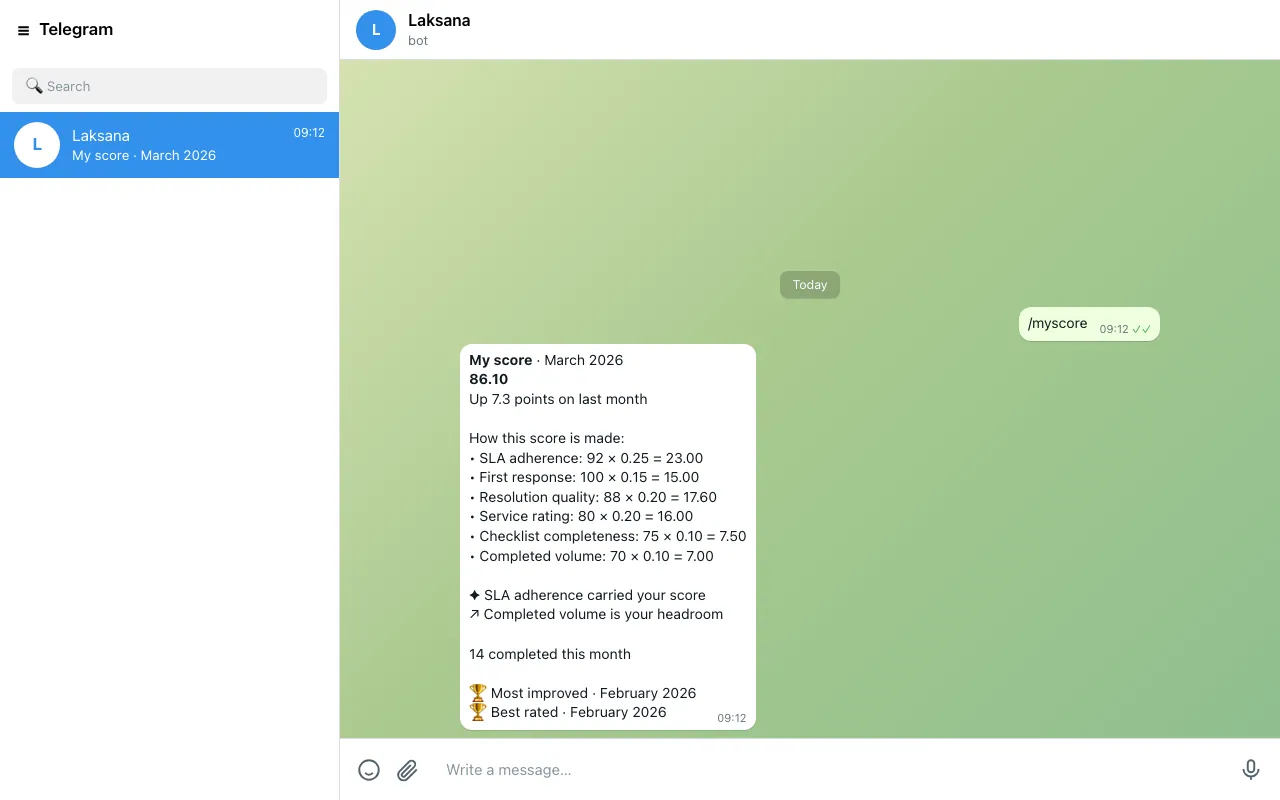
A technician sends /myscore on WhatsApp or Telegram and gets their own score and breakdown. Asked in a group, the reply goes to them privately.
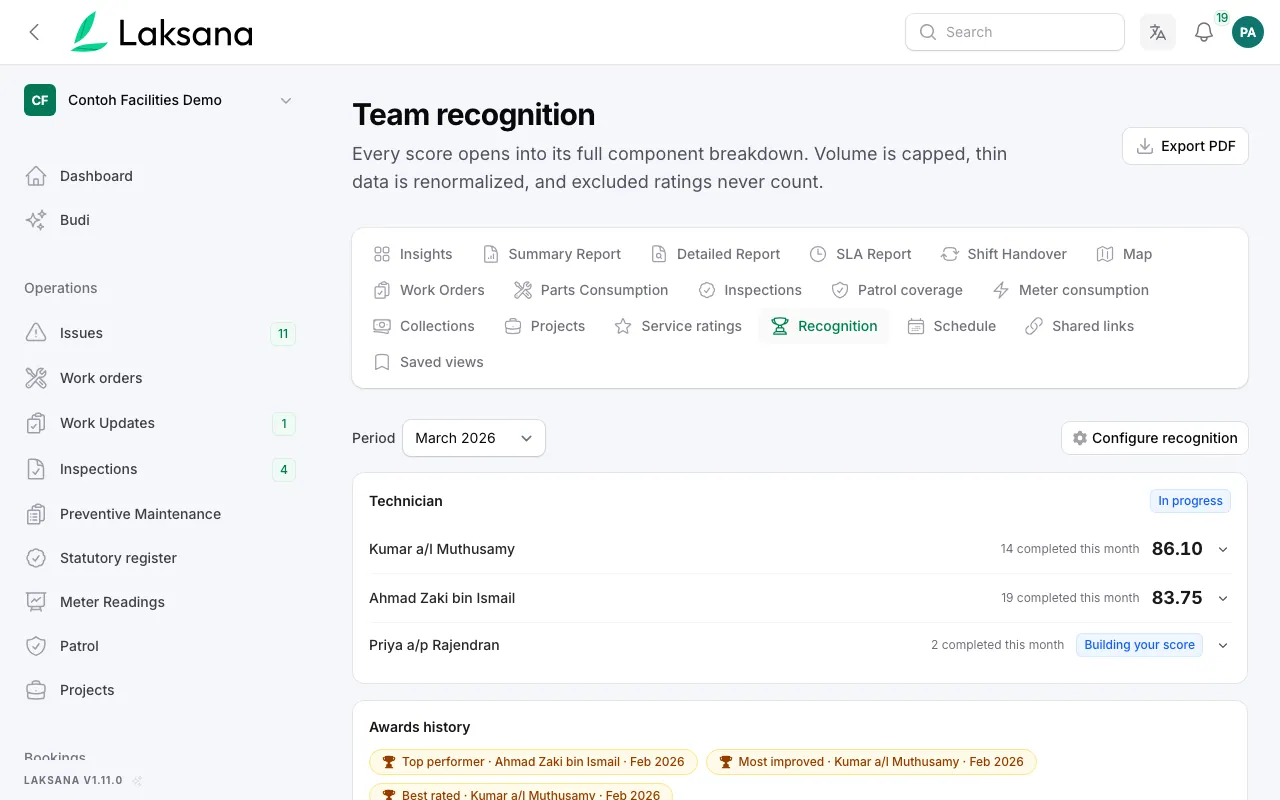
Top performer, most improved and best rated are decided once at month end and saved with the numbers behind them.
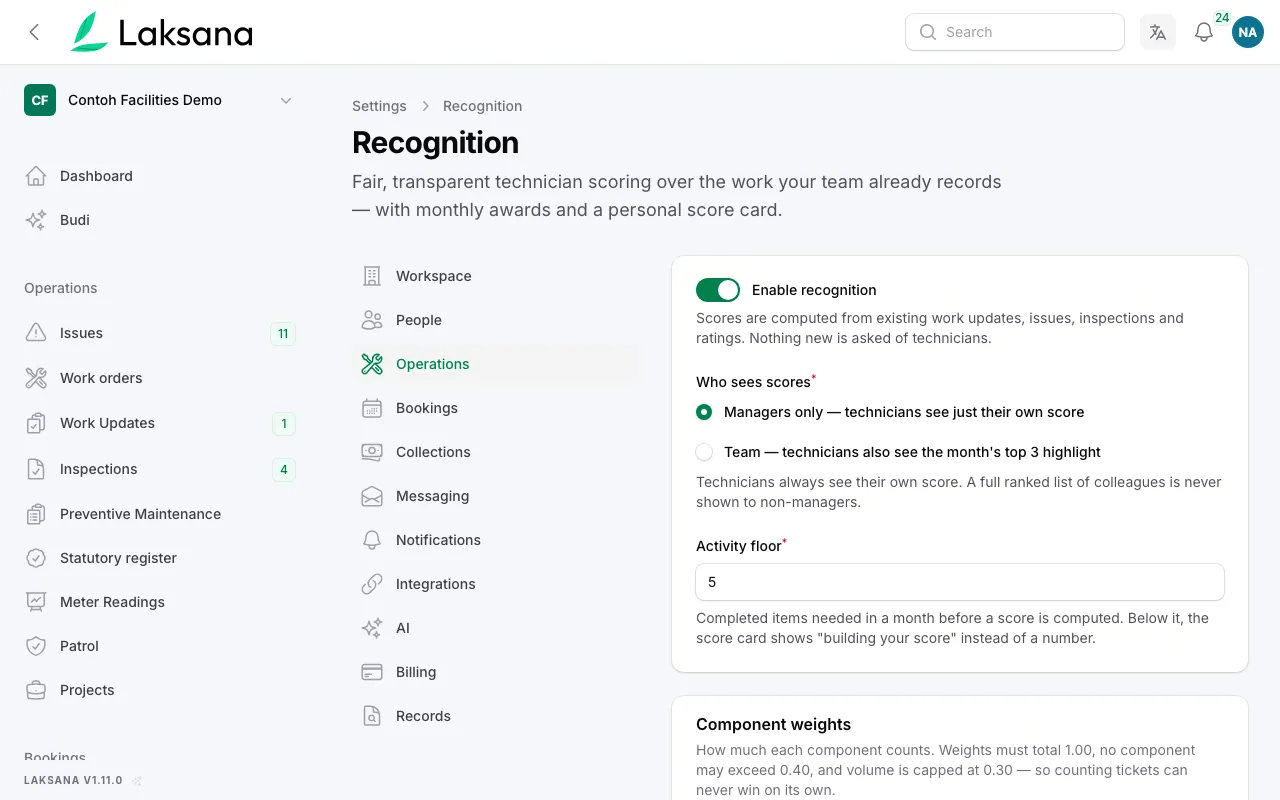
Managers set how much each measure counts, with a preview on a sample month before saving.
Proof of Performance
Every number on the leaderboard opens the photos behind it.
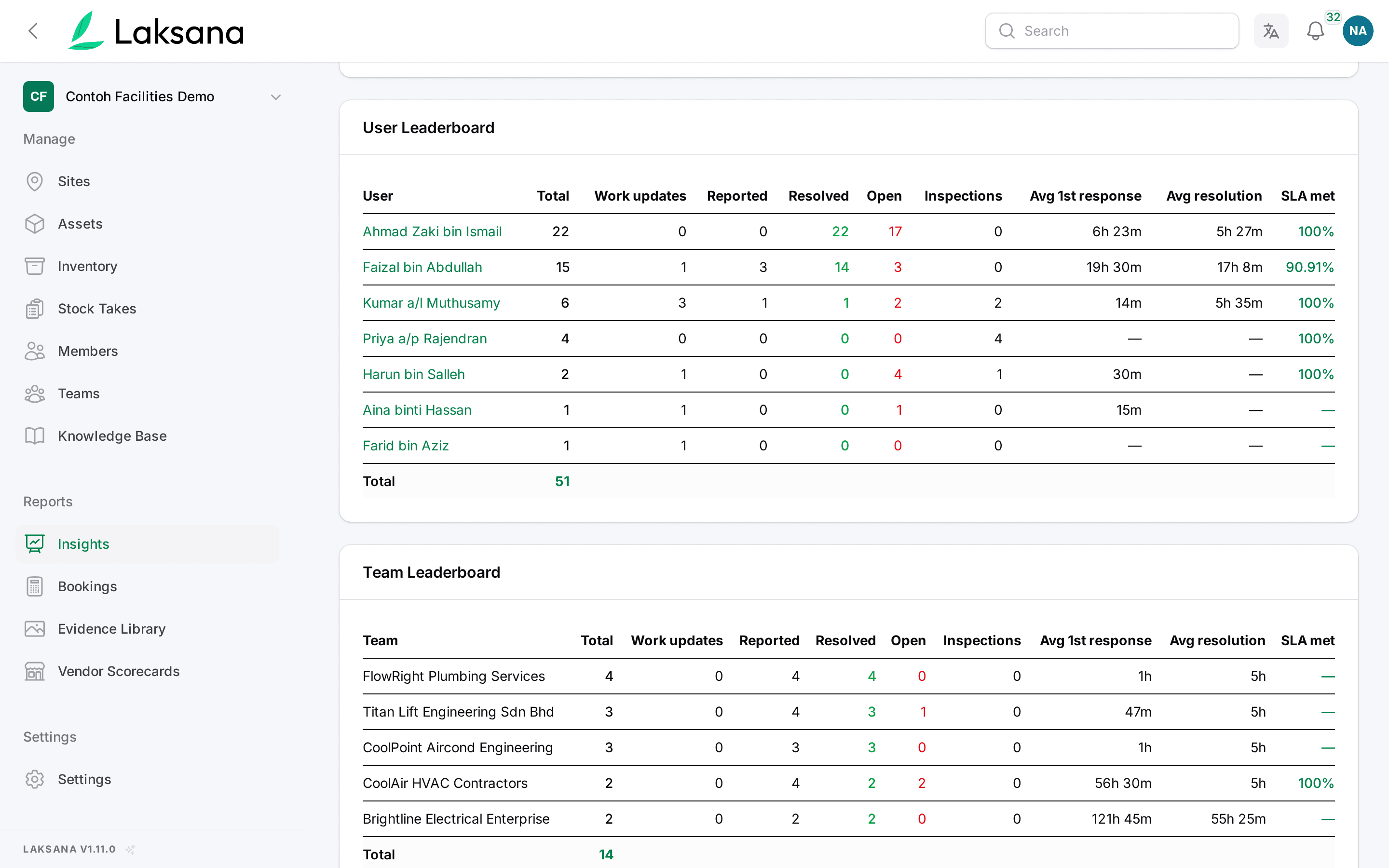
Insights ranks each person for the period: work updates, issues reported and resolved, inspections, response and repair times. Each name is a link.
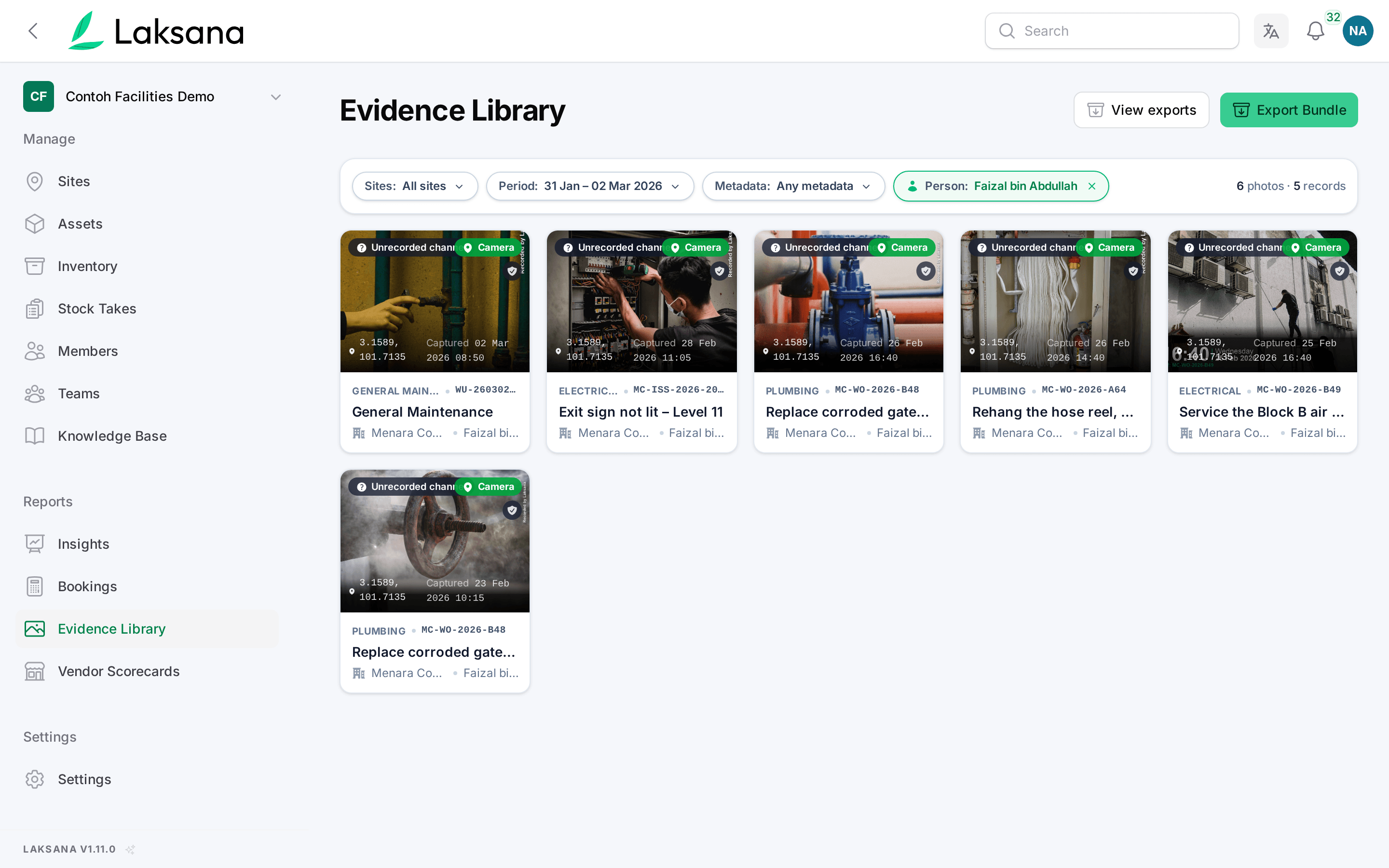
The Evidence Library opens showing only that person’s photos for that period, with a label saying whose they are.
Facility bookings
People book and pay on their phone, your officers approve in one list, and the receipt is issued for you. A cleaning job after the event is optional.
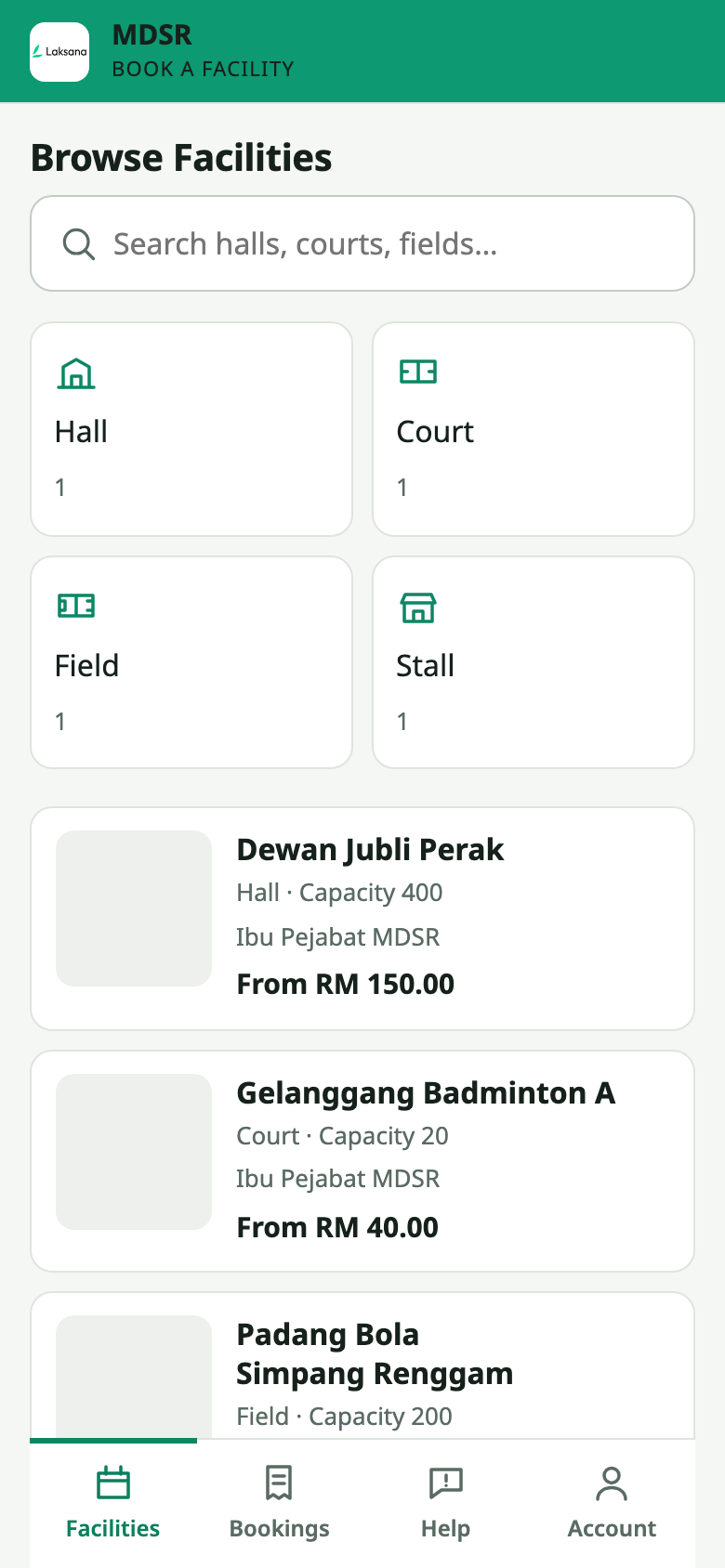
Your halls, courts and fields on your own website, with capacity on each one. No app to download and no account to create.
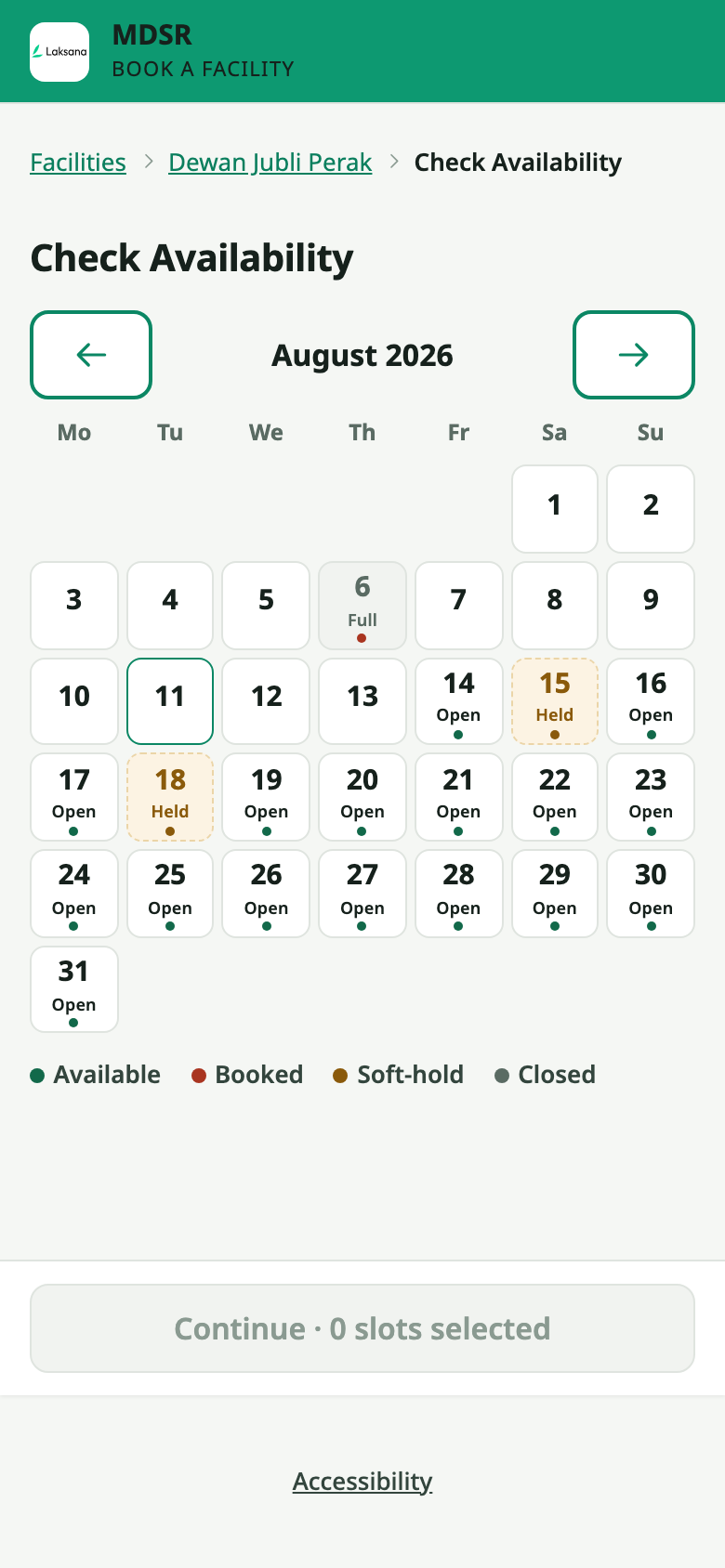
The calendar shows which days are open, held, fully booked or closed. Two people can never book the same slot. A hall used for weddings and the badminton and sepak takraw courts on its floor share one calendar: book the hall and the courts close, book a court and the hall closes.
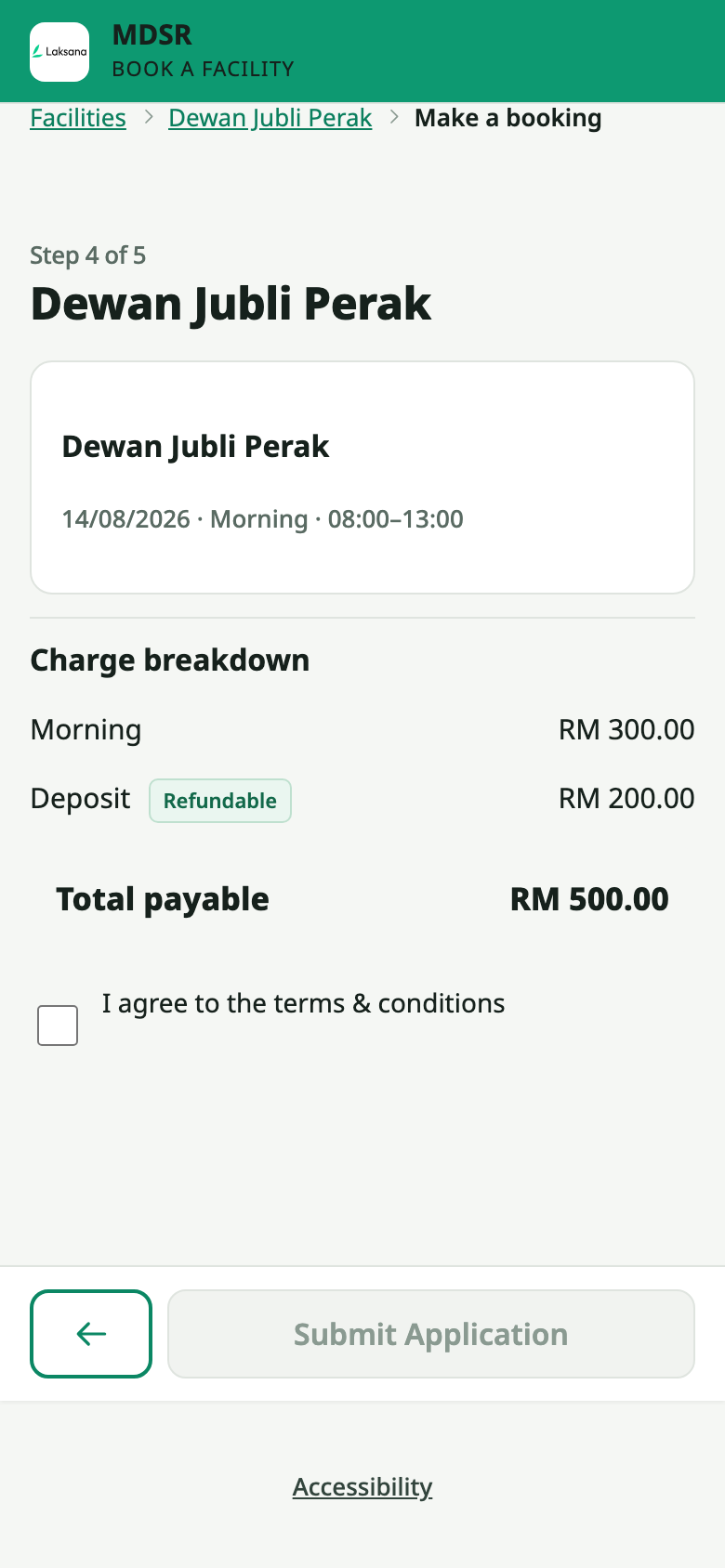
Before sending, the applicant sees exactly what they will pay: the charge and the refundable deposit on separate lines, then the total. Rates can differ for residents, associations and businesses.
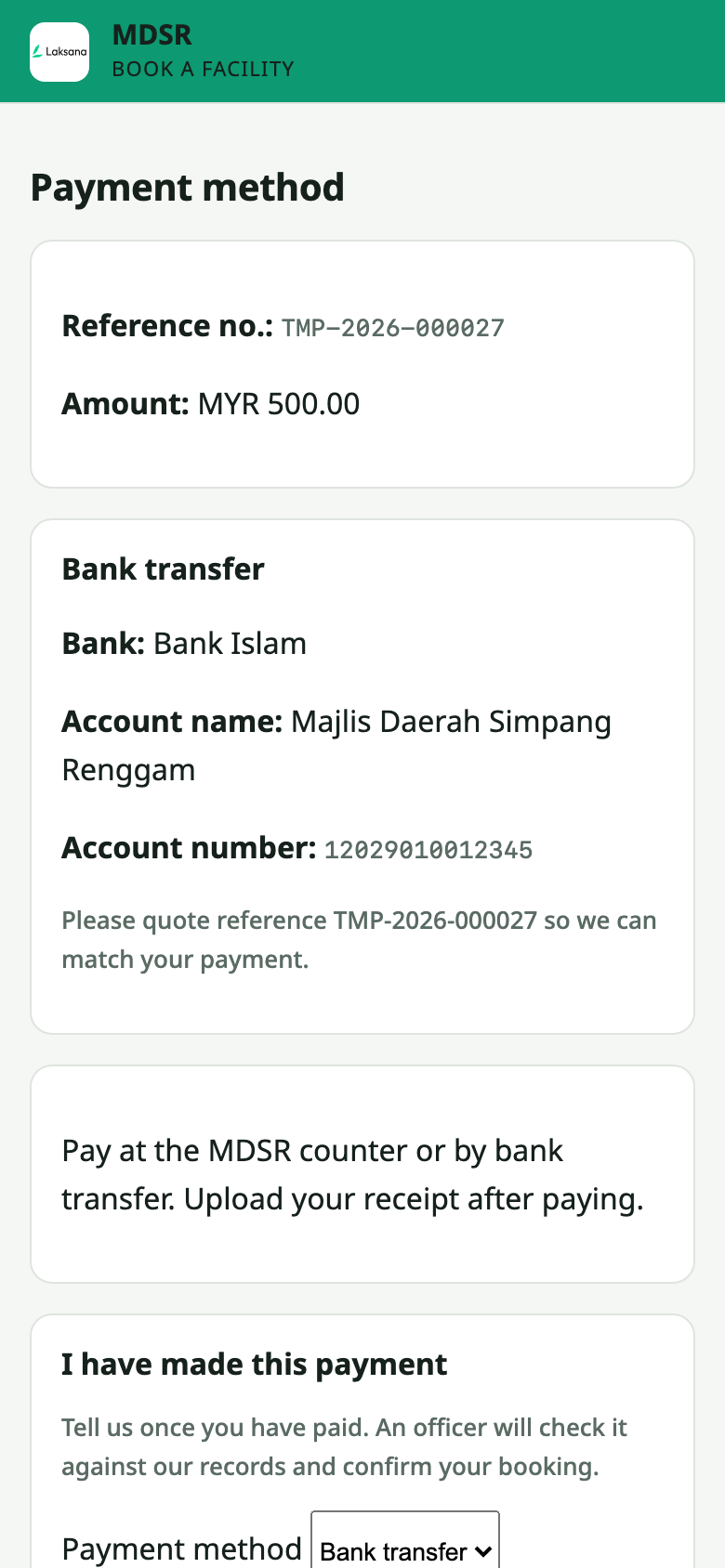
The applicant sees the reference and amount, and pays online, by bank transfer or at the counter. Online payments go through your own Billplz, CHIP, Fiuu, Stripe or Airwallex account, straight into your bank.
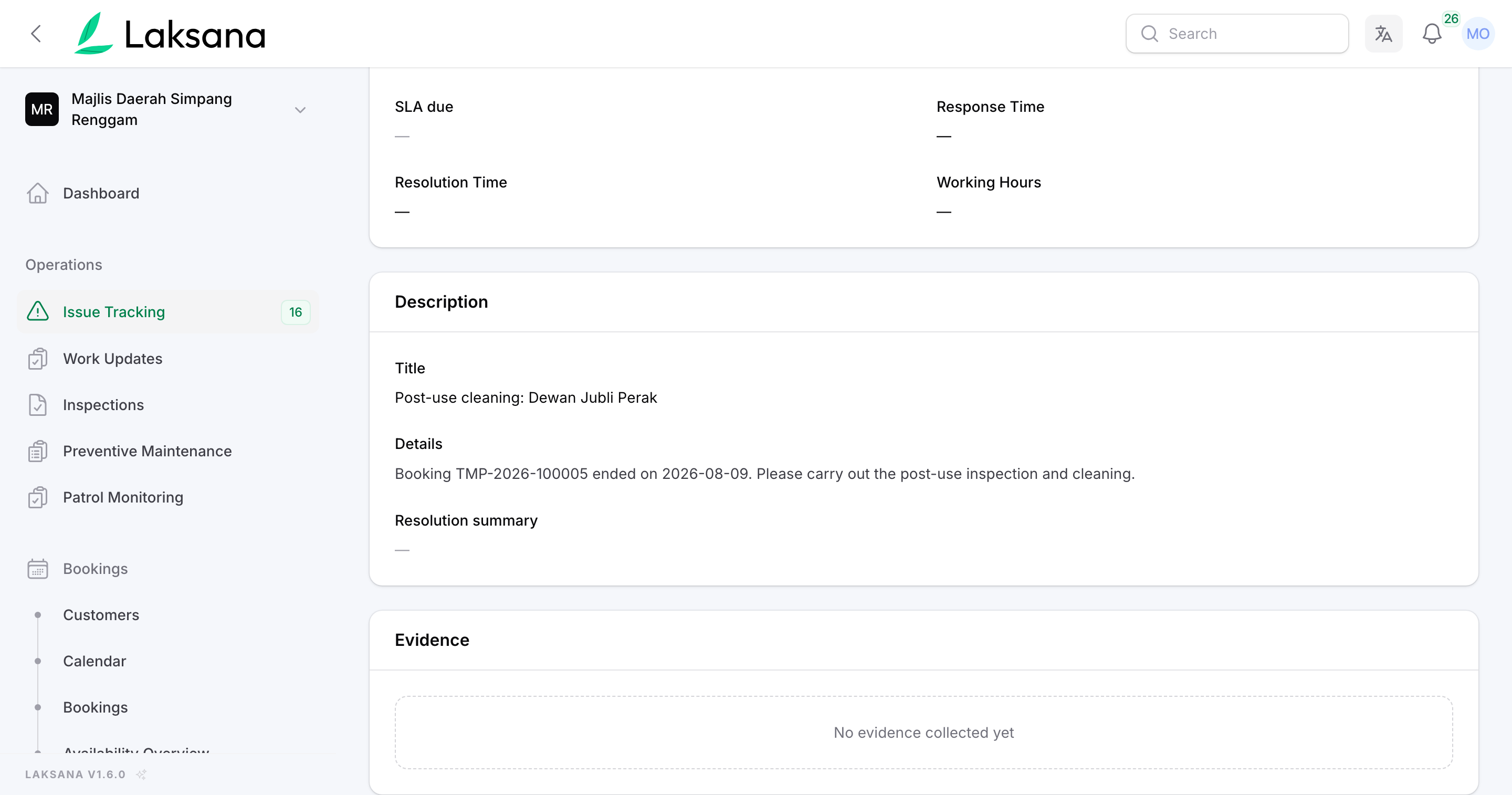
If you switch it on for a facility, a cleaning job is raised after a paid booking’s event day ends. It is tracked like any other job.
Collections
Bills work themselves out from charges you set once. Residents pay online into your own account, and every payment gets an official receipt.
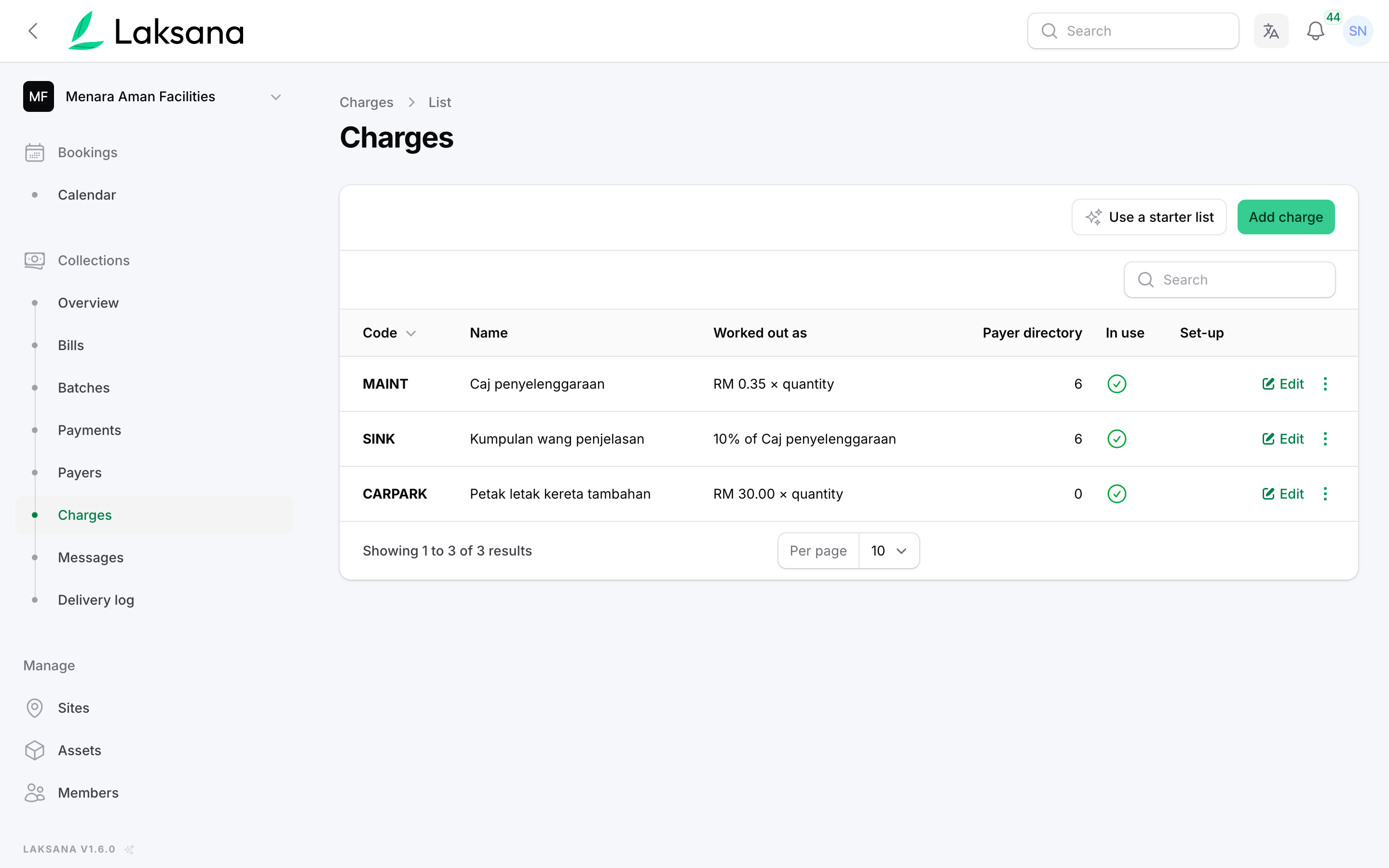
For example, maintenance by share unit, a sinking fund as a percentage of it, and extra car park bays. Set the charges once and every bill works itself out.
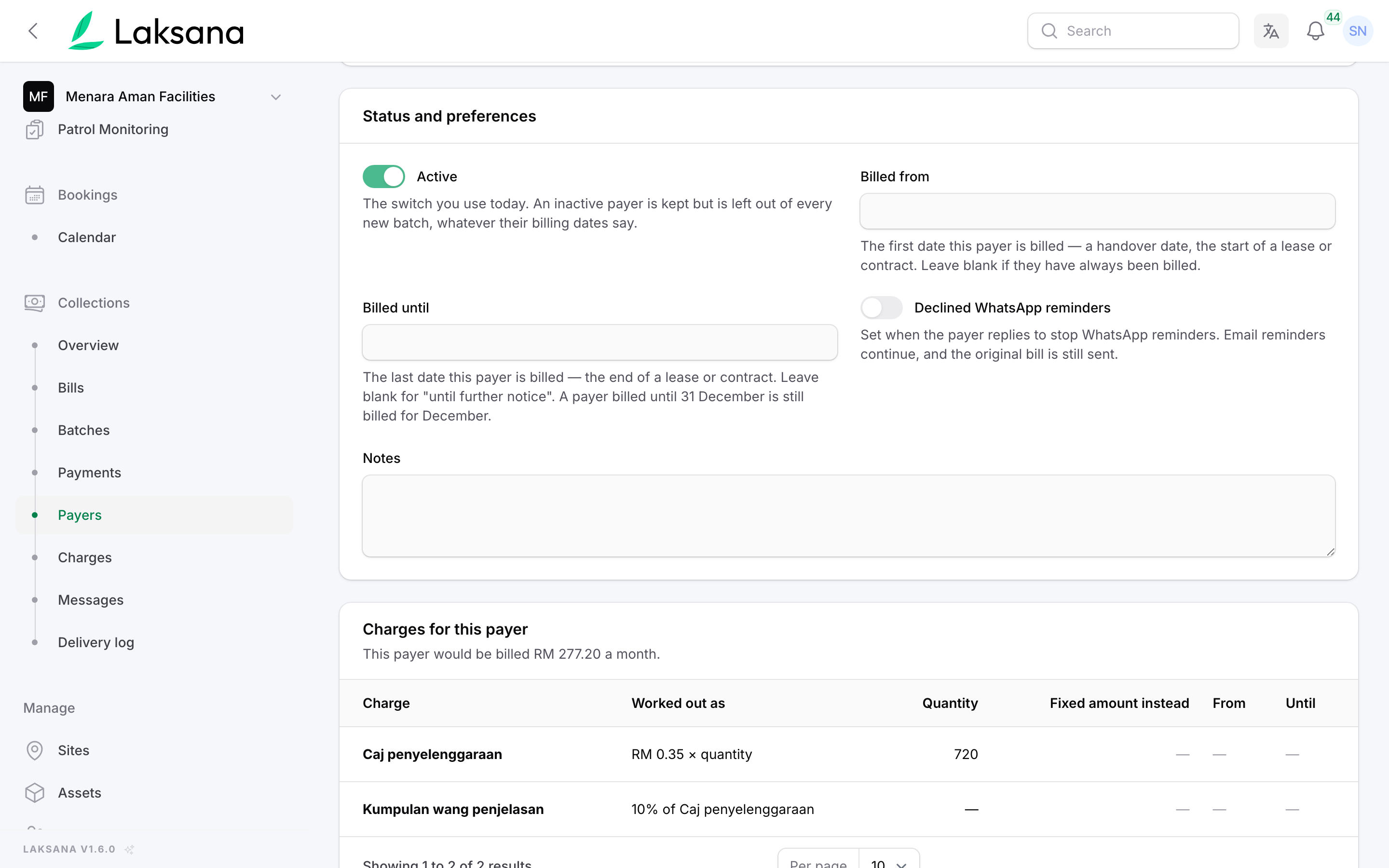
Each unit has its own share units, so nobody re-types a formula each month. Unit A-12-03: 720 share units at RM 0.35, plus a 10% sinking fund, is RM 277.20.
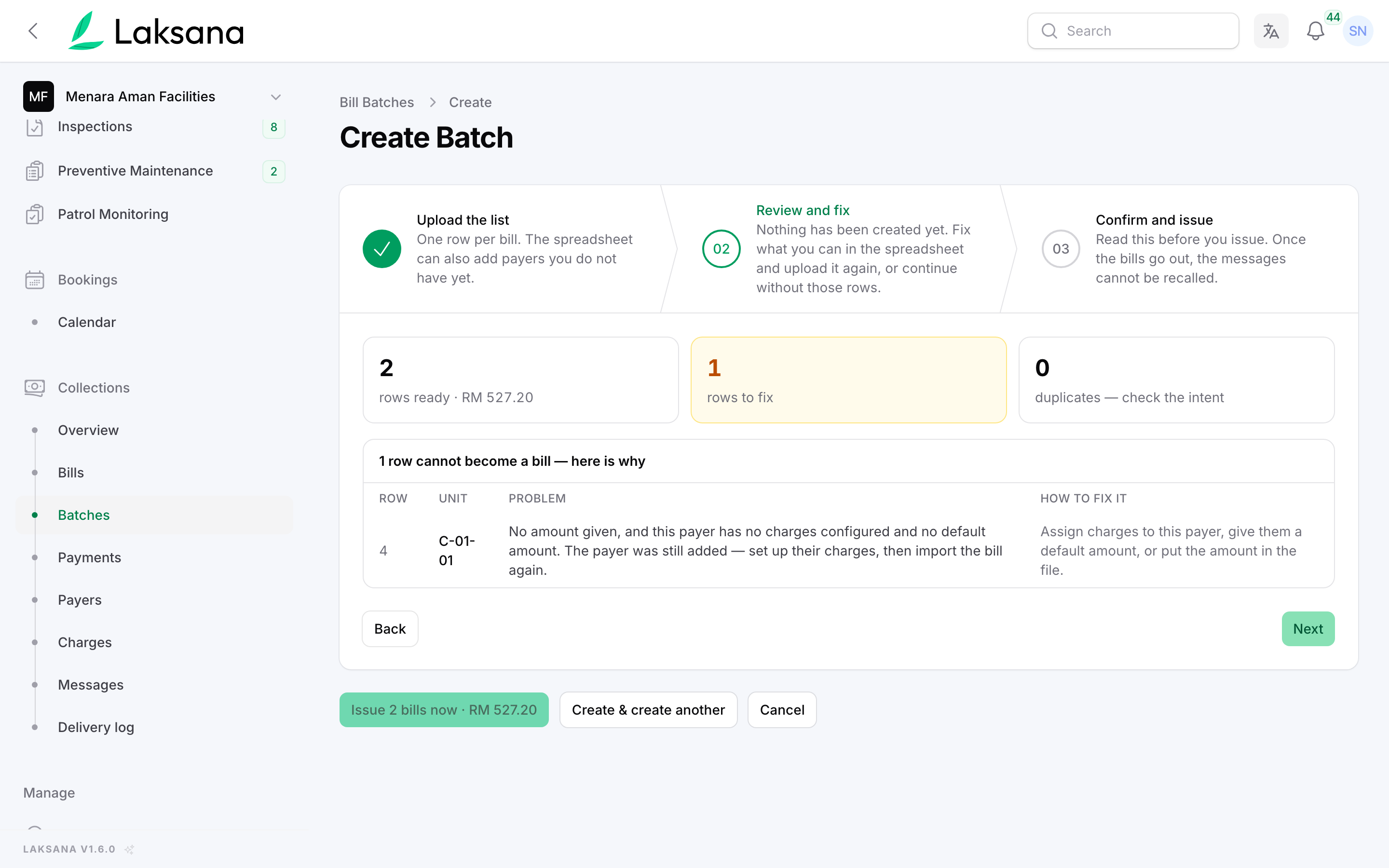
Raise the month’s bills in one go. Before anything is sent, you see how many bills will go out and the total. Rows that cannot be priced are listed for you to fix, never billed at zero.
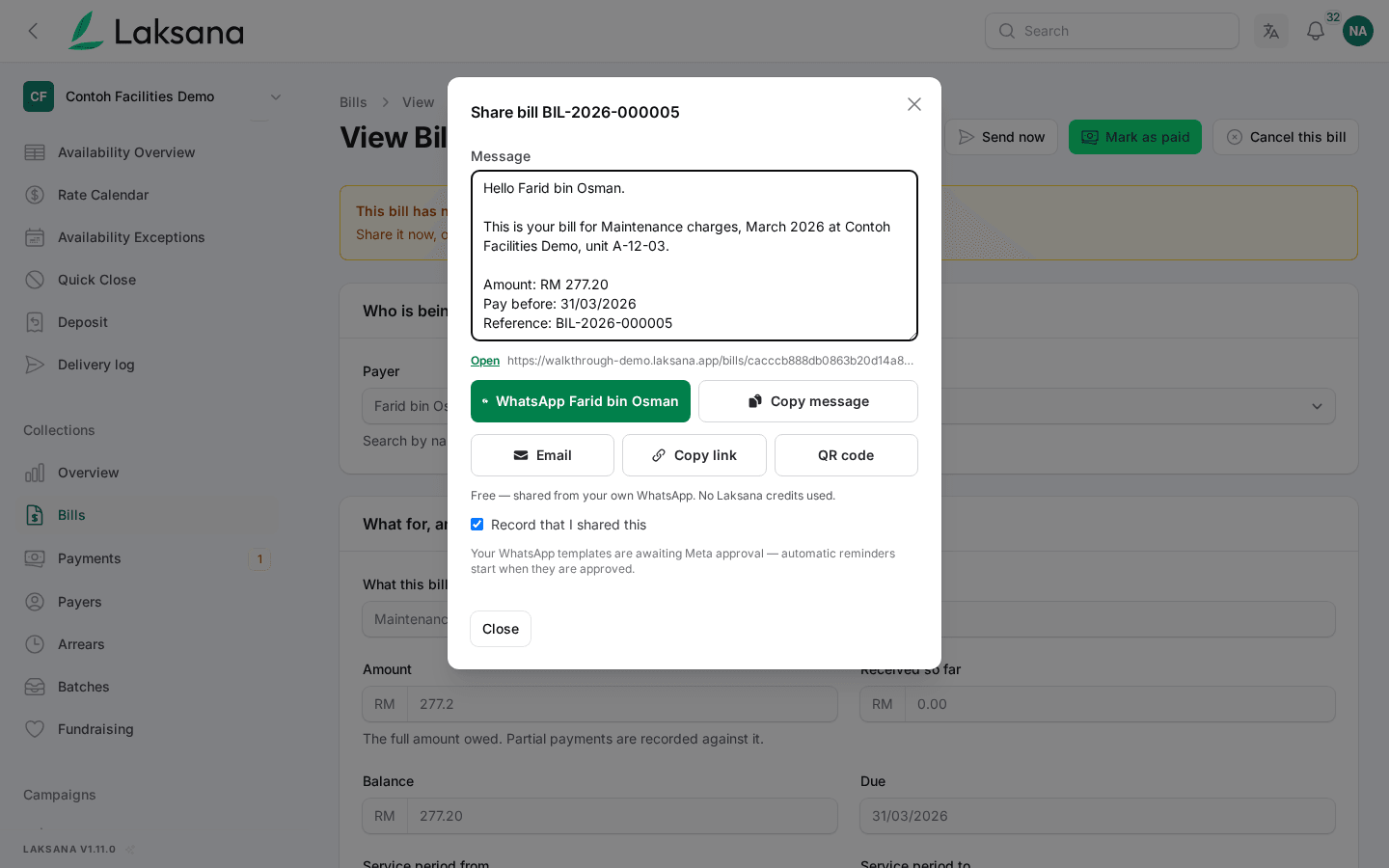
Share opens WhatsApp or email on your own phone with the bill’s wording and link filled in.
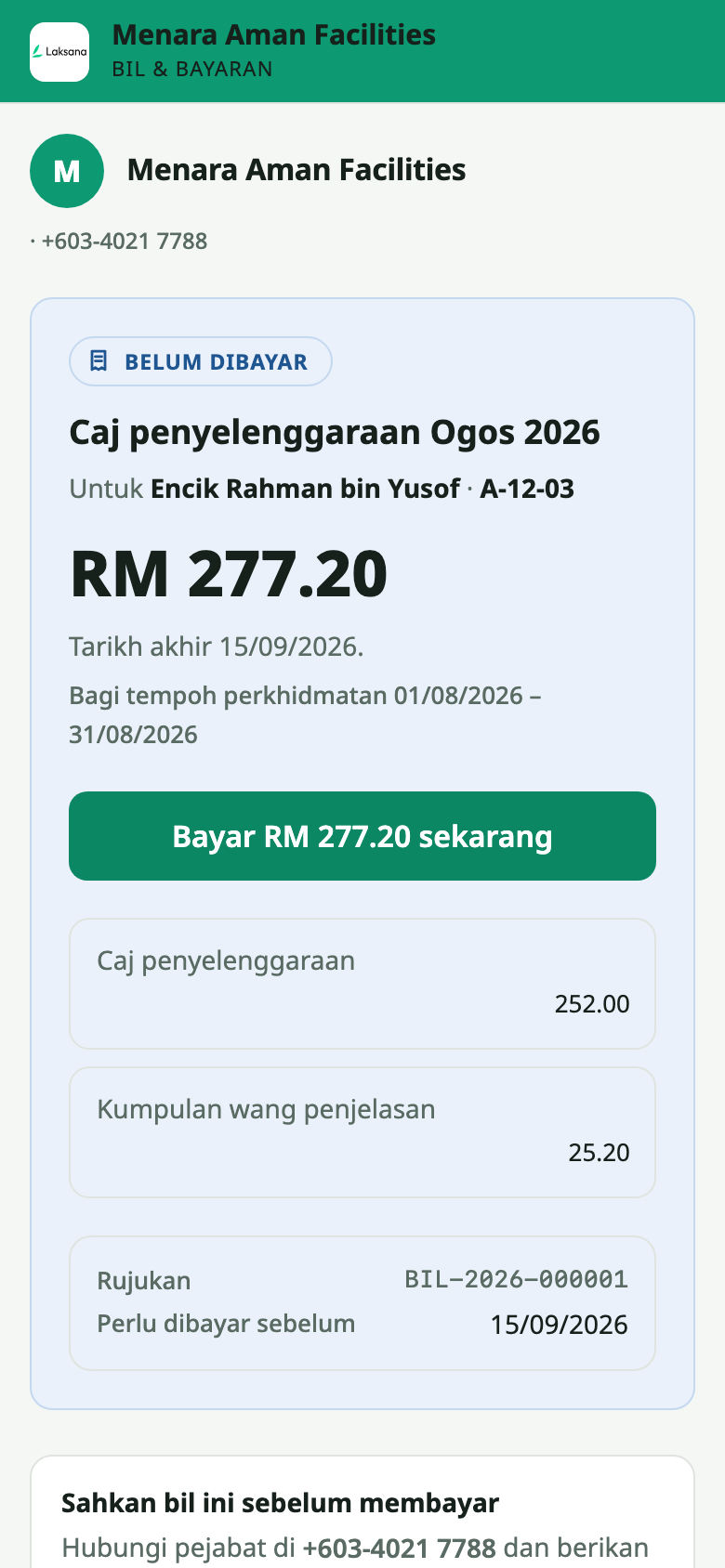
The resident sees their name, unit and what the charge is made of, under your organisation’s name. No login, no app. Your website has a page where anyone can check that a bill is genuine.
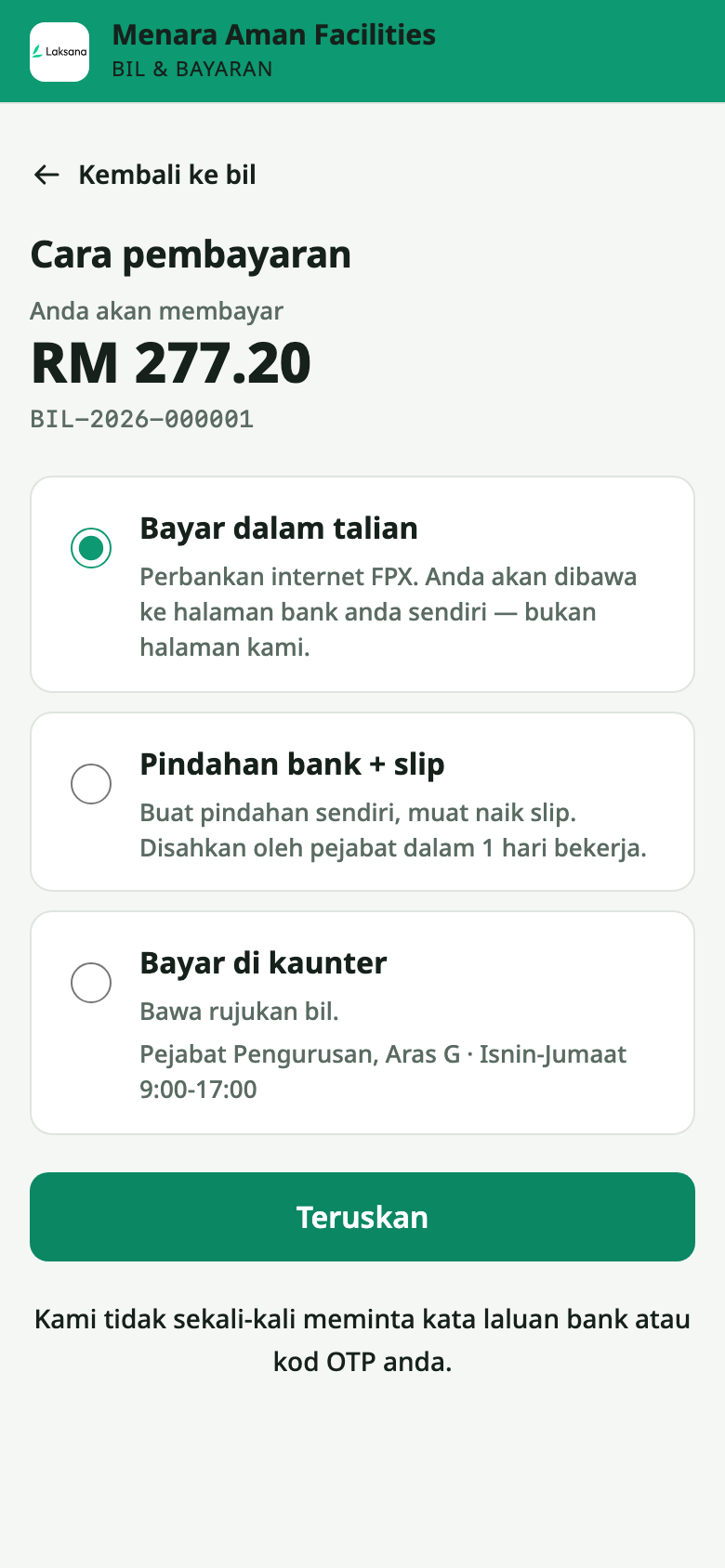
FPX, DuitNow QR or card through your own Billplz, CHIP, Fiuu, Stripe or Airwallex account. Or they pay by bank transfer: your account number and the bill reference are on screen, they upload the slip, and your officer accepts it in one click.
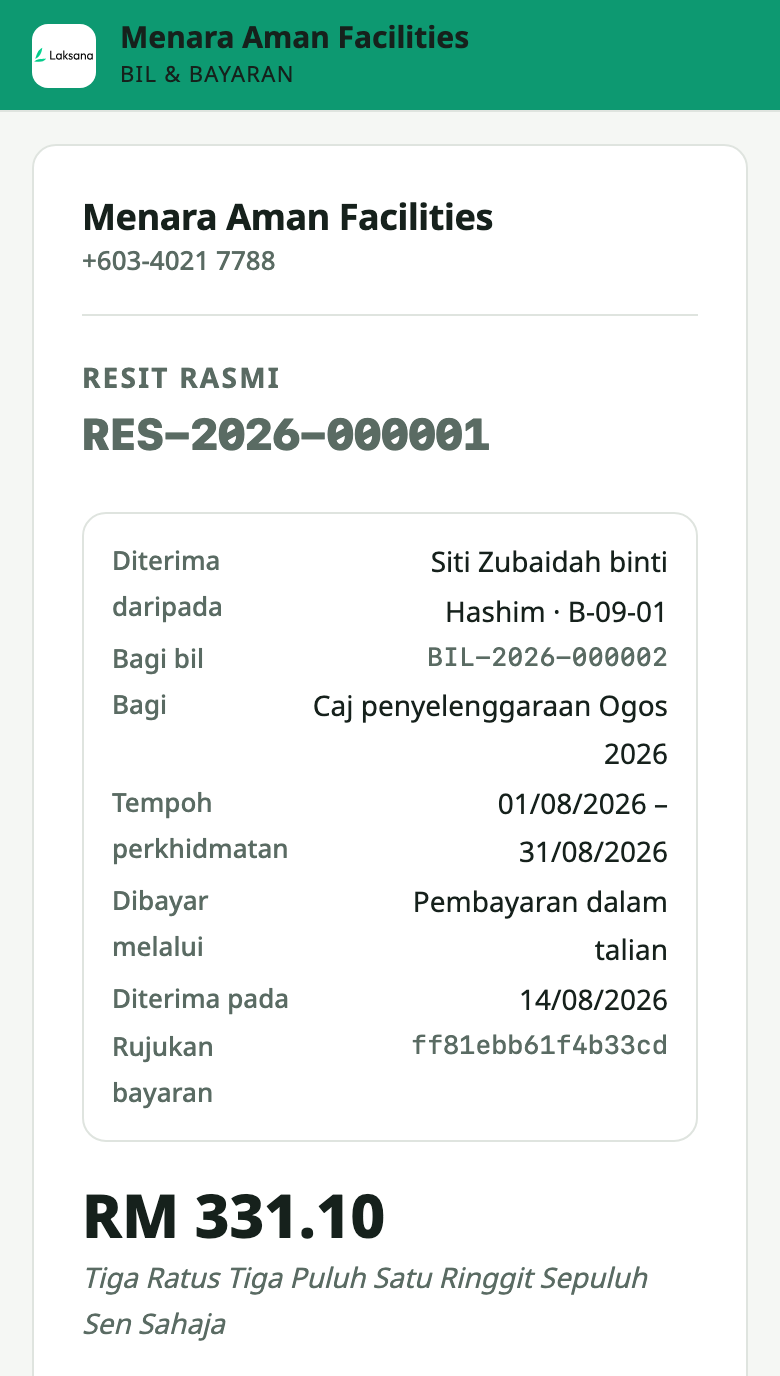
Every payment gets an official receipt with the next number in sequence and the amount in words, on screen and as a PDF. No more receipt books.
Two-Factor Authentication
Anyone can add an authenticator app to their sign-in. A workspace can require it for chosen roles, and the owner can never be locked out.
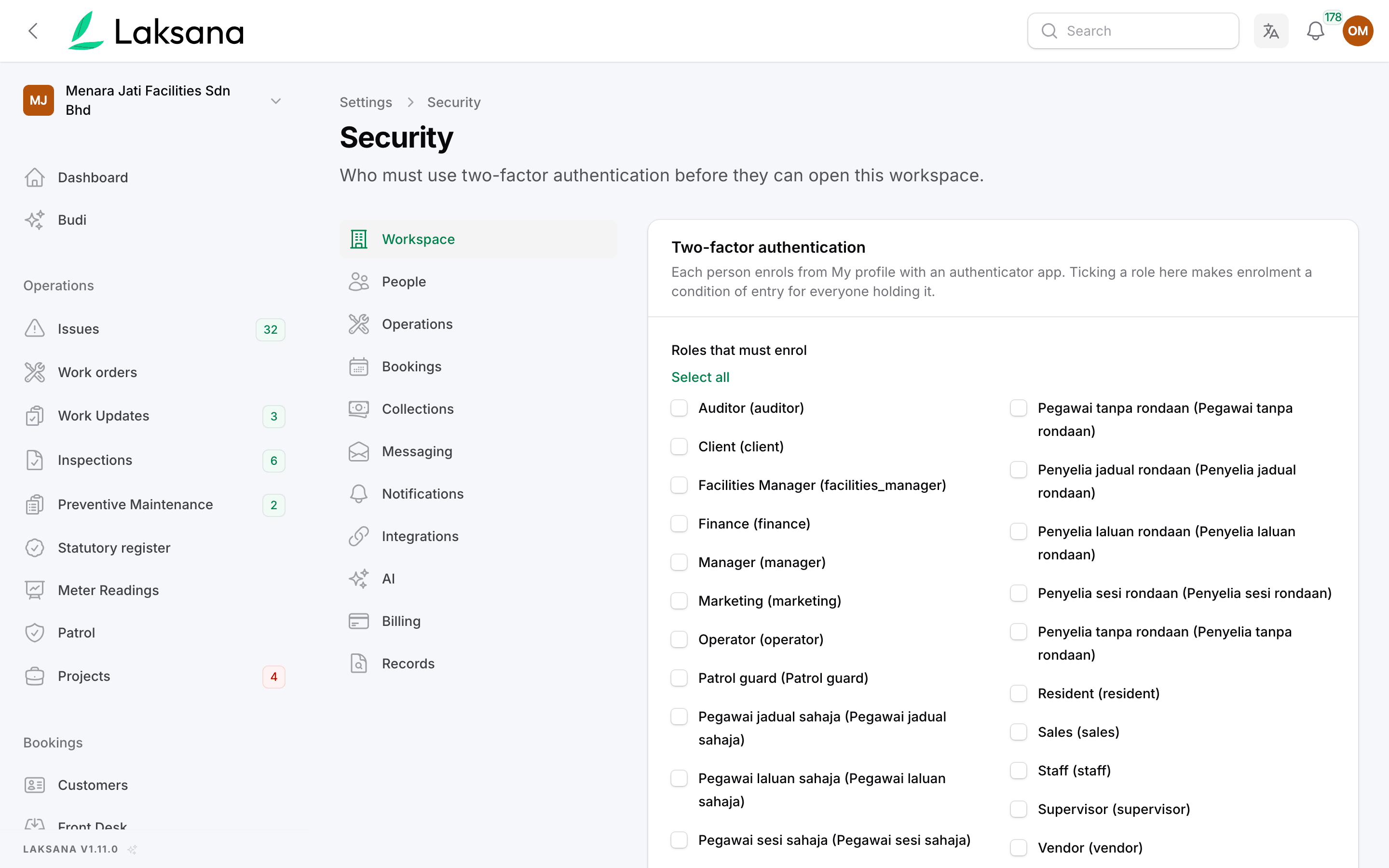
Settings → Security lists your roles. Tick the ones that must use two-factor sign-in and save. The Owner role is never forced, so a wrong tick can always be undone.
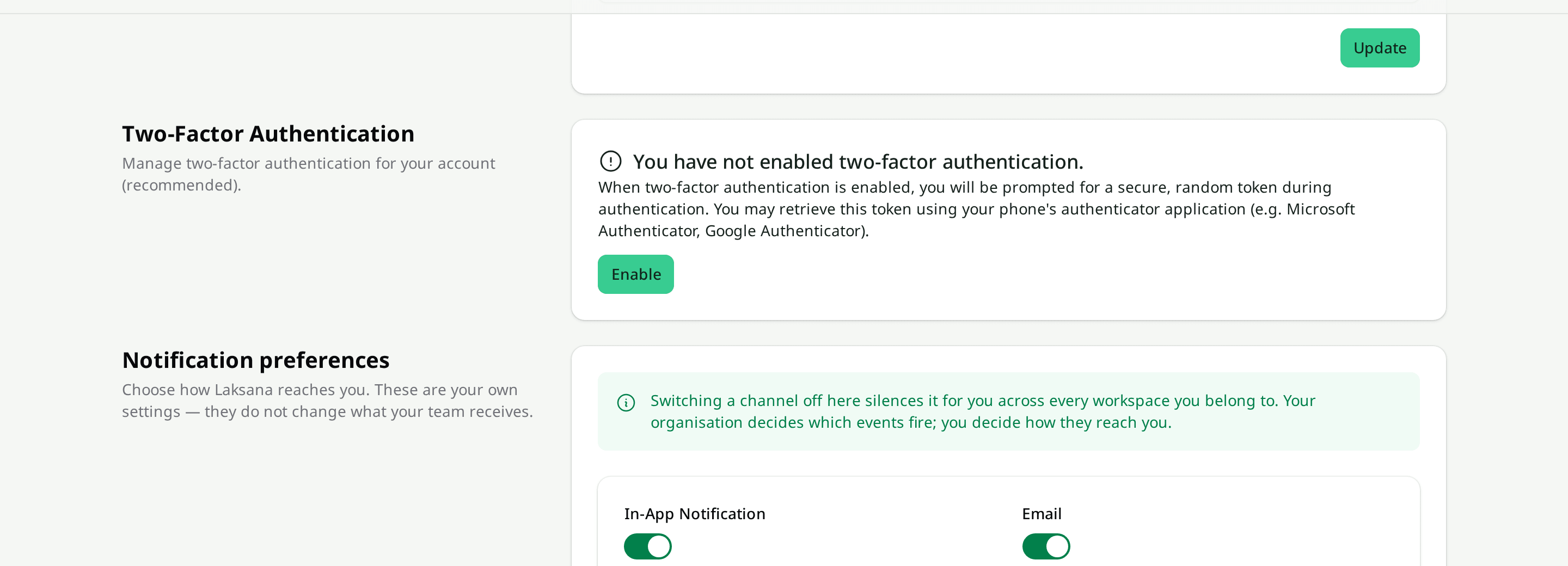
Each person taps Enable, scans a QR code with any authenticator app and enters one code. They also get recovery codes, each usable once.
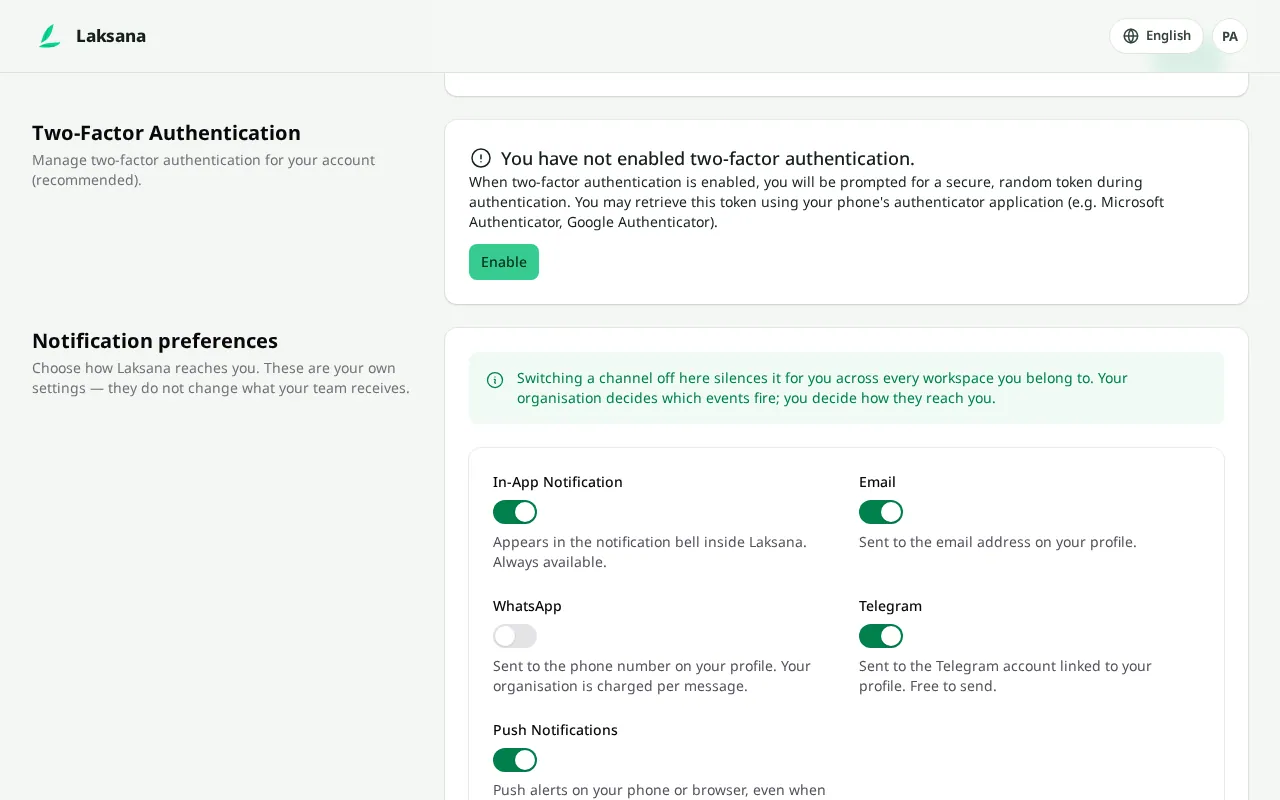
Someone in a ticked role who has not set it up is taken to set-up on their next visit, and cannot open the workspace until it is done.
See it on your own sites.
Book a demo and we’ll walk through one of your real workflows, from the first chat message to the report your client reads.