
Intake & Triage
One intake for every fault. Rules route it and an SLA clock measures it.
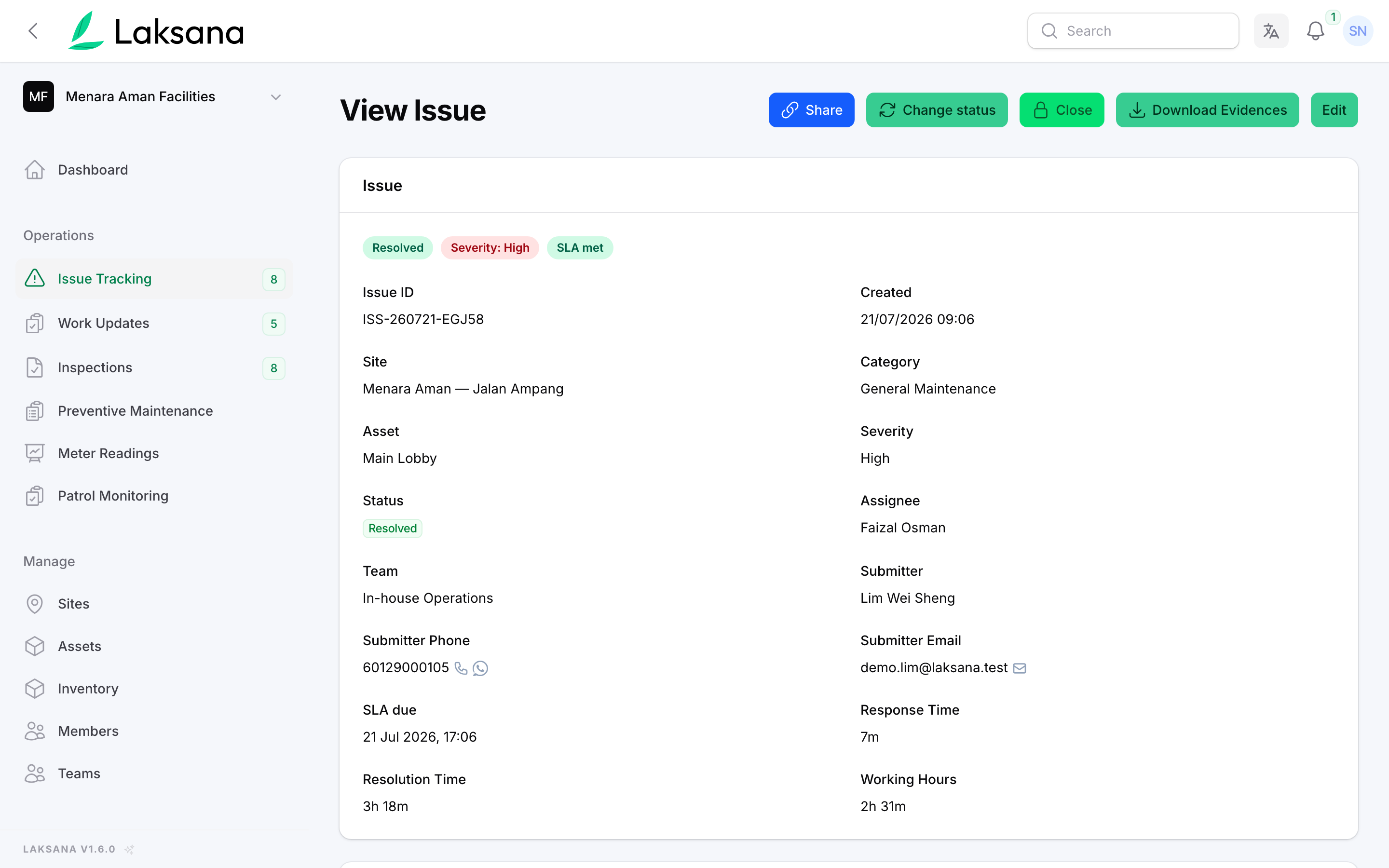
Residents, tenants and staff raise a fault from WhatsApp or Telegram, a QR code on the asset, or the helpdesk portal. Laksana files it as one tracked issue, routes it by your own assignment rules, runs an SLA clock against it, and closes the loop with the person who reported it.
- WO-1042 · Unit 14-2
- Severity High · SLA 4h
- WhatsApp · Telegram · QR · Portal
- 0 app downloads
The problem
Faults arrive by call, chat and sticky note. Nobody has the full count.
Chiller leaking in plant room L2
Buried in the group. A chiller leak sits under 400 unread messages, and the technician finds out from the next shift.
Unit 12-3 is leaking again
Same fault, new thread. The tenant reports it a third time because nobody can show that the first two were logged.
Is it sorted yet? The boss is asking.
No clock on anything. Nobody knows an issue is late until the owner asks, because the deadline lives in someone's head.
How It Works
From a message to a closed issue. Every route ends in the same record.
Every route into the system produces the same structured record, so nothing depends on who reported it or how.
1
Capture
Capture. A fault arrives over WhatsApp or Telegram, from a QR code scanned on the asset itself, or through the resident helpdesk portal: no login needed for the reporter. On Telegram, it can come from a site group or a direct message to the bot.
2
Route
Route and time it. Assignment rules pick the owner by site, category and severity, and an SLA policy sets the clock. At 80% of the window an amber warning goes out; past the deadline, the escalation ladder you defined notifies the next person up, rung by rung. None of it needs a person to be watching, e.g. WO-1042 with a 4h SLA.
3
Resolve and close the loop
Close with proof. The assignee updates the issue from the field with photo evidence. When it closes, the reporter is notified on the channel they used.
Key Benefits
One register, every channel
One register. WhatsApp, Telegram, QR scan and portal reports land in the same issue register with the same fields, so the count you report on is the real count.
SLA countdowns track on the issue directly
The clock is visible. SLA policies attach a target to each issue, warn before it runs out, and escalate on a ladder you set (who is told at 15 minutes past, who at an hour), so escalation follows structured policy.
A record that stands up later
A record to point to. Site, asset, category, severity, owner, status history and photo evidence are all on the issue, which is what a report, an audit or a contractor query needs.
Works With
The rest of the loop
AI Classification
Read on arrival. The type, urgency and likely site or asset are read from the incoming message before a person sees it.
Resident Helpdesk
Stays in the chat. Reporting, status checks and closure all happen inside the WhatsApp or Telegram conversation the reporter already uses.
Time and GPS evidence
Proof of place. Photos attached to an issue can be stamped with time, location and site name as they arrive.
Reports & Share Links
Client-ready output. Issue activity for a period, filtered by site and severity, as a PDF with before-and-after photos, an Excel file, or a share link for a client.
AI Connectors
Ask from your AI app. Connect an AI app that supports MCP and ask about this work inside your role. See AI connectors.